Atlantis API Needed by Gameshark (for Pixelmon) Gameshark 1.1.1
requiredMatching file found Matched file: Atlantis 6.9.3

CurseForge · Minecraft mod
Find all the Pokémon you want!
Quick answer
Gameshark (for Pixelmon) Gameshark 1.1.1 targets 1.16.5 with Forge. The project page does not say whether this file belongs on the client, dedicated server, or both. All 2 required mods have matching files.
Where it goes
The project page does not say whether this file belongs on the client, dedicated server, or both.
The source does not explicitly classify this release as client-only or server-only.
Gameshark 1.1.1. Change the file and its required mods may change too.
Install Atlantis API, Pixelmon first. We found matching files for this game-version and loader setup. 1 comes through another mod in the chain.
1 extra mod was pulled in by another dependency. Indented rows show who needs each one. We only count dependency files that match this setup. A file for another loader does not fill the gap.
Before you install it
Built for Gameshark (for Pixelmon) Gameshark 1.1.1. Pick another file and the loader, install side or required mods may change.
Use Gameshark 1.1.1. It targets 1.16.5 with Forge; another release may have different loader, side or dependency requirements.
Install Atlantis API, Pixelmon first. We found matching files for this game-version and loader setup. 1 comes through another mod in the chain.
The project page does not say whether this file belongs on the client, dedicated server, or both.
Use the “Get this file” button beside Gameshark 1.1.1. It opens that exact file at the source.
About this project
Gameshark, a Pixelmon addon which allows you to hunt down Pokémon and other points of interest with ease!
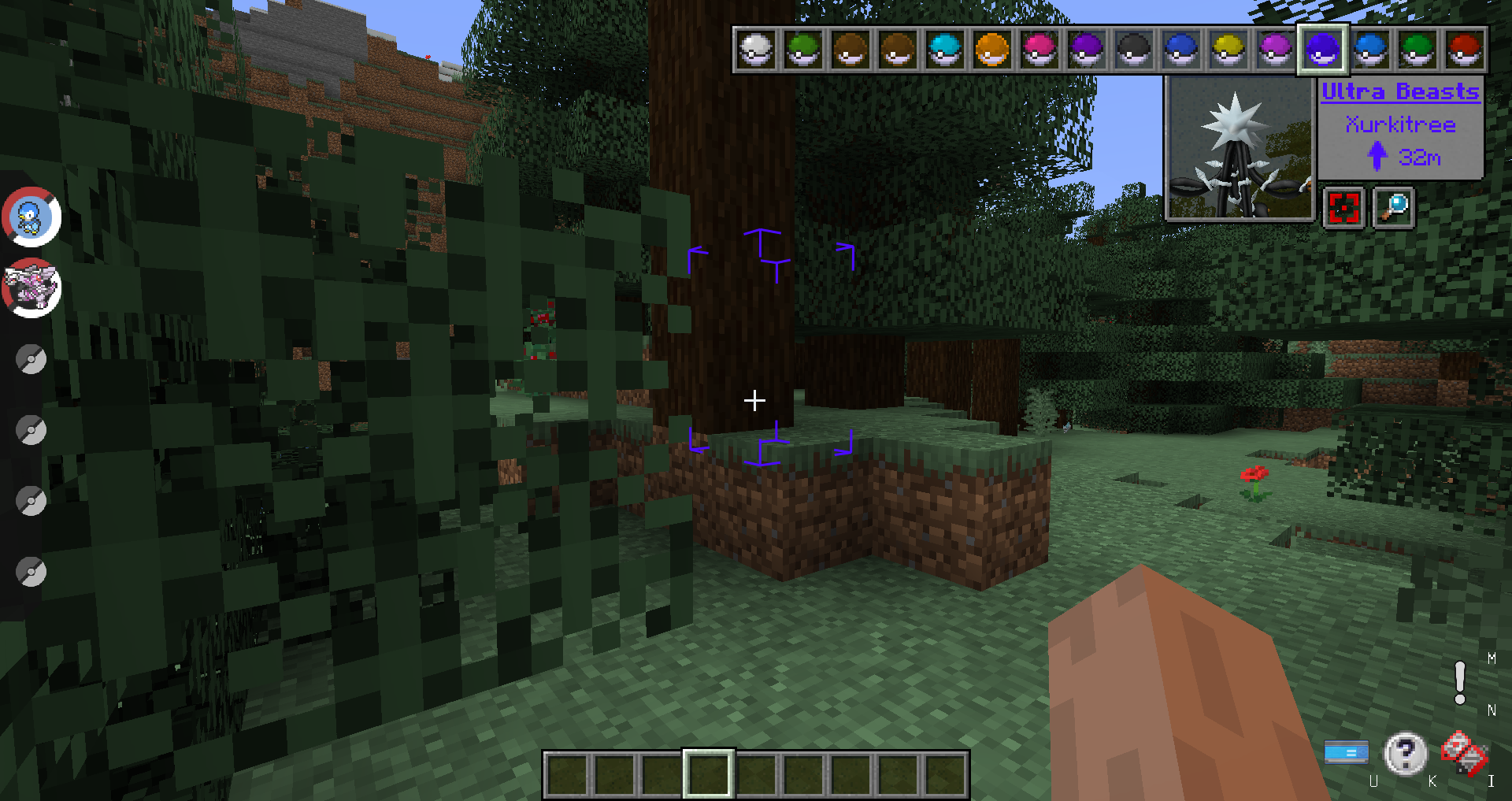
A total revamp for 1.16, Gameshark has been rethought from top to bottom, from the look of the addon to how it works in the back.
Gameshark still respects server settings first. For Gameshark to work on servers, it must be both installed and enabled there.
Search types can now be placed behind permission nodes to allow Gameshark to be used as an administration tool, and can be created for a more wider variety of objects.
The custom search type has also been expanded to support Pixelmon Pokémon specifications!
By default, Gameshark can find the following: legendaries, shinies, bosses, Ultra Beasts, special palettes (e.g. alter), quest givers, trainers, players, Ultra Wormholes, Max Raid Dens, Poké Loots, Poké Stops, chests, chests in minecarts, Zygarde cores and cells, and custom search specifications.
Powered by Atlantis. Required for both server and client installations.
New search types can be created, or existing ones changed or removed, by editing the configuration file in the ./config/gameshark folder.
Made for Pixelmon.

Commands:
/gameshark reload - gameshark.admin - Reload Gameshark's settings.
/gameshark update - gameshark.admin - Send changes to Gameshark's settings to players.
Default controls:
\ - Toggle Gameshark
, - Toggle search type
. - Minimize search overlay
; - Toggle crosshairs
' - Open custom search menu
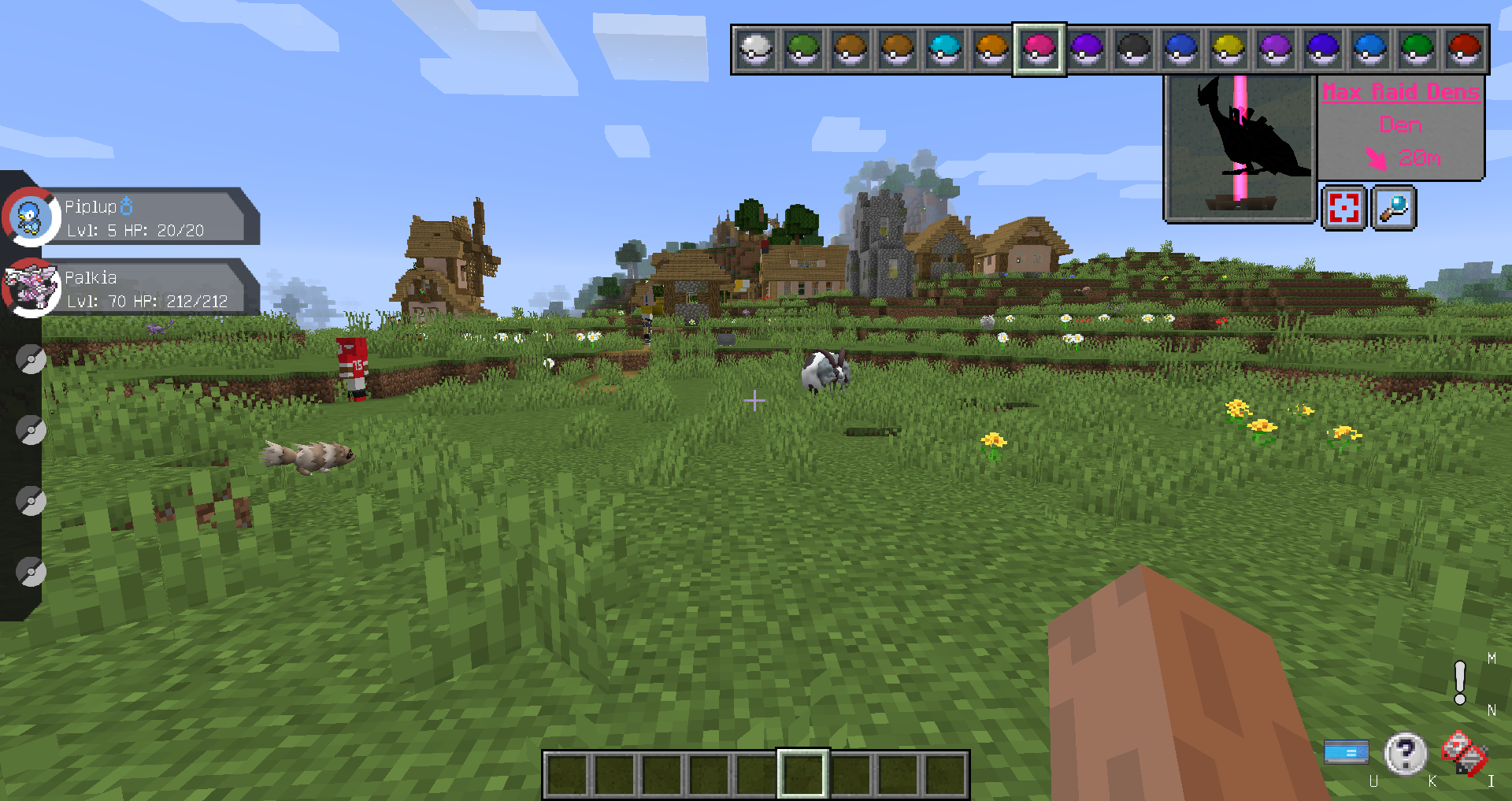
Project description from CurseForge.
Pick your setup
Choose the version and loader you play, then open the matching release.
Check the dependencies, then try the file in a copied instance before changing a world you care about.
Recent files
Gameshark-1.16.5-1.1.1-universal.jar
1 Sept 2023
Gameshark-1.16.5-1.1.0-universal.jar
11 Aug 2023
Gameshark-1.16.5-1.0.3-universal.jar
4 Apr 2023
Gameshark-1.16.5-1.0.2-universal.jar
16 Jan 2023
Gameshark-1.16.5-1.0.1-universal.jar
6 Jan 2023
Gameshark-1.16.5-1.0.0-universal.jar
12 Dec 2022
Looking for an older file? The official CurseForge project page is in Resources.
 mod
An exploration-focused world map and minimap with cave mapping, waypoints and extensive customization.
 mod
Smart Crafter is a lightweight, vanilla-friendly automation mod that upgrades the vanilla Crafter into a true set-and-forget auto-crafter—no redstone clocks required, and no more accidentally emptying your crafting template!
 mod
Server essentials without the bloat: homes, warps, spawn, TPA, RTP, kits, economy, moderation, AFK, sidebar and more. Vanilla clients can join.