Fabric API Needed by WelcomeScreen 1.1.1+1.21.1
requiredMatching file found Matched file: 0.116.17+1.21.1

Modrinth · Minecraft mod
Add a welcome screen which displays information about a server/world/modpack
Quick answer
WelcomeScreen 1.1.1+1.21.1 targets 1.21.1 with Fabric. Installation on the client is optional. Installation on the dedicated server is optional. All 2 required mods have matching files.
Where it goes
Installation on the client is optional. Installation on the dedicated server is optional.
The source marks this as usable on both the client and server.
1.1.1+1.21.1. Change the file and its required mods may change too.
Install Fabric API, Cloth Config API first. We found matching files for this game-version and loader setup.
We only count dependency files that match this setup. A file for another loader does not fill the gap.
Before you install it
Built for WelcomeScreen 1.1.1+1.21.1. Pick another file and the loader, install side or required mods may change.
Use 1.1.1+1.21.1. It targets 1.21.1 with Fabric; another release may have different loader, side or dependency requirements.
Install Fabric API, Cloth Config API first. We found matching files for this game-version and loader setup.
Installation on the client is optional. Installation on the dedicated server is optional.
Use the “Get this file” button beside 1.1.1+1.21.1. It opens that exact file at the source.
About this project


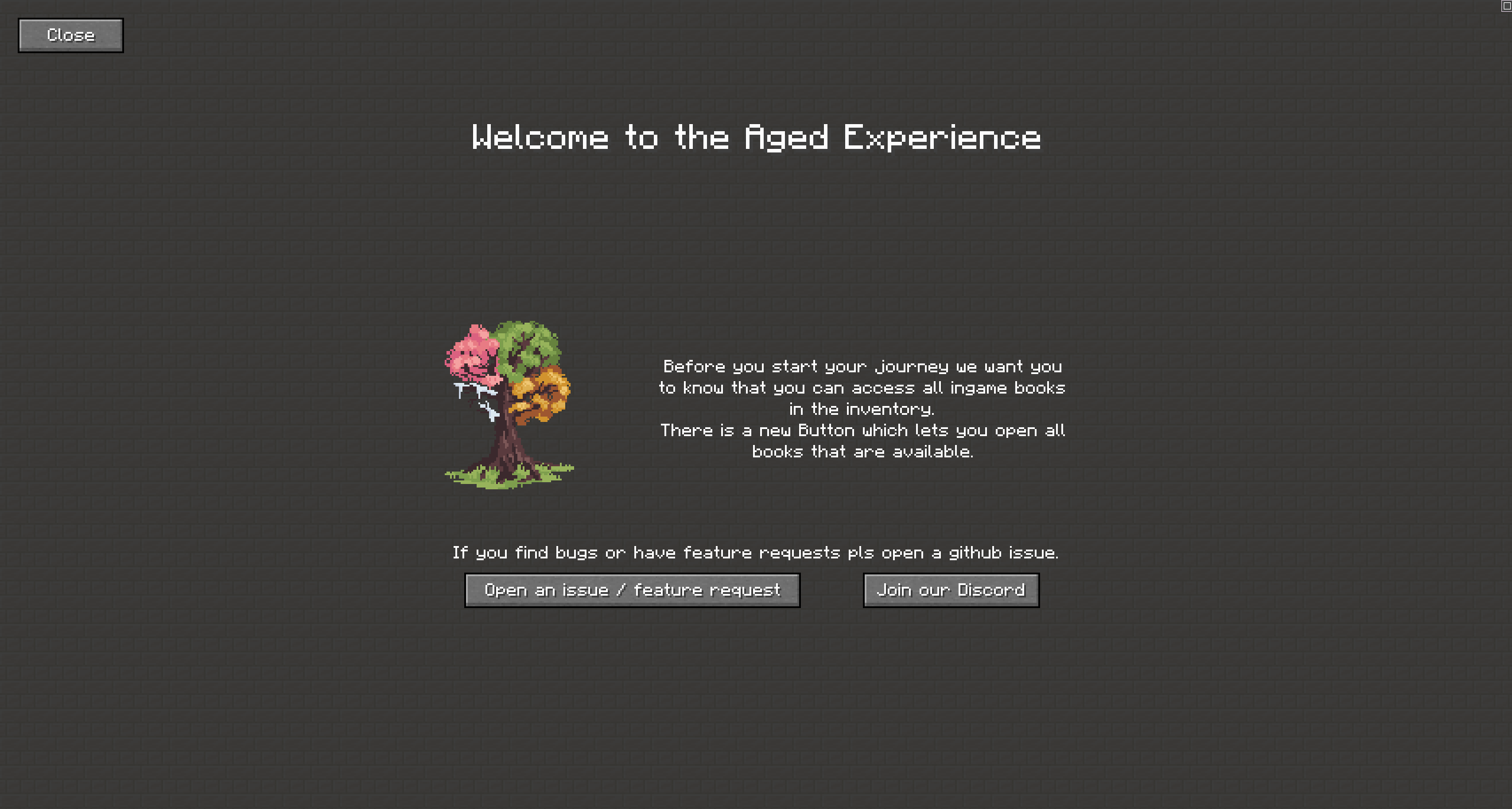
WelcomeScreen let you create a welcome screen where you can share information about your server, world or modpack.
It will open up on the players first join of the world. A screen can be build via a datapack (and resourcepack if resources are needed).
Check out the github readme for information.

This mod is developed for Fabric.
There are no plans to develop a Forge version.
Modpack Permission:
Feel free to use it in any modpacks.
Bug Report:
Just report bugs at the github page.
Project description from Modrinth.
Pick your setup
Choose the version and loader you play, then open the matching release.
Check the dependencies, then try the file in a copied instance before changing a world you care about.
Recent files
welcomescreen-1.1.1.jar
30 Oct 2026
welcomescreen-1.1.0.jar
26 Oct 2026
welcomescreen-1.0.1.jar
10 Sept 2024
welcomescreen-1.0.1.jar
23 Jun 2024
welcomescreen-1.0.1.jar
1 Nov 2023
welcomescreen-1.0.0.jar
2 Sept 2023
Looking for an older file? The official Modrinth project page is in Resources.
 mod
modA bridge/proxy allowing you to connect to Minecraft: Java Edition servers with Minecraft: Bedrock Edition.
 mod
modThis is a Minecraft mod addon for Create called Factory
 mod
modAllows hotswapping mods live. Adding/updating mods, turning existing ones off/on. Browsing modrinth ingame.


