Euphoria Patches Needed by Supplemental Patches supplemental_patches-1.0.2+26.2-fabric.jar
requiredMatching file found Matched file: Euphoria Patcher 1.10.5-r5.9.3-fabric
CurseForge · Minecraft mod
Supplemental Patches enables users to create custom shaders for modded blocks, entities, items, particles, etc, through a resource-pack, with the shaders being patched onto Euphoria Patches.
Quick answer
Supplemental Patches supplemental_patches-1.0.2+26.2-fabric.jar targets 26.2 with Fabric. The project page does not say whether this file belongs on the client, dedicated server, or both. All 6 required mods have matching files.
Where it goes
The project page does not say whether this file belongs on the client, dedicated server, or both.
The source does not explicitly classify this release as client-only or server-only.
supplemental_patches-1.0.2+26.2-fabric.jar. Change the file and its required mods may change too.
Install Euphoria Patches, Fabric Language Kotlin, Iris Shaders, Iris Shaders and 2 more first. We found matching files for this game-version and loader setup. 2 come through another mod in the chain.
2 extra mods were pulled in by other dependencies. Indented rows show who needs each one. We only count dependency files that match this setup. A file for another loader does not fill the gap.
Before you install it
Built for Supplemental Patches supplemental_patches-1.0.2+26.2-fabric.jar. Pick another file and the loader, install side or required mods may change.
Use supplemental_patches-1.0.2+26.2-fabric.jar. It targets 26.2 with Fabric; another release may have different loader, side or dependency requirements.
Install Euphoria Patches, Fabric Language Kotlin, Iris Shaders, Iris Shaders and 2 more first. We found matching files for this game-version and loader setup. 2 come through another mod in the chain.
The project page does not say whether this file belongs on the client, dedicated server, or both.
Use the “Get this file” button beside supplemental_patches-1.0.2+26.2-fabric.jar. It opens that exact file at the source.
About this project


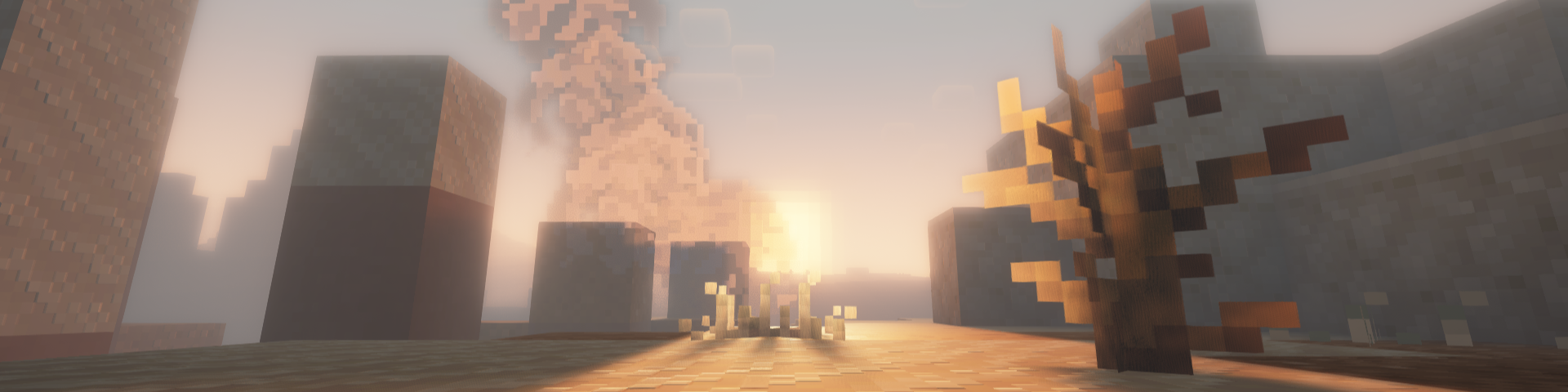
Supplemental Patches enables users to create custom shaders for modded blocks, entities, items, particles, etc, through a resource-pack. The mod by default, comes with a built-in resource pack with supports many popular mods.
These additional shaders are patched into Euphoria Patches, if it is installed.
Some of the most exciting features of the mod include (for players):
For details on the supported areas that can be patched onto Euphoria Patches, check out this tutorial.
Q: Will there be ports to loaders other than (Neo)Forge and Fabric?
A: Probably not.
Q: Will there be backports?
A: Probably not.
Q: Can you support XXX mod?
A: All in due time. Alternatively, you could do it yourself. Have a look at this tutorial for more details.
Q: I found a bug.
A: Please report it to me first, do not bother the developers of Complementary Shaders / Euphoria Patches.
Q: The shaders I added aren't showing.
A: Try reloading the shaderpack, after ensuring that the resource-pack is loaded. Alternatively, check which layer the block is being rendered in using the Euphoria Companion mod. Certain blocks (e.g. certain glass blocks) may be rendered as cutouts rather than translucent blocks. You will need to change the layer they are rendered under using block.properties.json.
Q: The built-in shaders aren't working.
A: Similarly, try reloading the shaderpack and ensuring that the built-in resource-pack is loaded.
Q: Does this work with Optifine?
A: No. This only works with Oculus / Iris.
Q: Can I include this my modpack?
A: Yes, go ahead.
Project description from CurseForge.
Pick your setup
Choose the version and loader you play, then open the matching release.
Showing the newest 12 of 23 game versions. Older files are in the list below.
Check the dependencies, then try the file in a copied instance before changing a world you care about.
Recent files
22 Sept 2026
22 Sept 2026
22 Sept 2026
22 Sept 2026
22 Sept 2026
22 Sept 2026
22 Sept 2026
22 Sept 2026
22 Sept 2026
5 Sept 2026
5 Sept 2026
5 Sept 2026
Looking for an older file? The official CurseForge project page is in Resources.
 mod
This mod displays your inventory directly on the HUD without needing to open it.
 mod
A soulslike RPG overhaul: earn runes, level eight attributes at Ember Shrines, wield 74 scaling armaments and hunt seven Sovereigns.
 mod
A complete RPG quest system: a quest book with branching chapters, an in-game editor, parties with shared progress, team stages, smart item filters and vein mining.