Fabric API Needed by Toggle Item Frames 5.1.1-1.21.10
requiredMatching file found Matched file: [1.21.9] Fabric API 0.134.1+1.21.9
CurseForge · Minecraft mod
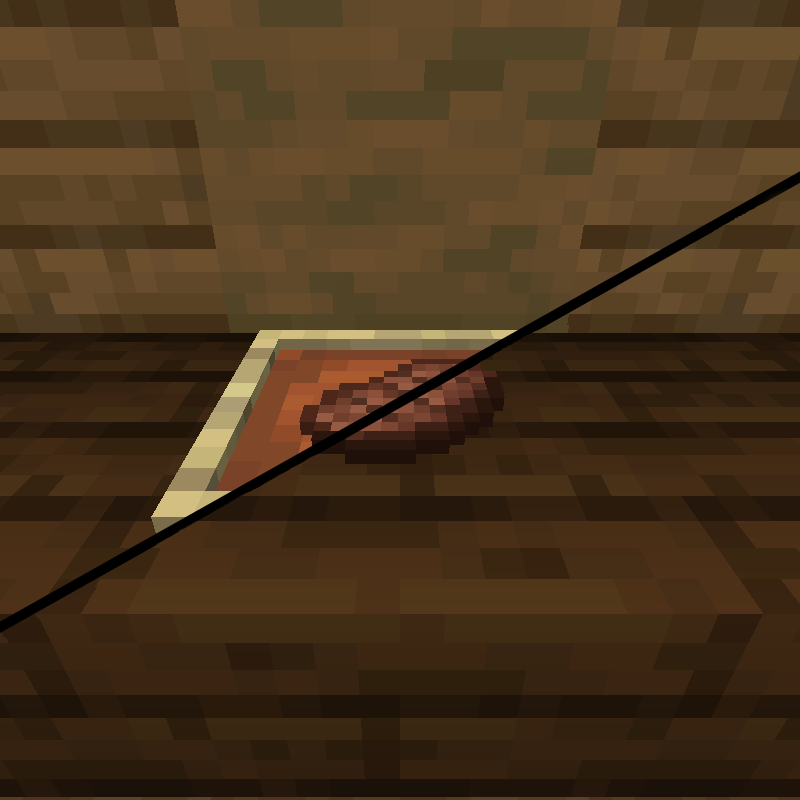
This mod gives you the ability to change the visibility of item frames!
Quick answer
Toggle Item Frames 5.1.1-1.21.10 targets 1.21.9, 1.21.10 with Fabric. The project page does not say whether this file belongs on the client, dedicated server, or both. All 1 required mods have matching files.
Where it goes
The project page does not say whether this file belongs on the client, dedicated server, or both.
The source does not explicitly classify this release as client-only or server-only.
Toggle Item Frames 5.1.1-1.21.10. Change the file and its required mods may change too.
Install Fabric API first. We found matching files for this game-version and loader setup.
We only count dependency files that match this setup. A file for another loader does not fill the gap.
Before you install it
Built for Toggle Item Frames 5.1.1-1.21.10. Pick another file and the loader, install side or required mods may change.
Use Toggle Item Frames 5.1.1-1.21.10. It targets 1.21.9, 1.21.10 with Fabric; another release may have different loader, side or dependency requirements.
Install Fabric API first. We found matching files for this game-version and loader setup.
The project page does not say whether this file belongs on the client, dedicated server, or both.
Use the “Get this file” button beside Toggle Item Frames 5.1.1-1.21.10. It opens that exact file at the source.
About this project
This mod makes item frames easier to build with by allowing you to toggle the visibility of item frames! This is normally possible only through commands, however this mod provides an easier, more survival-friendly, method of creating and managing invisible item frames.
As this mod is just an interface for vanilla features, if you want your invisible item frames to go back to normal after the mod is uninstalled, you'll have to use this command:
/execute at @e run data merge entity @e[distance=1, limit=1, type=minecraft:item_frame] {Invisible:0b}
This will make all item frames in the immediate area visible again.
Toggle item frame visibility by sneak + right-click with an empty hand. (Server Only)
Hold an item frame to make surrounding item frames visible. (Client Only)
All item frames will be invisible by default on servers without the mod, this can be changed via config. (Client Only)
If you come across any issues, post an issue on the github repo and I'll get to it as soon as I can.
Project description from CurseForge.
Pick your setup
Choose the version and loader you play, then open the matching release.
Showing the newest 12 of 26 game versions. Older files are in the list below.
Check the dependencies, then try the file in a copied instance before changing a world you care about.
Recent files
toggleableitemframes-5.1.1-1.21.10.jar
8 Oct 2025
26 Jun 2025
20 Jun 2025
toggleableitemframes-5.1.0-1.21.3.jar
29 Oct 2024
toggleableitemframes-5.1.0-1.21.2.jar
22 Oct 2024
toggleableitemframes-5.1.0-1.20.1.jar
9 Sept 2024
toggleableitemframes-5.1.0-1.20.4.jar
9 Sept 2024
toggleableitemframes-5.1.0-1.20.6.jar
9 Sept 2024
toggleableitemframes-5.1.0-1.21.1.jar
9 Sept 2024
toggleableitemframes-5.0.0-1.21.1.jar
24 Aug 2024
toggleableitemframes-5.0.0-1.21.jar
15 Jun 2024
toggleableitemframes-5.0.0-1.20.6.jar
15 Jun 2024
Looking for an older file? The official CurseForge project page is in Resources.
 mod
Create custom world portal to travel between dimensions.
 mod
Makes Indev 20100223 playable again.
 mod
Bind multiple actions to one key and switch between them in-game with a quick priority wheel, no trips to the Controls menu.