Fabric API Needed by Tea Time 1.20.1+2.2.0+build.42.jar
requiredMatching file found Matched file: [1.20.1] Fabric API 0.92.12+1.20.1

CurseForge · Minecraft mod
Spill the tea, sis
Quick answer
Tea Time 1.20.1+2.2.0+build.42.jar targets 1.20.1, 1.20 with Fabric. The project page does not say whether this file belongs on the client, dedicated server, or both. All 3 required mods have matching files.
Where it goes
The project page does not say whether this file belongs on the client, dedicated server, or both.
The source does not explicitly classify this release as client-only or server-only.
1.20.1+2.2.0+build.42.jar. Change the file and its required mods may change too.
Install Fabric API, Pluto's Drinks API, Pluto's Drinks API first. We found matching files for this game-version and loader setup.
We only count dependency files that match this setup. A file for another loader does not fill the gap.
Before you install it
Built for Tea Time 1.20.1+2.2.0+build.42.jar. Pick another file and the loader, install side or required mods may change.
Use 1.20.1+2.2.0+build.42.jar. It targets 1.20.1, 1.20 with Fabric; another release may have different loader, side or dependency requirements.
Install Fabric API, Pluto's Drinks API, Pluto's Drinks API first. We found matching files for this game-version and loader setup.
The project page does not say whether this file belongs on the client, dedicated server, or both.
Use the “Get this file” button beside 1.20.1+2.2.0+build.42.jar. It opens that exact file at the source.
About this project




Spill that tea with Pluto's Tea Time
With this installment of the Pluto's Drinks series, you can embark on the long and complicated process of creating Tea in Minecraft. Enjoy such activities as growing tea leaves, wilting and fermenting tea leaves, and creating various types of tea with numerous beneficial effects.
Check out the entire Pluto's Drinks collection here!
Not planned, I don't have the time or motivation to learn a whole new modloader.
Project description from CurseForge.
Pick your setup
Choose the version and loader you play, then open the matching release.
Check the dependencies, then try the file in a copied instance before changing a world you care about.
Recent files
TeaTime-Fabric-1.21.1+2.2.0+build.44.jar
22 Oct 2026
TeaTime-Fabric-1.20.1+2.2.0+build.42.jar
22 Oct 2026
TeaTime-Fabric-1.20.1+2.1.4+build.37.jar
21 Oct 2026
TeaTime-Fabric-1.20.1+2.1.3+build.35.jar
26 Jun 2026
TeaTime-Fabric-1.20.1+2.1.3+build.32.jar
26 Jun 2026
TeaTime-Fabric-1.20.1+2.1.2+build.29.jar
26 Jun 2026
8 Apr 2026
TeaTime-Fabric-1.20.1+2.1.1+build.24.jar
8 Apr 2026
6 Apr 2026
TeaTime-Fabric-1.20.1+2.1.0+build.20.jar
6 Apr 2026
TeaTime-Fabric-1.20.1+1.0.jar
29 May 2025
TeaTime-Fabric-1.20.1+1.0-beta.2.jar
10 Jan 2025
Looking for an older file? The official CurseForge project page is in Resources.
 mod
modA Fabric mod introducing double jumps, craftable transport flames with teleport maps, wind wands, and pear trees for Minecraft 26.2.
 mod
modit is skills made for the server Pandemonium
 mod
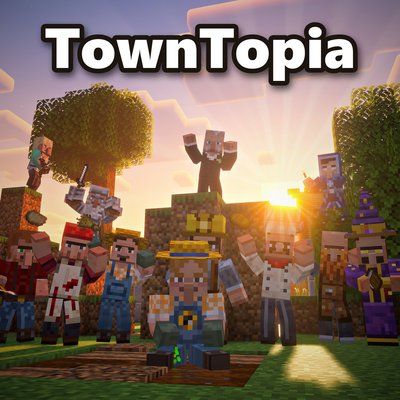
modTurn quiet villages into living towns. Villagers have names, jobs, skills, moods, homes and daily routines. They farm, mine, cook, trade, play music and fight off raids, while you work with the Mayor to help the town grow