Fabric API Needed by CobbleCast-1.21.1-2.0.7
requiredMatching file found Matched file: [1.21.1] Fabric API 0.116.18+1.21.1
CurseForge · Minecraft mod
A catch broadcaster for the Cobblemon mod
Quick answer
CobbleCast-1.21.1-2.0.7 targets 1.21.1 with Fabric. The project page does not say whether this file belongs on the client, dedicated server, or both. All 3 required mods have matching files.
Where it goes
The project page does not say whether this file belongs on the client, dedicated server, or both.
The source does not explicitly classify this release as client-only or server-only.
CobbleCast-1.21.1-2.0.7. Change the file and its required mods may change too.
Install Fabric API, Fabric Language Kotlin, Cobblemon first. We found matching files for this game-version and loader setup.
We only count dependency files that match this setup. A file for another loader does not fill the gap.
Before you install it
Built for CobbleCast-1.21.1-2.0.7. Pick another file and the loader, install side or required mods may change.
Use CobbleCast-1.21.1-2.0.7. It targets 1.21.1 with Fabric; another release may have different loader, side or dependency requirements.
Install Fabric API, Fabric Language Kotlin, Cobblemon first. We found matching files for this game-version and loader setup.
The project page does not say whether this file belongs on the client, dedicated server, or both.
Use the “Get this file” button beside CobbleCast-1.21.1-2.0.7. It opens that exact file at the source.
About this project
Reset to version 1.0.0 – as it was a rewrite in Fabric/Kotlin of my old mod (no plans on doing code in neo-forge).
A very easy client or server-side mod that broadcasts Cobblemon Captures/Kills/Spawns events for Legendary’s, Ultra Beasts, Shiny’s, and Normal’s. All can be toggled on or off.
{
"webHookConfig": {
"discordCapHook": true,
"discordKillHook": false,
"discordSpawnHook": false,
"discordReleaseHook": false,
"capURL": "https://discord.com/api/webhooks/",
"killURL": "https://discord.com/api/webhooks/",
"spawnURL": "https://discord.com/api/webhooks/",
"releaseURL": "https://discord.com/api/webhooks/",
"webhookName": "CobbleCast",
"avatarUrl": "https://cdn.modrinth.com/data/MdwFAVRL/e54083a07bcd9436d1f8d2879b0d821a54588b9e.png"
},
"spawnConfig": {
"toggleSpawnMessage": false,
"isSpawnNormalEnable": false,
"isSpawnLegendaryEnable": false,
"isSpawnUltraBeastEnable": false,
"isSpawnShinyEnable": false,
"spawnMessage": "<bold><white><isshiny><islegendary><isultrabeast><yellow><pokemon></yellow> Has Spawned by <bold><blue><player></blue></bold>"
},
"captureConfig": {
"toggleCapMessage": true,
"isNormalEnable": false,
"isLegendaryEnable": true,
"isUltraBeastEnable": true,
"isShinyEnable": true,
"captureMessage": "<bold><white><isshiny><islegendary><isultrabeast><yellow><pokemon></yellow> Has Been Capture by <bold><blue><player></blue></bold>"
},
"faintedConfig": {
"toggleFaintedMessage": false,
"isFaintedNormalEnable": false,
"isFaintedLegendaryEnable": false,
"isFaintedUltraBeastEnable": false,
"isFaintedShinyEnable": false,
"faintedMessage": "<bold><white><isshiny><islegendary><isultrabeast><yellow><pokemon></yellow> Has Been Fainted by <bold><blue><player></blue></bold>"
},
"releaseConfig": {
"toggleReleaseMessage": false,
"isReleaseNormalEnable": false,
"hasHighIvsCount": 2,
"isReleaseLegendaryEnable": false,
"isReleaseUltraBeastEnable": false,
"isReleaseShinyEnable": false,
"spawnReleasePokemon": false,
"showNearbyPlayer": false,
"releaseMessageTemplate": "<bold><white><isshiny><islegendary><isultrabeast><yellow><pokemon></yellow> Has Been Released by <bold><blue><player></blue></bold>"
},
"langConfig": {
"isshiny": "<gold>SHINY</gold> ",
"islegendary": "<red>LEGENDARY</red> ",
"isultrabeast": "<purple>ULTRA BEAST</purple> "
}
}
<pokemon>        - The display name of the spawned Pokémon.
<isshiny>        - Shiny tag text if the Pokémon is shiny (from config).
<islegendary>    - Legendary tag text if the Pokémon is legendary (from config).
<ismythical>     - Mythical tag text if the Pokémon is mythical (from config).
<isultrabeast>   - Ultra Beast tag text if the Pokémon is an Ultra Beast (from config).
<paradox>        - Paradox tag text if the Pokémon is marked as a paradox (from config).
<ivs>            - IV summary string (custom formatted).
<nature>         - The nature of the Pokémon.
<level>          - The Pokémon’s level.
<ability>        - The Pokémon’s ability or abilities.
<player>         - The player who triggered or is related to the spawn (by name).
<nearbyplayer>   - The name of the closest nearby player.
<biome>         - The biome where the Pokémon spawned.
<position>       - The position of the Pokémon in the world (X, Y, Z).
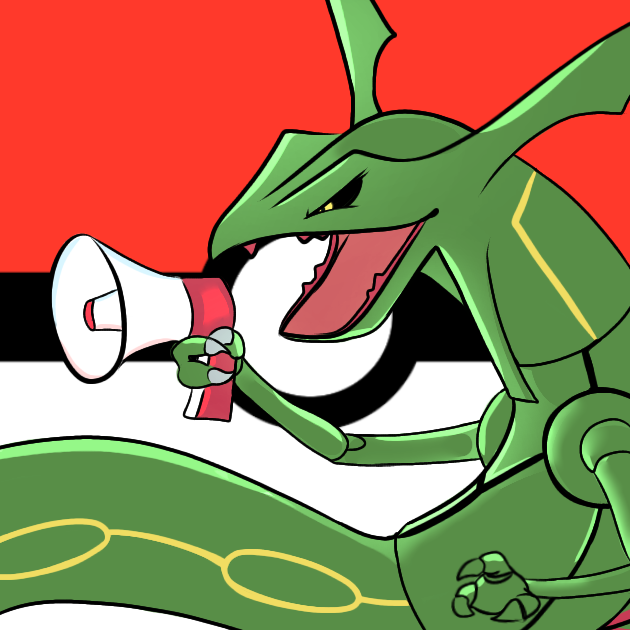
Logo Art Made by: Actias (on the Cobblemon discord server)
Project description from CurseForge.
Pick your setup
Choose the version and loader you play, then open the matching release.
Check the dependencies, then try the file in a copied instance before changing a world you care about.
Recent files
CobbleCast 1.21.1-2.0.7.jar
22 Nov 2025
CobbleCast 1.21.1-2.0.6.jar
17 May 2025
CobbleCast 1.21.1-2.0.5.jar
14 May 2025
CobbleCast 1.21.1-2.0.4.jar
27 Jan 2025
CobbleCast 1.20.1-1.1.7.jar
24 Jan 2025
CobbleCast 1.21.1-2.0.3.jar
24 Jan 2025
cobblecast-2.0.2.jar
2 Jan 2025
cobblecast-2.0.1.jar
25 Dec 2024
cobblecast-2.0.0.jar
25 Dec 2024
cobblecast-1.0.3.jar
21 Nov 2024
cobblecast-1.0.2.jar
19 Sept 2024
cobblecast-1.0.1.jar
18 Sept 2024
Looking for an older file? The official CurseForge project page is in Resources.
 mod
Data-driven registration of custom tools for Tinkers' Construct 2 using JSON, with no Java required.
 mod
An unofficial port of Clientcommands for (Neo)Forge.
 mod
An endgame tech mod, focused on understanding the theoretical limits of sciences, and exceeding it.