Minecraft version
Back to mods 
CurseForge · Minecraft mod
Better Fog
Improve immersion with a more pronounced fog!
Choose a version Pick your version below, then grab the matching file.
Quick answer
Which Better Fog release should I use?
Latest stable file Better Fog 2.6.0 (NeoForge 1.21.1)
Game version 1.21.1
Loader NeoForge
Better Fog 2.6.0 (NeoForge 1.21.1) targets 1.21.1 with NeoForge. The project page does not say whether this file belongs on the client, dedicated server, or both. No extra mods listed for this file.
Where it goes
Is Better Fog required on the client, server, or both?
The project page does not say whether this file belongs on the client, dedicated server, or both.
Client Source doesn’t say
Dedicated server Source doesn’t say
Loader for this release NeoForge
Required install it here Optional supported, not mandatory Not supported do not install here Source doesn’t say do not assume
The source does not explicitly classify this release as client-only or server-only.
What else does Better Fog 2.6.0 (NeoForge 1.21.1) need?
Better Fog 2.6.0 (NeoForge 1.21.1). Change the file and its required mods may change too.
This file does not list any required mods. Do not add a library just because a different file uses it.
This file does not list any required or optional mods.
Before you install it
Add Better Fog without breaking your instance.
Built for Better Fog 2.6.0 (NeoForge 1.21.1). Pick another file and the loader, install side or required mods may change.
- 01
Stick to this file
Use Better Fog 2.6.0 (NeoForge 1.21.1). It targets 1.21.1 with NeoForge; another release may have different loader, side or dependency requirements.
- 02
Bring the mods it needs
This file does not list any required mods. Do not add a library just because a different file uses it.
- 03
Put it on the correct side
The project page does not say whether this file belongs on the client, dedicated server, or both.
- 04
Pick the file you checked
Use the “Get this file” button beside Better Fog 2.6.0 (NeoForge 1.21.1). It opens that exact file at the source.
About this project
What does Better Fog add?

Better Fog is a lightweight mod meant to enhance the look of the fog in the game, based on different environments and make it fully configurable, adding 8 configurable types of fog by biome, such as a cave, cloud, rain and night fog.
Better Fog 2.0 is out! now with void, lava, water and thunder fog in addition to the original ones are all configurable for each biome in many ways, being able to set, add or multiply their color, start, end and opacity, all to get the perfect fog you need dimension blacklist and much more have also been added aswell as improving drastically performance

Support me and get early access on my Patreon.
In Depth config explaination
The config is divided into 2 main parts, both found under <config folder>/betterfog/
1: the main config file (betterfog.json)
2: all the biomes configs (under ./biomes)
In the main file, the first <fog_type>"_enabled" configs just indicate if the specified fog type is enabled (for every biome) the first one states if the mod itself is enabled
A fog type is a specific modifiable fog state, example: cave is the fogtype activated between cave_y_start and cave_y_end, more on them later
A biome options is the json with all the fog types of a specific biome, found in /biomes/<biome_name>.json
Default options is the biome options used by default for unconfigured biomes (if use_defaults is set to false, otherwise it wont be used and all will just be vanilla in that biome)
"use_vanilla_for_unconfigured" indicates if, when for a specific biome config, a fog type will use the default's options or vanilla's (essentialy disabling that unconfigured fog type)
"dimension_blacklist" is a simple list of dimensions in which the mod wont be enabled
"use_defaults" has been explained above
the next <fog_type>"_y_start" configs simply indicate the start and ending y values of those specific fogs, cave fog will be fully inactive above y start and fully active belove y end, while void and cloud will peak at the middle and be inactive outside their ranges.
"change_time" is the time in ticks it takes to be able for the mod to detect a biome change after one just happened (so if you step in and out of a biome the fog doesnt just flash randomly)
"step_color" is used, when the fog changes in color, it indicates the max amount (from 0 to 1, multiply by 100 to get percentage) the color can change in a tick (example: if you go inside water, it doesnt immediately turn the fog to blue, it will take some time)
"step_distance" is the exact thing but for start and end fog, it also changes by blocks and not percentage
"cave, cloud, void pick indicate how steep the sigmoid curve transforming the normal fog into the custom one will be, so if p is 0.5, the tranformation will be almost fully linear, but if p is 10, there will be little to no change at the start, a lot in the middle, and very little in the end again, i suggest not touching these if you dont know what youre doing
in the biome config files, there are many fog types, each will have values indicating what the fog will be when the fog type is fully active
there are 6 parameters
red, green, blue, opacity are all dedicated to the color, from 0 to 1, they simply state what color the final fog will take
start and end indicate when the fog starts and ends, in blocks
all of these parameters can be simple numbers, and the fog when fully active will be set to those values
or an operation "+, -, *, /" can be used, and, instead of setting to the value following these prefixes, it will execute the operation on the current value
to better understand what's happening, lets look at how the code works
the mod will take the vanilla colors, start and end by default
then it will apply the "day" or "night" fog, these will be alternating in activity, when its fully day only "day" will be applied, during the transition a mix between the 2 will, and in the end at night, only the "night" one
if like in the example, these have no set color values, it will instead just use the vanilla colors, but change the start and end (in this case the fog starts at 32 and ends 95% of the vanilla value during the day)
after this, if you're inside lava or water these will be applied and fully active
now cave, cloud and void are a little different they are not fully active immediately, and the values you input will transform from 0 change to full change across y start and y end (see better explanation in the previous part)
rain and thunder should be self explanatory, activated during rain and thunder (not simultaneously)


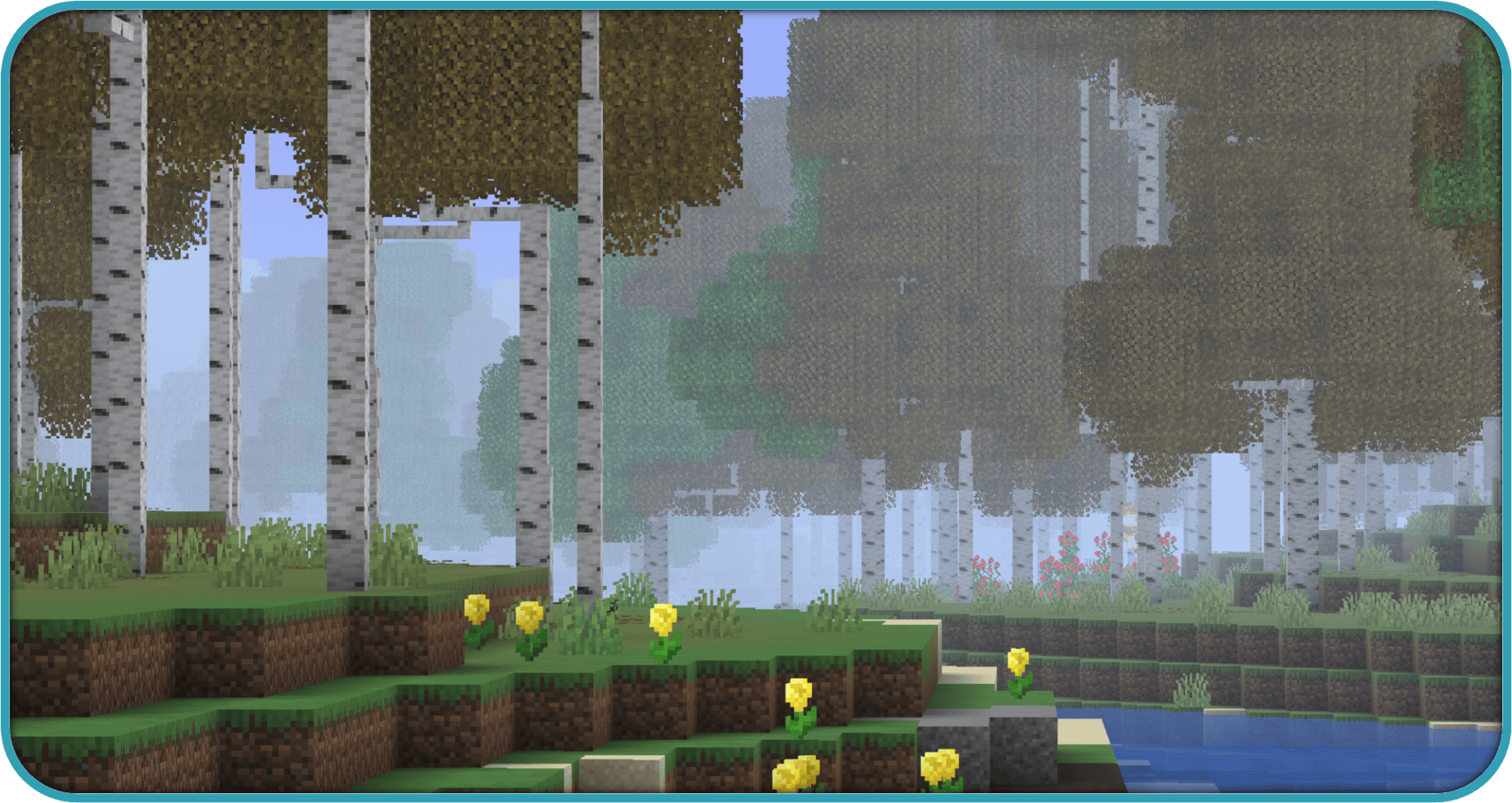

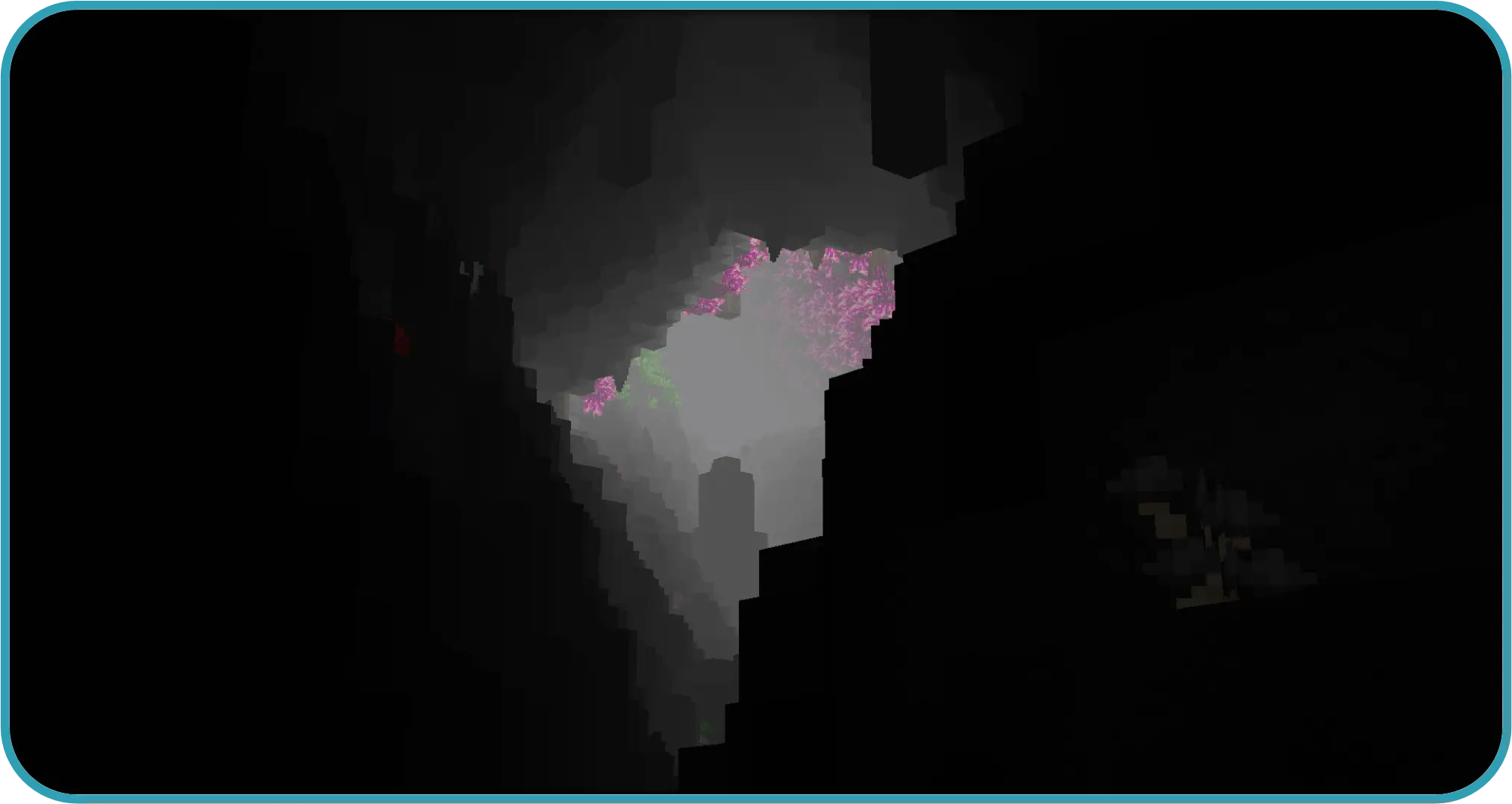

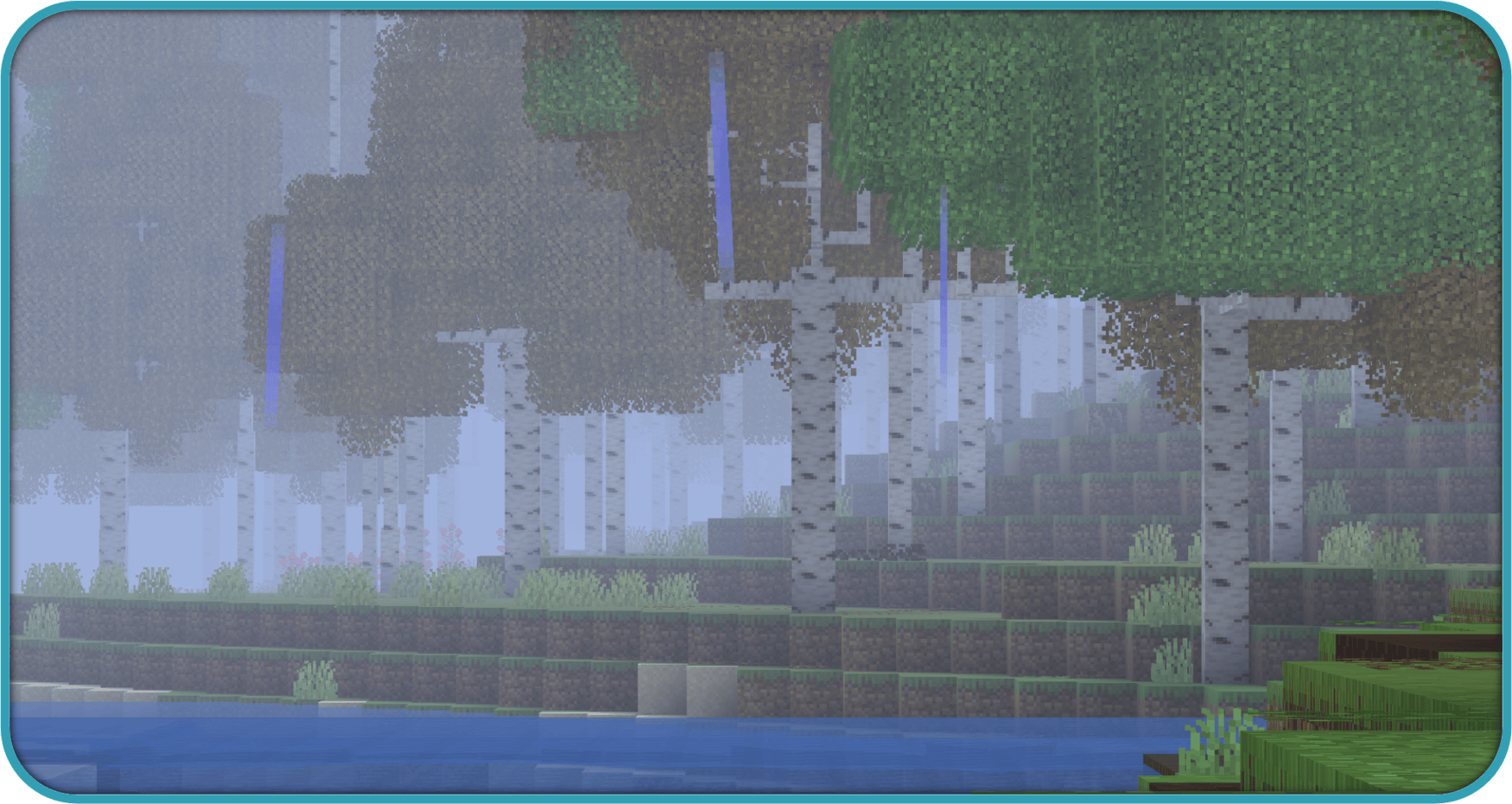


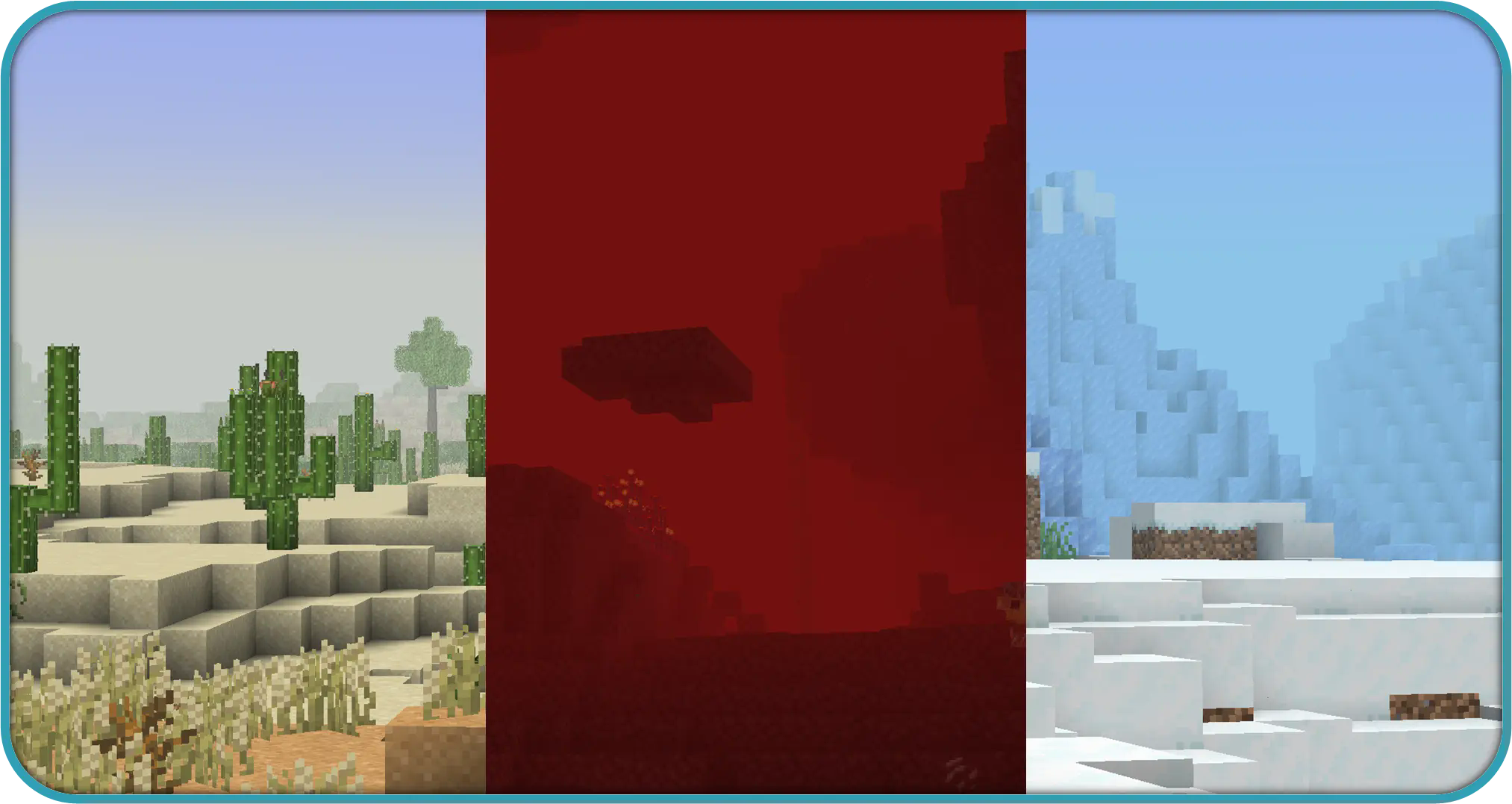
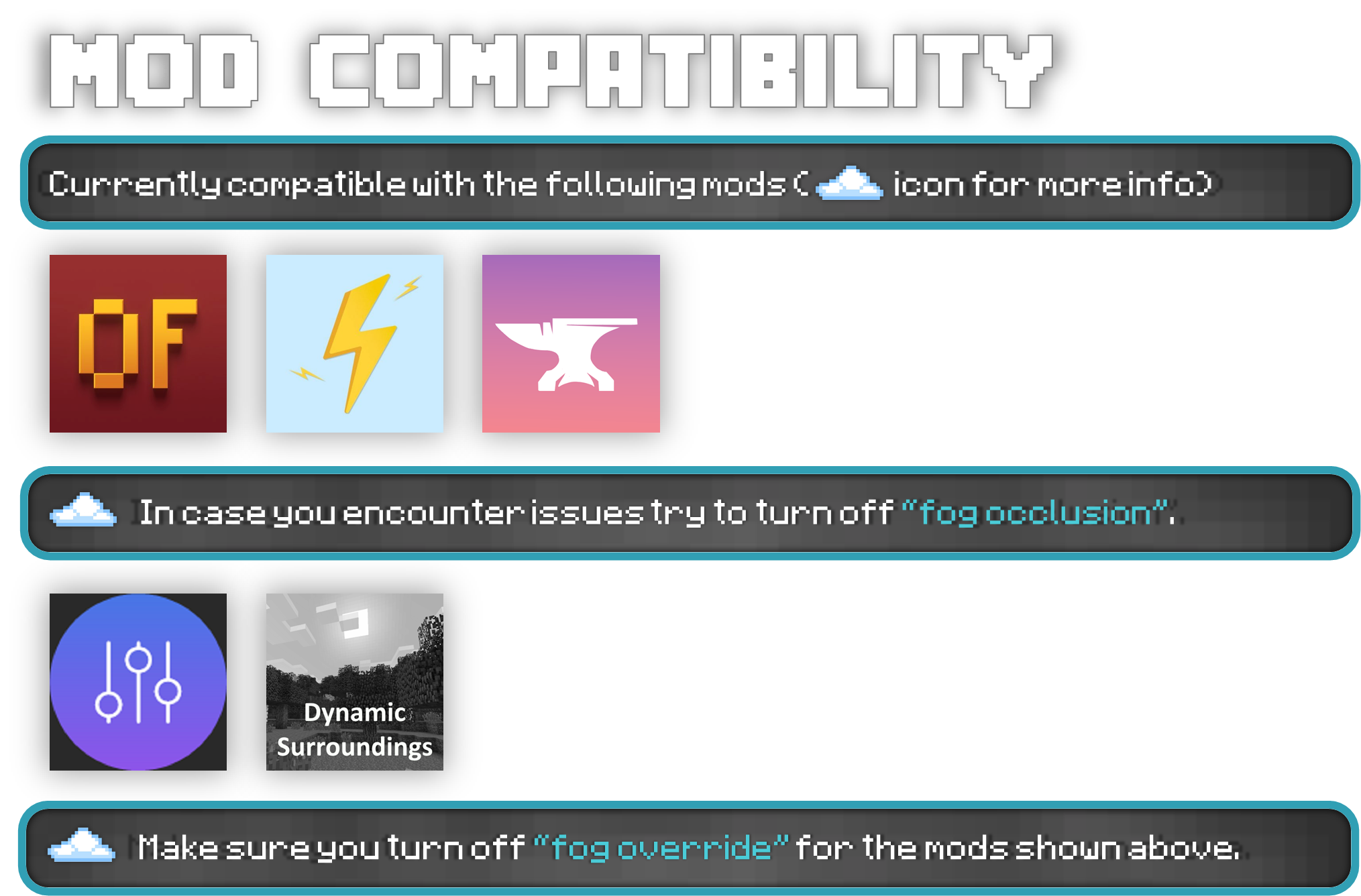


Project description from CurseForge.
Pick your setup
Better Fog by Minecraft version and loader
Choose the version and loader you play, then open the matching release.
Minecraft version
1.21.1
3 loader buildsMinecraft version
1.20.4
2 loader buildsMinecraft version
1.20.3
2 loader buildsMinecraft version
1.20.2
2 loader buildsMinecraft version
1.20.1
3 loader buildsMinecraft version
1.19.4
2 loader buildsMinecraft version
1.19.2
2 loader buildsMinecraft version
1.18.2
1 loader buildCheck the dependencies, then try the file in a copied instance before changing a world you care about.
Recent files
Better Fog versions and loaders
Better Fog 2.6.0 (NeoForge 1.21.1)
betterfog-neoforge-1.21.1-2.6.0.jar
21 Sept 2026
Client Source doesn’t say Server Source doesn’t say Dependencies No extras listed Listed on Release listing
Check the 1.21.1 · NeoForge setup 1.21.1NeoForge release
Better Fog 2.3.0 (NeoForge 1.21.1) - Better Clouds compat
betterfog-neoforge-1.21.1.jar
20 Jul 2026
Client Source doesn’t say Server Source doesn’t say Dependencies No extras listed Listed on Release listing
Check the 1.21.1 · NeoForge setup 1.21.1NeoForge release
Better Fog 2.3.0 (Forge 1.20.1) - Better Clouds compat
betterfog-forge-1.20.1.jar
20 Jul 2026
Client Source doesn’t say Server Source doesn’t say Dependencies No extras listed Listed on Release listing
Check the 1.20.1 · Forge setup 1.20.1Forge release
Better Fog 2.3.0 (Fabric 1.21.1) - Better Clouds compat
betterfog-fabric-1.21.1.jar
20 Jul 2026
Client Source doesn’t say Server Source doesn’t say Dependencies No extras listed Listed on Release listing
Check the 1.21.1 · Fabric setup Fabric1.21.1 release
Better Fog 2.3.0 (Fabric 1.20.1) - Better Clouds compat
betterfog-fabric-1.20.1.jar
20 Jul 2026
Client Source doesn’t say Server Source doesn’t say Dependencies No extras listed Listed on Release listing
Check the 1.20.1 · Fabric setup Fabric1.20.1 release
Better Fog 2.3.0 (NeoForge 1.21.1)
betterfog-neoforge-1.21.1.jar
20 Jul 2026
Client Source doesn’t say Server Source doesn’t say Dependencies No extras listed Listed on Release listing
Check the 1.21.1 · NeoForge setup 1.21.1NeoForge release
Better Fog 2.3.0 (Forge 26.2)
betterfog-forge-26.2.jar
20 Jul 2026
Client Source doesn’t say Server Source doesn’t say Dependencies No extras listed Listed on Release listing
Check the 26.2 · Forge setup Forge26.2 release
Better Fog 2.3.0 (Forge 1.21.1)
betterfog-forge-1.21.1.jar
20 Jul 2026
Client Source doesn’t say Server Source doesn’t say Dependencies No extras listed Listed on Release listing
Check the 1.21.1 · Forge setup Forge1.21.1 release
Better Fog 2.3.0 (Forge 1.20.1)
betterfog-forge-1.20.1.jar
20 Jul 2026
Client Source doesn’t say Server Source doesn’t say Dependencies No extras listed Listed on Release listing
Check the 1.20.1 · Forge setup 1.20.1Forge release
Better Fog 2.3.0 (Fabric 26.2)
betterfog-fabric-26.2.jar
20 Jul 2026
Client Source doesn’t say Server Source doesn’t say Dependencies No extras listed Listed on Release listing
Check the 26.2 · Fabric setup Fabric26.2 release
Better Fog 2.3.0 (Fabric 1.21.1)
betterfog-fabric-1.21.1.jar
20 Jul 2026
Client Source doesn’t say Server Source doesn’t say Dependencies No extras listed Listed on Release listing
Check the 1.21.1 · Fabric setup Fabric1.21.1 release
Better Fog 2.3.0 (Fabric 1.20.1)
betterfog-fabric-1.20.1.jar
20 Jul 2026
Client Source doesn’t say Server Source doesn’t say Dependencies No extras listed Listed on Release listing
Check the 1.20.1 · Fabric setup Fabric1.20.1 release
Looking for an older file? The official CurseForge project page is in Resources.
 mod
CurseForge · Minecraft
Let Me Place: Yuushya
Let Me Place! - Yuushya brings more creative possibilities to Yuushya windows by allowing compatible blocks and decorations to share the same space.
 mod
CurseForge · Minecraft
Creature Feature (Unnoficial Forge Port)
Unofficial Forge 1.20.1 port of Creature Feature: 22 strange and dangerous creatures, with their items, effects and blocks.
 mod
CurseForge · Minecraft
MrCrayFish's Furniture Mod (Legacy Continued) + Nosiphus Furniture Mod
The greatest furniture mod ever made, updated and extended for modern versions of Minecraft.