Minecraft version
Back to mods 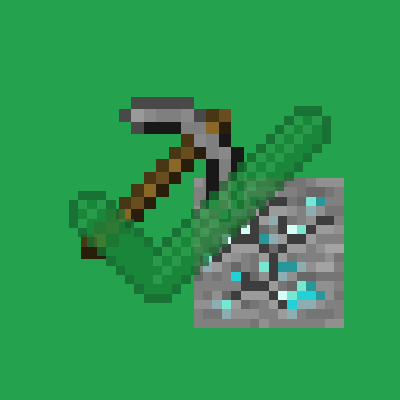
CurseForge · Minecraft mod
No Tool Tiers
No more breaking diamond ore with a stone pickaxe!
Choose a version Pick your version below, then grab the matching file.
Quick answer
Which No Tool Tiers release should I use?
Latest stable file No Tool Tiers v1.0.0
Game version 1.19.2
Loader Forge
No Tool Tiers v1.0.0 targets 1.19.2 with Forge. The project page does not say whether this file belongs on the client, dedicated server, or both. No extra mods listed for this file.
Where it goes
Is No Tool Tiers required on the client, server, or both?
The project page does not say whether this file belongs on the client, dedicated server, or both.
Client Source doesn’t say
Dedicated server Source doesn’t say
Loader for this release Forge
Required install it here Optional supported, not mandatory Not supported do not install here Source doesn’t say do not assume
The source does not explicitly classify this release as client-only or server-only.
What else does No Tool Tiers v1.0.0 need?
No Tool Tiers v1.0.0. Change the file and its required mods may change too.
This file does not list any required mods. Do not add a library just because a different file uses it.
This file does not list any required or optional mods.
Before you install it
Add No Tool Tiers without breaking your instance.
Built for No Tool Tiers v1.0.0. Pick another file and the loader, install side or required mods may change.
- 01
Stick to this file
Use No Tool Tiers v1.0.0. It targets 1.19.2 with Forge; another release may have different loader, side or dependency requirements.
- 02
Bring the mods it needs
This file does not list any required mods. Do not add a library just because a different file uses it.
- 03
Put it on the correct side
The project page does not say whether this file belongs on the client, dedicated server, or both.
- 04
Pick the file you checked
Use the “Get this file” button beside No Tool Tiers v1.0.0. It opens that exact file at the source.
About this project
What does No Tool Tiers add?
This mod removes the harvest level needed by certain blocks mined by a pickaxe.
For example, you can now mine Diamond ore with a wooden pickaxe, and still collect the drop.
In this example compared to vanilla minecraft, the only cost to you will be the tools durability.
Overhauled Durability:
Additionally, tools will only consume durability if the harvest level of the block is greater than the harvest level of the tool.
Examples:
- Mining stone with a wooden pickaxe will not consume durability (because in vanilla, the stone would not be harvested with this tool)
- Mining iron ore with a wooden pickaxe will consume durability (because in vanilla, the iron ore drops would not be harvested with this tool)
- Mining ancient debris with an iron pickaxe will consume durability (because in vanilla, the ancient debris would not be harvested with this tool)
Technical Information:
This mod uses tags to detect to detect the tier of tools.
The tag namespace is: "no_tool_tiers"
The tag name is: "tier_0" or "tier_1" etc.
Example: Tier 1 would be: "no_tool_tiers:tier_1"
This would automatically detect the last number of the tag and compare it to the harvest level of the block.
Unfortunately this mod adds in exact replicas of the pickaxes in vanilla minecraft.
So whenever the player holds one of the vanilla pickaxes in their main hand, it will be automatically converted (including any enchantments or modifications) to the modded version, which looks and functions the same way.
Project description from CurseForge.
Pick your setup
No Tool Tiers by Minecraft version and loader
Choose the version and loader you play, then open the matching release.
Check the dependencies, then try the file in a copied instance before changing a world you care about.
Recent files
No Tool Tiers versions and loaders
No Tool Tiers v1.0.0
no_tool_tiersv1.0.0.jar
26 Mar 2023
Client Source doesn’t say Server Source doesn’t say Dependencies No extras listed Listed on Release listing
Check the 1.19.2 · Forge setup 1.19.2Forge release
Looking for an older file? The official CurseForge project page is in Resources.
 mod
mod CurseForge + Modrinth · Minecraft
Visual Creative Tab Editor
Edit Minecraft creative tabs with drag-and-drop, multi-select, smart sorting, and datapack-driven compatibility.
 mod
mod CurseForge · Minecraft
Legendary Delicacies NeoForge
The 1.21.1 branch version of Legendary Delicacies
 mod
mod CurseForge · Minecraft
Ember's Questing
Powerful data driven questing mod using LDLib2 for maximum customizability