Minecraft version
Back to mods 
CurseForge · Minecraft mod
Fake Player
Adds fake player entities with auto-updating skins and item functionality.
Choose a version Pick your version below, then grab the matching file.
Quick answer
Which Fake Player release should I use?
Latest stable file Fake Players 2.1.3 (1.20.4 Fabric)
Game version 1.20.4, 1.20.3
Loader Fabric
Fake Players 2.1.3 (1.20.4 Fabric) targets 1.20.4, 1.20.3 with Fabric. The project page does not say whether this file belongs on the client, dedicated server, or both. No extra mods listed for this file.
Where it goes
Is Fake Player required on the client, server, or both?
The project page does not say whether this file belongs on the client, dedicated server, or both.
Client Source doesn’t say
Dedicated server Source doesn’t say
Loader for this release Fabric
Required install it here Optional supported, not mandatory Not supported do not install here Source doesn’t say do not assume
The source does not explicitly classify this release as client-only or server-only.
What else does Fake Players 2.1.3 (1.20.4 Fabric) need?
Fake Players 2.1.3 (1.20.4 Fabric). Change the file and its required mods may change too.
This file does not list any required mods. Do not add a library just because a different file uses it.
This file does not list any required or optional mods.
Before you install it
Add Fake Player without breaking your instance.
Built for Fake Players 2.1.3 (1.20.4 Fabric). Pick another file and the loader, install side or required mods may change.
- 01
Stick to this file
Use Fake Players 2.1.3 (1.20.4 Fabric). It targets 1.20.4, 1.20.3 with Fabric; another release may have different loader, side or dependency requirements.
- 02
Bring the mods it needs
This file does not list any required mods. Do not add a library just because a different file uses it.
- 03
Put it on the correct side
The project page does not say whether this file belongs on the client, dedicated server, or both.
- 04
Pick the file you checked
Use the “Get this file” button beside Fake Players 2.1.3 (1.20.4 Fabric). It opens that exact file at the source.
About this project
What does Fake Player add?
Fake Players
Player look-alikes that mine, chop, guard, and haul - for you.





🤖 What is it?
Entities that look exactly like real players - auto-grabbed skins, armour, full inventories, the lot. Bond one to yourself, give it a job, and it gets to work.
🎬 Showcase
🧍 The Fake Player
- Looks like a player - real model with a skin grabbed from any username (or URL / the trending list); slim & classic.
- Acts like one - wanders, sits, sleeps, wears armour, holds items, chats, fights back.
- Carries an inventory - managed through its GUI.
🧠 AI Jobs
Shift + right-click a fake → AI → Bond, then pick a job. The GUI hands you markers (waypoint, region, chests); right-click to place them - the fake follows you while you do. Each job's menu shows only the markers it needs, and fakes visibly open the chests and barrels they work from.
| Job | Needs | Does |
|---|---|---|
| Idle | waypoint (optional) | Walks to its waypoint, else waits. |
| Follow | bond | Sticks within 32 blocks, teleports if it lags behind. |
| Guard | patrol points | Patrols your points and attacks hostiles in range. Hold the Waypoint marker to edit points - right-click adds, sneak + right-click removes. |
| Miner | region + deposit | Strip-mines ore (c:ores by default) and banks the haul. |
| Lumberjack | region (+ deposit) | Fells whole trees, replants, bonemeals; auto-collects drops. |
| Courier | source + deposit | Hauls matching items from one chest to another. |
| Fisherman | waypoint + deposit | Sits at the water and casts a real bobber; banks the catch, swaps a fresh rod when one breaks, and uses your rod's enchantments. |
| Farmer | region + deposit | Tills a plot, waters it, plants any seed (modded too), bonemeals, then harvests and replants on a loop. |
| Crafter | table + source + deposit | Walks to a crafting table and lays out a recipe you teach it by hand; chain it onto another job's chest for a pipeline. |
Tuning lives in players.json (guardRadius, minerMaxBlocksPerSecond, minerBailY).
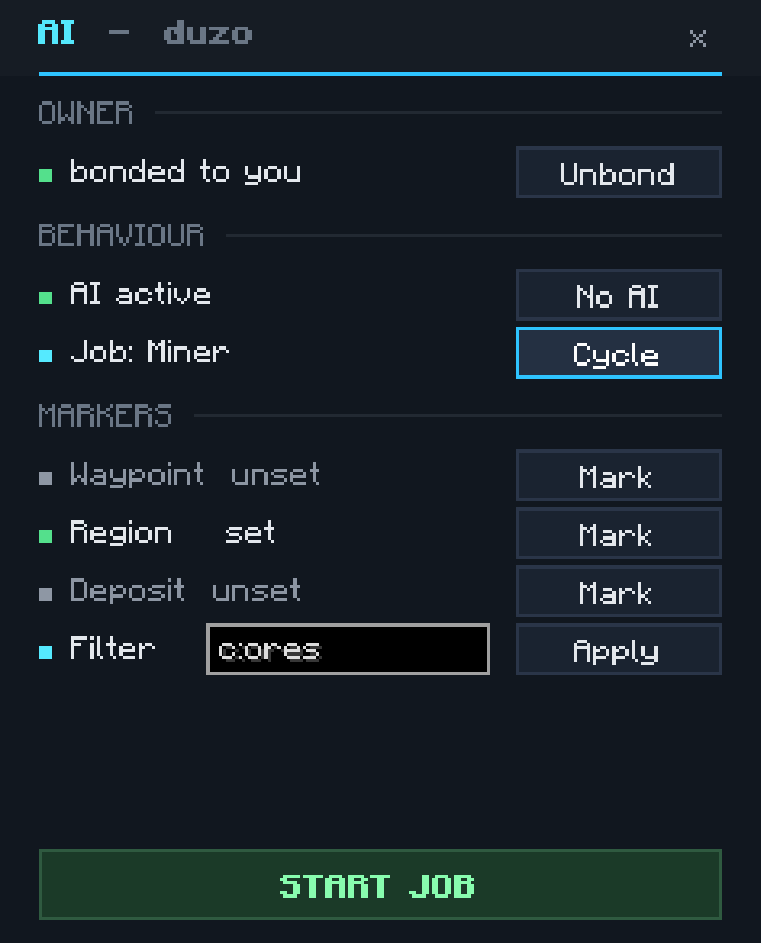 AI sub-menu
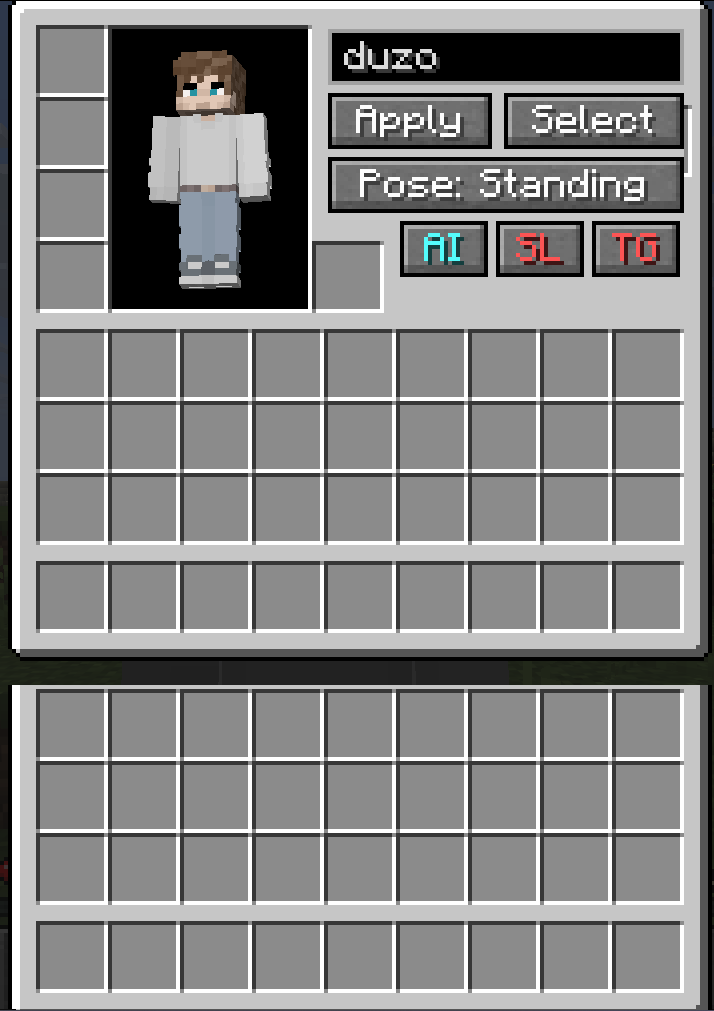 Management GUI
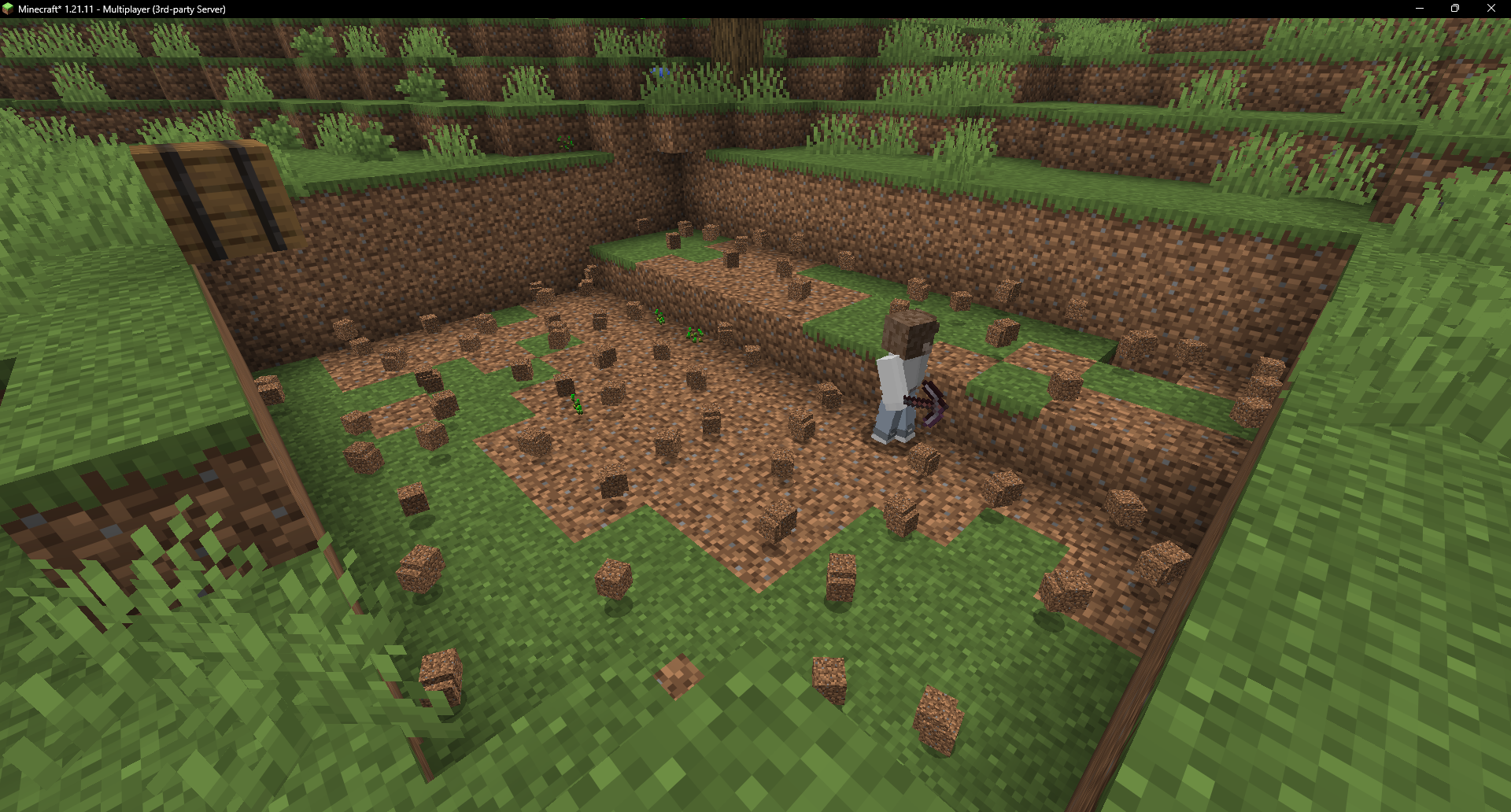 Miner clearing a quarry
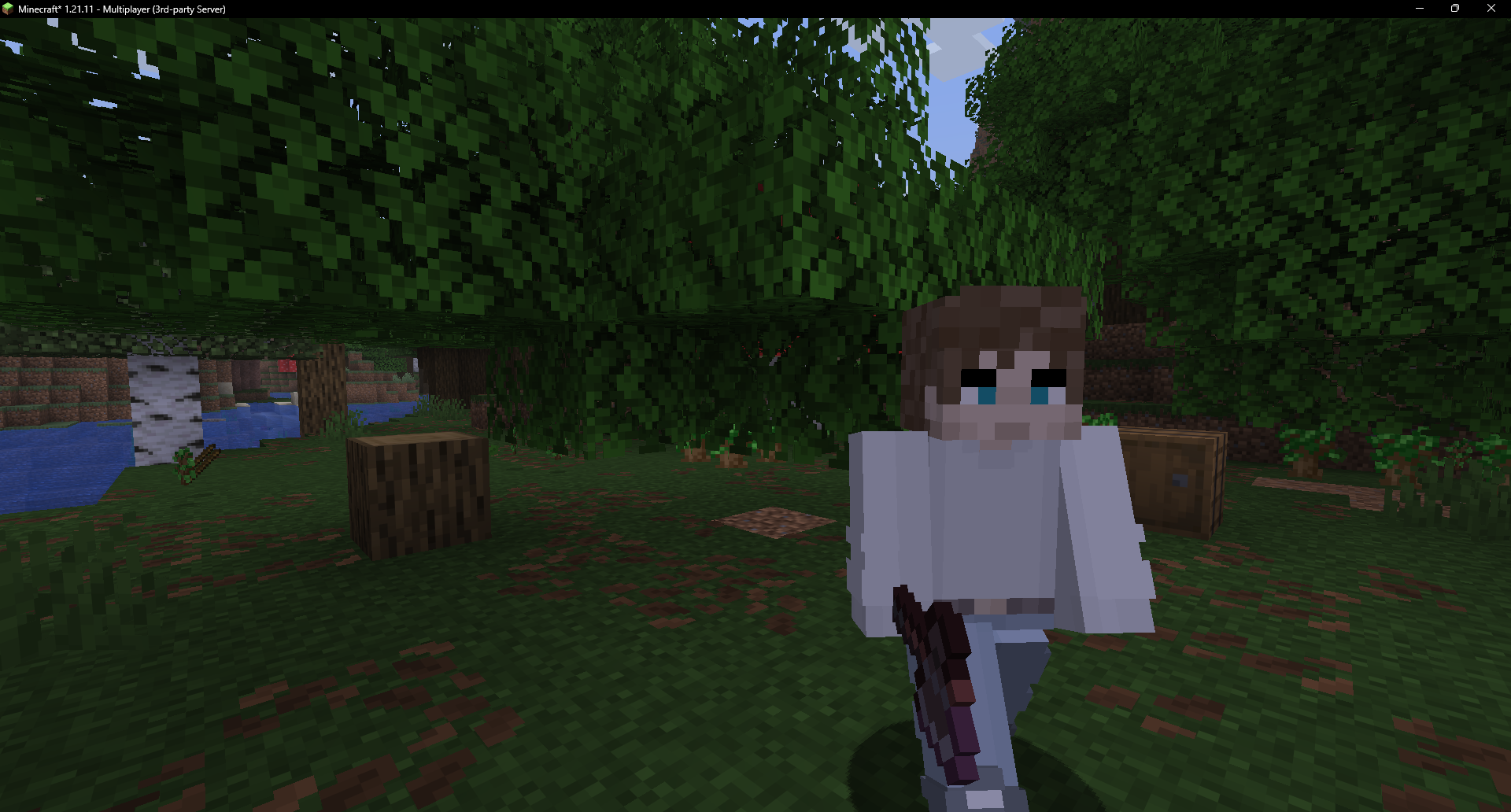 Lumberjack after felling a tree
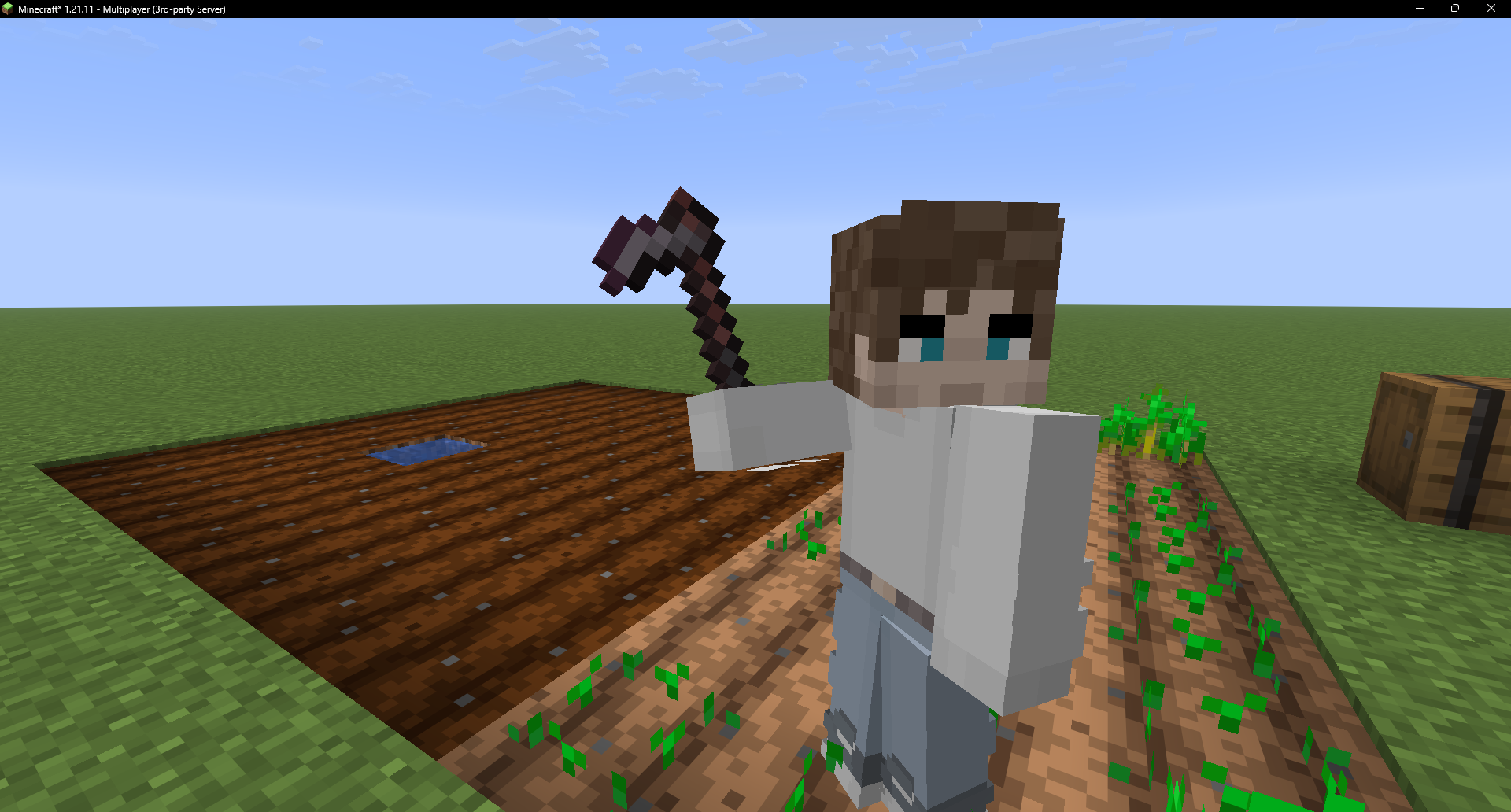 Farmer tending a watered plot
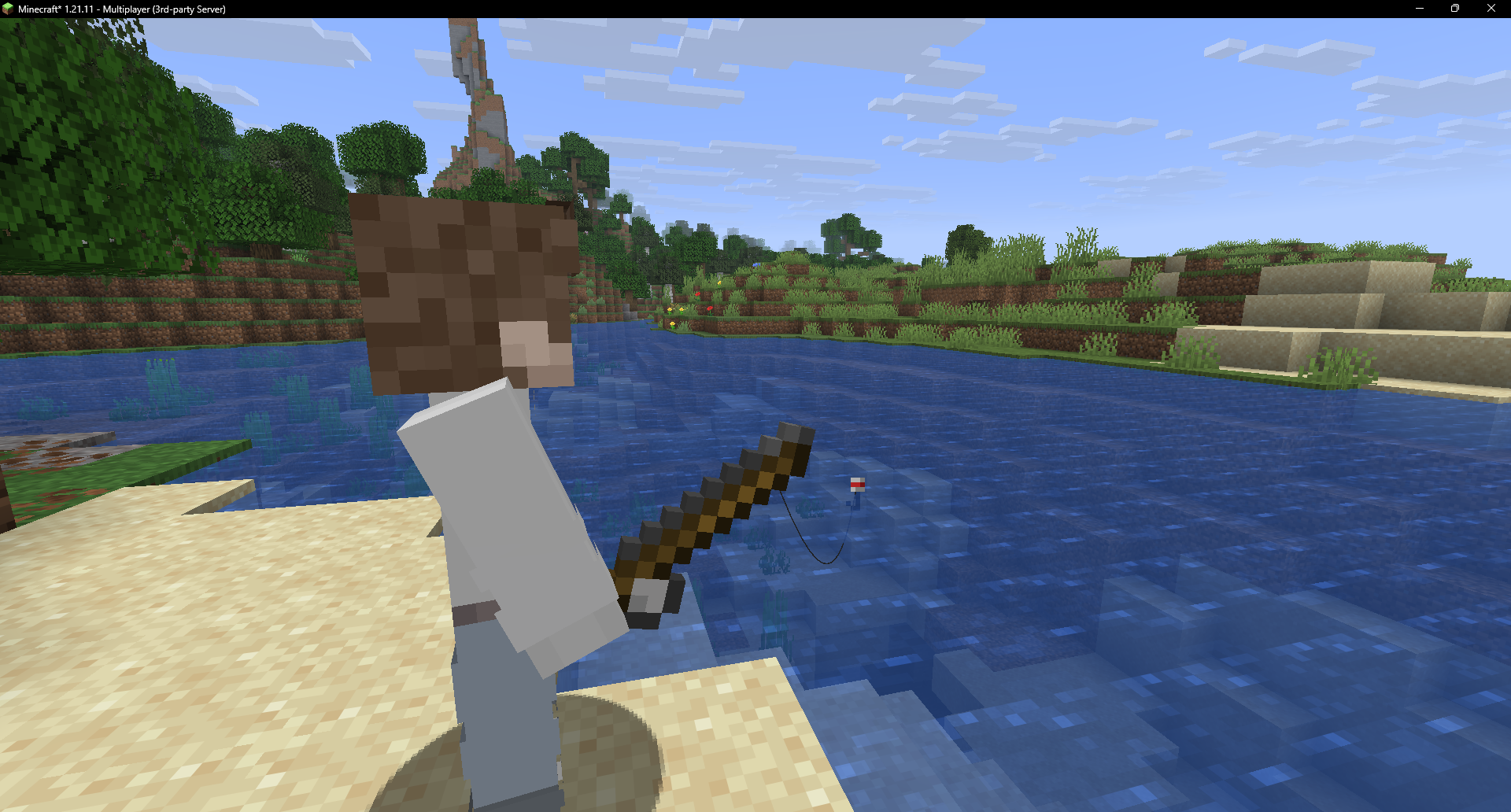 Fisherman casting at the water's edge
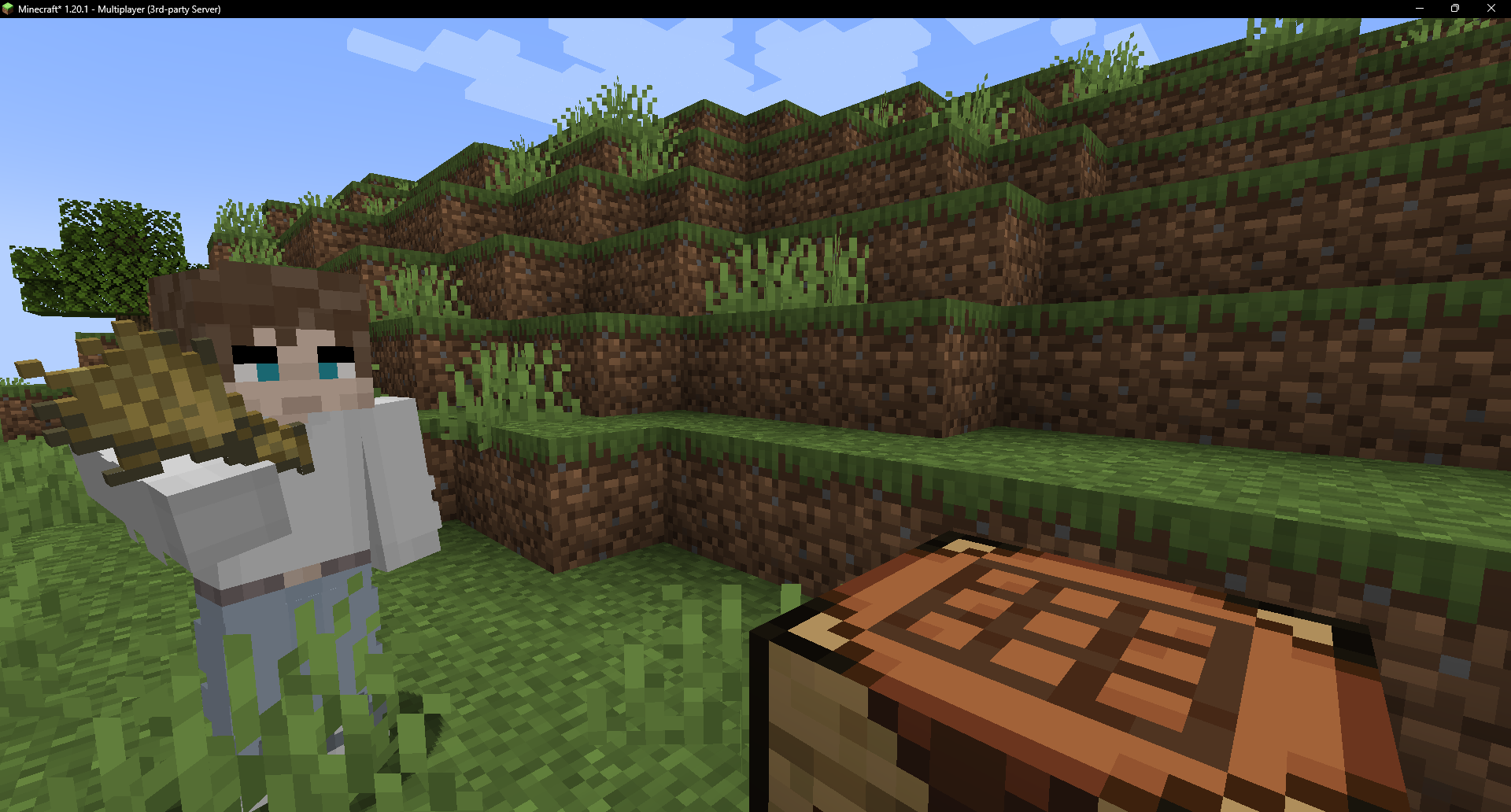 Crafter crafting by hand at its table
🎨 Skins
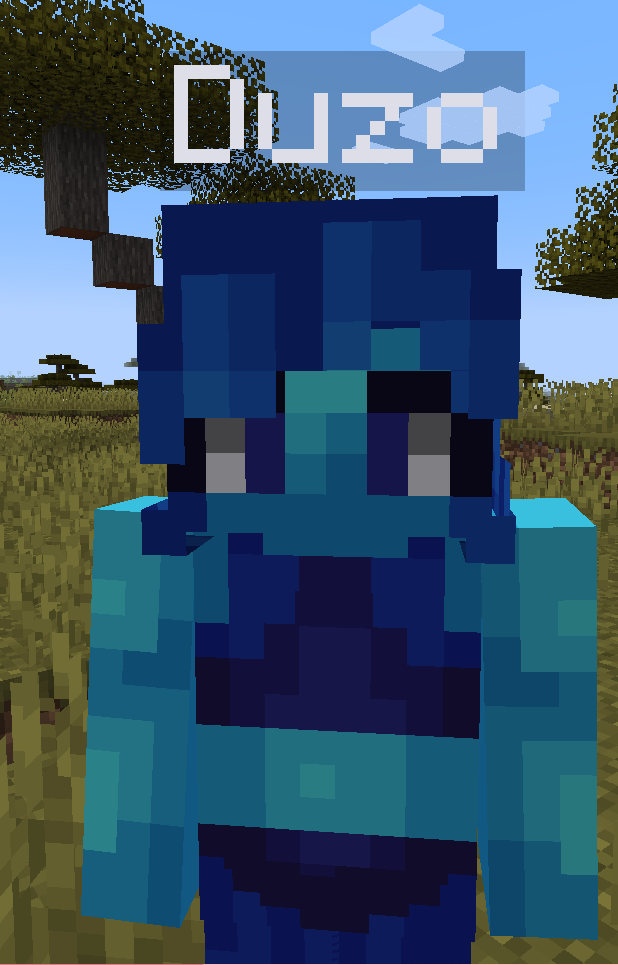
Name a fake after a player and it wears their skin - always matching. Also:
- URL -
/players url <entity> <url> - Trending - browse and apply from the in-game list (shift + right-click).
- Slim & classic both supported.
🛠️ Get one
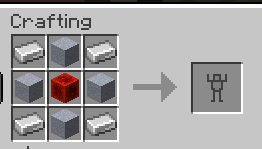
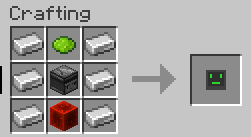
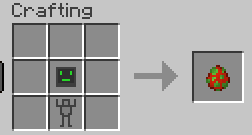
Craft a Robot Shell and a Robot AI and combine them in a crafting table (or use a Player Spawn Egg).
🔗 Links
🙏 Credits
- Jeryn - skin API and downloading code.
Project description from CurseForge.
Pick your setup
Fake Player by Minecraft version and loader
Choose the version and loader you play, then open the matching release.
Minecraft version
1.21.11
2 loader buildsMinecraft version
1.21.8
2 loader buildsMinecraft version
1.21.7
2 loader buildsMinecraft version
1.21.6
2 loader buildsMinecraft version
1.21.5
2 loader buildsMinecraft version
1.21.4
2 loader buildsMinecraft version
1.21.1
2 loader buildsMinecraft version
1.21
2 loader buildsMinecraft version
1.20.5
2 loader buildsMinecraft version
1.20.4
3 loader buildsMinecraft version
1.20.3
3 loader buildsShowing the newest 12 of 14 game versions. Older files are in the list below.
Check the dependencies, then try the file in a copied instance before changing a world you care about.
Recent files
Fake Player versions and loaders
Fake Players 2.1.3 (1.20.4 Fabric)
players-fabric-1.20.4-2.1.3.jar
8 Sept 2026
Client Source doesn’t say Server Source doesn’t say Dependencies No extras listed Listed on Release listing
Check the 1.20.4 · Fabric setup Fabric1.20.41.20.3 release
Fake Players 2.1.3 (1.20.4 NeoForge)
players-forge-1.20.4-2.1.3.jar
8 Sept 2026
Client Source doesn’t say Server Source doesn’t say Dependencies No extras listed Listed on Release listing
Check the 1.20.4 · NeoForge setup 1.20.4NeoForge1.20.3 release
Fake Players 2.1.3 (1.21.4 Fabric)
players-fabric-1.21.4-2.1.3.jar
8 Sept 2026
Client Source doesn’t say Server Source doesn’t say Dependencies No extras listed Listed on Release listing
Check the 1.21.4 · Fabric setup Fabric1.21.4 release
Fake Players 2.1.3 (1.21.5 Fabric)
players-fabric-1.21.5-2.1.3.jar
8 Sept 2026
Client Source doesn’t say Server Source doesn’t say Dependencies No extras listed Listed on Release listing
Check the 1.21.5 · Fabric setup Fabric1.21.5 release
Fake Players 2.1.3 (1.21.4 NeoForge)
players-forge-1.21.4-2.1.3.jar
8 Sept 2026
Client Source doesn’t say Server Source doesn’t say Dependencies No extras listed Listed on Release listing
Check the 1.21.4 · NeoForge setup 1.21.4NeoForge release
Fake Players 2.1.3 (1.21.1 NeoForge)
players-forge-1.21.1-2.1.3.jar
8 Sept 2026
Client Source doesn’t say Server Source doesn’t say Dependencies No extras listed Listed on Release listing
Check the 1.21.1 · NeoForge setup 1.211.21.1NeoForge release
Fake Players 2.1.3 (1.20.1 Forge/NeoForge)
players-forge-1.20.1-2.1.3.jar
8 Sept 2026
Client Source doesn’t say Server Source doesn’t say Dependencies No extras listed Listed on Release listing
Check the 1.20.1 · Forge setup 1.20.1ForgeNeoForge release
Fake Players 2.1.3 (1.21.8 Fabric)
players-fabric-1.21.8-2.1.3.jar
8 Sept 2026
Client Source doesn’t say Server Source doesn’t say Dependencies No extras listed Listed on Release listing
Check the 1.21.8 · Fabric setup Fabric1.21.81.21.61.21.7 release
Fake Players 2.1.3 (1.21.5 NeoForge)
players-forge-1.21.5-2.1.3.jar
8 Sept 2026
Client Source doesn’t say Server Source doesn’t say Dependencies No extras listed Listed on Release listing
Check the 1.21.5 · NeoForge setup 1.21.5NeoForge release
Fake Players 2.1.3 (1.20.4 NeoForge)
players-forge-1.20.4-2.1.3.jar
8 Sept 2026
Client Source doesn’t say Server Source doesn’t say Dependencies No extras listed Listed on Release listing
Check the 1.20.4 · NeoForge setup 1.20.4NeoForge1.20.3 release
Fake Players 2.1.3 (1.21.11 Fabric)
players-fabric-1.21.11-2.1.3.jar
8 Sept 2026
Client Source doesn’t say Server Source doesn’t say Dependencies No extras listed Listed on Release listing
Check the 1.21.11 · Fabric setup Fabric1.21.11 release
Fake Players 2.1.3 (1.21.1 Fabric)
players-fabric-1.21.1-2.1.3.jar
8 Sept 2026
Client Source doesn’t say Server Source doesn’t say Dependencies No extras listed Listed on Release listing
Check the 1.21.1 · Fabric setup 1.21Fabric1.21.1 release
Looking for an older file? The official CurseForge project page is in Resources.
 mod
mod CurseForge · Minecraft
Peterwolf’s Railroad One
Peterwolf’s Railroad One improves vanilla rail building by adding smoother track geometry while keeping the simplicity of the original rail system.
 mod
mod CurseForge · Minecraft
Packaged Alchemical Power
Alchemical Power Autocrafting with PackagedAuto
 mod
mod CurseForge · Minecraft
Universal Preview
Preview items, blocks, dropped items, and display entities in a smooth interface with visual anchor-based detail editing.