Minecraft version
Back to mods 
CurseForge · Minecraft mod
Fake Player
Adds fake player entities with auto-updating skins and item functionality.
Choose a version Pick your version below, then grab the matching file.
Quick answer
Which Fake Player release matches 26.1.2?
Best match for your filters Fake Players 3.0.0 (26.1.2 NeoForge)
Game version 26.1, 26.1.1, 26.1.2
Loader NeoForge
Fake Players 3.0.0 (26.1.2 NeoForge) targets 26.1, 26.1.1, 26.1.2 with NeoForge. The project page does not say whether this file belongs on the client, dedicated server, or both. No extra mods listed for this file.
Where it goes
Is Fake Player required on the client, server, or both?
The project page does not say whether this file belongs on the client, dedicated server, or both.
Client Source doesn’t say
Dedicated server Source doesn’t say
Loader for this release NeoForge
Required install it here Optional supported, not mandatory Not supported do not install here Source doesn’t say do not assume
The source does not explicitly classify this release as client-only or server-only.
What else does Fake Players 3.0.0 (26.1.2 NeoForge) need?
Fake Players 3.0.0 (26.1.2 NeoForge) on 26.1.2. Every mod below is checked against that same setup.
This file does not list any required mods. Do not add a library just because a different file uses it.
This file does not list any required or optional mods.
Before you install it
Add Fake Player without breaking your instance.
Built for Fake Players 3.0.0 (26.1.2 NeoForge) on 26.1.2. Pick another file and the loader, install side or required mods may change.
- 01
Stick to this file
Use Fake Players 3.0.0 (26.1.2 NeoForge). It targets 26.1, 26.1.1, 26.1.2 with NeoForge; another release may have different loader, side or dependency requirements.
- 02
Bring the mods it needs
This file does not list any required mods. Do not add a library just because a different file uses it.
- 03
Put it on the correct side
The project page does not say whether this file belongs on the client, dedicated server, or both.
- 04
Pick the file you checked
Use the “Get this file” button beside Fake Players 3.0.0 (26.1.2 NeoForge). It opens that exact file at the source.
About this project
What does Fake Player add?

Fake Players
Player look-alikes that mine, chop, guard, and haul - for you.


What is it?
Entities that look exactly like real players - auto-grabbed skins, armour, full inventories, the lot. Bond one to yourself, give it a job, and it gets to work.
Install it on the server and on every client that joins.
Showcase
Looks and acts like a player
- Wears any player's skin by name, from a URL, from your own file or off the trending list, slim or classic.
- Wanders, sits, sleeps, chats, wears armour and carries a full inventory you manage from its menu.
- Fights back with swords, bows, crossbows and tridents, and never hits you, your other fakes or your pets.
- When idle it watches you and goes to bed at night. Its chat shows in speech bubbles, and a mark over its head means it's stuck.
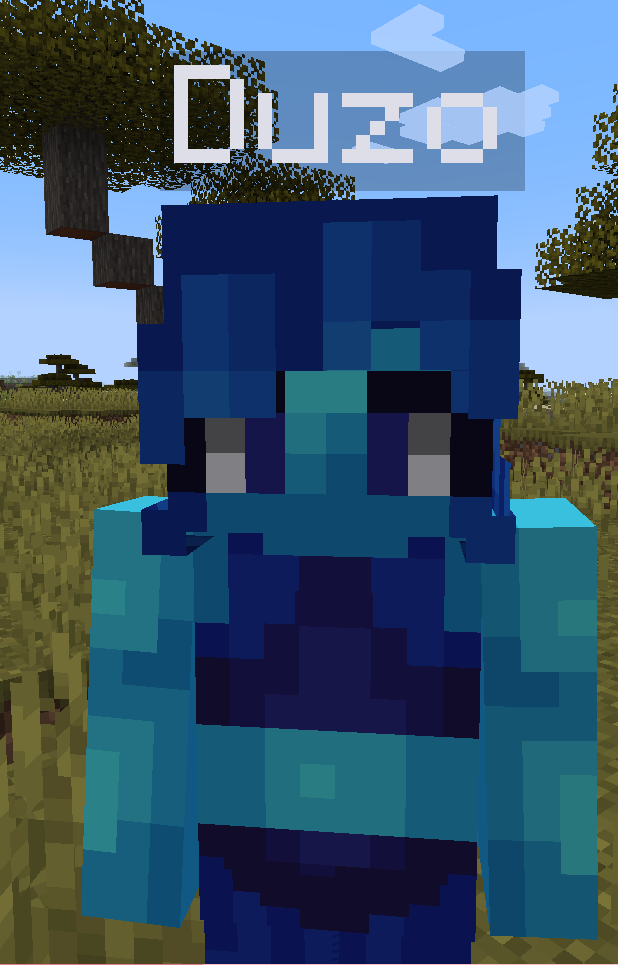
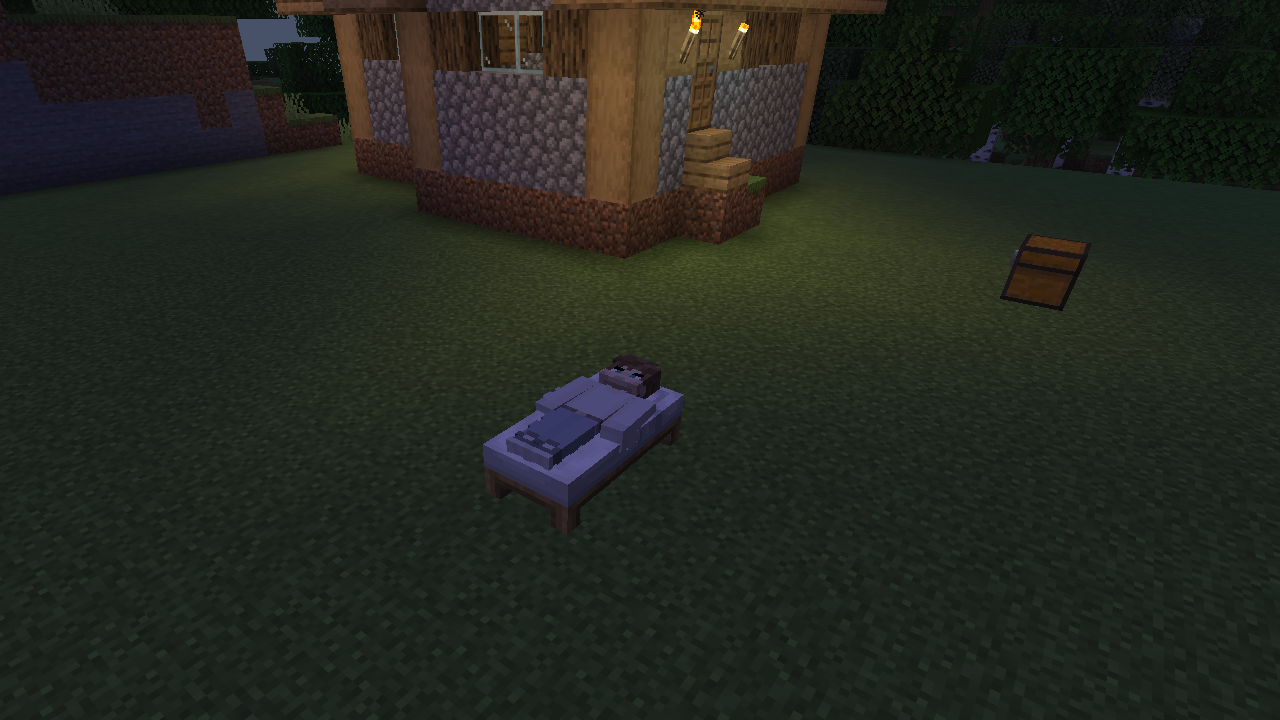 Asleep in a bed at night
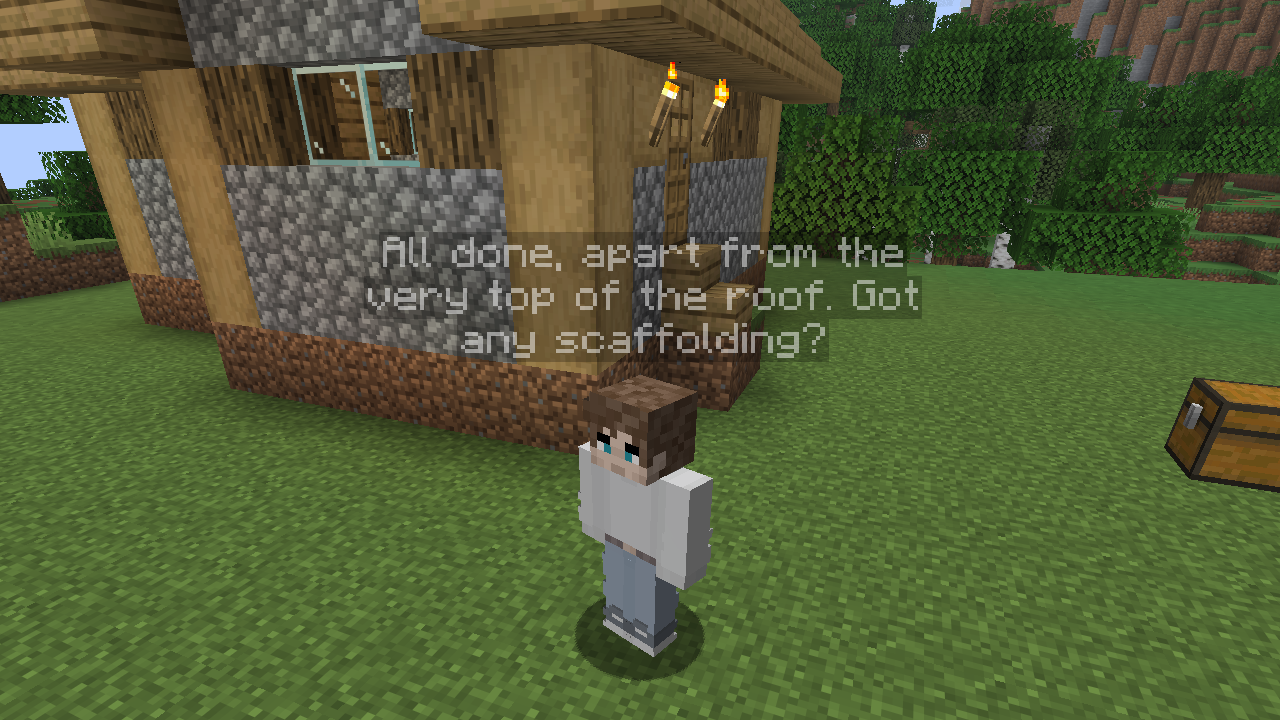 What it says shows over its head
Jobs
- Bond a fake, pick a job from its menu and place the markers it hands you. It follows you while you do.
- Miner strip-mines ore (or whatever you filter for), Lumberjack fells and replants trees, and Farmer plants and harvests any seed.
- Fisherman casts a real bobber with your enchanted rod and swaps in a fresh one when it breaks.
- Guard patrols your waypoints, Follow sticks with you and Idle waits at its spot.
- Courier hauls between chests and Crafter makes a recipe you teach it by hand.
- Builder puts up Create schematics and other structure files. Pick one from its list, which spins a preview of each, then hold the marker to see a ghost of the finished build before you place it. Several Builders can share a build, and a Quartermaster sends over any blocks they're short of.
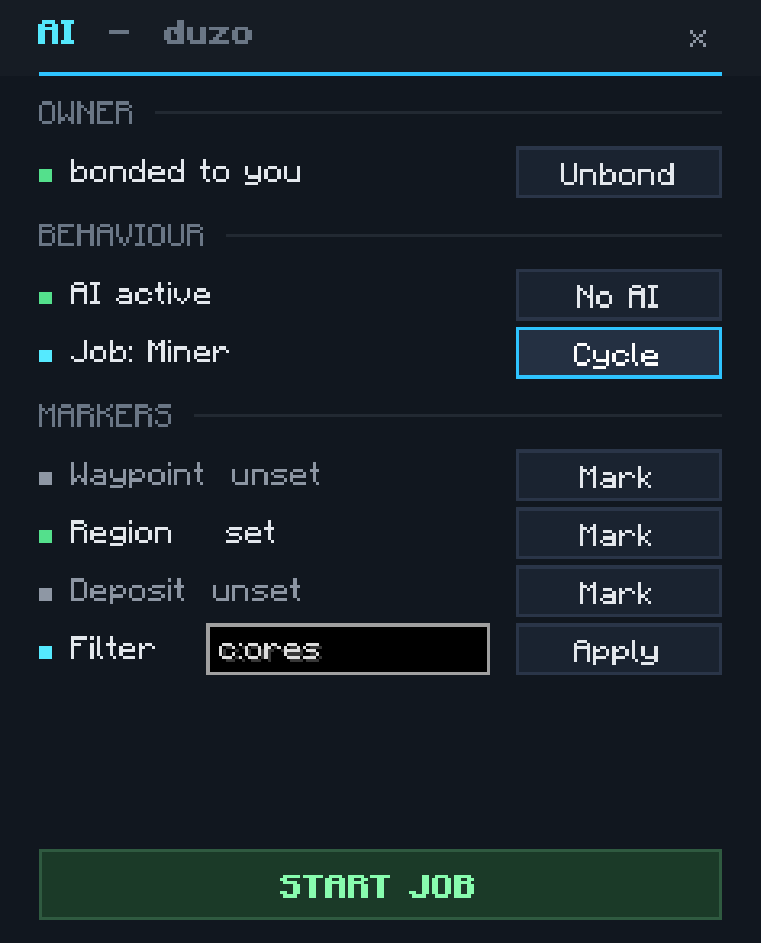 AI sub-menu
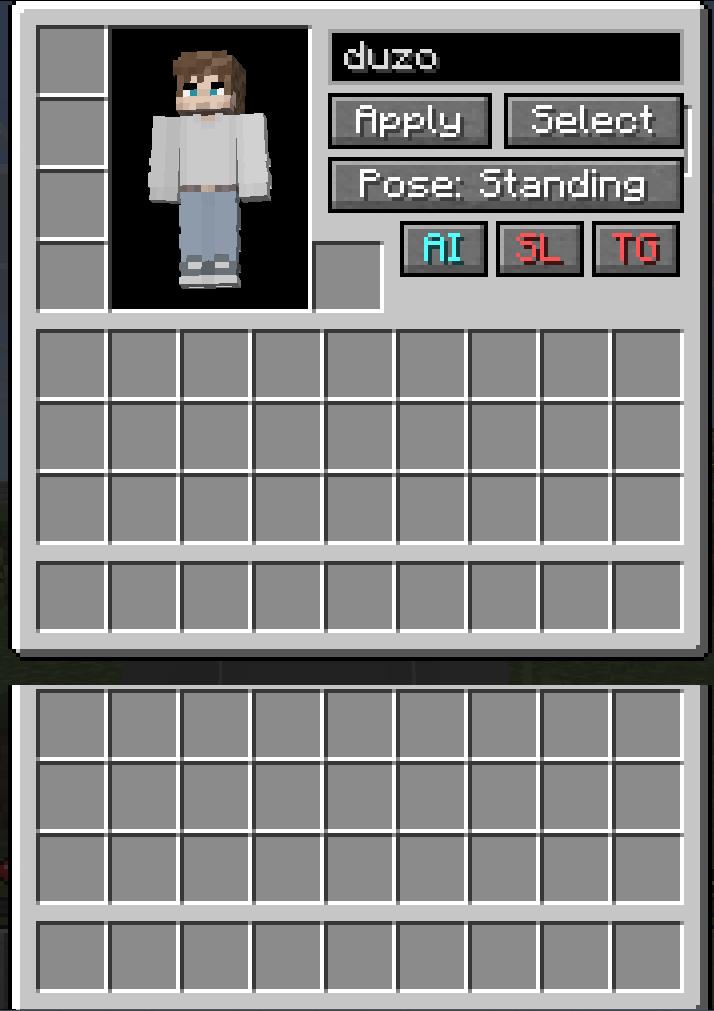 Management GUI
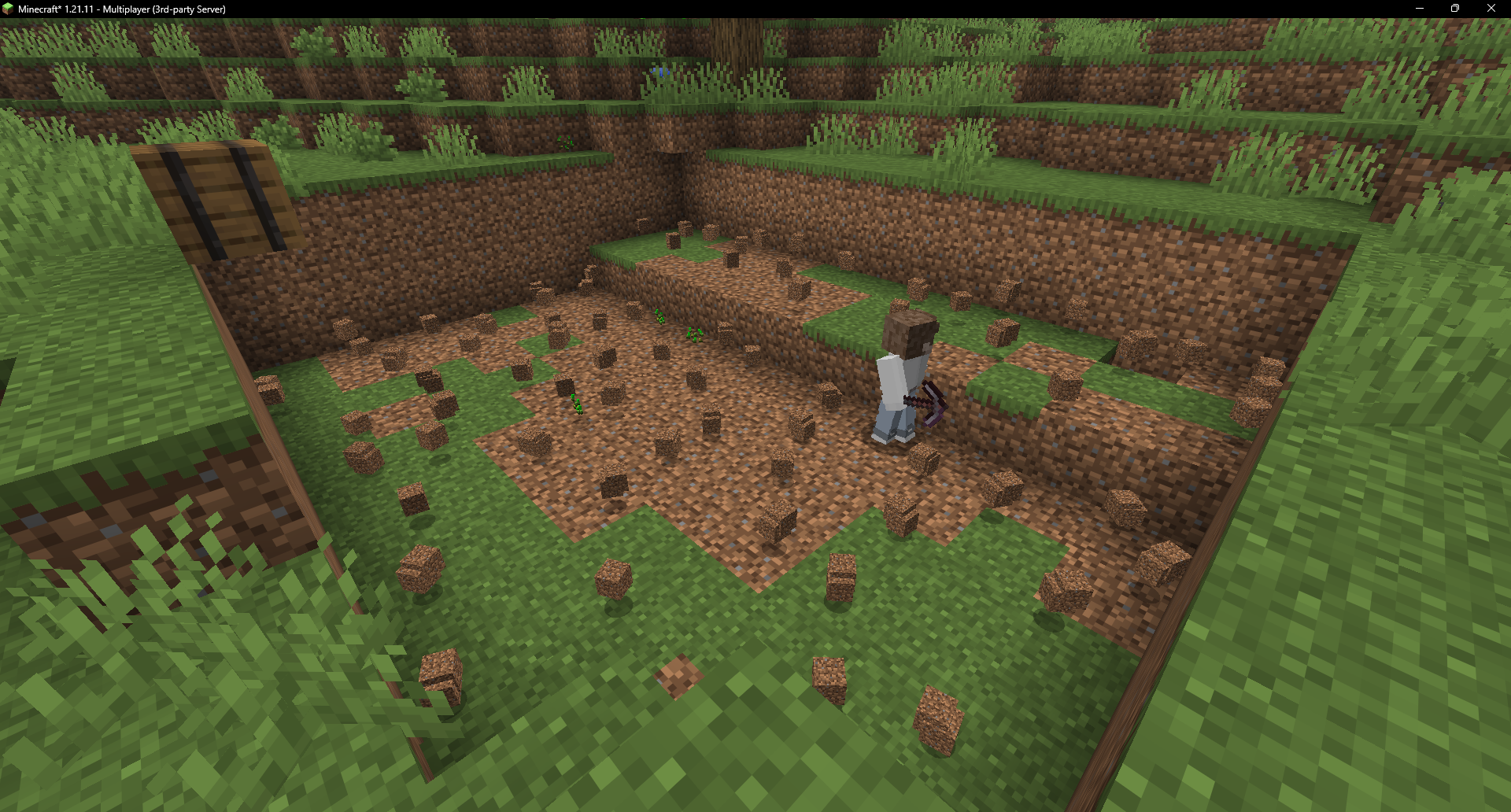 Miner clearing a quarry
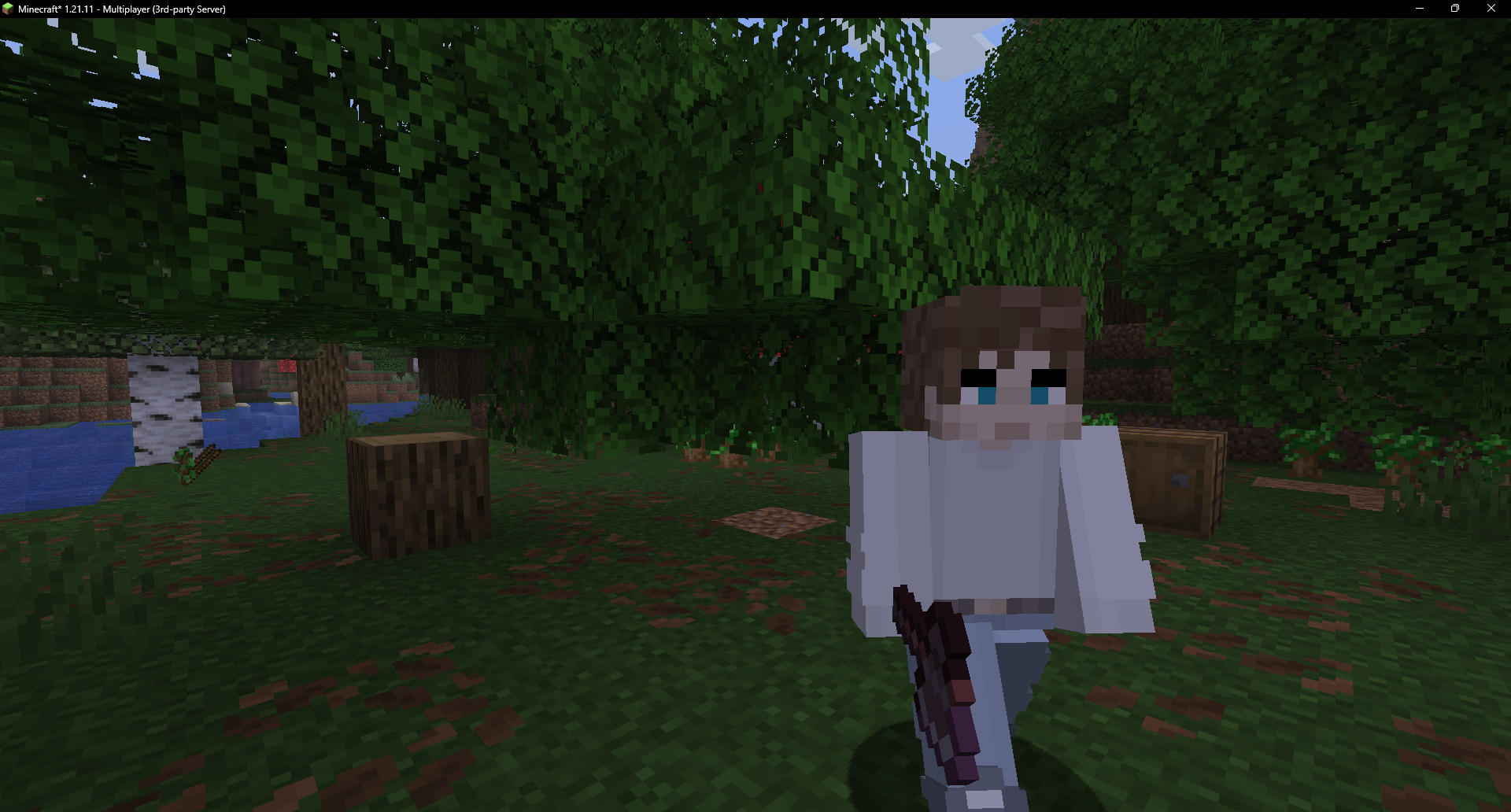 Lumberjack after felling a tree
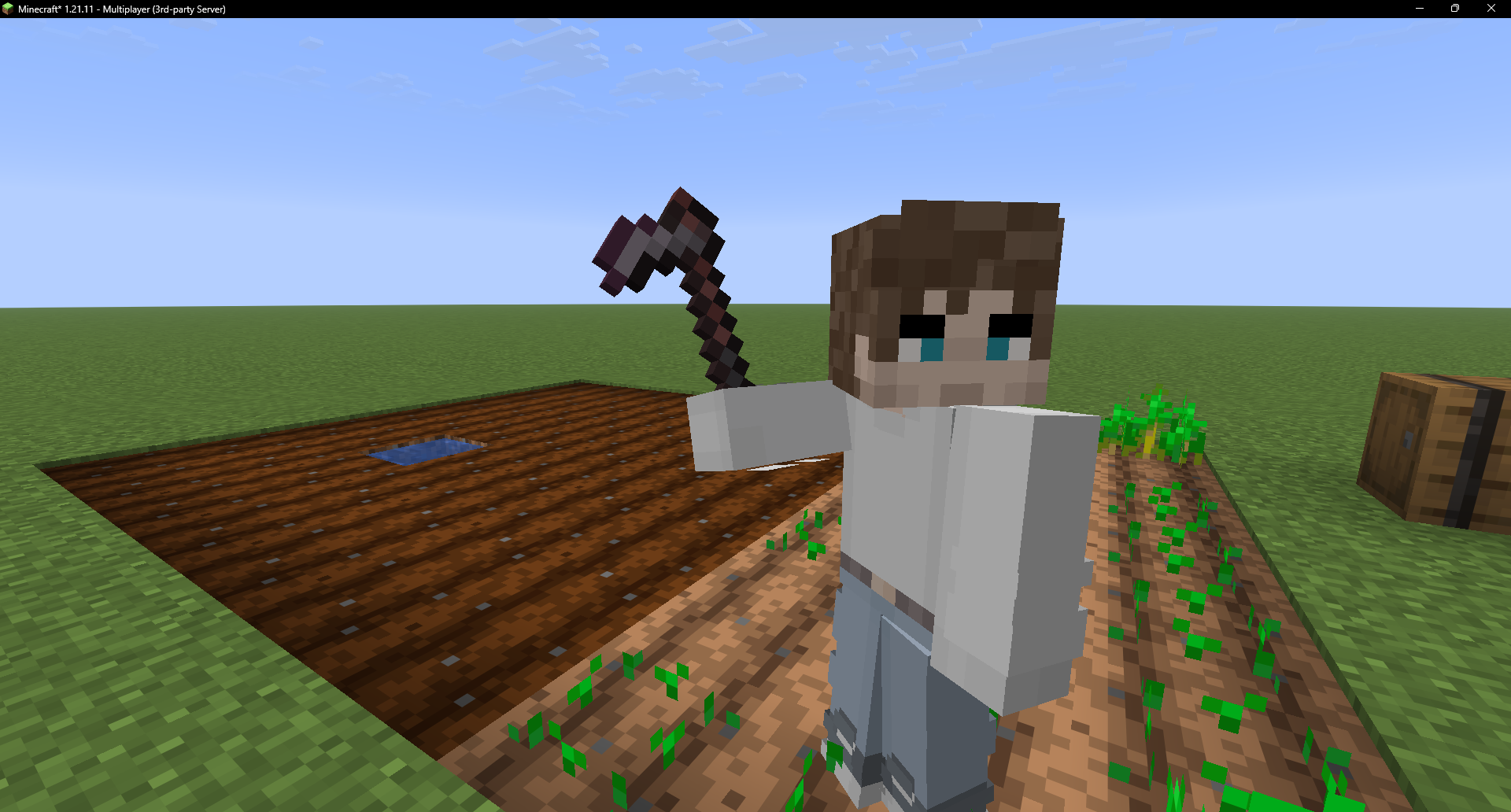 Farmer tending a watered plot
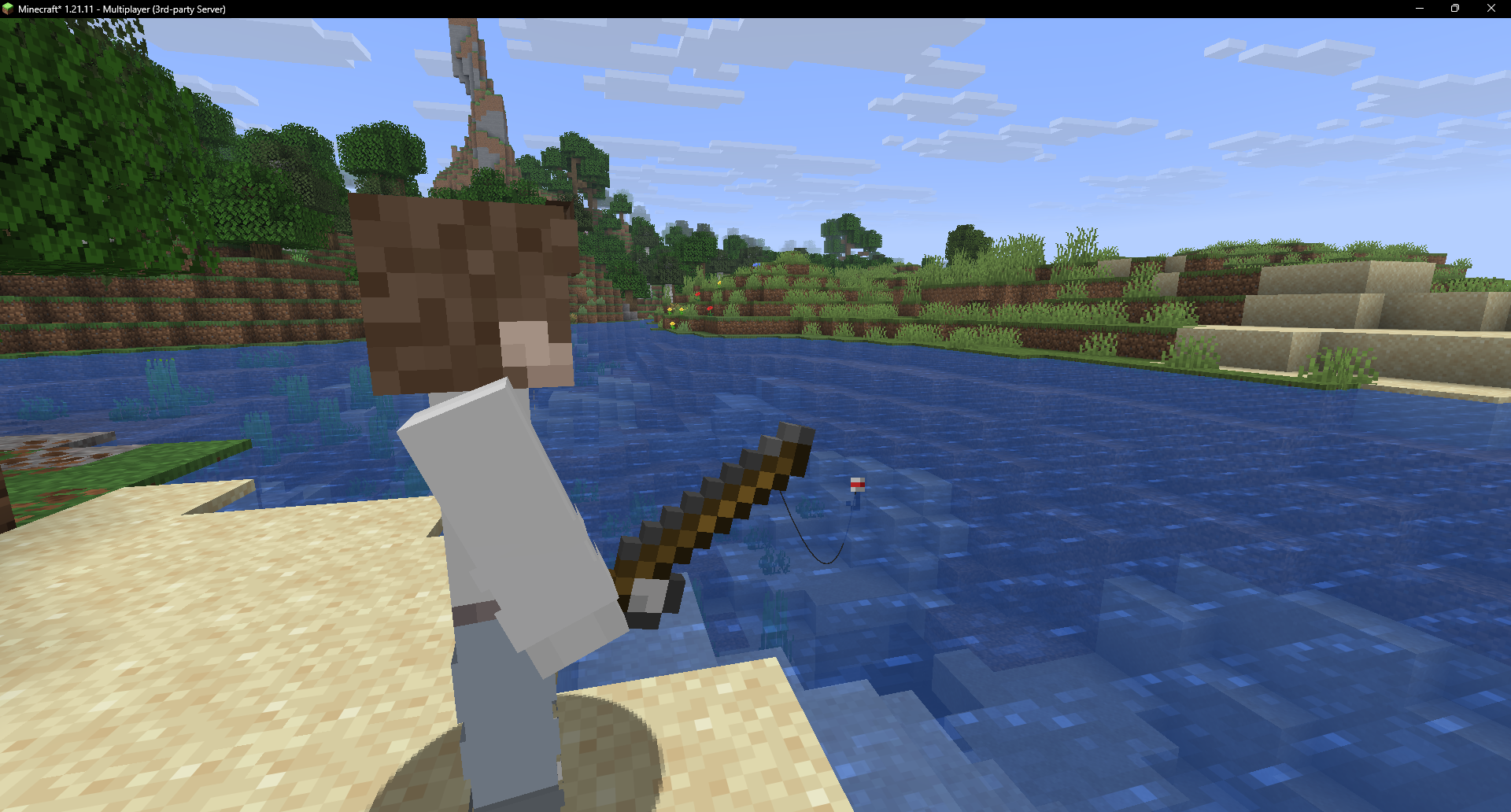 Fisherman casting at the water's edge
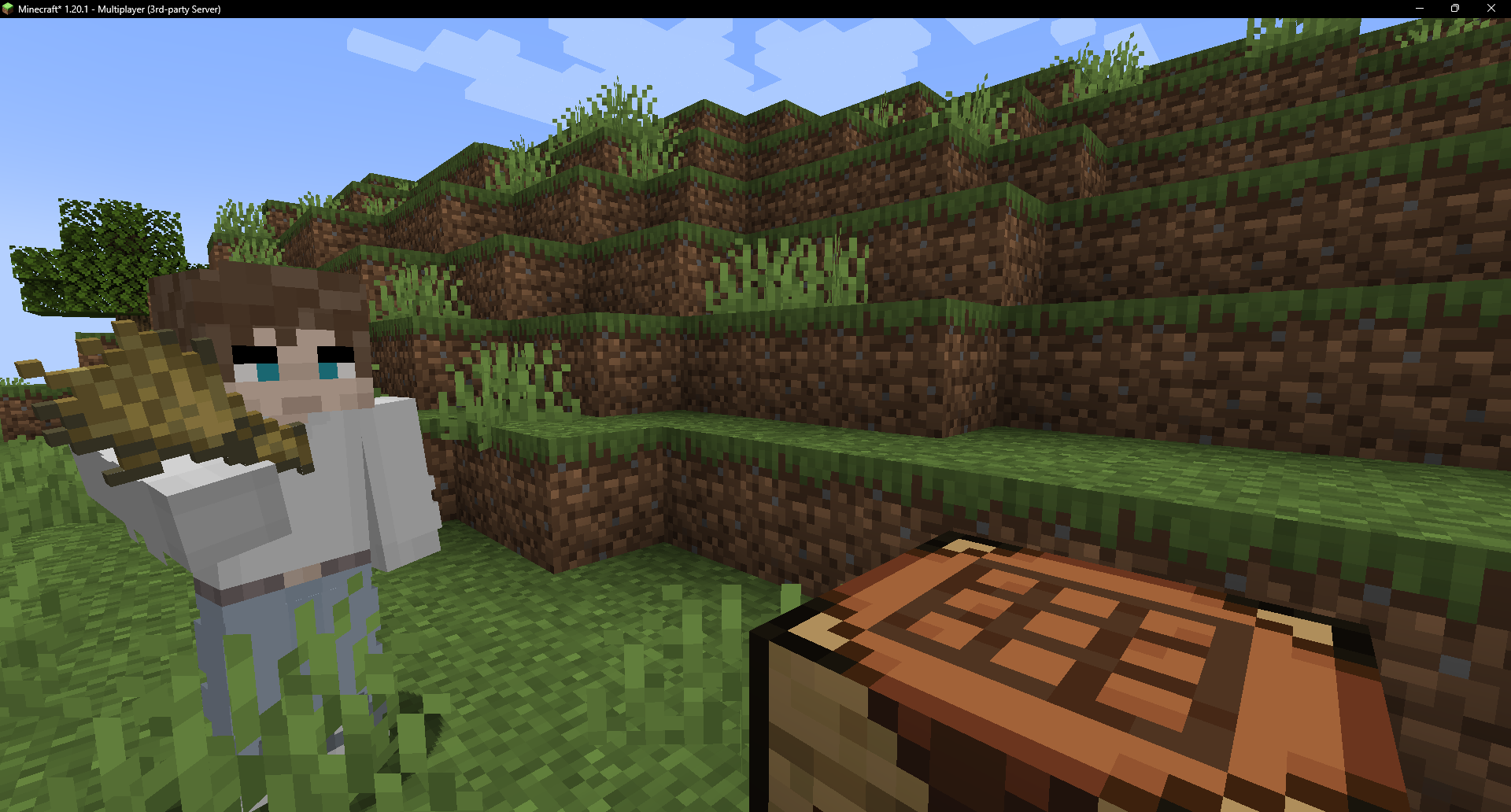 Crafter crafting by hand at its table
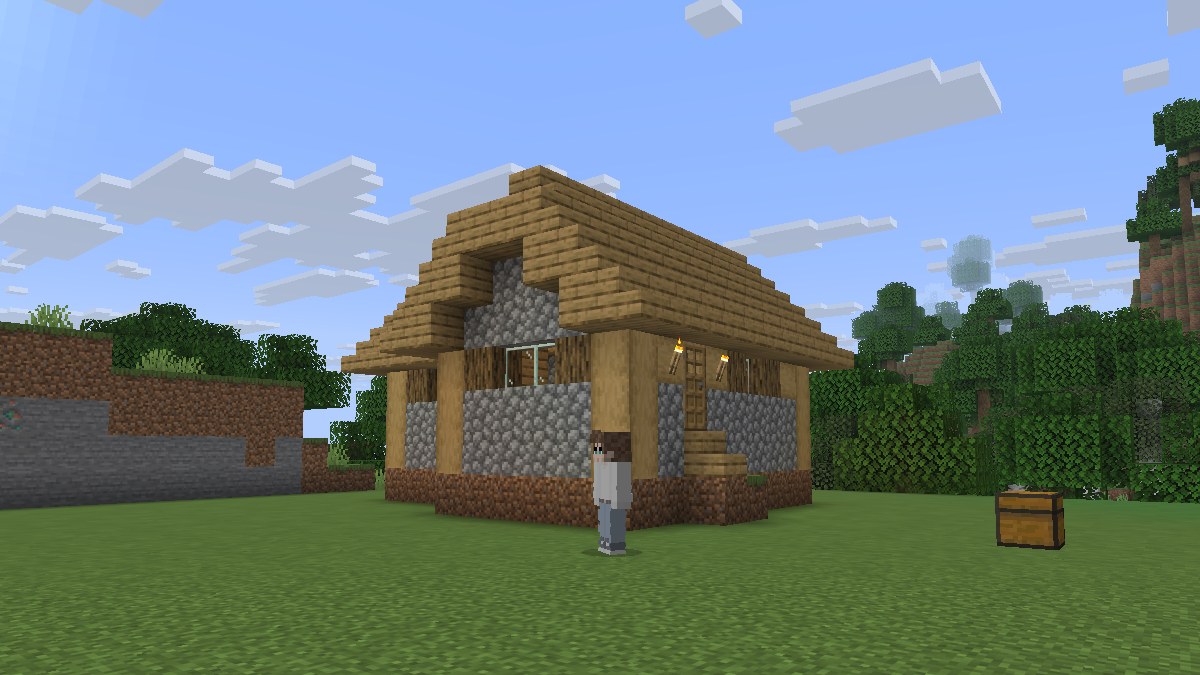 Builder after putting up a house
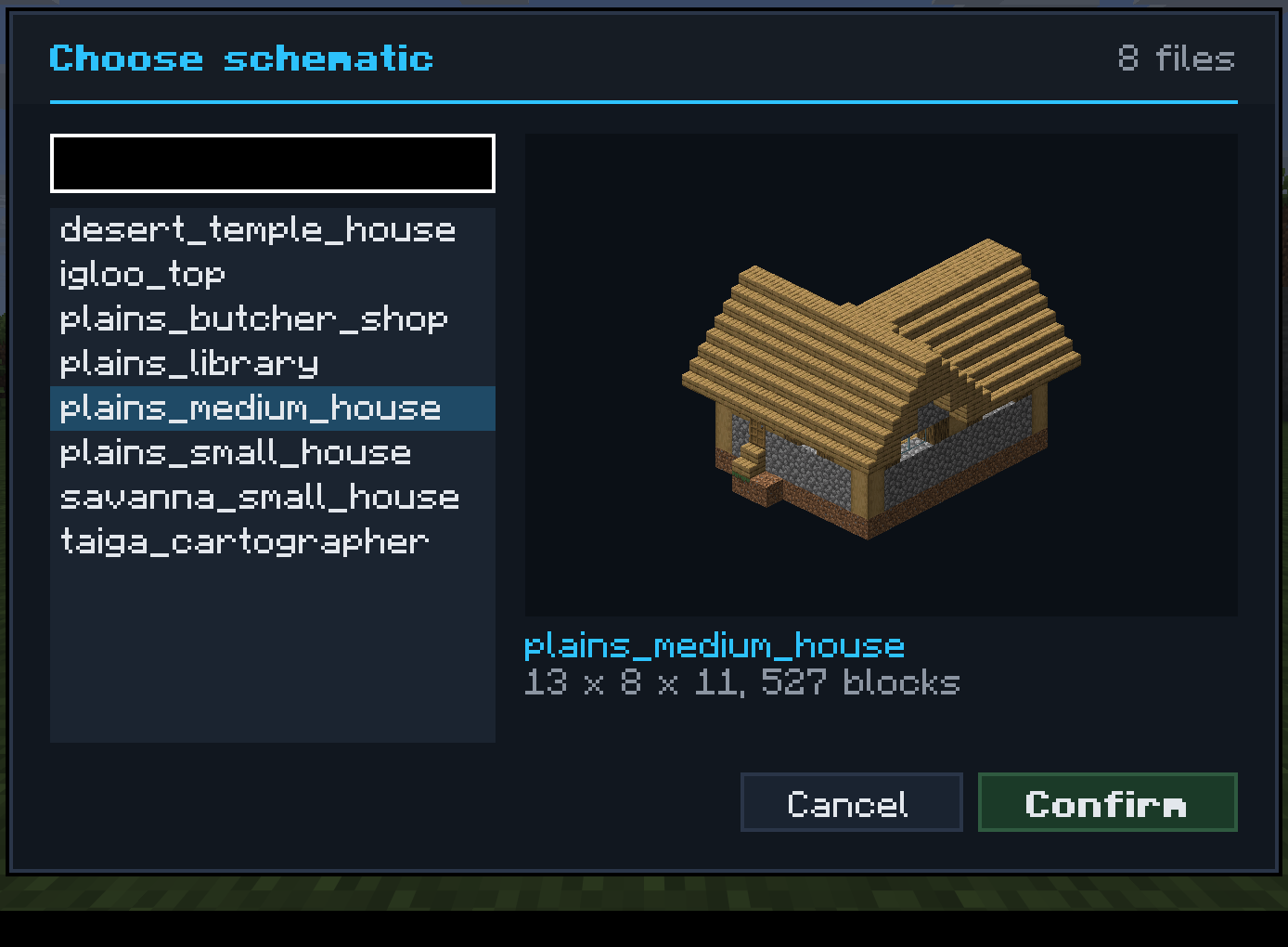 Picking a build, with a spinning preview
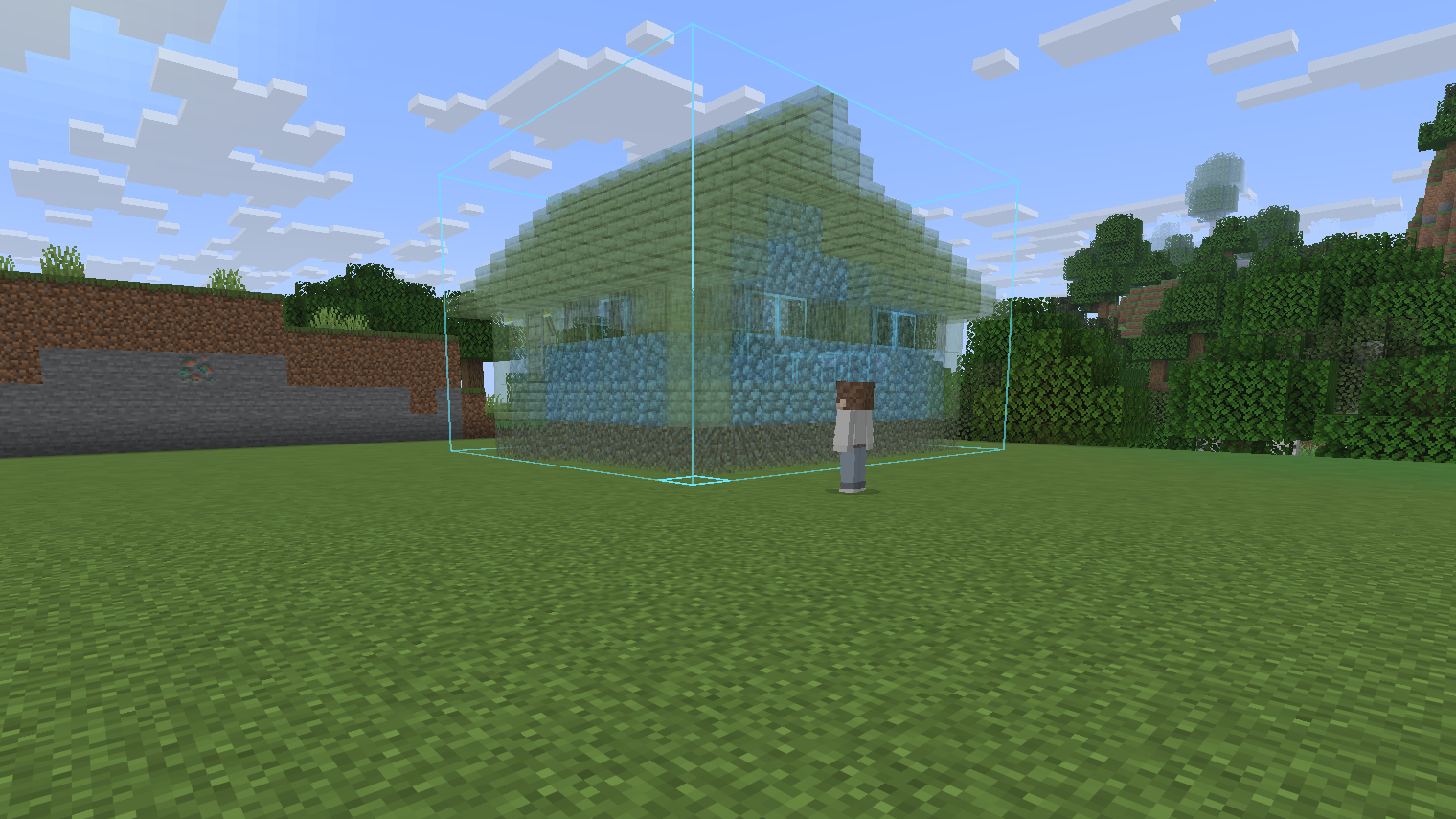 A ghost of the build before you place it
Storage and requests
- A Quartermaster runs your storeroom, and Runners bring fakes whatever they run out of, like a new pickaxe.
- Browse the storeroom and order items yourself. A Crafter makes anything that's missing.
- Fill in a fake's Stock box and it keeps those supplies topped up.
Items and riding
- Chunk Anchor keeps a fake working while you're away.
- Possession Link swaps you into a fake's body. You get its inventory and stand where it stands, and R swaps you back.
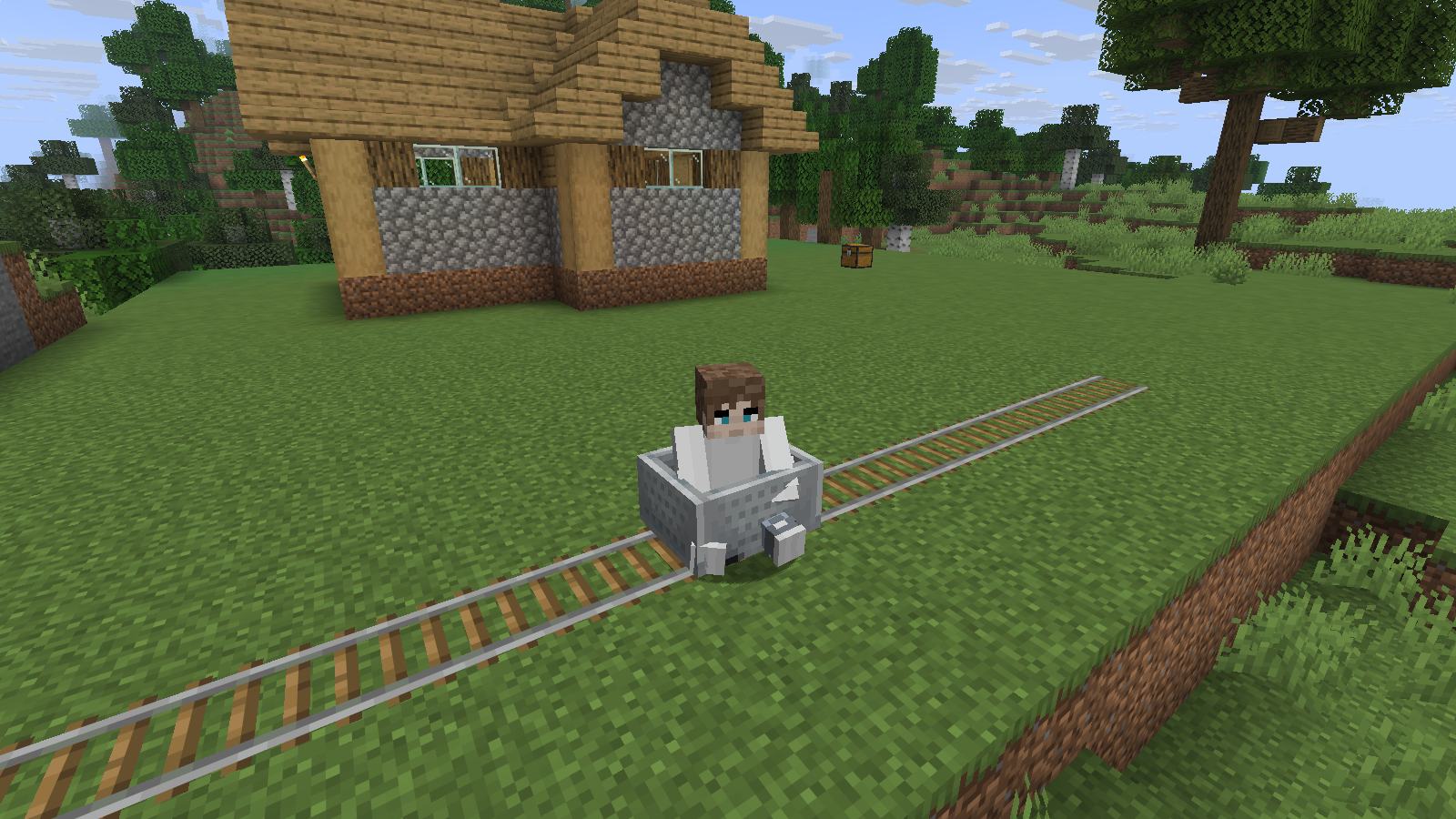
- Fakes ride boats, minecarts and seats, and can drive Create trains.
Controls and commands
- Shift + right-click a fake for its menu, or bind a key if another mod already uses that click.
- Right-click it with an item for quick actions: a chest opens its inventory, paper makes it talk, stairs sit it down, a bed lays it down, a slab swaps the slim model, an observer turns its AI off and an eye of ender hides its name.
/players spawn,/players urland/players chatspawn a fake, set its skin and make it speak.- Addons can add their own jobs through the API.
Works with
- Create seats and trains
- Storage Drawers, Sophisticated Storage and other modded storage
- Fishing rods from other mods, and Aquaculture tackle on Forge/NeoForge
- River Fishing (1.21.1 only)
- Tide and TACZ guns (1.20.1 and 1.21.1 only)
Get one
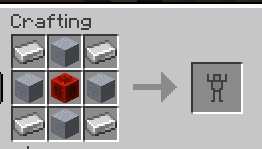
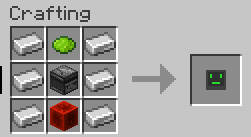
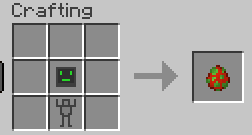
Craft a Robot Shell and a Robot AI, then combine them in a crafting table for a Player Egg. Place it and the fake is already yours.
Links
Credits
- Jeryn - skin API and downloading code.
Project description from CurseForge.
Pick your setup
Fake Player by Minecraft version and loader
Choose the version and loader you play, then open the matching release.
Minecraft version
26.2
2 loader buildsMinecraft version
26.1.2
2 loader buildsMinecraft version
26.1.1
2 loader buildsMinecraft version
26.1
2 loader buildsMinecraft version
1.21.11
2 loader buildsMinecraft version
1.21.8
2 loader buildsMinecraft version
1.21.7
2 loader buildsMinecraft version
1.21.6
2 loader buildsMinecraft version
1.21.5
2 loader buildsMinecraft version
1.21.4
2 loader buildsMinecraft version
1.21.1
2 loader buildsShowing the newest 12 of 16 game versions. Older files are in the list below.
Check the dependencies, then try the file in a copied instance before changing a world you care about.
Recent files
Fake Player versions and loaders
Fake Players 3.0.0 (26.1.2 NeoForge)
players-forge-26.1.2-3.0.0.jar
11 Nov 2026
Client Source doesn’t say Server Source doesn’t say Dependencies No extras listed Listed on Release listing
Check the 26.1.2 · NeoForge setup NeoForge26.126.1.126.1.2 release
Fake Players 3.0.0 (26.1.2 Fabric)
players-fabric-26.1.2-3.0.0.jar
11 Nov 2026
Client Source doesn’t say Server Source doesn’t say Dependencies No extras listed Listed on Release listing
Check the 26.1.2 · Fabric setup Fabric26.126.1.126.1.2 release
Looking for an older file? The official CurseForge project page is in Resources.
 mod
CurseForge + Modrinth · Minecraft
TofuCraftReload
This mod is a remake of Old Mod TofuCraft made by tsuteto. add soybean As a new all-purpose food!
 mod
CurseForge · Minecraft
MoreDyes
Adds more than 100 new dyes, blended from existing colors.
 mod
CurseForge · Minecraft
Parrots O' Plenty - Parrot expansion
Discover the weird, wonderful, and critically endangered parrots of the world! Parrots O’ Plenty introduces real-life species, and a whole new reason to explore the skies.