Forge Config API Port Needed by Effect Insights v3.0.1-1.18.2-Fabric
requiredMatching file found Matched file: [FABRIC] [1.18.2] ForgeConfigAPIPort-v3.2.4

CurseForge · Minecraft mod
Adds potion and food effect descriptions directly to tooltips. Know effects without the wiki.
Quick answer
Effect Insights v3.0.1-1.18.2-Fabric targets 1.18.2 with Fabric. It must be installed on the client. Do not install it on the dedicated server. All 5 required mods have matching files.
Where it goes
It must be installed on the client. Do not install it on the dedicated server.
This file is marked client-only.
v3.0.1-1.18.2-Fabric on 1.18.2. Every mod below is checked against that same setup.
Install Forge Config API Port, Puzzles Lib, Fabric API, Fabric API and 1 more first. We found matching files for this game-version and loader setup. 3 come through another mod in the chain.
3 extra mods were pulled in by other dependencies. Indented rows show who needs each one. We only count dependency files that match this setup. A file for another loader does not fill the gap.
Before you install it
Built for Effect Insights v3.0.1-1.18.2-Fabric on 1.18.2. Pick another file and the loader, install side or required mods may change.
Use v3.0.1-1.18.2-Fabric. It targets 1.18.2 with Fabric; another release may have different loader, side or dependency requirements.
Install Forge Config API Port, Puzzles Lib, Fabric API, Fabric API and 1 more first. We found matching files for this game-version and loader setup. 3 come through another mod in the chain.
It must be installed on the client. Do not install it on the dedicated server.
Use the “Get this file” button beside v3.0.1-1.18.2-Fabric. It opens that exact file at the source.
About this project







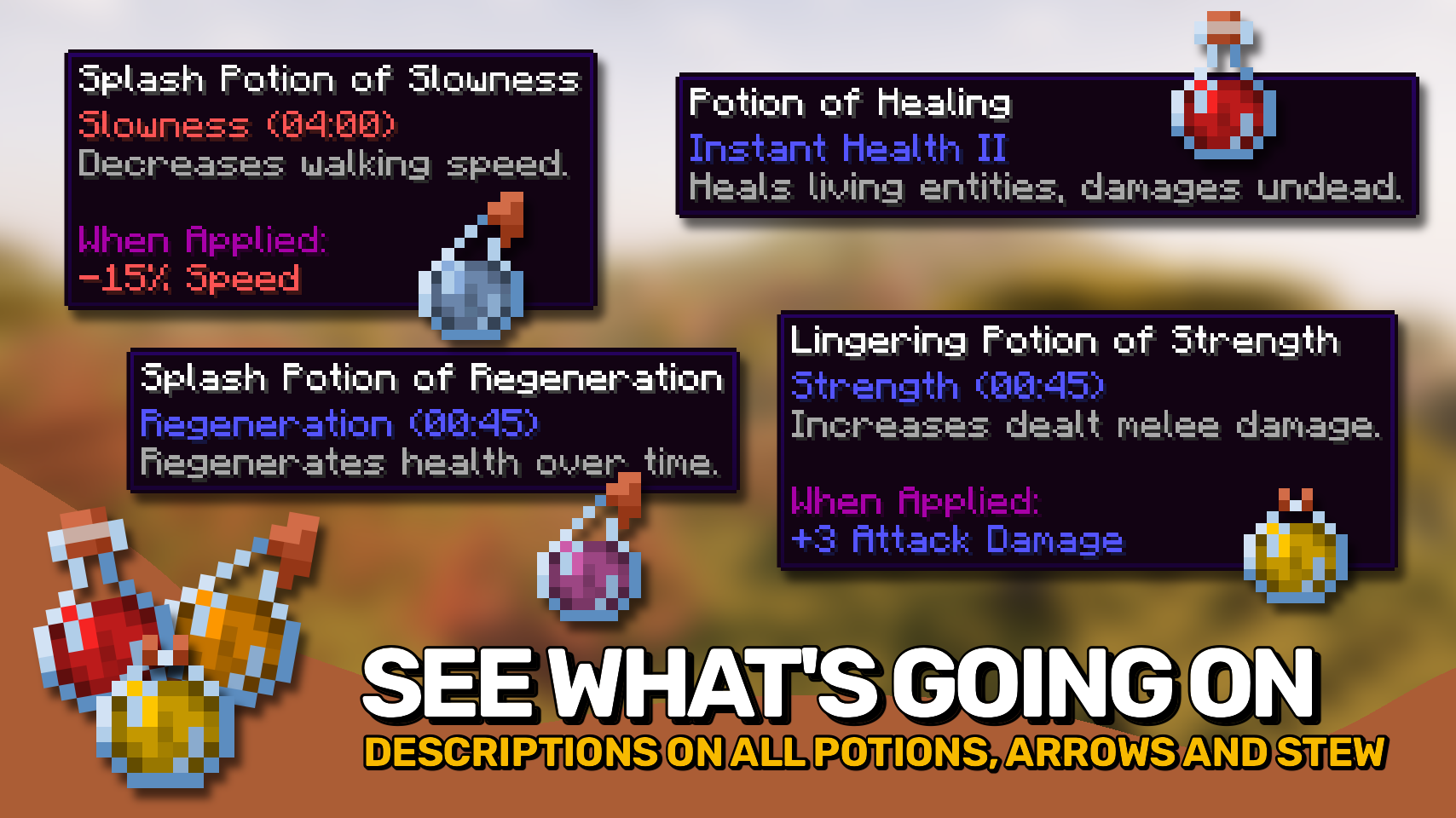
Effect Insights makes status effects easier to understand by adding simple and clear explanations directly to the game. 💡 No more guessing what a potion or suspicious stew might do before taking a sip.
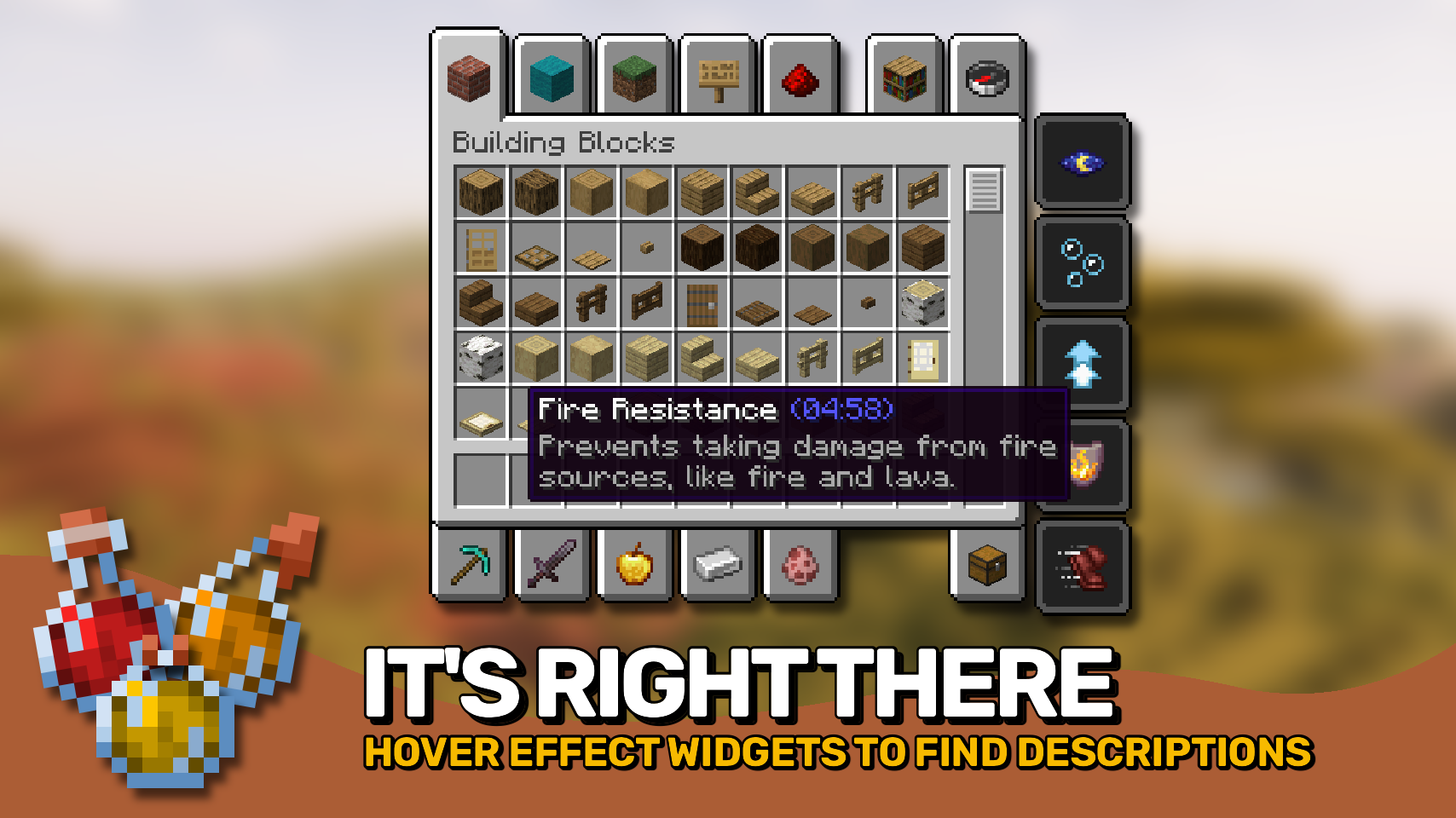
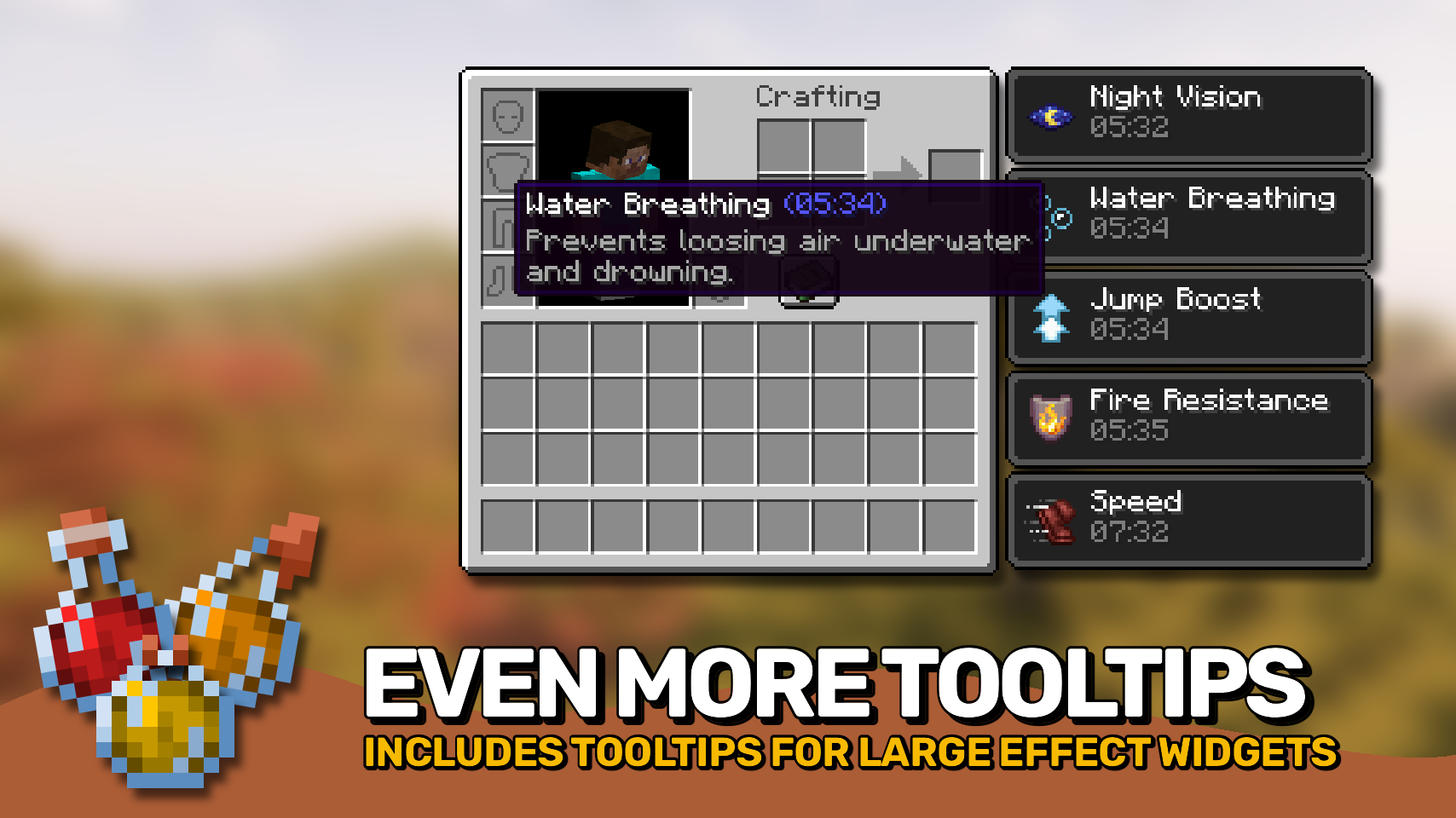
Effects shown on food and potion items include their descriptions right inside the tooltip, while active effects on your player can be viewed by simply hovering over them in your inventory. 🧪 Everything is presented with clean and consistent formatting for quick understanding at a glance.
Looking for enchantment descriptions too? Check out the wonderful Enchantment Insights mod! ✨



⏩ INSTALLATION REQUIRED ON CLIENT
⏩ REQUIRES PUZZLES LIB TO BE INSTALLED (FABRIC & NEOFORGE)
⏩ REQUIRES FABRIC API TO BE INSTALLED (FABRIC)
⏩ REQUIRES FORGE CONFIG API PORT TO BE INSTALLED (FABRIC)

If available for a mod, configuration is possible directly from in-game using the mod menu (requires Mod Menu by Prospector to be installed on Fabric).
For manual configuration using an external text editor all files are found at .minecraft/config, named as MOD_ID-client.toml, MOD_ID-common.toml, or MOD_ID-server.toml, depending on the type of config. Not all types might exist for a mod, if any at all.

🌟 Thanks to azmalent and their old Potion Descriptions mod for being the main inspiration for this project.
🌟 Thanks a lot to Darkhax and their Enchantment Descriptions mod for inspiring some parts of this project, especially when it comes to config options.
 |
 |
|
|---|---|---|
 |
 |
|
 |
 |
|
 |
 |
|
 |
 |
|

© 2026 @heyitsfuzs. All rights reserved. This page was last edited on 11 September 2026, at 06:44 (UTC).
Project description from CurseForge.
Pick your setup
Choose the version and loader you play, then open the matching release.
Showing the newest 12 of 18 game versions. Older files are in the list below.
Check the dependencies, then try the file in a copied instance before changing a world you care about.
Recent files
EffectDescriptions-v3.0.1-1.18.2-Fabric.jar
15 Aug 2023
EffectDescriptions-v3.0.1-1.18.2-Forge.jar
15 Aug 2023
EffectDescriptions-v3.0.0-1.18.2-Fabric.jar
12 Aug 2023
EffectDescriptions-v3.0.0-1.18.2-Forge.jar
12 Aug 2023
Looking for an older file? The official CurseForge project page is in Resources.
 mod
Create custom crafting recipes and custom crafts in-game with a Fabric recipe editor. Manage vanilla/modded recipes, worlds, recipe books, and servers. Now supports custom items (NBTs).
 mod
This mod lets you convieniently place items inside 2 types of shelves
 mod
Mod that adds shelves to minecraft