Puzzles Lib Needed by Effect Insights [FABRIC] [26.2.x] v26.2.2
requiredMatching file found Matched file: v26.2.5-mc26.2.x+fabric

CurseForge · Minecraft mod
Adds potion and food effect descriptions directly to tooltips. Know effects without the wiki.
Quick answer
Effect Insights [FABRIC] [26.2.x] v26.2.2 targets 26.2 with Fabric. The project page does not say whether this file belongs on the client, dedicated server, or both. All 3 required mods have matching files.
Where it goes
The project page does not say whether this file belongs on the client, dedicated server, or both.
The source does not explicitly classify this release as client-only or server-only.
[FABRIC] [26.2.x] v26.2.2 on 26.2. Every mod below is checked against that same setup.
Install Puzzles Lib, Fabric API, Forge Config API Port first. We found matching files for this game-version and loader setup. 4 come through another mod in the chain.
4 extra mods were pulled in by other dependencies. Indented rows show who needs each one. We only count dependency files that match this setup. A file for another loader does not fill the gap.
Before you install it
Built for Effect Insights [FABRIC] [26.2.x] v26.2.2 on 26.2. Pick another file and the loader, install side or required mods may change.
Use [FABRIC] [26.2.x] v26.2.2. It targets 26.2 with Fabric; another release may have different loader, side or dependency requirements.
Install Puzzles Lib, Fabric API, Forge Config API Port first. We found matching files for this game-version and loader setup. 4 come through another mod in the chain.
The project page does not say whether this file belongs on the client, dedicated server, or both.
Use the “Get this file” button beside [FABRIC] [26.2.x] v26.2.2. It opens that exact file at the source.
About this project





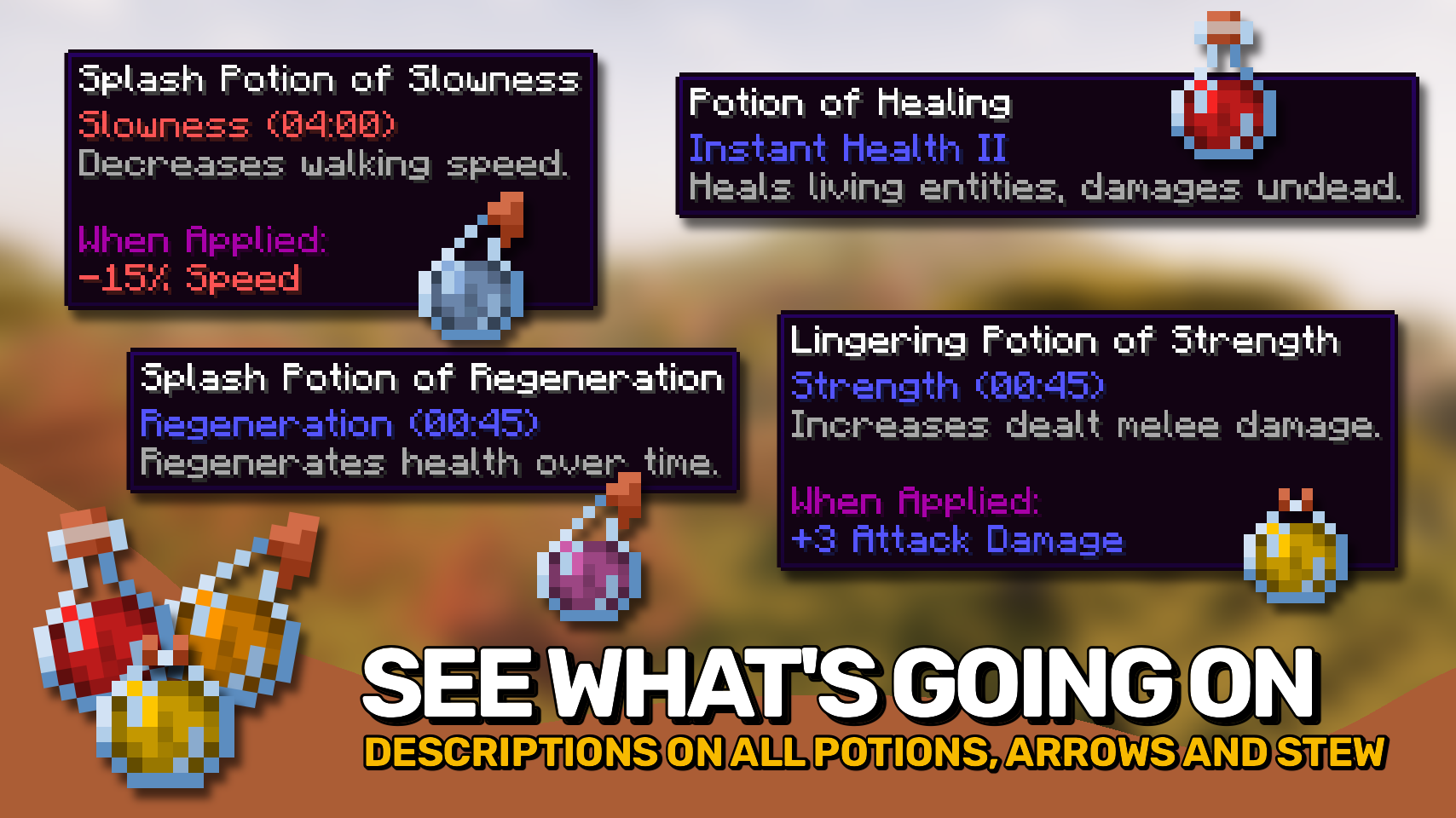
Effect Insights makes status effects easier to understand by adding simple and clear explanations directly to the game. 💡 No more guessing what a potion or suspicious stew might do before taking a sip.
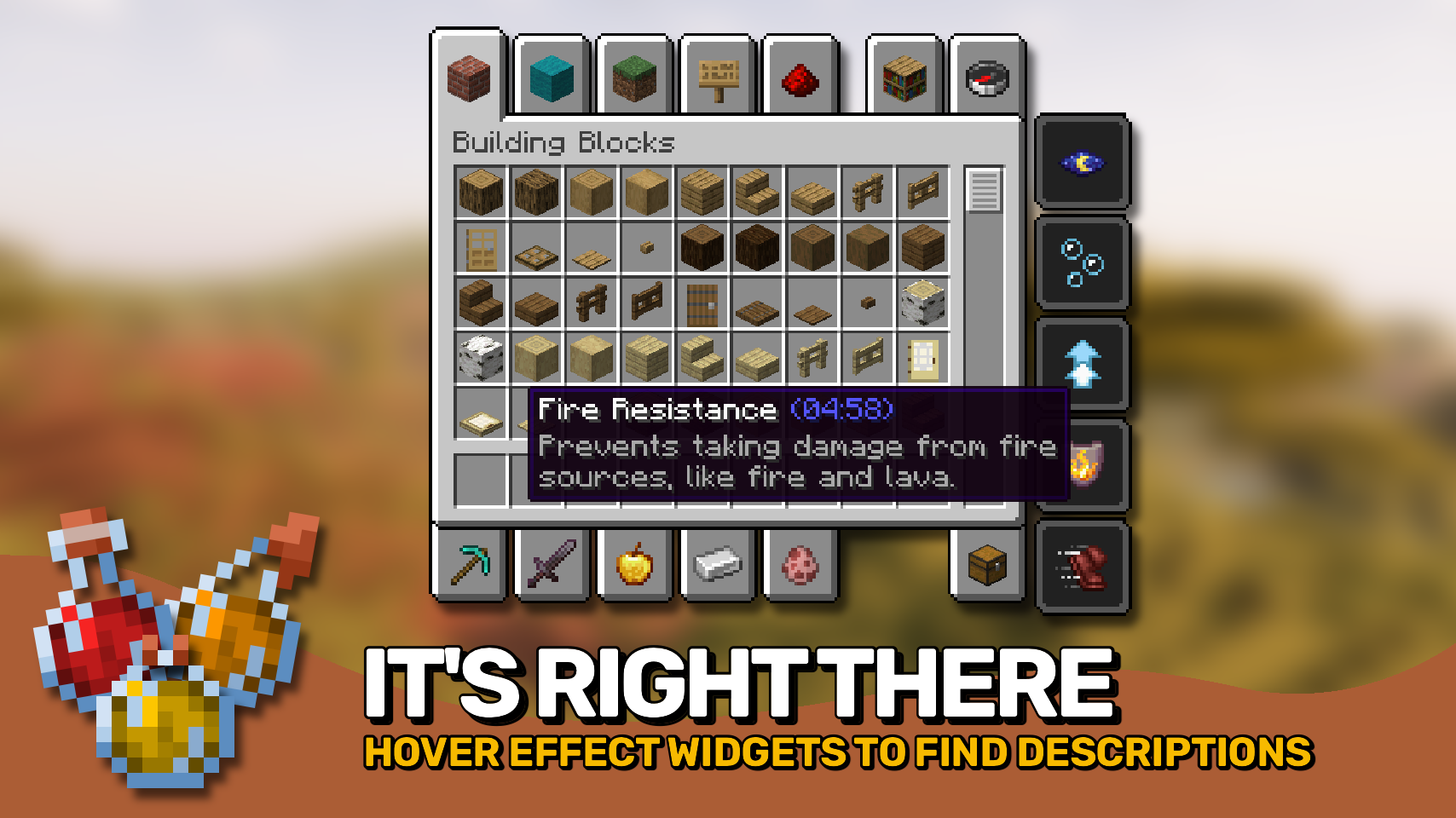
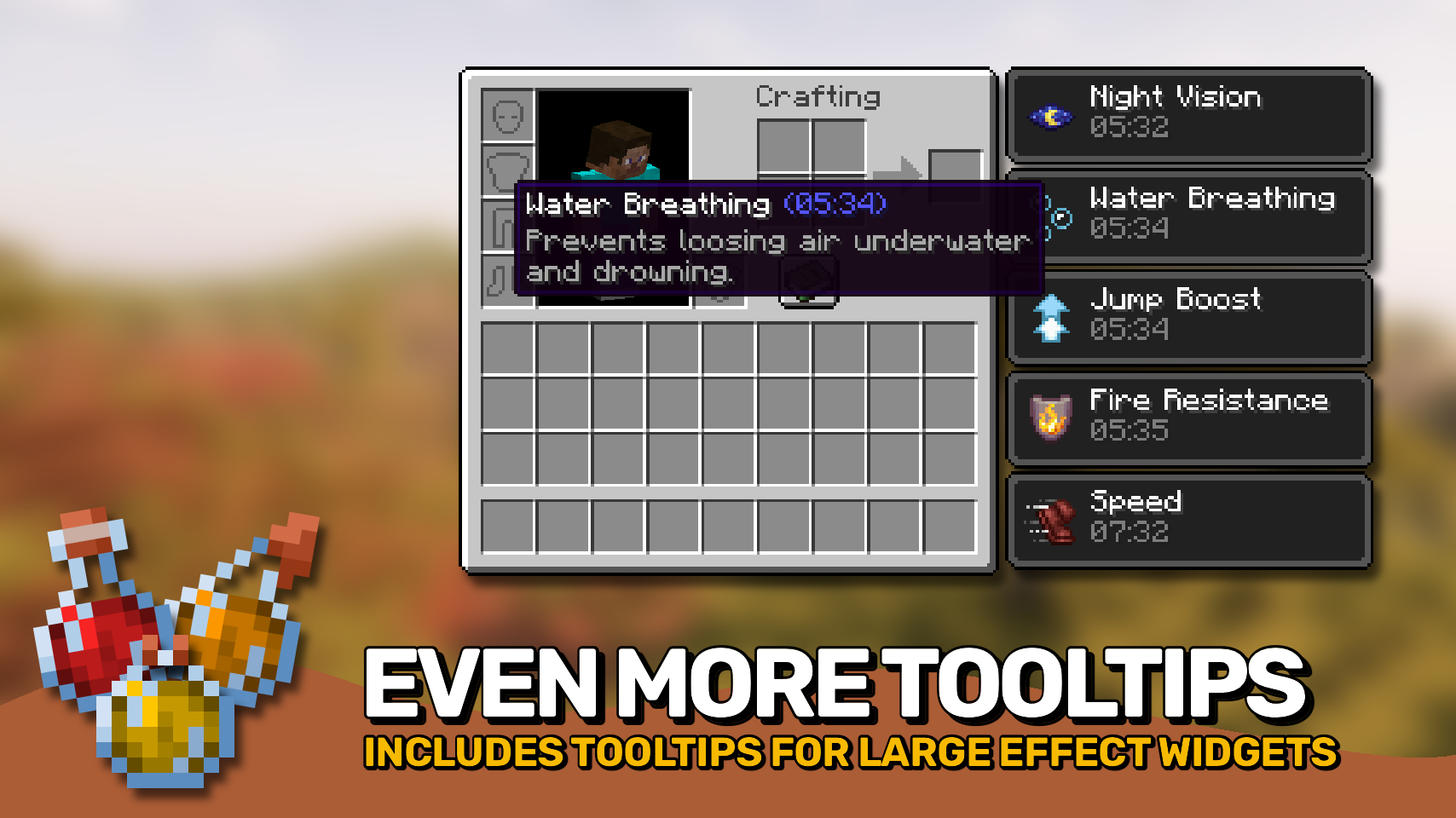
Effects shown on food and potion items include their descriptions right inside the tooltip, while active effects on your player can be viewed by simply hovering over them in your inventory. 🧪 Everything is presented with clean and consistent formatting for quick understanding at a glance.
Looking for enchantment descriptions too? Check out the wonderful Enchantment Insights mod! ✨



⏩ INSTALLATION REQUIRED ON CLIENT
⏩ REQUIRES PUZZLES LIB TO BE INSTALLED (FABRIC & NEOFORGE)
⏩ REQUIRES FABRIC API TO BE INSTALLED (FABRIC)
⏩ REQUIRES FORGE CONFIG API PORT TO BE INSTALLED (FABRIC)

If available for a mod, configuration is possible directly from in-game using the mod menu (requires Mod Menu by Prospector to be installed on Fabric).
For manual configuration using an external text editor all files are found at .minecraft/config, named as MOD_ID-client.toml, MOD_ID-common.toml, or MOD_ID-server.toml, depending on the type of config. Not all types might exist for a mod, if any at all.

🌟 Thanks to azmalent and their old Potion Descriptions mod for being the main inspiration for this project.
🌟 Thanks a lot to Darkhax and their Enchantment Descriptions mod for inspiring some parts of this project, especially when it comes to config options.
 |
 |
|
|---|---|---|
 |
 |
|
 |
 |
|
 |
 |
|
 |
 |
|

© 2026 @heyitsfuzs. All rights reserved. This page was last edited on 11 September 2026, at 06:44 (UTC).
Project description from CurseForge.
Pick your setup
Choose the version and loader you play, then open the matching release.
Showing the newest 12 of 18 game versions. Older files are in the list below.
Check the dependencies, then try the file in a copied instance before changing a world you care about.
Recent files
EffectInsights-v26.2.2-mc26.2.x-Fabric.jar
27 Jun 2026
EffectInsights-v26.2.2-mc26.2.x-NeoForge.jar
27 Jun 2026
EffectInsights-v26.2.1-mc26.2.x-Fabric.jar
26 Jun 2026
EffectInsights-v26.2.1-mc26.2.x-NeoForge.jar
26 Jun 2026
EffectInsights-v26.2.0-mc26.2.x-Fabric.jar
18 Jun 2026
EffectInsights-v26.2.0-mc26.2.x-NeoForge.jar
18 Jun 2026
Looking for an older file? The official CurseForge project page is in Resources.
 mod
Unique and upgradeable backpacks with customisation, Curios API/Trinkets integration and more!
 mod
PWKUtils is a serverside utility mod that aims to provide easy access to custom join and leave messages, motds, tablists and more!
 mod
Change and configure your creative and spectator fly speed with the scroll wheel to fly up to 1000x faster.
