Apothic Attributes Needed by Gateways to Eternity GatewaysToEternity 26.1.2-6.0.2
requiredMatching file found Matched file: ApothicAttributes-26.1.2-3.0.1.jar
CurseForge · Minecraft mod
Giant portals, hordes of monsters, and huge rewards!
Quick answer
Gateways to Eternity GatewaysToEternity 26.1.2-6.0.2 targets 26.1.2 with NeoForge. The project page does not say whether this file belongs on the client, dedicated server, or both. All 2 required mods have matching files.
Where it goes
The project page does not say whether this file belongs on the client, dedicated server, or both.
The source does not explicitly classify this release as client-only or server-only.
GatewaysToEternity 26.1.2-6.0.2. Change the file and its required mods may change too.
Install Apothic Attributes, Placebo first. We found matching files for this game-version and loader setup.
We only count dependency files that match this setup. A file for another loader does not fill the gap.
Before you install it
Built for Gateways to Eternity GatewaysToEternity 26.1.2-6.0.2. Pick another file and the loader, install side or required mods may change.
Use GatewaysToEternity 26.1.2-6.0.2. It targets 26.1.2 with NeoForge; another release may have different loader, side or dependency requirements.
Install Apothic Attributes, Placebo first. We found matching files for this game-version and loader setup.
The project page does not say whether this file belongs on the client, dedicated server, or both.
Use the “Get this file” button beside GatewaysToEternity 26.1.2-6.0.2. It opens that exact file at the source.
About this project
Gateways to Eternity is a mod where you open giant portals which pour forth hordes of enemies in a series of waves, each wave stronger than the last. Completion of a wave will yield rewards, and completing the entire gateway will yield a completion bonus.
To get started with Gateways to Eternity, you need to craft yourself a Gate Pearl, which is the item used to summon a Gateway into your world. As an example, the default recipe for the Gateway of Overworldian Nights is shown below. All Gate Pearls will be shown in JEI.

Once you have a Gate Pearl, you can learn everything about the Gateway you're about to summon, from how many waves it has, what entities are part of each wave, and what rewards you'll receive. All of this data is stored on the item's tooltip, as shown below:
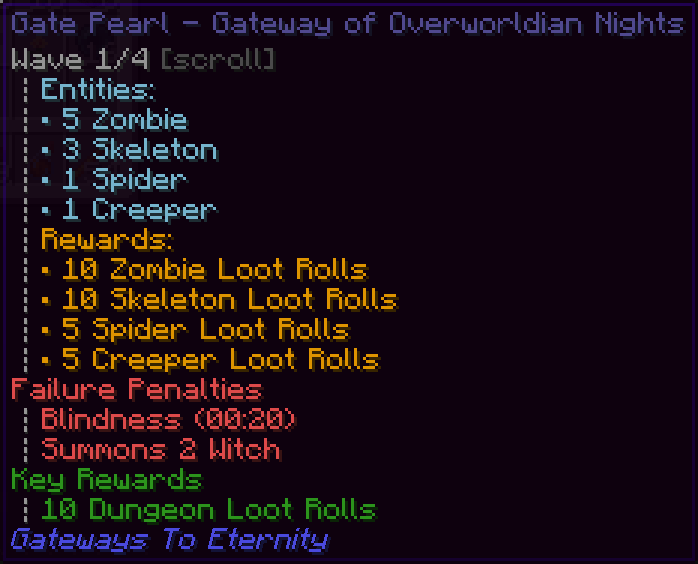
The Wave Data shows you a list of all the waves, and can be cycled via scroll wheel. Each wave consists of a set of Enemies, some Modifiers, and Rewards. The enemies are straightforward - those mobs will be spawned during that wave. The modifiers represent the bonuses that will be applied to all wave enemies, and the rewards are what you will receive when the wave is completed.
Completing the Gateway will yield special bonus rewards, on top of the already-collected wave rewards. These rewards are always shown on the Gate Pearl's tooltip.
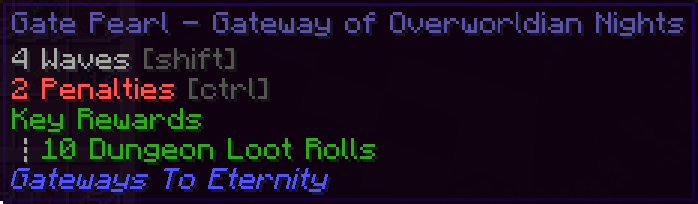
Some rewards roll a loot table instead of providing a specific item. The loot table rolls will use the summoning player as context, which means that any luck, looting, fortune, or similar that player currently has at the time rewards are dispensed will be used to boost loot drops. So, that in mind, make sure you're holding your looting sword when the wave finishes (and when the gateway closes). Maybe just hold it the whole time, if you can.
Before using a Gate Pearl, there are a few pieces of information you might want to know about how Gateways operate. This section should help you understand how and why Gateways work the way that they do.
Underwriting the operation of a Gateway is a series of rules, which define certain behaviors. The following rules exist:
Any deviations from these rules will be noted on the Gate Pearl.
Some Gateways are Endless, meaning they do not terminate naturally. You can usually identify an Endless Gateway by the name, but you can always identify it by the special Gate Pearl tooltip:
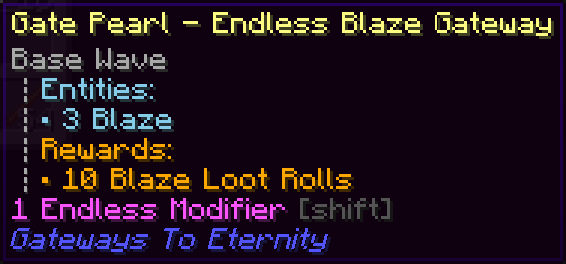
Instead of the usual Wave definition, you will see a Base Wave and one or more Endless Modifiers, which dictate how the Gateway will change over time. These Gateways will get progressively more difficult, but can provide infinitely many rewards if you can keep them open for long enough.
While holding the Gate Pearl, right click on a block to summon a Gateway. A Gateway needs a sizable amount of space to work properly, so don't use it in an enclosed area! Even if you can successfully summon a Gateway, if it fails to spawn an entity as part of a wave, the Gateway will violently shudder in a burst of lightning, so open fields are preferred. A successful Gateway opening looks like this:
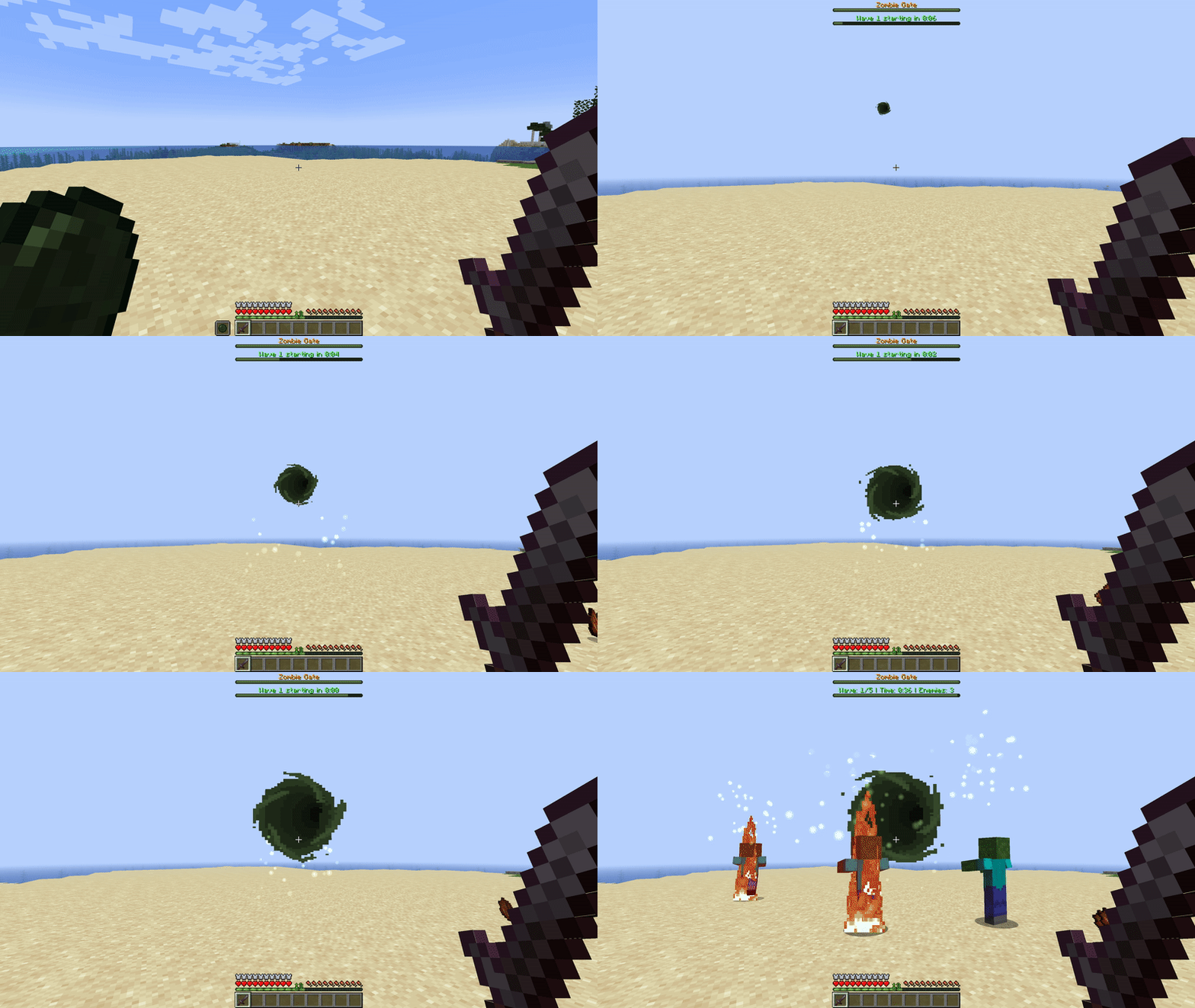
To complete a wave, all you have to do is kill all the wave enemies before time runs out. The number of remaining enemies is shown on the boss bar at the top of the screen, alongside the current wave number and the wave timer. If you run out of time, the Gateway will also vanish in a burst of lightning, similar to how it would if it failed to spawn the wave entities.
When you successfully complete a wave, a short cooldown period will occur before the next wave spawns, and the Wave Rewards will be spawned from the Gateway, like this:
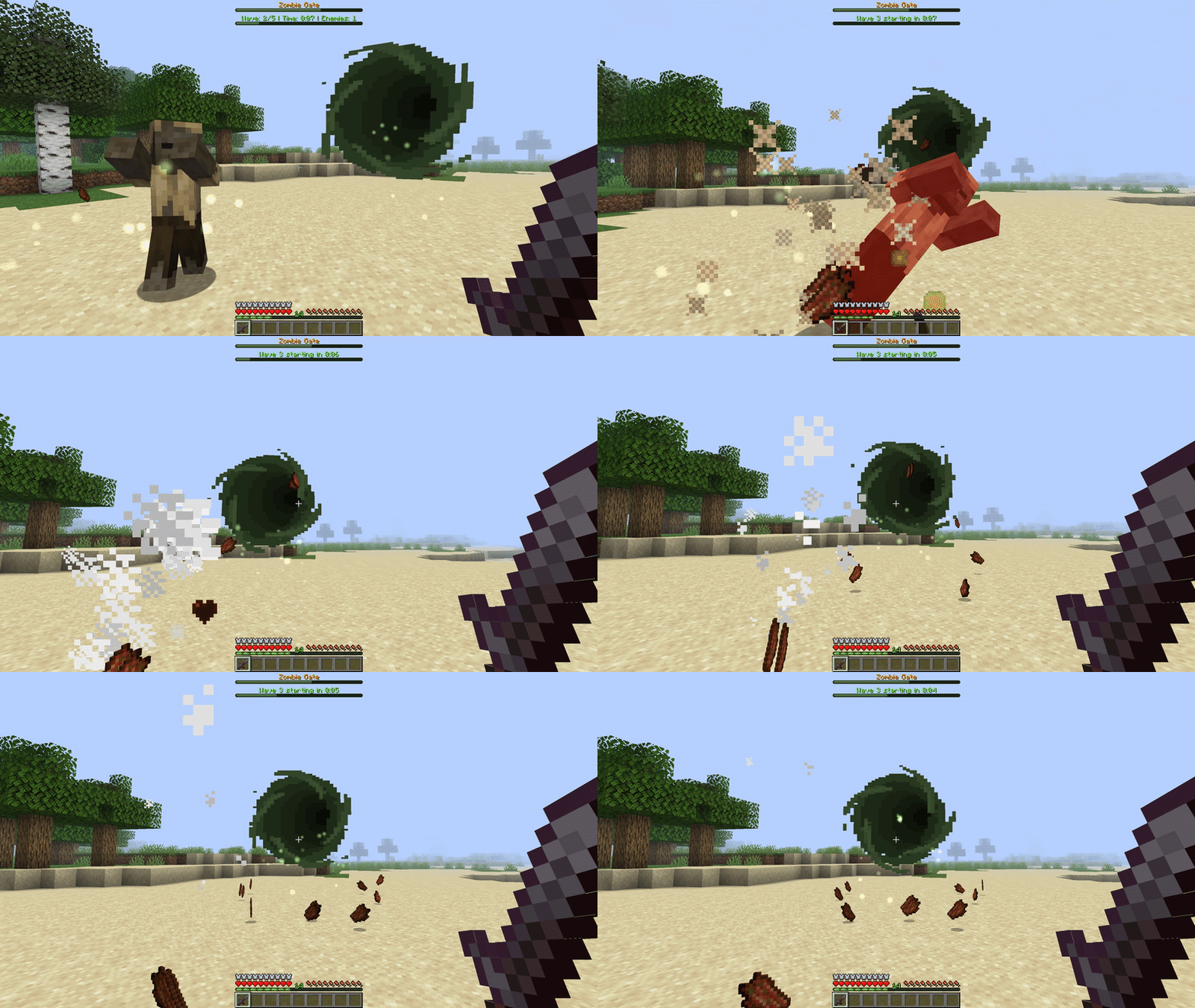
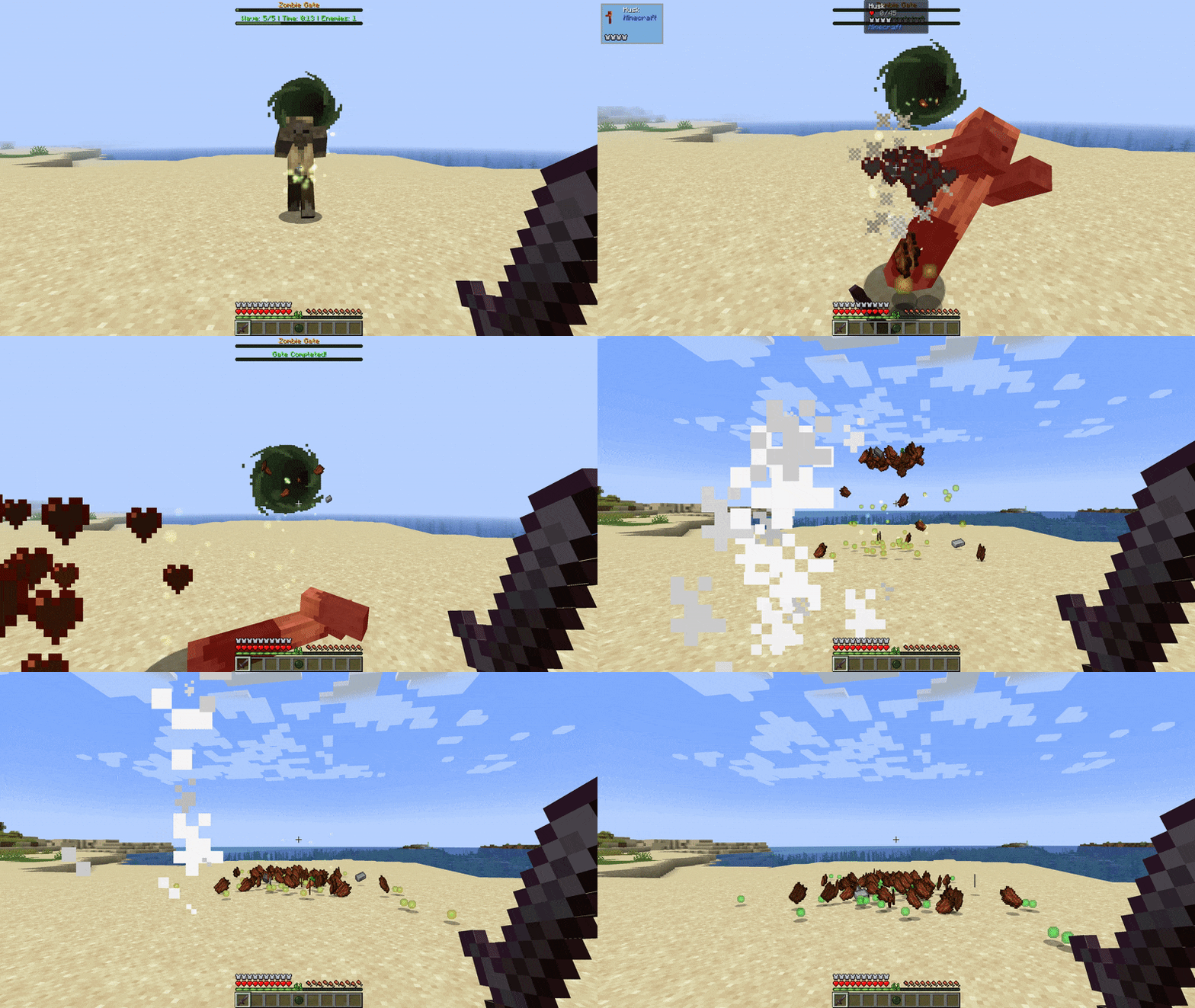
Successful completion of the Gateway is the only appropriate method to close it without causing some sort of damage to your world. When you finish the last Wave of a Gateway, the wave rewards will spawn, and once finished, the Gateway will close, spawning the Completion Rewards where it once stood. These rewards come out all at once in a huge eruption of loot and experience, unlike the wave rewards which show up slowly over time.
Hello Modpack Developers! If you're reading this section you're wondering "Can I change the default Gateways?" or "Can I add a new Gateway?" or something of that sort. The answer is a resounding yes! Every aspect of each Gateway is contained in a JSON file, which can be changed through a datapack. The default data files are available on the GitHub Repo, and the JSON Schema is available here.
Through customization, you can setup any kind of Gateway you like. You can fully define every entity that spawns each wave, including specifying NBT data. Everything is at your fingertips.

Project description from CurseForge.
Pick your setup
Choose the version and loader you play, then open the matching release.
Check the dependencies, then try the file in a copied instance before changing a world you care about.
Recent files
GatewaysToEternity-26.1.2-6.0.2.jar
24 Jul 2026
GatewaysToEternity-1.21.1-5.1.0.jar
19 Jun 2026
GatewaysToEternity-26.1.2-6.0.1.jar
17 Jun 2026
14 Jun 2026
30 May 2026
25 Aug 2025
10 Jul 2025
16 Apr 2025
25 Dec 2024
27 Sept 2024
9 Sept 2024
8 Sept 2024
Looking for an older file? The official CurseForge project page is in Resources.
 mod
modA remake of an old beloved witchcraft mod, aiming to make sense in the current modding scene
 mod
modMobs Are Gone lets you blacklist mobs you don't want spawning in your Minecraft world.
 mod
modA canon-inspired progression and restriction addon for Jujutsu Craft and Jujutsu Craft V. Jujutsu Character Limits is an additional addon designed for Orca’s Jujutsu Craft and Vazafila’s Jujutsu Craft V (JJCV).