Cloth Config API (Fabric/Forge/NeoForge) Needed by welcomescreen-neoforge-1.2.0+26.3
requiredNo matching file

CurseForge · Minecraft mod
Add a welcome screen to your world and server
Quick answer
welcomescreen-neoforge-1.2.0+26.3 targets 26.3 with NeoForge. The project page does not say whether this file belongs on the client, dedicated server, or both. 1 required mod needs a matching file.
Where it goes
The project page does not say whether this file belongs on the client, dedicated server, or both.
The source does not explicitly classify this release as client-only or server-only.
welcomescreen-neoforge-1.2.0+26.3. Change the file and its required mods may change too.
Install Cloth Config API (Fabric/Forge/NeoForge) first, but 1 required mod has no matching file for this setup. Do not mix loader builds to force a match.
We only count dependency files that match this setup. A file for another loader does not fill the gap.
Before you install it
Built for welcomescreen-neoforge-1.2.0+26.3. Pick another file and the loader, install side or required mods may change.
Use welcomescreen-neoforge-1.2.0+26.3. It targets 26.3 with NeoForge; another release may have different loader, side or dependency requirements.
Install Cloth Config API (Fabric/Forge/NeoForge) first, but 1 required mod has no matching file for this setup. Do not mix loader builds to force a match.
The project page does not say whether this file belongs on the client, dedicated server, or both.
Use the “Get this file” button beside welcomescreen-neoforge-1.2.0+26.3. It opens that exact file at the source.
About this project




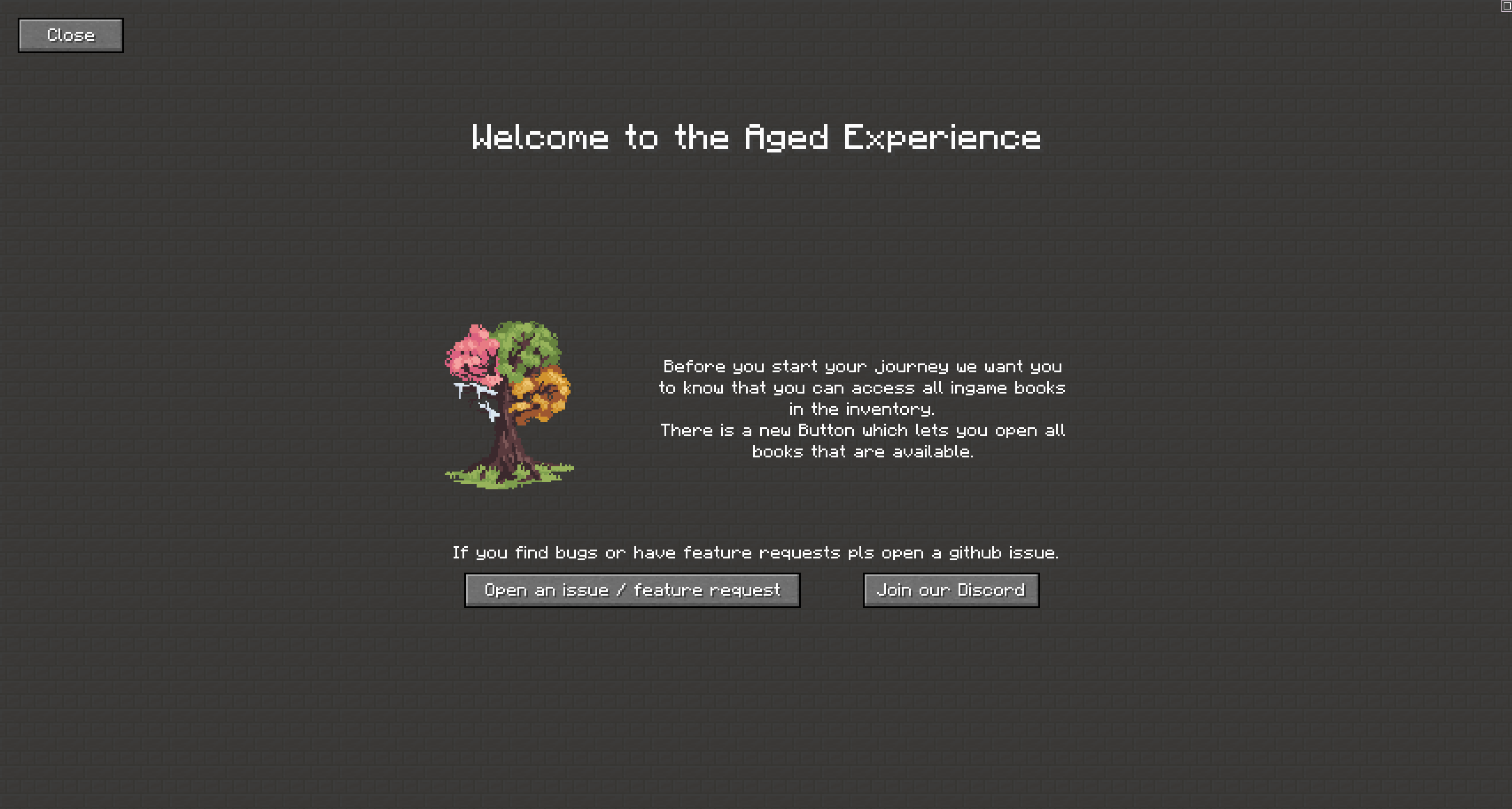
WelcomeScreen let you create a welcome screen where you can share information about your server, world or modpack.
It will open up on the players first join of the world. A screen can be build via a datapack (and resourcepack if resources are needed).
Check out the github readme for information.

This mod is developed for Fabric.
Since mc v26.3 Neoforge is also supported.
Modpack Permission:
Feel free to use it in any modpacks.
Bug Report:
Just report bugs at the github page.
Project description from CurseForge.
Pick your setup
Choose the version and loader you play, then open the matching release.
Check the dependencies, then try the file in a copied instance before changing a world you care about.
Recent files
welcomescreen-neoforge-1.2.0-26.3.jar
15 Nov 2026
welcomescreen-fabric-1.2.0-26.3.jar
15 Nov 2026
welcomescreen-1.1.1.jar
30 Oct 2026
welcomescreen-1.1.0.jar
26 Oct 2026
welcomescreen-1.0.1.jar
10 Sept 2024
welcomescreen-1.0.1.jar
23 Jun 2024
welcomescreen-1.0.1.jar
1 Nov 2023
2 Sept 2023
Looking for an older file? The official CurseForge project page is in Resources.
 mod
Sit anywhere and make combat logging impossible
 mod
Adds bubbles above your head
 mod
Which food, armor, weapon, tool and fuel is the best in your modpack? Press B to see every item from every mod ranked by its real stats.
