Minecraft version
Back to mods 
CurseForge · Minecraft mod
Splitscreen Support
Easy window positioning for local multiplayer
Choose a version Pick your version below, then grab the matching file.
Quick answer
Which Splitscreen Support release matches 26.1.2 NeoForge?
Best match for your filters splitscreen-neoforge-1.19.0+26.1.2.jar
Game version 26.1.2
Loader NeoForge
Splitscreen Support splitscreen-neoforge-1.19.0+26.1.2.jar targets 26.1.2 with NeoForge. The project page does not say whether this file belongs on the client, dedicated server, or both. No extra mods listed for this file.
Where it goes
Is Splitscreen Support required on the client, server, or both?
The project page does not say whether this file belongs on the client, dedicated server, or both.
Client Source doesn’t say
Dedicated server Source doesn’t say
Loader for this release NeoForge
Required install it here Optional supported, not mandatory Not supported do not install here Source doesn’t say do not assume
The source does not explicitly classify this release as client-only or server-only.
What else does Splitscreen Support splitscreen-neoforge-1.19.0+26.1.2.jar need?
splitscreen-neoforge-1.19.0+26.1.2.jar on 26.1.2 NeoForge. Every mod below is checked against that same setup.
This file does not list any required mods. Do not add a library just because a different file uses it.
This file does not list any required or optional mods.
Before you install it
Add Splitscreen Support without breaking your instance.
Built for Splitscreen Support splitscreen-neoforge-1.19.0+26.1.2.jar on 26.1.2 NeoForge. Pick another file and the loader, install side or required mods may change.
- 01
Stick to this file
Use splitscreen-neoforge-1.19.0+26.1.2.jar. It targets 26.1.2 with NeoForge; another release may have different loader, side or dependency requirements.
- 02
Bring the mods it needs
This file does not list any required mods. Do not add a library just because a different file uses it.
- 03
Put it on the correct side
The project page does not say whether this file belongs on the client, dedicated server, or both.
- 04
Pick the file you checked
Use the “Get this file” button beside splitscreen-neoforge-1.19.0+26.1.2.jar. It opens that exact file at the source.
About this project
What does Splitscreen Support add?
Splitscreen Support
Simple mod that makes it easier to position windows for local multiplayer.
With this mod installed, hitting the 'Toggle Fullscreen' button (F11) will cycle you through different half- and quarter-size window positions for split screen play. It then saves your choice and brings the window up in the same place when you restart the game.
This makes it easier for you to start two or more copies of Minecraft and have the windows be positioned automatically for splitscreen.
Usage Video
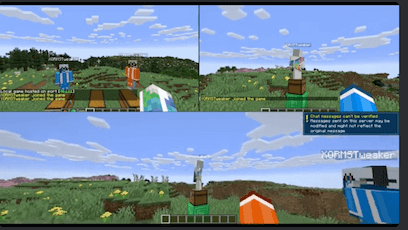
Suggested Setup
Stuff you need
- Two or more copies of minecraft
- PrismLauncher
- Midnight Controls
- Splitscreen Support
- Two or more gamepads
- One or more friends
- One big TV hooked up to your computer
- One couch
What to do
- Create two or more minecraft instances in PrismLauncher, one for each account
- In each instance, install SplitScreen Support and MidnightControls
- Launch each of the instances and configure them
- Hit F11 to get the screens aligned in each one
- Get a gamepad for each instance and configure MidnightControls
- In one of the instances, create a new world and 'Open to LAN'
- Connect the other instances to that one (e.g., localhost:25565)
- Get your friends and have a Minecraft party!
Other mod features
- Username is displayed in the upper-left corner of the main menu (so you can tell who's who)
- Skips the 'I Know What I'm Doing' backup screen
Acknowledgements
- Video courtesy of wormstweaker
- Icon based on Squares icons created by Rahul Kaklotar - Flaticon
Questions?
If you have questions about this mod, please join the Discord server:
Comments have been disabled and I will not reply to private messages on Curseforge.
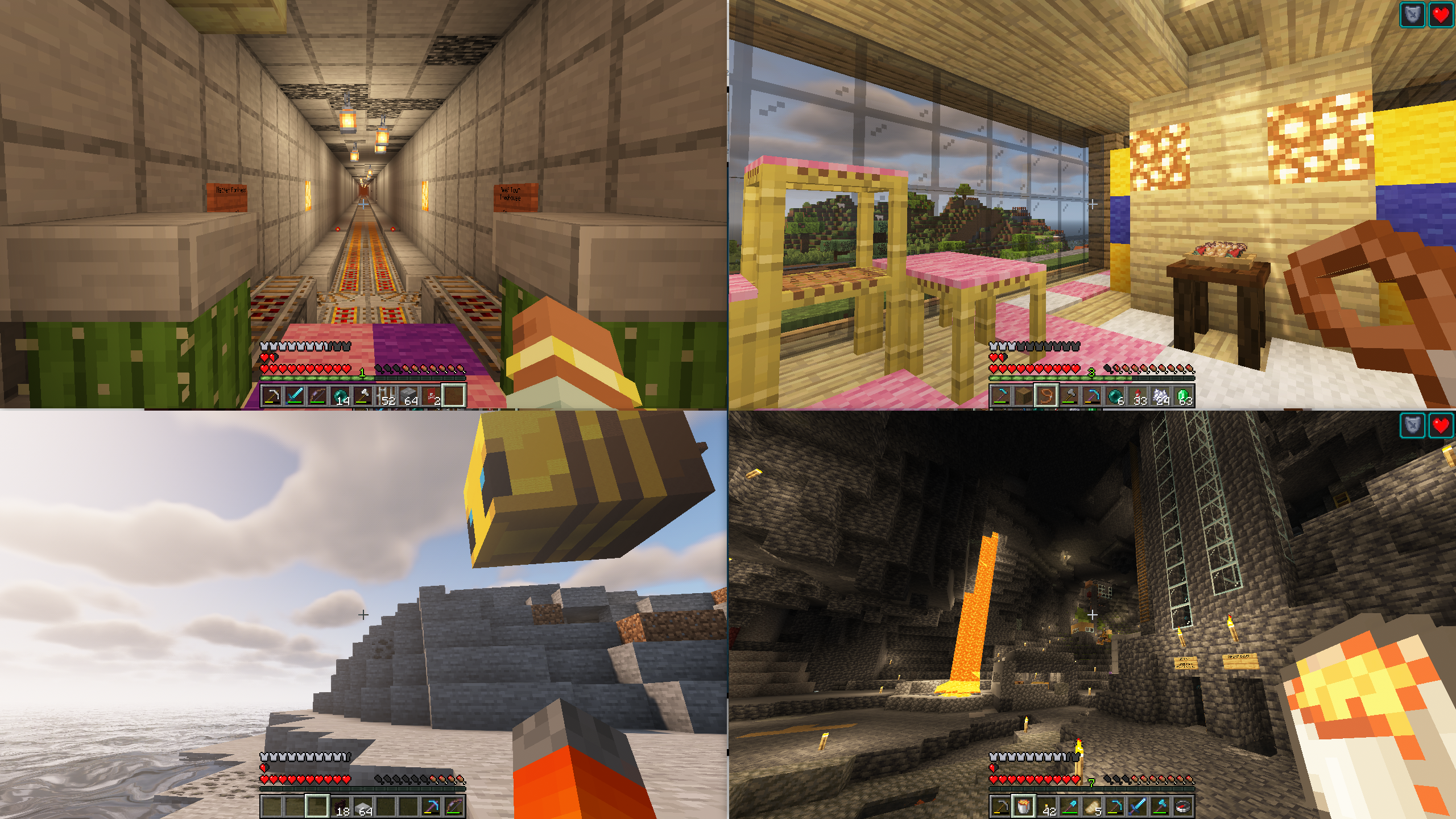
Project description from CurseForge.
Pick your setup
Splitscreen Support by Minecraft version and loader
Choose the version and loader you play, then open the matching release.
Minecraft version
26.2
2 loader buildsMinecraft version
26.1.2
2 loader buildsMinecraft version
26.1.1
2 loader buildsMinecraft version
26.1
2 loader buildsMinecraft version
1.21.11
2 loader buildsMinecraft version
1.21.10
1 loader buildMinecraft version
1.21.9
1 loader buildMinecraft version
1.21.8
1 loader buildMinecraft version
1.21.7
1 loader buildMinecraft version
1.21.6
1 loader buildMinecraft version
1.21.5
1 loader buildShowing the newest 12 of 21 game versions. Older files are in the list below.
Check the dependencies, then try the file in a copied instance before changing a world you care about.
Recent files
Splitscreen Support versions and loaders
splitscreen-neoforge-1.19.0+26.1.2.jar
6 May 2026
Client Source doesn’t say Server Source doesn’t say Dependencies No extras listed Listed on Release listing
Check the 26.1.2 · NeoForge setup NeoForge26.1.2 release
Looking for an older file? The official CurseForge project page is in Resources.
 mod
Modrinth · Minecraft
Geyser
A bridge/proxy allowing you to connect to Minecraft: Java Edition servers with Minecraft: Bedrock Edition.
 mod
CurseForge · Minecraft
minuit
UI components for Minecraft mods on NeoForge and Fabric. Let your players pick their theme.
 mod
CurseForge · Minecraft
Better UX
Better User Experience, health bar, hunger bar, no more fire all over the screen, customize the HUD how ever you like and more.