






Minecraft version
Back to mods 
Modrinth · Minecraft mod
HorizonUI
Bring a modern, clean, and customizable user interface to Minecraft. HorizonUI focuses on visual clarity, animated backgrounds, and layout refinement to deliver a fresh and immersive UI experience.
Choose a version Pick your version below, then grab the matching file.
Quick answer
Which HorizonUI release should I use?
beta file v1.0.0-rc.2+26.2-neoforge
Game version 26.2
Loader NeoForge
HorizonUI v1.0.0-rc.2+26.2-neoforge targets 26.2 with NeoForge. It must be installed on the client. Do not install it on the dedicated server. No extra mods listed for this file.
Where it goes
Is HorizonUI required on the client, server, or both?
It must be installed on the client. Do not install it on the dedicated server.
Client Required
Dedicated server Not supported
Loader for this release NeoForge
Required install it here Optional supported, not mandatory Not supported do not install here Source doesn’t say do not assume
This file is marked client-only.
What else does HorizonUI v1.0.0-rc.2+26.2-neoforge need?
v1.0.0-rc.2+26.2-neoforge. Change the file and its required mods may change too.
This file does not list any required mods. Do not add a library just because a different file uses it.
This file does not list any required or optional mods.
Before you install it
Add HorizonUI without breaking your instance.
Built for HorizonUI v1.0.0-rc.2+26.2-neoforge. Pick another file and the loader, install side or required mods may change.
- 01
Stick to this file
Use v1.0.0-rc.2+26.2-neoforge. It targets 26.2 with NeoForge; another release may have different loader, side or dependency requirements.
- 02
Bring the mods it needs
This file does not list any required mods. Do not add a library just because a different file uses it.
- 03
Put it on the correct side
It must be installed on the client. Do not install it on the dedicated server.
- 04
Pick the file you checked
Use the “Get this file” button beside v1.0.0-rc.2+26.2-neoforge. It opens that exact file at the source.
About this project
What does HorizonUI add?


Bring a modern, clean, and customizable user interface to Minecraft.
HorizonUI focuses on visual clarity, animated backgrounds, and layout refinement
to deliver a fresh and immersive UI experience.

Download the HorizonUI .jar file from one of the trusted platforms below:
Place the downloaded file into your Minecraft mods folder:
- Windows: C:\Users<YourName>\AppData\Roaming.minecraft\mods
- Linux/macOS: ~/.minecraft/mods
Launch Minecraft using a supported mod loader.
HorizonUI will activate automatically when the game starts
Using a custom launcher? MultiMC, Prism Launcher, GDLauncher, and other custom launchers are fully supported. Simply add the mod to the instance’s mods folder or import it via the launcher’s built‑in mod manager.

Once installed, HorizonUI integrates directly into the game UI.
You can configure HorizonUI through:
- The in‑game Mod Configuration screen
- Resource Packs for background customization
Changes are applied in real time or after a screen reload, depending on the setting.

HorizonUI focuses heavily on UI customization, including layout structure and background rendering. As a result, mods that also modify Minecraft’s user interface or background systems may conflict.
Potential sources of incompatibility include:
- Mods that overhaul or replace the main menu or HUD
- Shader mods that affect 2D UI layers or post‑processing
- Mods that alter how background textures are loaded or rendered
If you encounter issues:
- Temporarily disable other UI‑related mods.
- Check whether shader packs affect UI rendering.
- Restart the game after modifying resource packs.
- Report confirmed conflicts on the GitHub issue tracker.

To achieve the best visual experience with HorizonUI, it is highly recommended to use font customization mods that replace Minecraft’s default font.
Suggested mods:
Using modern fonts such as Poppins, Inter, or Segoe UI significantly improves readability and overall UI consistency.

Open Here
Why isn't the animated background showing up?
- Animated backgrounds are distributed separately as resource packs to keep the main mod lightweight and performant. You can download them from Han's Official Discord Server or make it manually.
I've downloaded the animated background, but it's still not showing on the title screen. Why?
- Make sure you've enabled the background resource pack in the Resource Packs menu. Then, go to the mod configuration screen to select your desired background.
What's the minimum system requirement to run this mod smoothly?
- We recommend allocating at least 4–6 GB of RAM, and using a processor equivalent to Intel Core i5 8th Gen or better with an integrated GPU.
Where do I report bugs or issues?
- Please report any bugs or issues on the HorizonUI GitHub Repository.
Is HorizonUI compatible with other UI or shader mods?
- HorizonUI aims to be compatible with most mods, but UI or shader mods may conflict. If you find issues, try disabling other mods temporarily or report the conflict to us.
How do I reset HorizonUI settings to default?
- You can delete the HorizonUI configuration file found in the
config/horizonuifolder within your Minecraft directory.
- You can delete the HorizonUI configuration file found in the
Does HorizonUI support older versions of Minecraft?
- Yes, but updates are released gradually per version. If your version isn't supported yet, please wait for upcoming releases.

Special thanks to everyone who contributed to HorizonUI:
- nokarin - Lead Developer, UI Designer, Code QA, Translator, Mod Tester
- Han's - Founder, UI Designer, Translator
- AetherLumine - Translator
- howtoscriptinpython - Russian & Ukrainian Translator
- ExplerHD - Mod Tester
- noxzym - Mod Tester
- alfaruqi - Translator (Arabic, Brazilian Portuguese, Mexican Spanish, Italian, German, Georgian)
- yunfan_adofai - Chinese Translator

HorizonUI: Java Edition is licensed under an All Rights Reserved License.
- © 2026 Han's Projects.
- © 2026 HorizonUI: Java Edition - All Rights Reserved.
- © 2019-2026 Strivo Development - All Rights Reserved.
Project description from Modrinth.
Pick your setup
HorizonUI by Minecraft version and loader
Choose the version and loader you play, then open the matching release.
Minecraft version
26.1.2
4 loader buildsMinecraft version
26.1.1
4 loader buildsMinecraft version
26.1
4 loader buildsMinecraft version
1.21.11
4 loader buildsMinecraft version
1.21.10
4 loader buildsMinecraft version
1.21.9
4 loader buildsMinecraft version
1.21.8
4 loader buildsMinecraft version
1.21.7
4 loader buildsMinecraft version
1.21.6
4 loader buildsMinecraft version
1.21.5
4 loader buildsMinecraft version
1.21.4
4 loader buildsShowing the newest 12 of 23 game versions. Older files are in the list below.
Check the dependencies, then try the file in a copied instance before changing a world you care about.
Recent files
HorizonUI versions and loaders
v1.0.0-rc.2+26.2-neoforge
horizonui-neoforge-1.0.0-rc.2+26.2-cf.jar
6 Aug 2026
Client Required Server Not supported Dependencies No extras listed Listed on Release listing
Check the 26.2 · NeoForge setup 26.2NeoForge beta
v1.0.0-rc.2+26.2-forge
horizonui-forge-1.0.0-rc.2+26.2-cf.jar
6 Aug 2026
Client Required Server Not supported Dependencies No extras listed Listed on Release listing
Check the 26.2 · Forge setup 26.2Forge beta
v1.0.0-rc.2+26.2-fabric
horizonui-fabric-1.0.0-rc.2+26.2-cf.jar
6 Aug 2026
Client Required Server Not supported Dependencies 2 required · 2 unchecked Listed on Release listing
Check the 26.2 · Fabric setup 26.2FabricQuilt beta
v1.0.0-rc.2+26.1-neoforge
horizonui-neoforge-1.0.0-rc.2+26.1-cf.jar
6 Aug 2026
Client Required Server Not supported Dependencies No extras listed Listed on Release listing
Check the 26.1.2 · NeoForge setup 26.126.1.126.1.2NeoForge beta
v1.0.0-rc.2+26.1-forge
horizonui-forge-1.0.0-rc.2+26.1-cf.jar
6 Aug 2026
Client Required Server Not supported Dependencies No extras listed Listed on Release listing
Check the 26.1.2 · Forge setup 26.126.1.126.1.2Forge beta
v1.0.0-rc.2+26.1-fabric
horizonui-fabric-1.0.0-rc.2+26.1-cf.jar
6 Aug 2026
Client Required Server Not supported Dependencies 2 required · 2 unchecked Listed on Release listing
Check the 26.1.2 · Fabric setup 26.126.1.126.1.2Fabric beta
v1.0.0-rc.2+1.21.11-neoforge
horizonui-neoforge-1.0.0-rc.2+1.21.11-cf.jar
6 Aug 2026
Client Required Server Not supported Dependencies No extras listed Listed on Release listing
Check the 1.21.11 · NeoForge setup 1.21.11NeoForge beta
v1.0.0-rc.2+1.21.11-forge
horizonui-forge-1.0.0-rc.2+1.21.11-cf.jar
6 Aug 2026
Client Required Server Not supported Dependencies No extras listed Listed on Release listing
Check the 1.21.11 · Forge setup 1.21.11Forge beta
v1.0.0-rc.2+1.21.11-fabric
horizonui-fabric-1.0.0-rc.2+1.21.11-cf.jar
6 Aug 2026
Client Required Server Not supported Dependencies 2 required · 2 unchecked Listed on Release listing
Check the 1.21.11 · Fabric setup 1.21.11FabricQuilt beta
v1.0.0-rc.2+1.21.10-neoforge
horizonui-neoforge-1.0.0-rc.2+1.21.10-cf.jar
6 Aug 2026
Client Required Server Not supported Dependencies No extras listed Listed on Release listing
Check the 1.21.10 · NeoForge setup 1.21.91.21.10NeoForge beta
v1.0.0-rc.2+1.21.10-forge
horizonui-forge-1.0.0-rc.2+1.21.10-cf.jar
6 Aug 2026
Client Required Server Not supported Dependencies No extras listed Listed on Release listing
Check the 1.21.10 · Forge setup 1.21.91.21.10Forge beta
v1.0.0-rc.2+1.21.10-fabric
horizonui-fabric-1.0.0-rc.2+1.21.10-cf.jar
6 Aug 2026
Client Required Server Not supported Dependencies 2 required · 2 unchecked Listed on Release listing
Check the 1.21.10 · Fabric setup 1.21.91.21.10FabricQuilt beta
Looking for an older file? The official Modrinth project page is in Resources.
 mod
mod CurseForge + Modrinth · Minecraft
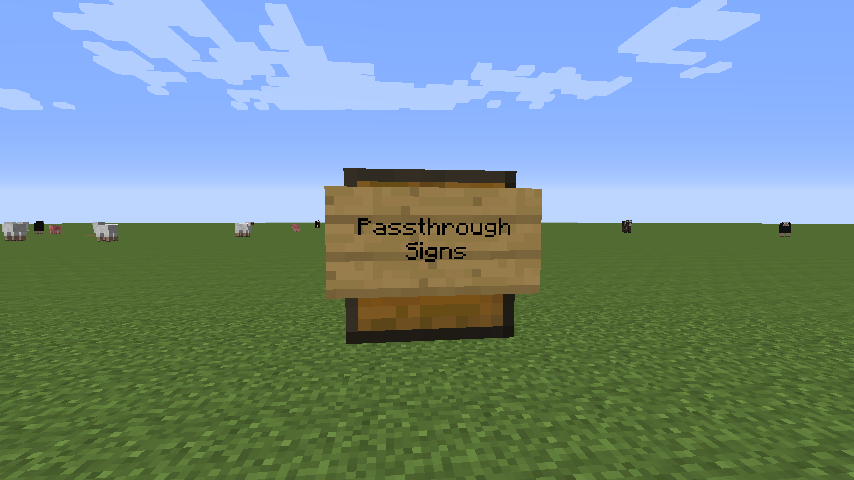
Passthrough Signs
Enable the ability to right-click through wall signs, to interact with chests & other TileEntities
 mod
mod CurseForge + Modrinth · Minecraft
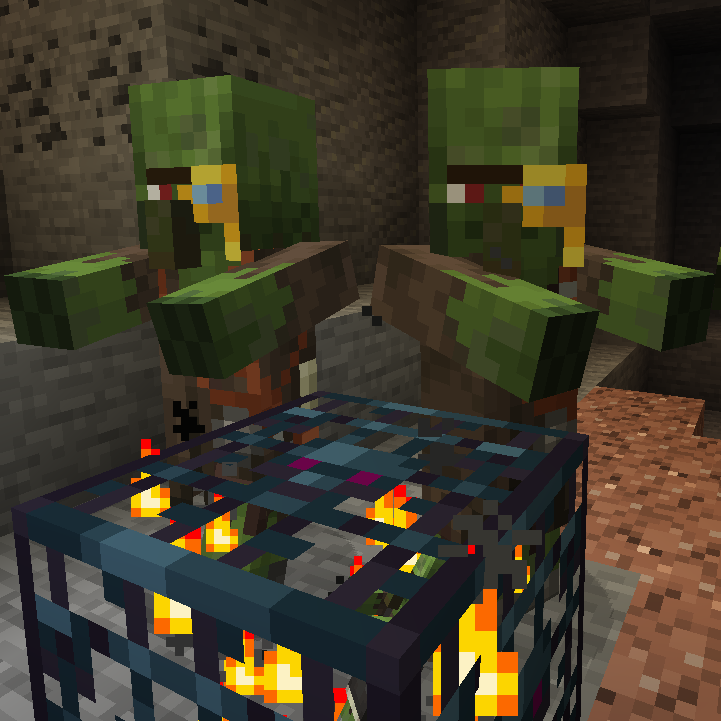
Zombie Villagers From Spawner
🧟♂ Returns the ability for zombie spawners to spawn the villager variant, removed in 1.11.
 mod
mod GitHub · Minecraft
modpacks-ch-github-test
Disposable public fixture for testing the Modpacks.ch GitHub catalogue flow