UniMixins Needed by cropchance-v1.2.5.jar
requiredMatching file found Matched file: UniMixins 0.3.1
CurseForge · Minecraft mod
A mod for getting IC2 crop related information.
Quick answer
cropchance-v1.2.5.jar targets 1.7.10 with Forge. The project page does not say whether this file belongs on the client, dedicated server, or both. All 2 required mods have matching files.
Where it goes
The project page does not say whether this file belongs on the client, dedicated server, or both.
The source does not explicitly classify this release as client-only or server-only.
cropchance-v1.2.5.jar. Change the file and its required mods may change too.
Install UniMixins, Industrial Craft first. We found matching files for this game-version and loader setup.
We only count dependency files that match this setup. A file for another loader does not fill the gap.
Before you install it
Built for cropchance-v1.2.5.jar. Pick another file and the loader, install side or required mods may change.
Use cropchance-v1.2.5.jar. It targets 1.7.10 with Forge; another release may have different loader, side or dependency requirements.
Install UniMixins, Industrial Craft first. We found matching files for this game-version and loader setup.
The project page does not say whether this file belongs on the client, dedicated server, or both.
Use the “Get this file” button beside cropchance-v1.2.5.jar. It opens that exact file at the source.
About this project
A mod for getting IC2 crop related information.
/crop tick [tick count]
Use this command to speed up the crop's hybridization, growing process, or you can speed up the spread of the weed.

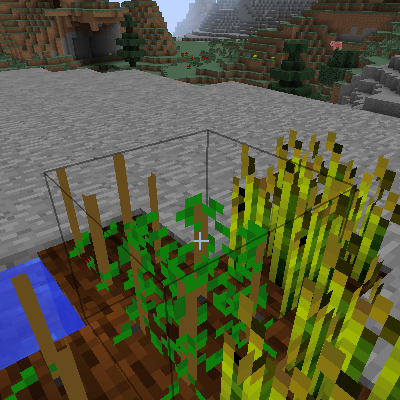
Previously, there were four wheat crops surrounding the hybrid rack. After 100 ticks, it grew weeds and spread to the nearby crop racks.
By examining the internal code, I found a bug where the weeds would only spread to the crop racks at z -1 or x -1 relative to it.
/crop set [growth | gain | resistance | nutrient | water | weedex | size | scan]
Use this command to set various parameters for the crop.
/crop show
Use this command to show various parameters for the crop.

In addition to the information that can be viewed through the crop analyzer, you can also view information such as the crop’s demand points, the number of growth points provided by the environment, and information about the crop’s growth rate and growth time.
/crop info biome
Use this command to view the information of current biomes.

/crop info biomes
Use this command to view the information of all biomes.

/crop info types
Use this command to view information of all biome types.

/crop info tickrate
Use this command to check how many game ticks it takes for crops to update each time.

/crop cropcard
Use this command to view information of all crop-cards.

/crop chance [try]
Use this command to try to do crossbreeding on your targeted hybrid frame.

This command directly simulates in the current world, returning the hybrid rack you are pointing to, the products that can be hybridized, and the probability.
/crop cross [try] [growth] [surround]
Use this command to simulate crop hybridization; this command is only used to analyze whether hybridization occurs, and cannot analyze the situation of hybrid products.
growth of the parent plants;The higher the growth attribute, the higher the probability of hybridization; the more crops nearby, the higher the probability of hybridization.
| Growth | Chance |
|---|---|
| <16 | 20% |
| <30 | 25% |
| >=30 | 30% |
Note: When the resistance attribute of the parent crop exceeds 27 points, each additional point reduces the probability of hybridization by 5%.
Note: When the growth attribute of a crop is >=24, it will be considered as a weed, that is, it will produce weeds like weeds on nearby crop racks; but if the crops on the nearby crop racks also have a growth attribute >=24, they will not be transformed into real weeds.
Growth = 15, Cross is about 2%

Growth = 16, Cross is about 3%

The following chart shows the change in the probability of hybridization over time.
The legend is the number of crops near the hybridization rack.
Growth < 16

Growth>=16

Growth>=30

Project description from CurseForge.
Pick your setup
Choose the version and loader you play, then open the matching release.
Check the dependencies, then try the file in a copied instance before changing a world you care about.
Recent files
15 Sept 2023
15 Sept 2023
15 Sept 2023
12 Sept 2023
11 Sept 2023
11 Sept 2023
10 Sept 2023
10 Sept 2023
9 Sept 2023
Looking for an older file? The official CurseForge project page is in Resources.
 mod
modApply compatible enchantments beyond their vanilla level limits with a simple operator command.
 mod
modSyncs your game settings between all your instances !
 mod
modA performance mod that greatly optimizes particle rendering and particle limits.