Minecraft version
Back to mods 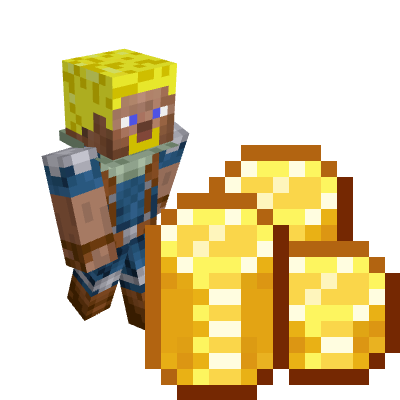
CurseForge · Minecraft mod
CloudCoins
Add Coins to your world and set how you will get them!
Choose a version Pick your version below, then grab the matching file.
Quick answer
Which CloudCoins release should I use?
Latest stable file cloudscoins-1.2.1-forge-1.20.1.jar
Game version 1.20.1
Loader forge
CloudCoins cloudscoins-1.2.1-forge-1.20.1.jar targets Minecraft. The project page does not say whether this file belongs on the client, dedicated server, or both. No extra mods listed for this file.
Where it goes
Is CloudCoins required on the client, server, or both?
The project page does not say whether this file belongs on the client, dedicated server, or both.
Client Source doesn’t say
Dedicated server Source doesn’t say
Loader for this release No loader listed
Required install it here Optional supported, not mandatory Not supported do not install here Source doesn’t say do not assume
The source does not explicitly classify this release as client-only or server-only.
What else does CloudCoins cloudscoins-1.2.1-forge-1.20.1.jar need?
cloudscoins-1.2.1-forge-1.20.1.jar. Change the file and its required mods may change too.
This file does not list any required mods. Do not add a library just because a different file uses it.
This file does not list any required or optional mods.
Before you install it
Add CloudCoins without breaking your instance.
Built for CloudCoins cloudscoins-1.2.1-forge-1.20.1.jar. Pick another file and the loader, install side or required mods may change.
- 01
Stick to this file
Use cloudscoins-1.2.1-forge-1.20.1.jar. It targets Minecraft; another release may have different loader, side or dependency requirements.
- 02
Bring the mods it needs
This file does not list any required mods. Do not add a library just because a different file uses it.
- 03
Put it on the correct side
The project page does not say whether this file belongs on the client, dedicated server, or both.
- 04
Pick the file you checked
Use the “Get this file” button beside cloudscoins-1.2.1-forge-1.20.1.jar. It opens that exact file at the source.
About this project
What does CloudCoins add?
I trying find a good mod which add a coins (and economy) but any is not good enough for me.
So i made one.
Mod adding a few things:
1) Coin of value: 1,5,10.20,50,100,500,1000
You can spare coin in crafting bench.
For example: 2 coins 50 equal 1 coin of vaule 100
1 coin of value 20 gives you 2 coins of value 10 in crafting bench
2) Wallet,
If you rightclick wallet, you will open GUI.
Put coin above "+" button and press button, so you will donate account.
If you click button with negative numbers, you can withdraw coins.
/gamerule allowCraftWallet (default) true.
If you don't want be able to craft wallets, set this to false.
After crafting, wallet will be taken from player and materials gived back.
Wallet don't drop from anything. You can only craft him or get from creative.
**3) Coin drop from mobs!**Coin 1,5,10,20.50,100 can drop from mobs.
But, which? You can set this using gamerules below:
/gamerule AllowDropCoinFromAnimals (default) false
Set drop for animal type.
/gamerule AllowDropCoinFromCubes (default) true
Set drop for slime, magma cube, shulker box.
/gamerule AllowDropCoinFromFlyingEntity (default) true
Set drop for flying entity. Vanilla: (Ghast, Phantom)
/gamerule AllowDropCoinFromGolems (default) false
Set drop for golem entity which Vanilla Golems is Snow Golem and Iron Golem
/gamerule AllowDropCoinFromMonsters (default) true
Set drop for monster type.
/gamerule AllowDropCoinFromVillagers (default) false
Set drop for Villager and Wanderer Villager.
/gamerule AllowDropCoinFromWaterAnimals (default) false
Set drop for water type example:fish
You can use this mod whatever you want.
1.2.1:
/eco <player> help 0 for admin (ops) use
Project description from CurseForge.
Pick your setup
CloudCoins by Minecraft version and loader
Choose the version and loader you play, then open the matching release.
Check the dependencies, then try the file in a copied instance before changing a world you care about.
Recent files
CloudCoins versions and loaders
cloudscoins-1.2.1-forge-1.20.1.jar
25 Jan 2026
Client Source doesn’t say Server Source doesn’t say Dependencies No extras listed Listed on Release listing
Check the setup 1.20.1-CloudCoins-v1.1.jar
22 Apr 2024
Client Source doesn’t say Server Source doesn’t say Dependencies No extras listed Listed on Release listing
Check the 1.20.1 · Forge setup 1.20.1Forge release
1.20.1 CloudCoins
1.20.1-CloudCoins-1.0.jar
25 Sept 2023
Client Source doesn’t say Server Source doesn’t say Dependencies No extras listed Listed on Release listing
Check the 1.20.1 · Forge setup 1.20.1Forge release
Looking for an older file? The official CurseForge project page is in Resources.
 mod
mod CurseForge + Modrinth · Minecraft
Unlocked Typing
This mod allows you to use Minecraft’s classic color and formatting codes (§) in every text input, chat, world names, anvils, books, signs, and more!
 mod
mod CurseForge + Modrinth · Minecraft
Kaf's Valentine Special
Kaf's Valentine Special adds a bunch of special cookies to Minecraft, made originally to celebrate Valentine's day.
 mod
mod CurseForge · Minecraft
Player Revive MC
When a player's health hits 0, they enter a downed state instead of dying. Teammates can revive them; adds downed HUD, red glow, kits, particles and config. For Minecraft (Fabric)