Minecraft version
Back to mods 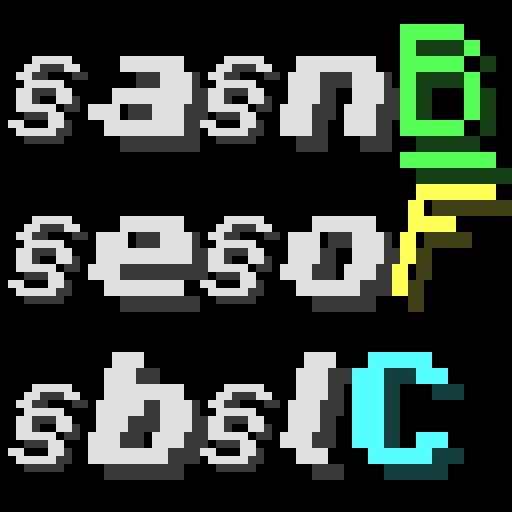
CurseForge · Minecraft mod
Better Formatting Code
A mod allows you to type section code in GUI and decorate texts!
Choose a version Pick your version below, then grab the matching file.
Quick answer
Which Better Formatting Code release should I use?
Latest stable file BetterFormattingCode-1.12.2(Forge)-3.0.0
Game version 1.12.2
Loader Forge
Better Formatting Code BetterFormattingCode-1.12.2(Forge)-3.0.0 targets 1.12.2 with Forge. The project page does not say whether this file belongs on the client, dedicated server, or both. No extra mods listed for this file.
Where it goes
Is Better Formatting Code required on the client, server, or both?
The project page does not say whether this file belongs on the client, dedicated server, or both.
Client Source doesn’t say
Dedicated server Source doesn’t say
Loader for this release Forge
Required install it here Optional supported, not mandatory Not supported do not install here Source doesn’t say do not assume
The source does not explicitly classify this release as client-only or server-only.
What else does Better Formatting Code BetterFormattingCode-1.12.2(Forge)-3.0.0 need?
BetterFormattingCode-1.12.2(Forge)-3.0.0. Change the file and its required mods may change too.
This file does not list any required mods. Do not add a library just because a different file uses it.
This file does not list any required or optional mods.
Before you install it
Add Better Formatting Code without breaking your instance.
Built for Better Formatting Code BetterFormattingCode-1.12.2(Forge)-3.0.0. Pick another file and the loader, install side or required mods may change.
- 01
Stick to this file
Use BetterFormattingCode-1.12.2(Forge)-3.0.0. It targets 1.12.2 with Forge; another release may have different loader, side or dependency requirements.
- 02
Bring the mods it needs
This file does not list any required mods. Do not add a library just because a different file uses it.
- 03
Put it on the correct side
The project page does not say whether this file belongs on the client, dedicated server, or both.
- 04
Pick the file you checked
Use the “Get this file” button beside BetterFormattingCode-1.12.2(Forge)-3.0.0. It opens that exact file at the source.
About this project
What does Better Formatting Code add?
This mod has two features about text formatting code!

Feature 1. Typing '§' and Decorating
You can input section sign '§' in GUI and decorate chat, sign, item name, mob name, world name, etc.
See the wiki of Formatting Codes.
Formatting Range is a Stack of formatting code.
At the start of range, current formatting codes are saved, and at the end of Formatting Range, restore the saved formatting codes.

Formatting Range is nestable and can escape '}' by increasing '{'s and '}'s. (The number of '{' is not limited.)

Feature 2. Adding New Formatting Codes
For modders, this is a library mod that allows you to add new formatting codes.
API documents and wiki pages are currently under construction.
Notes:
This is a both(client and server)-side mod.
Feel free to use this mod in any modpacks.
Mod compatibilities:
Preparing now…
- Optifine
- Smooth Font
Mod Incompatibilities:
- Any other mods that modify FontRenderer.class
Project description from CurseForge.
Pick your setup
Better Formatting Code by Minecraft version and loader
Choose the version and loader you play, then open the matching release.
Check the dependencies, then try the file in a copied instance before changing a world you care about.
Recent files
Better Formatting Code versions and loaders
BetterFormattingCode-1.12.2(Forge)-3.0.0
BetterFormattingCode-1.12.2-3.0.0.jar
1 Mar 2024
Client Source doesn’t say Server Source doesn’t say Dependencies No extras listed Listed on Release listing
Check the 1.12.2 · Forge setup Forge1.12.2 release
BetterFormattingCode-1.12.2(Forge)-2.2.1
BetterFormattingCode-1.12.2-2.2.1.jar
22 Feb 2024
Client Source doesn’t say Server Source doesn’t say Dependencies No extras listed Listed on Release listing
Check the 1.12.2 · Forge setup Forge1.12.2 release
BetterFormattingCode-1.12.2(Forge)-2.2.0
BetterFormattingCode-1.12.2-2.2.0.jar
17 Feb 2024
Client Source doesn’t say Server Source doesn’t say Dependencies No extras listed Listed on Release listing
Check the 1.12.2 · Forge setup Forge1.12.2 release
BetterFormattingCode-1.12.2(Forge)-2.1.0
BetterFormattingCode-1.12.2-2.1.0.jar
12 Feb 2024
Client Source doesn’t say Server Source doesn’t say Dependencies No extras listed Listed on Release listing
Check the 1.12.2 · Forge setup Forge1.12.2 release
BetterFormattingCode-1.12.2(Forge)-2.0.1
BetterFormattingCode-1.12.2-2.0.1.jar
10 Feb 2024
Client Source doesn’t say Server Source doesn’t say Dependencies No extras listed Listed on Release listing
Check the 1.12.2 · Forge setup Forge1.12.2 release
BetterFormattingCode-1.12.2(Forge)-2.0.0
BetterFormattingCode-1.12.2-2.0.0.jar
8 Feb 2024
Client Source doesn’t say Server Source doesn’t say Dependencies No extras listed Listed on Release listing
Check the 1.12.2 · Forge setup Forge1.12.2 release
BetterFormattingCode-1.12.2-1.1.0
BetterFormattingCode-1.12.2-1.1.0.jar
9 Oct 2023
Client Source doesn’t say Server Source doesn’t say Dependencies No extras listed Listed on Release listing
Check the 1.12.2 · Forge setup Forge1.12.2 release
BetterFormattingCode-1.12.2-1.0.0
BetterFormattingCode-1.12.2-1.0.0.jar
6 Oct 2023
Client Source doesn’t say Server Source doesn’t say Dependencies No extras listed Listed on Release listing
Check the 1.12.2 · Forge setup Forge1.12.2 release
Looking for an older file? The official CurseForge project page is in Resources.
 mod
mod CurseForge + Modrinth · Minecraft
Slot Cycler
Nine hotbar slots aren't enough for you? Now you can cycle your whole inventory!
 mod
mod CurseForge + Modrinth · Minecraft
The Hordes
Adds monster hordes invasions and zombie infection.
 mod
mod CurseForge · Minecraft
New Craftable Gunpowder
A mod that makes gunpowder finally craftable