Minecraft version
Back to mods 
CurseForge · Minecraft mod
Server Finder by BlockAtlas
Find your Minecraft server today in game! Browse, add, and join servers directly in-game. No more tab switching - it's real-time and seamless!
Choose a version Pick your version below, then grab the matching file.
Quick answer
Which Server Finder by BlockAtlas release should I use?
Latest stable file BlockAtlas-1.5.0-1.21-fabric.jar
Game version 1.21, 1.21.1
Loader Fabric
Server Finder by BlockAtlas BlockAtlas-1.5.0-1.21-fabric.jar targets 1.21, 1.21.1 with Fabric. The project page does not say whether this file belongs on the client, dedicated server, or both. No extra mods listed for this file.
Where it goes
Is Server Finder by BlockAtlas required on the client, server, or both?
The project page does not say whether this file belongs on the client, dedicated server, or both.
Client Source doesn’t say
Dedicated server Source doesn’t say
Loader for this release Fabric
Required install it here Optional supported, not mandatory Not supported do not install here Source doesn’t say do not assume
The source does not explicitly classify this release as client-only or server-only.
What else does Server Finder by BlockAtlas BlockAtlas-1.5.0-1.21-fabric.jar need?
BlockAtlas-1.5.0-1.21-fabric.jar. Change the file and its required mods may change too.
This file does not list any required mods. Do not add a library just because a different file uses it.
This file does not list any required or optional mods.
Before you install it
Add Server Finder by BlockAtlas without breaking your instance.
Built for Server Finder by BlockAtlas BlockAtlas-1.5.0-1.21-fabric.jar. Pick another file and the loader, install side or required mods may change.
- 01
Stick to this file
Use BlockAtlas-1.5.0-1.21-fabric.jar. It targets 1.21, 1.21.1 with Fabric; another release may have different loader, side or dependency requirements.
- 02
Bring the mods it needs
This file does not list any required mods. Do not add a library just because a different file uses it.
- 03
Put it on the correct side
The project page does not say whether this file belongs on the client, dedicated server, or both.
- 04
Pick the file you checked
Use the “Get this file” button beside BlockAtlas-1.5.0-1.21-fabric.jar. It opens that exact file at the source.
About this project
What does Server Finder by BlockAtlas add?
Overview
The BlockAlas mod offers a user-friendly, in-game server browsing experience. With a sleek and organized interface, players can discover, add, and join servers without ever leaving their game.
Features:
1. Server Categories (Left Panel):
- All Servers: View all available servers at once.
- Survival: Find servers focused on survival gameplay.
- PvP: Servers centered around player versus player combat.
- Economy: Join servers with an in-game economy system.
- Java: Specifically for Java version servers.
- Minigames: Servers offering various minigames.
- Community: Servers with a strong community focus.
- SMP: Survival Multiplayer servers.
- Bedrock: For Bedrock version servers.
- Vanilla: Pure, unmodified servers.
- Skyblock: Floating island survival challenge servers.
- Anarchy: Servers with minimal rules and restrictions.
- and much more
2. Server Listings (Right Panel):
- You are able to double click each server listing to join just like the vanilla multiplayer screen.
- You can scroll and find up to date servers all in game!
3. Functional Buttons:
- Join Server: Connects you directly to the highlighted server.
- Add Server: Add a new server to your multiplayer list.
- Vote: Vote for your favourite servers.
- Back: Return to the multiplayer screen.
Conclusion
With BlockAlas, finding the perfect server for your gameplay style has never been easier. Enjoy a seamless transition between server browsing and gameplay, all from within the Minecraft UI.
Project description from CurseForge.
Pick your setup
Server Finder by BlockAtlas by Minecraft version and loader
Choose the version and loader you play, then open the matching release.
Minecraft version
1.21
2 loader buildsMinecraft version
1.20.2
2 loader buildsMinecraft version
1.20.1
2 loader buildsMinecraft version
1.19.4
2 loader buildsMinecraft version
1.19.3
2 loader buildsMinecraft version
1.19.2
2 loader buildsCheck the dependencies, then try the file in a copied instance before changing a world you care about.
Recent files
Server Finder by BlockAtlas versions and loaders
BlockAtlas-1.5.0-1.21-fabric.jar
BlockAtlas-1.5.0-1.21.1-fabric.jar
21 Apr 2025
Client Source doesn’t say Server Source doesn’t say Dependencies No extras listed Listed on Release listing
Check the 1.21.1 · Fabric setup 1.21Fabric1.21.1 release
BlockAtlas-1.5.0-1.21-forge.jar
BlockAtlas-1.5.0-1.21.1-forge.jar
21 Apr 2025
Client Source doesn’t say Server Source doesn’t say Dependencies No extras listed Listed on Release listing
Check the 1.21.1 · Forge setup 1.21Forge1.21.1 release
BlockAtlas-1.3.0-1.20.2-forge.jar
18 Oct 2023
Client Source doesn’t say Server Source doesn’t say Dependencies No extras listed Listed on Release listing
Check the 1.20.2 · Forge setup 1.20.2Forge release
BlockAtlas-1.3.0-1.20.2-fabric.jar
18 Oct 2023
Client Source doesn’t say Server Source doesn’t say Dependencies No extras listed Listed on Release listing
Check the 1.20.2 · Fabric setup 1.20.2Fabric release
BlockAtlas-1.3.0-1.20.1-fabric.jar
18 Oct 2023
Client Source doesn’t say Server Source doesn’t say Dependencies No extras listed Listed on Release listing
Check the 1.20.1 · Fabric setup Fabric1.20.1 release
BlockAtlas-1.3.0-1.20.1-forge.jar
18 Oct 2023
Client Source doesn’t say Server Source doesn’t say Dependencies No extras listed Listed on Release listing
Check the 1.20.1 · Forge setup 1.20.1Forge release
BlockAtlas-1.3.0-1.19.4-fabric.jar
18 Oct 2023
Client Source doesn’t say Server Source doesn’t say Dependencies No extras listed Listed on Release listing
Check the 1.19.4 · Fabric setup 1.19.4Fabric release
BlockAtlas-1.3.0-1.19.4-forge.jar
18 Oct 2023
Client Source doesn’t say Server Source doesn’t say Dependencies No extras listed Listed on Release listing
Check the 1.19.4 · Forge setup 1.19.4Forge release
BlockAtlas-1.3.0.1-1.19.2-fabric.jar
18 Oct 2023
Client Source doesn’t say Server Source doesn’t say Dependencies No extras listed Listed on Release listing
Check the 1.19.2 · Fabric setup Fabric1.19.2 release
BlockAtlas-1.3.0.1-1.19.2-forge.jar
18 Oct 2023
Client Source doesn’t say Server Source doesn’t say Dependencies No extras listed Listed on Release listing
Check the 1.19.2 · Forge setup 1.19.2Forge release
BlockAtlas-1.3.0-1.19.3-forge.jar
18 Oct 2023
Client Source doesn’t say Server Source doesn’t say Dependencies No extras listed Listed on Release listing
Check the 1.19.3 · Forge setup 1.19.3Forge release
BlockAtlas-1.3.0-1.19.3-fabric.jar
18 Oct 2023
Client Source doesn’t say Server Source doesn’t say Dependencies No extras listed Listed on Release listing
Check the 1.19.3 · Fabric setup 1.19.3Fabric release
Looking for an older file? The official CurseForge project page is in Resources.
 mod
CurseForge + Modrinth · Minecraft
Better Tactical Presentation
Adds tactical weapon presentation to the TaCZ mod.
 mod
CurseForge · Minecraft
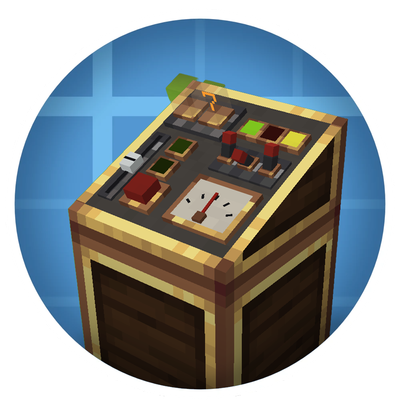
Create Control Panels
Addon for Create Mod that adds Control Engineering style control panels that have buttons, levers, gauges and much more added to them.
 mod
CurseForge · Minecraft
SQ-Nuclear
Build and run a nuclear power plant in Minecraft! Reactors, steam turbines, cooling towers, cables and pipes, decon robot, with a full in-game guide book.