Minecraft version
Back to mods 
CurseForge · Minecraft mod
Just Utilities
A personal use Multiloader Library
Choose a version Pick your version below, then grab the matching file.
Quick answer
Which Just Utilities release should I use?
Latest stable file v21.1.2 - NeoForge - 1.21.1
Game version 1.21.1
Loader NeoForge
Just Utilities v21.1.2 - NeoForge - 1.21.1 targets 1.21.1 with NeoForge. The project page does not say whether this file belongs on the client, dedicated server, or both. No extra mods listed for this file.
Where it goes
Is Just Utilities required on the client, server, or both?
The project page does not say whether this file belongs on the client, dedicated server, or both.
Client Source doesn’t say
Dedicated server Source doesn’t say
Loader for this release NeoForge
Required install it here Optional supported, not mandatory Not supported do not install here Source doesn’t say do not assume
The source does not explicitly classify this release as client-only or server-only.
What else does Just Utilities v21.1.2 - NeoForge - 1.21.1 need?
v21.1.2 - NeoForge - 1.21.1. Change the file and its required mods may change too.
This file does not list any required mods. Do not add a library just because a different file uses it.
This file does not list any required or optional mods.
Before you install it
Add Just Utilities without breaking your instance.
Built for Just Utilities v21.1.2 - NeoForge - 1.21.1. Pick another file and the loader, install side or required mods may change.
- 01
Stick to this file
Use v21.1.2 - NeoForge - 1.21.1. It targets 1.21.1 with NeoForge; another release may have different loader, side or dependency requirements.
- 02
Bring the mods it needs
This file does not list any required mods. Do not add a library just because a different file uses it.
- 03
Put it on the correct side
The project page does not say whether this file belongs on the client, dedicated server, or both.
- 04
Pick the file you checked
Use the “Get this file” button beside v21.1.2 - NeoForge - 1.21.1. It opens that exact file at the source.
About this project
What does Just Utilities add?
Tldr; This mod is a personal Modding API/Library.
The long story:
This Library mod, started as a collection of personal helpers, common code and lots of other stuff.
But it grew with my switch to "non API modding", where I am not using Forges,
Fabrics, Quilts or NeoForges API, but solely rely on Vanilla APIs and code.
And it's now a gateway to easily making mods that work on 4 mod loaders at once,
without having to write a single line of code more than once.
It is still heavily W.i.P. and is still a personal API published under the ARR license.
(A more permissive license is planned, but it won't be open source)
You are free to use this library for your own mods, as long as you do not shade, or jar in jar it.
But do not expect stability or support, as it's still in early development,
it's prone to changes and it'll grow as I need it.

Project description from CurseForge.
Pick your setup
Just Utilities by Minecraft version and loader
Choose the version and loader you play, then open the matching release.
Minecraft version
1.21
2 loader buildsMinecraft version
1.20.2
2 loader buildsMinecraft version
1.20.1
2 loader buildsMinecraft version
1.20
2 loader buildsCheck the dependencies, then try the file in a copied instance before changing a world you care about.
Recent files
Just Utilities versions and loaders
v21.1.2 - NeoForge - 1.21.1
justutilities-neoforge-1.21.1-21.1.2.jar
23 Aug 2026
Client Source doesn’t say Server Source doesn’t say Dependencies No extras listed Listed on Release listing
Check the 1.21.1 · NeoForge setup 1.21.1NeoForge release
v21.1.2 - Fabric - 1.21.1
justutilities-fabric-1.21.1-21.1.2.jar
23 Aug 2026
Client Source doesn’t say Server Source doesn’t say Dependencies No extras listed Listed on Release listing
Check the 1.21.1 · Fabric setup Fabric1.21.1 release
v21.1.1 - Fabric - 1.21.1
justutilities-fabric-1.21.1-21.1.1.jar
23 Aug 2026
Client Source doesn’t say Server Source doesn’t say Dependencies 1 required · 1 unchecked Listed on Release listing
Check the 1.21.1 · Fabric setup Fabric1.21.1 release
v21.1.1 - NeoForge - 1.21.1
justutilities-neoforge-1.21.1-21.1.1.jar
22 Aug 2026
Client Source doesn’t say Server Source doesn’t say Dependencies No extras listed Listed on Release listing
Check the 1.21.1 · NeoForge setup 1.21.1NeoForge release
v21.1.0 - NeoForge - 1.21.1
justutilities-neoforge-1.21.1-21.1.0.jar
21 Aug 2026
Client Source doesn’t say Server Source doesn’t say Dependencies No extras listed Listed on Release listing
Check the 1.21.1 · NeoForge setup 1.21.1NeoForge release
v21.1.0 - Fabric - 1.21.1
justutilities-fabric-1.21.1-21.1.0-dev.jar
21 Aug 2026
Client Source doesn’t say Server Source doesn’t say Dependencies No extras listed Listed on Release listing
Check the 1.21.1 · Fabric setup Fabric1.21.1 release
Just Utilities - Fabric 1.21 - v21.0.9
justutilities-fabric-1.21-21.0.9.jar
8 Dec 2024
Client Source doesn’t say Server Source doesn’t say Dependencies No extras listed Listed on Release listing
Check the 1.21.1 · Fabric setup 1.21Fabric1.21.1 release
Just Utilities - NeoForge 1.21 - v21.0.9
justutilities-neoforge-1.21-21.0.9.jar
8 Dec 2024
Client Source doesn’t say Server Source doesn’t say Dependencies No extras listed Listed on Release listing
Check the 1.21.1 · NeoForge setup 1.21NeoForge1.21.1 release
Just Utilities - Fabric 1.21 - v21.0.8
justutilities-fabric-1.21-21.0.8.jar
7 Nov 2024
Client Source doesn’t say Server Source doesn’t say Dependencies No extras listed Listed on Release listing
Check the 1.21.1 · Fabric setup 1.21Fabric1.21.1 release
Just Utilities - NeoForge 1.21 - v21.0.8
justutilities-neoforge-1.21-21.0.8.jar
7 Nov 2024
Client Source doesn’t say Server Source doesn’t say Dependencies No extras listed Listed on Release listing
Check the 1.21.1 · NeoForge setup 1.21NeoForge1.21.1 release
Just Utilities - Fabric 1.21 - v21.0.7
justutilities-fabric-1.21-21.0.7.jar
2 Nov 2024
Client Source doesn’t say Server Source doesn’t say Dependencies No extras listed Listed on Release listing
Check the 1.21.1 · Fabric setup 1.21Fabric1.21.1 release
Just Utilities - NeoForge 1.21 - v21.0.7
justutilities-neoforge-1.21-21.0.7.jar
2 Nov 2024
Client Source doesn’t say Server Source doesn’t say Dependencies No extras listed Listed on Release listing
Check the 1.21.1 · NeoForge setup 1.21NeoForge1.21.1 release
Looking for an older file? The official CurseForge project page is in Resources.
 mod
mod CurseForge · Minecraft
Machine Metrics
Machinemetrics is a lightweight, high-performance telemetry and diagnostics HUD for industrial machines.
 mod
mod CurseForge · Minecraft
GlanceTurn
Adds a quick look-back mechanic to Minecraft, inspired by Outlast.
 mod
mod CurseForge · Minecraft
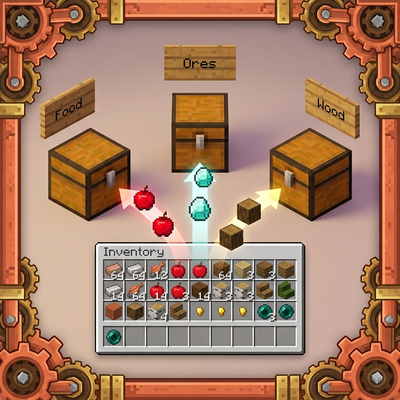
SmartSort - Chest & Inventory Sorter
Automatically sorts your inventory into nearby labeled chests with slot-locking support.