Minecraft version
Back to mods 
CurseForge · Minecraft mod
Vanillin
Instanced rendering for entities and block entities.
Choose a version Pick your version below, then grab the matching file.
Quick answer
Which Vanillin release should I use?
Latest stable file vanillin-forge-1.20.1-1.1.3.jar
Game version 1.20.1
Loader Forge
vanillin-forge-1.20.1-1.1.3.jar targets 1.20.1 with Forge. The project page does not say whether this file belongs on the client, dedicated server, or both. No extra mods listed for this file.
Where it goes
Is Vanillin required on the client, server, or both?
The project page does not say whether this file belongs on the client, dedicated server, or both.
Client Source doesn’t say
Dedicated server Source doesn’t say
Loader for this release Forge
Required install it here Optional supported, not mandatory Not supported do not install here Source doesn’t say do not assume
The source does not explicitly classify this release as client-only or server-only.
What else does vanillin-forge-1.20.1-1.1.3.jar need?
vanillin-forge-1.20.1-1.1.3.jar. Change the file and its required mods may change too.
This file does not list any required mods. Do not add a library just because a different file uses it.
This file does not list any required or optional mods.
Before you install it
Add Vanillin without breaking your instance.
Built for vanillin-forge-1.20.1-1.1.3.jar. Pick another file and the loader, install side or required mods may change.
- 01
Stick to this file
Use vanillin-forge-1.20.1-1.1.3.jar. It targets 1.20.1 with Forge; another release may have different loader, side or dependency requirements.
- 02
Bring the mods it needs
This file does not list any required mods. Do not add a library just because a different file uses it.
- 03
Put it on the correct side
The project page does not say whether this file belongs on the client, dedicated server, or both.
- 04
Pick the file you checked
Use the “Get this file” button beside vanillin-forge-1.20.1-1.1.3.jar. It opens that exact file at the source.
About this project
What does Vanillin add?
How it Works
Vanillin optimizes Minecraft by implementing instanced rendering for entities and block entities through Flywheel.
With Flywheel doing the heavy lifting, Vanillin is able to achieve significant performance improvements on all the game objects it affects. The end result is that ten thousand of something have the same frame time impact as one of something. 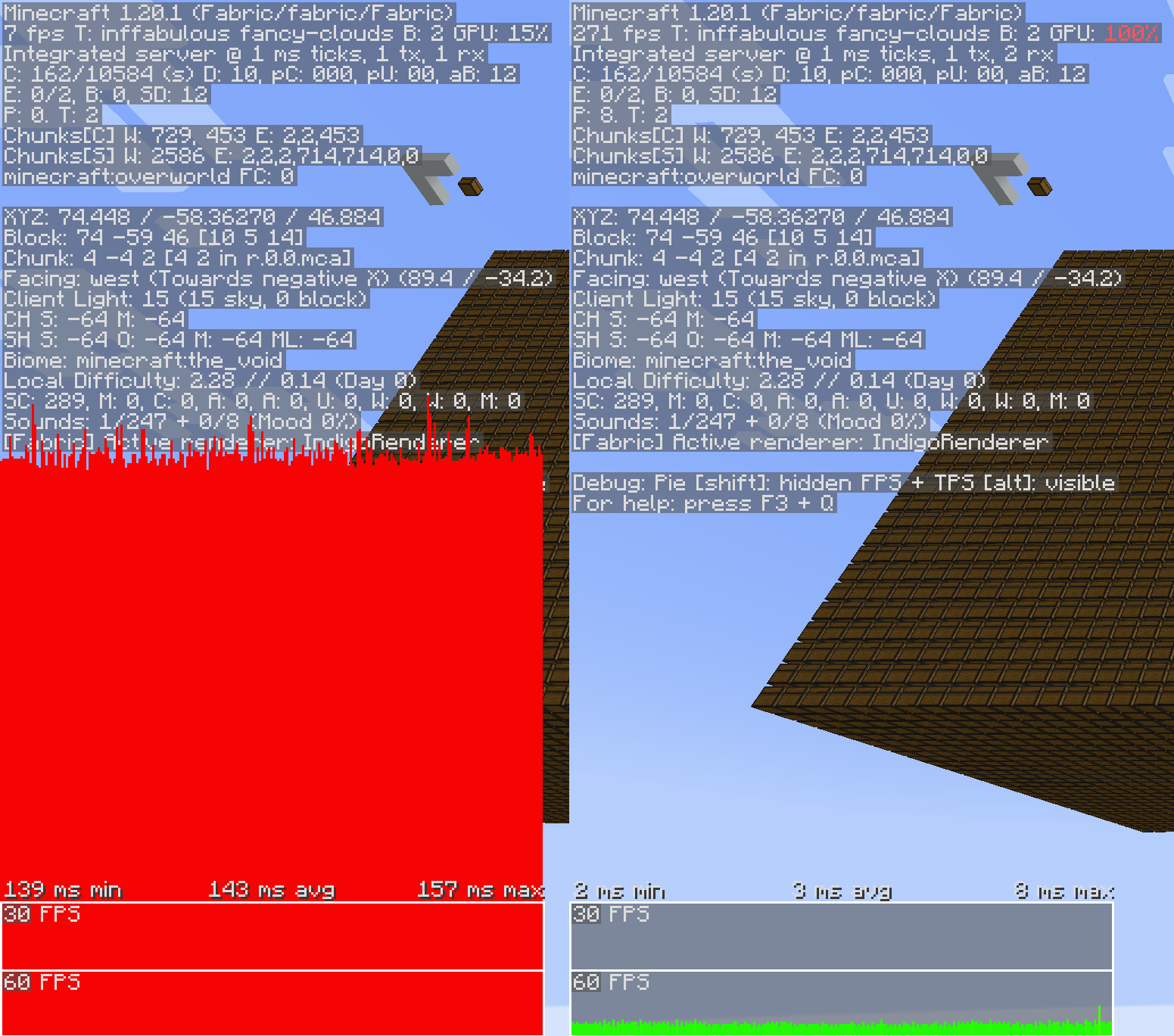
Shaders
Flywheel 1.0, and therefore Vanillin, is currently incompatible with shaders. Work is underway to make first party compat a reality.
Optimizations
Vanillin does not optimize everything by default. Special support needs to be built for each type of entity and block entity. Those that are currently optimized are listed below.
✅ = Stable, enabled by default
🧪 = Experimental, enabled behind a config
Block Entities
- ✅ Chests
- ✅ Shulker boxes
- ✅ Bells
- 🧪 Signs
Entities
- ✅ Minecarts (and all variants)
Project description from CurseForge.
Pick your setup
Vanillin by Minecraft version and loader
Choose the version and loader you play, then open the matching release.
Minecraft version
1.20.1
2 loader buildsCheck the dependencies, then try the file in a copied instance before changing a world you care about.
Recent files
Vanillin versions and loaders
vanillin-forge-1.20.1-1.1.3.jar
21 Apr 2025
Client Source doesn’t say Server Source doesn’t say Dependencies No extras listed Listed on Release listing
Check the 1.20.1 · Forge setup 1.20.1Forge release
vanillin-fabric-1.20.1-1.1.3.jar
21 Apr 2025
Client Source doesn’t say Server Source doesn’t say Dependencies No extras listed Listed on Release listing
Check the 1.20.1 · Fabric setup Fabric1.20.1 release
vanillin-fabric-1.21.1-1.1.3.jar
21 Apr 2025
Client Source doesn’t say Server Source doesn’t say Dependencies No extras listed Listed on Release listing
Check the 1.21.1 · Fabric setup Fabric1.21.1 release
vanillin-neoforge-1.21.1-1.1.3.jar
21 Apr 2025
Client Source doesn’t say Server Source doesn’t say Dependencies No extras listed Listed on Release listing
Check the 1.21.1 · NeoForge setup NeoForge1.21.1 release
vanillin-fabric-1.20.1-1.0.0-beta.jar
9 Mar 2025
Client Source doesn’t say Server Source doesn’t say Dependencies No extras listed Listed on Release listing
Check the 1.20.1 · Fabric setup Fabric1.20.1 beta
vanillin-fabric-1.21.1-1.0.0-beta.jar
9 Mar 2025
Client Source doesn’t say Server Source doesn’t say Dependencies No extras listed Listed on Release listing
Check the 1.21.1 · Fabric setup Fabric1.21.1 beta
vanillin-forge-1.20.1-1.0.0-beta.jar
9 Mar 2025
Client Source doesn’t say Server Source doesn’t say Dependencies No extras listed Listed on Release listing
Check the 1.20.1 · Forge setup 1.20.1Forge beta
vanillin-neoforge-1.21.1-1.0.0-beta.jar
9 Mar 2025
Client Source doesn’t say Server Source doesn’t say Dependencies No extras listed Listed on Release listing
Check the 1.21.1 · NeoForge setup NeoForge1.21.1 beta
Looking for an older file? The official CurseForge project page is in Resources.
 mod
mod CurseForge · Minecraft
mirzozki's football+
Physics-based football with a one-command stadium builder, goal detection, scoring, ball skins and cinematic overhead kicks. Fabric 1.20.1.
 mod
mod CurseForge + Modrinth · Minecraft
Super Factory Manager Retro
Build Super Factory Manager programs on a visual node canvas instead of writing SFML by hand. Drag nodes, wire them together, search items and fluids by name, and import/export programs you have already written.
 mod
mod CurseForge + Modrinth · Minecraft
Gibbed
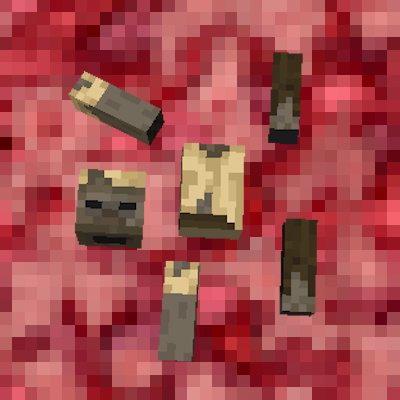
Burst enemies into piles of gibs!