


Minecraft version
Back to mods 
Modrinth · Minecraft mod
The Plugin Mod
A mod of miscellaneous items designed to plug in and pair with CustomNPC+
Choose a version Pick your version below, then grab the matching file.
Quick answer
Which The Plugin Mod release should I use?
Latest stable file 5.3
Game version 1.7.10
Loader Forge
The Plugin Mod 5.3 targets 1.7.10 with Forge. Installation on the client is optional. Installation on the dedicated server is optional. No extra mods listed for this file.
Where it goes
Is The Plugin Mod required on the client, server, or both?
Installation on the client is optional. Installation on the dedicated server is optional.
Client Optional
Dedicated server Optional
Loader for this release Forge
Required install it here Optional supported, not mandatory Not supported do not install here Source doesn’t say do not assume
The source marks this as usable on both the client and server.
What else does The Plugin Mod 5.3 need?
5.3. Change the file and its required mods may change too.
This file does not list any required mods. Do not add a library just because a different file uses it.
This file does not list any required or optional mods.
Before you install it
Add The Plugin Mod without breaking your instance.
Built for The Plugin Mod 5.3. Pick another file and the loader, install side or required mods may change.
- 01
Stick to this file
Use 5.3. It targets 1.7.10 with Forge; another release may have different loader, side or dependency requirements.
- 02
Bring the mods it needs
This file does not list any required mods. Do not add a library just because a different file uses it.
- 03
Put it on the correct side
Installation on the client is optional. Installation on the dedicated server is optional.
- 04
Pick the file you checked
Use the “Get this file” button beside 5.3. It opens that exact file at the source.
About this project
What does The Plugin Mod add?
Plugin Mod is a Minecraft mod that allows you to add miscellaneous weapons, artifacts, blocks, and apples to your world. It is developed for creative and storytelling players who want to make their Minecraft worlds more in-depth and unique. I made this mod solely to pair well with CustomNPC+ Here and allow creators to use these items such as the weapons with NPCs to make them more diverse. All the items are majority Creative Only and all aspects of this mod can be toggled via the generated config! I hope you all enjoy it!


⬇️ Downloads
❓ Features:
- Concrete Blocks
- Glowing Energy Blocks
- Crystal Blocks
- Cosmetic Barrels [Does not work as container, very efficient]
- Artifact Items (sourced from Hypixel Packs, I do not take credit for these designs. For the actual texture pack please support the creators at FurfSky)
- Custom Golden Apples with Special Traits
- Weapons for NPCs (Swords, Spears, Axes, etc)
- Miscellaneous RPG Items (Medpacks, Maps, Bandages)
🔗 Want to check out my other projects?
Plugin Mod is a mod designed to add more aesthetic items for RPG and storytelling. It is compatible with CustomNPC+ and has many items intended to be used and wielded by created NPCs.
RPG Messenger is a bukkit plugin designed to allow operators to create messagable NPCs for RPG Servers. Allows a 'RPG Controller' to reply quickly as NPCs, form groupchats, and messagable parties.
CustomNPC+ Dark Mode is a resource pack for CustomNPC+ that alters all GUIs within the mod to a dark variant that is both clean and pleasing to look at.
Project description from Modrinth.
Pick your setup
The Plugin Mod by Minecraft version and loader
Choose the version and loader you play, then open the matching release.
Check the dependencies, then try the file in a copied instance before changing a world you care about.
Recent files
The Plugin Mod versions and loaders
5.3
PluginMod-5.3.jar
8 Apr 2025
Client Optional Server Optional Dependencies No extras listed Listed on Release listing
Check the 1.7.10 · Forge setup 1.7.10Forge release
5.1
PluginMod-5.1.jar
3 Nov 2023
Client Optional Server Optional Dependencies No extras listed Listed on Release listing
Check the 1.7.10 · Forge setup 1.7.10Forge release
Looking for an older file? The official Modrinth project page is in Resources.
 mod
CurseForge + Modrinth · Minecraft
Apple Saplings
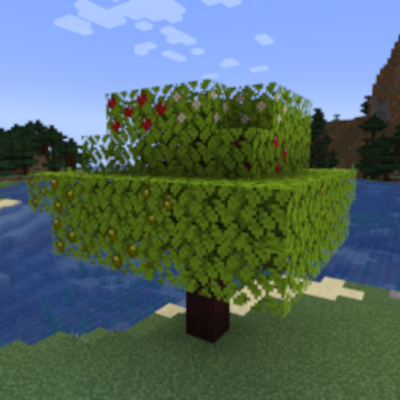
A simple mod that adds apple saplings whose leaves grow apples. Also includes applewood logs and their associated items!
 mod
Modrinth · Minecraft
Fancy World Animations [FWA]
This mod adds animations to a bunch of interactable blocks like doors, trapdoors, levers, buttons, jukeboxes but also swinging lanterns and much more! It makes everything smooth
 mod
Modrinth · Minecraft
Rustling Leaves
Physically simulated leaves: falling leaves, leaf piles you can wade through and rake, gusts and whirlwinds. Client-side, works on any server.