GeckoLib Needed by Dust and Ash dustandash-forge-0.2.0+1.20.1.jar
requiredMatching file found Matched file: geckolib-forge-1.20.1-4.8.4.jar
CurseForge · Minecraft mod
A Skyblock game starting mod, with half tech half magic
Quick answer
Dust and Ash dustandash-forge-0.2.0+1.20.1.jar targets 1.20.1 with Forge. The project page does not say whether this file belongs on the client, dedicated server, or both. All 1 required mods have matching files.
Where it goes
The project page does not say whether this file belongs on the client, dedicated server, or both.
The source does not explicitly classify this release as client-only or server-only.
dustandash-forge-0.2.0+1.20.1.jar. Change the file and its required mods may change too.
Install GeckoLib first. We found matching files for this game-version and loader setup.
We only count dependency files that match this setup. A file for another loader does not fill the gap.
Before you install it
Built for Dust and Ash dustandash-forge-0.2.0+1.20.1.jar. Pick another file and the loader, install side or required mods may change.
Use dustandash-forge-0.2.0+1.20.1.jar. It targets 1.20.1 with Forge; another release may have different loader, side or dependency requirements.
Install GeckoLib first. We found matching files for this game-version and loader setup.
The project page does not say whether this file belongs on the client, dedicated server, or both.
Use the “Get this file” button beside dustandash-forge-0.2.0+1.20.1.jar. It opens that exact file at the source.
About this project
Not only an "out of nothing" mod!
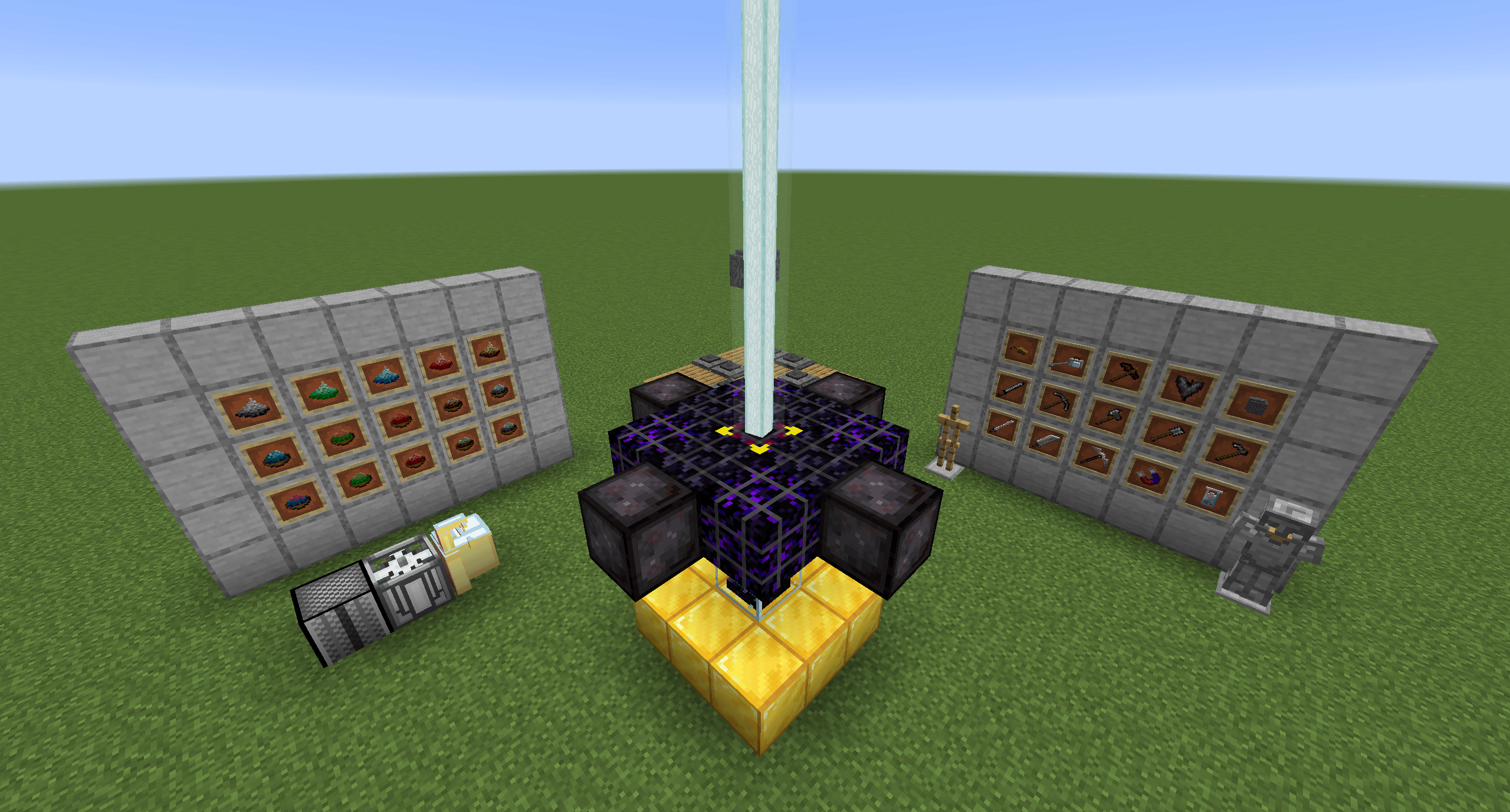
Dust is made of fine particles of solid matter. But here, you can use vacuums to isolate the elements from it! You can get almost every resource from the 5 basic element dust and 10 advanced element dust.
Game Starting
The only things that a beginning "sky block" (or island, or whatever) should have to start with this mod are:
Some stone/cobblestone, gravel, and dirt/coarse dirt
The first thing you need to do is collect some flint, then make them into Sharpen Flint.
Then use the Sharpen Flint by right-clicking it, it will be bloody!
Now use the three types of flints to make a Bloody Sapling, you got a source of wood and gravel!
Then, you need to make a Hand Vacuum and a dust source. Place the dust source about 2-3 blocks higher than the floor (make sure the floor blocks contain the tag#dustandash:dust_able). Wait for a while and use the Hand Vacuum on the generated Dust blocks!
Now use the Metal Dust and other materials to craft some iron nuggets on the Crafting Table, and use Energized Cobblestone to craft a Lava Bucket.
If you want some rain or water, craft a Rain Crystal (if you want sun, craft a Sun Crystal).
Now your task is to make an Integrated Block, it is the primary way of making different resources out of the dust (more introduction in the Machines section).
Now you should have a more effecient way of crafting irons, so you should make an Iron Vacuum to get the other two types of basic dusts. Iron Vacuum requires the player to have Energized Dust in their inventory. It has a chance of consuming it after each use.
Then, you need to craft 4 Integrated Frame Tier 1 to upgrade your Integrated Block for more advanced recipes.
You can also craft a Milling & Assembly Machine (more introduction in the Machines section) for future use.
Your last goal in the beginning game section is to craft a Centrifuge, which allows you to automatically produce element dust (and more recipes!).
Machines
Integrated Block
The primary machine allows you to make different materials from the element dust, and craft advanced element dusts.
It will automatically such-in the items around it with the tag#dustandash:craft_material.
When the items in the machine's inventory match a recipe, the ingredients will be removed and the result item will be generated above the machine.
The ingredients must be in order (shaped recipe).
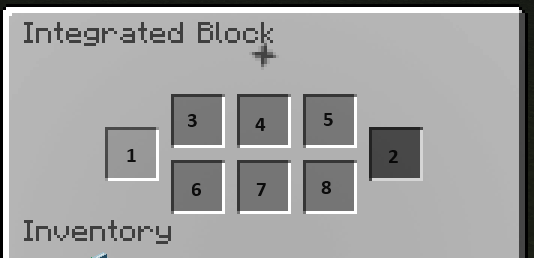
This machine has four levels: 0, 1, 2, 3 (see Images)
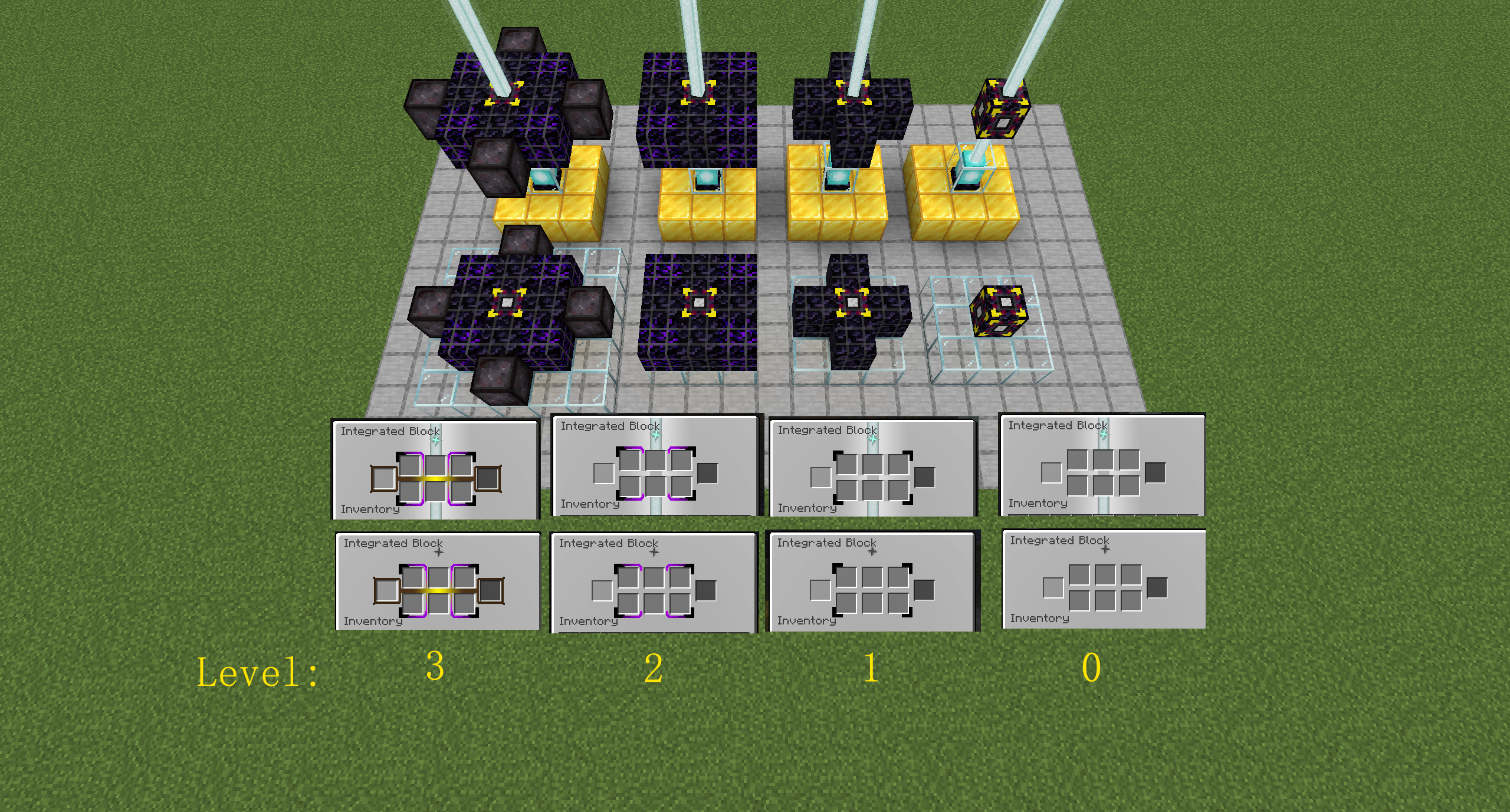
Each level will have a different UI for both the machine and JEI.
If there is an activated Beacon block underneath this machine, the machine will double the output!
The Integrated Block can be only accessed by other stuff (like a hopper, or pipe) from the bottom
Milling & Assembly Machine
This machine is used to make more advanced stuff.
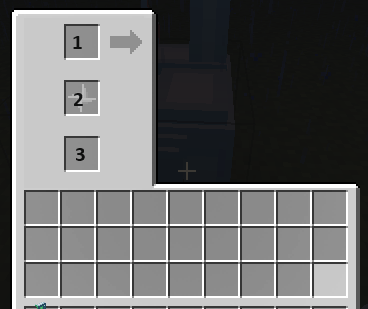
The "1" slot is the raw material (or base) input.
In JEI, a "base recipe" is going to look like this:
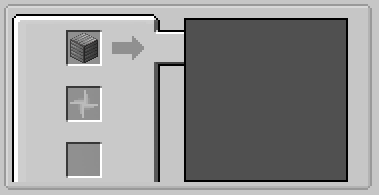
Once you insert the fittable item into the "1" slot, the workspace slots will show up.
Let's say you want to make a gear, now you need to take out the Scraps to make the remaining Scraps into the correct shape:
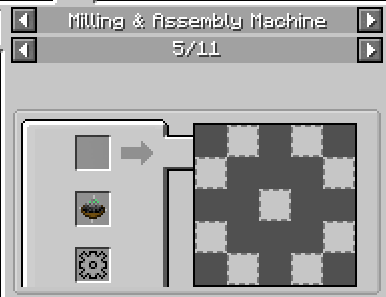
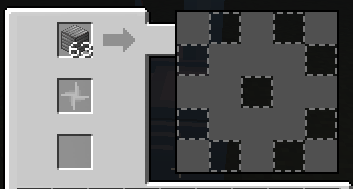
Finally, you need to insert the "catalyst" into the "2" slot, and the result item will be output into the "3" slot.
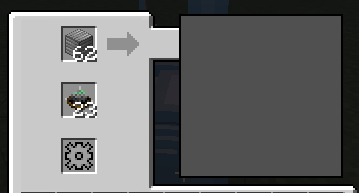
(Notice that after the crafting, the workspace is empty again, so the "base recipe" will be activated again)
"1" and "2" slot can be accessed by other things from the top, "3" slot can be accessed from the bottom.
The workspace slots can be accessed by other stuff (like a hopper, or pipe) from the sides.
Centrifuge
The Centrifuge is very simple. The "1" slot is the main input, and the "2" slot is the catalyst. Once the correct items are placed into the input slots, after the processing time, the output items will be shown in the 8 other slots.
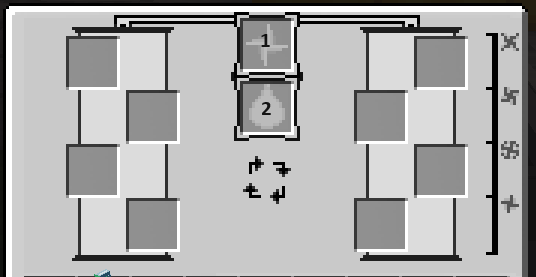
The input slots (1 and 2) can be accessed by other stuff (like a hopper, or pipe) from the top, and the output slots can be accessed from the bottom.
Ash Collector
Ash Collector needs to be placed underneath a working furnace block (furnace, blasting furnace, smoker, etc.). 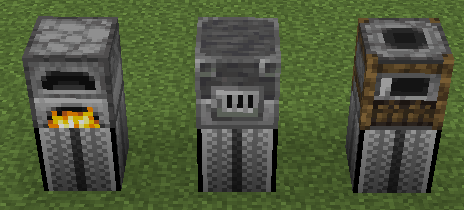
Once it's working, the UI will be changed.
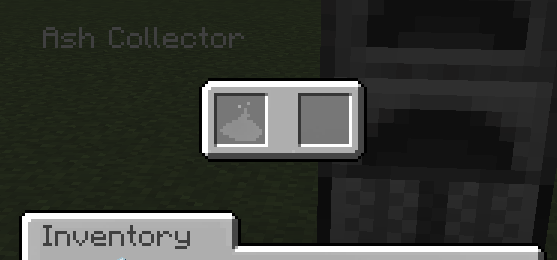
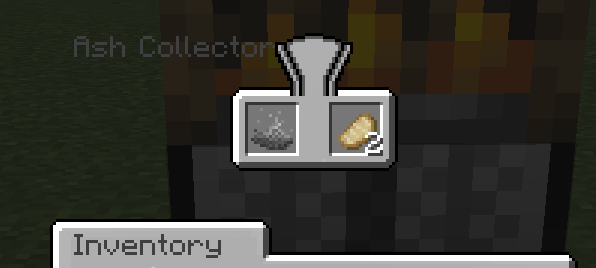
Ash items will be generated in the Ash Collector, and the output of the furnace will be sucked into the Ash Collector.
All the slots can be accessed from any side.
Ionizer
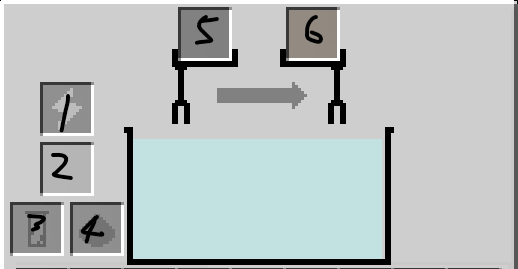
Ionizer's recipe requires it to be placed on a certain block/liquid. Based on the recipe, the block/liquid and the electrodes (slots 5 and 6) might be consumed.
Slots 1, 2, 3, and 4 can be accessed from the sides.
Slots 5 and 6 can be accessed from the top.
The output will be generated beneath the machine.
Slot 1 is the power slot, if the recipe needs power, electrons need to be placed here.
2 3 4 are just normal inputs
5 and 6 are electrode slots
Tools
Ash Steel
Titanium
SP Weapons
Future Plans
More magical stuff, and an end-game (or a translation compared to the stronger ones) armor made by Titanium Alloy.
Better artwork and models.
Compatibility with other common mods.
Acknowledgment
temp
Project description from CurseForge.
Pick your setup
Choose the version and loader you play, then open the matching release.
Check the dependencies, then try the file in a copied instance before changing a world you care about.
Recent files
12 Aug 2026
dustandash-0.1.7-b.jar
4 May 2025
dustandash-0.1.7.jar
21 Jan 2025
dustandash-0.1.6.jar
12 Dec 2024
dustandash-0.1.5.jar
17 Nov 2024
dustandash-0.1.5.jar
17 Nov 2024
dustandash-0.1.3.jar
14 Nov 2024
dustandash-0.1.2.jar
2 Oct 2024
dustandash-0.1.1.jar
3 Sept 2024
dustandash-0.1.0.jar
25 Aug 2024
dustandash-0.0.10-c.jar
22 Apr 2024
dustandash-0.0.10-b.jar
16 Apr 2024
Looking for an older file? The official CurseForge project page is in Resources.
 mod
modA mod based on *Higurashi When They Cry*, created by Ryukishi07.
 mod
modPickaxe and shovel for every material — 4 grades each, unlocking 3×3 to 5×5 area mining. Durability, speed and enchants always match vanilla.
 mod
modA Minecraft mod inspired by the Suggsverse, also known as Heir to the Stars