


Minecraft version
Back to mods 
CurseForge · Minecraft mod
IsTyping
Indicators when a player is typing in chat.
Choose a version Pick your version below, then grab the matching file.
Quick answer
Which IsTyping release should I use?
Latest stable file Is Typing 1.16.5 1.1
Game version 1.16.5
Loader Forge
IsTyping Is Typing 1.16.5 1.1 targets 1.16.5 with Forge. The project page does not say whether this file belongs on the client, dedicated server, or both. No extra mods listed for this file.
Where it goes
Is IsTyping required on the client, server, or both?
The project page does not say whether this file belongs on the client, dedicated server, or both.
Client Source doesn’t say
Dedicated server Source doesn’t say
Loader for this release Forge
Required install it here Optional supported, not mandatory Not supported do not install here Source doesn’t say do not assume
The source does not explicitly classify this release as client-only or server-only.
What else does IsTyping Is Typing 1.16.5 1.1 need?
Is Typing 1.16.5 1.1. Change the file and its required mods may change too.
This file does not list any required mods. Do not add a library just because a different file uses it.
This file does not list any required or optional mods.
Before you install it
Add IsTyping without breaking your instance.
Built for IsTyping Is Typing 1.16.5 1.1. Pick another file and the loader, install side or required mods may change.
- 01
Stick to this file
Use Is Typing 1.16.5 1.1. It targets 1.16.5 with Forge; another release may have different loader, side or dependency requirements.
- 02
Bring the mods it needs
This file does not list any required mods. Do not add a library just because a different file uses it.
- 03
Put it on the correct side
The project page does not say whether this file belongs on the client, dedicated server, or both.
- 04
Pick the file you checked
Use the “Get this file” button beside Is Typing 1.16.5 1.1. It opens that exact file at the source.
About this project
What does IsTyping add?
IsTyping Minecraft Forge Mod


Overview
IsTyping is a Minecraft Forge mod designed to provide visual indicators when a player is typing in chat. It offers configurable styles to display either text or icons, enhancing the multiplayer chat experience.
Features
- Real-time Typing Indicators: Receive visual cues when players are actively typing in the chat window.
- Configurable Styles: Customize the appearance of the typing indicators based on your preferences.
- Forge Compatibility: Built specifically for Minecraft Forge, ensuring seamless integration with your modded Minecraft experience.
Installation
- Download Forge: Ensure you have Minecraft Forge installed. You can download Forge from here.
- Download IsTyping Mod: Download the latest version of IsTyping mod from the releases page.
- Install IsTyping Mod: Place the downloaded IsTyping
.jarfile into your Minecraft mods folder. - Launch Minecraft: Start Minecraft with the Forge profile.
Usage
Once IsTyping mod is installed, the typing indicators will automatically appear whenever players are typing in the chat window. Customize the style of the indicators by modifying the configuration file.
Configuration
The mod offers configuration options to tailor the appearance of the typing indicators. Locate the istyping.cfg file in your Minecraft config folder after installing the mod or in the mods window inside the game. Adjust the settings according to your preferences.
Feedback & Support
If you encounter any issues, have suggestions, or need assistance, feel free to submit an issue or reach out for support.
License
IsTyping mod is licensed under the MIT License.
Project description from CurseForge.
Pick your setup
IsTyping by Minecraft version and loader
Choose the version and loader you play, then open the matching release.
Check the dependencies, then try the file in a copied instance before changing a world you care about.
Recent files
IsTyping versions and loaders
Is Typing 1.16.5 1.1
istyping-1.16.5-1.1.jar
10 Feb 2024
Client Source doesn’t say Server Source doesn’t say Dependencies No extras listed Listed on Release listing
Check the 1.16.5 · Forge setup 1.16.5Forge release
Looking for an older file? The official CurseForge project page is in Resources.
 mod
CurseForge + Modrinth · Minecraft
VO: Better Dogs
Enhances vanilla wolves with unique personalities (Aggressive, Pacifist, Normal), smarter AI, safety behaviors, and combat improvements.
 mod
CurseForge + Modrinth · Minecraft
Quark
A Quark is a very small thing. This mod is a collection of small things that improve the vanilla minecraft experience.
 mod
CurseForge · Minecraft
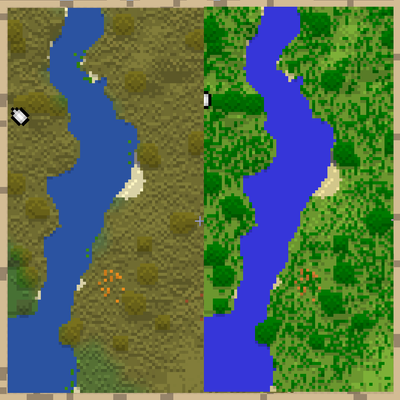
Color Accurate Maps
Lightweight Quality of Life mod that give maps a more color accurate to the minecraft world