Minecraft version
Back to mods 
CurseForge · Minecraft mod
Clear Gpu Cache
This fixes some rendering issues by clearing the GPU cache, which may result in a slight drop in FPS.
Choose a version Pick your version below, then grab the matching file.
Quick answer
Which Clear Gpu Cache release should I use?
Latest stable file ClearGpuCache-1.21.x-1.0.2
Game version 1.21, 1.21.8, 1.21.5
Loader NeoForge
Clear Gpu Cache ClearGpuCache-1.21.x-1.0.2 targets 1.21, 1.21.8, 1.21.5 with NeoForge. The project page does not say whether this file belongs on the client, dedicated server, or both. No extra mods listed for this file.
Where it goes
Is Clear Gpu Cache required on the client, server, or both?
The project page does not say whether this file belongs on the client, dedicated server, or both.
Client Source doesn’t say
Dedicated server Source doesn’t say
Loader for this release NeoForge
Required install it here Optional supported, not mandatory Not supported do not install here Source doesn’t say do not assume
The source does not explicitly classify this release as client-only or server-only.
What else does Clear Gpu Cache ClearGpuCache-1.21.x-1.0.2 need?
ClearGpuCache-1.21.x-1.0.2. Change the file and its required mods may change too.
This file does not list any required mods. Do not add a library just because a different file uses it.
This file does not list any required or optional mods.
Before you install it
Add Clear Gpu Cache without breaking your instance.
Built for Clear Gpu Cache ClearGpuCache-1.21.x-1.0.2. Pick another file and the loader, install side or required mods may change.
- 01
Stick to this file
Use ClearGpuCache-1.21.x-1.0.2. It targets 1.21, 1.21.8, 1.21.5 with NeoForge; another release may have different loader, side or dependency requirements.
- 02
Bring the mods it needs
This file does not list any required mods. Do not add a library just because a different file uses it.
- 03
Put it on the correct side
The project page does not say whether this file belongs on the client, dedicated server, or both.
- 04
Pick the file you checked
Use the “Get this file” button beside ClearGpuCache-1.21.x-1.0.2. It opens that exact file at the source.
About this project
What does Clear Gpu Cache add?
This mod solves some rendering problems by clearing the GPU cache.
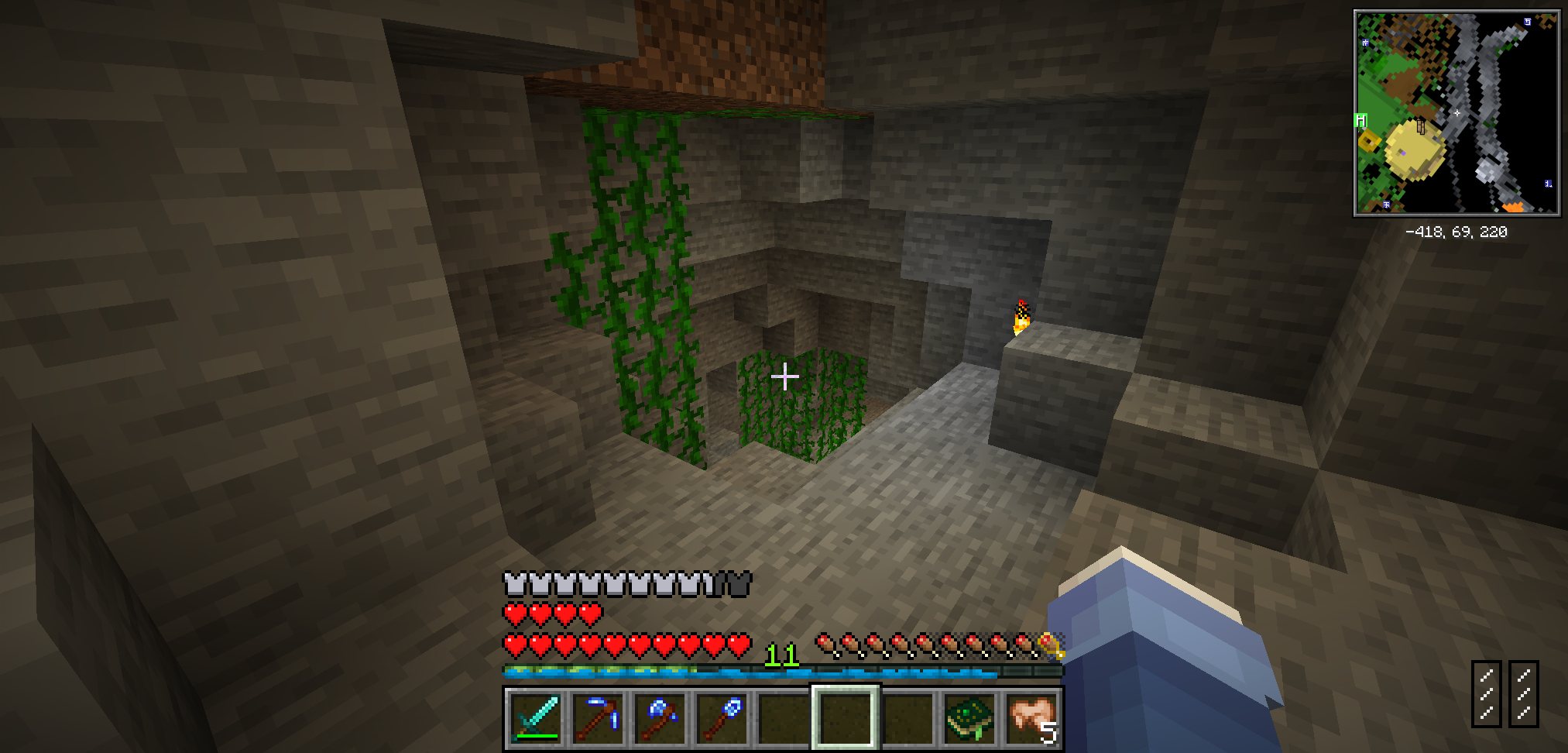
Some rendering errors when using the zink renderer, especially on cell phones.
Something like that:
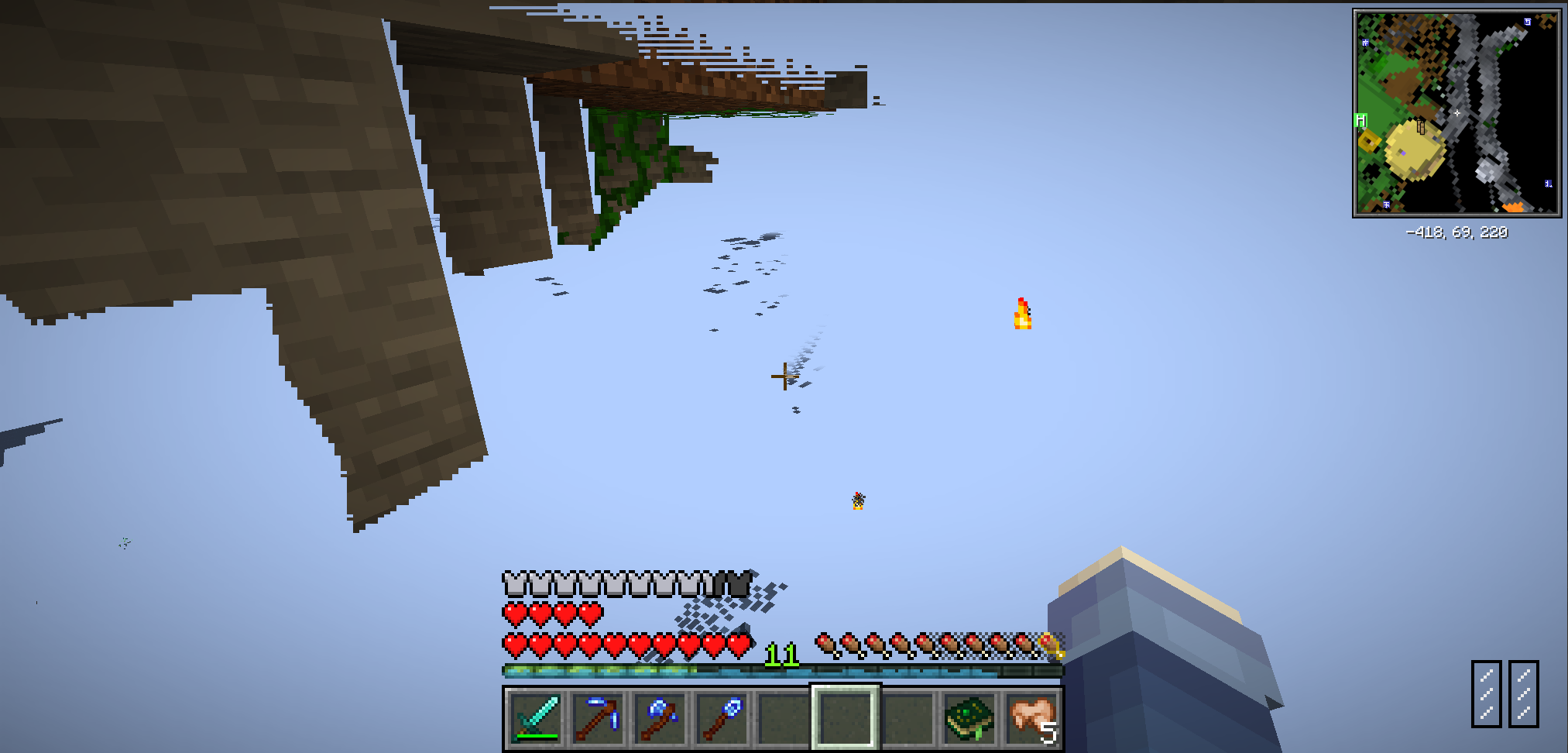
Fixed this issue after using this Mod:
This mod is inspired by OptiFine's "Smooth FPS" feature, which should achieve the same effect, but without the mod compatibility issues caused by OptiFine.
Also, using this Mod may result in a slight FPS drop.
Minecraft 26.1 introduced a major overhaul to the rendering system, and there have been no new reports of the rendering issues that this mod was originally created to fix.
Therefore, this mod has fulfilled its purpose and will no longer be updated or ported to Minecraft 26.1 and later versions.
Project description from CurseForge.
Pick your setup
Clear Gpu Cache by Minecraft version and loader
Choose the version and loader you play, then open the matching release.
Minecraft version
1.21.10
1 loader buildMinecraft version
1.21.9
1 loader buildMinecraft version
1.21.8
1 loader buildMinecraft version
1.21.7
1 loader buildMinecraft version
1.21.6
1 loader buildMinecraft version
1.21.5
1 loader buildMinecraft version
1.21.4
1 loader buildMinecraft version
1.21.3
1 loader buildMinecraft version
1.21.2
1 loader buildMinecraft version
1.21.1
1 loader buildMinecraft version
1.21
1 loader buildShowing the newest 12 of 15 game versions. Older files are in the list below.
Check the dependencies, then try the file in a copied instance before changing a world you care about.
Recent files
Clear Gpu Cache versions and loaders
ClearGpuCache-1.21.x-1.0.2
cleargpucache-1.0.2.jar
18 Apr 2025
Client Source doesn’t say Server Source doesn’t say Dependencies No extras listed Listed on Release listing
Check the 1.21.11 · NeoForge setup 1.211.21.81.21.51.21.4 release
ClearGpuCache-1.19.2-1.0.1
cleargpucache-1.0.1.jar
18 Mar 2024
Client Source doesn’t say Server Source doesn’t say Dependencies No extras listed Listed on Release listing
Check the 1.19.2 · Forge setup Forge1.19.2 release
ClearGpuCache-1.20.4-1.0.1
cleargpucache-1.0.1.jar
27 Feb 2024
Client Source doesn’t say Server Source doesn’t say Dependencies No extras listed Listed on Release listing
Check the 1.20.4 · NeoForge setup 1.20.4NeoForge release
ClearGpuCache-1.20.1-1.0.1
cleargpucache-1.0.1.jar
27 Feb 2024
Client Source doesn’t say Server Source doesn’t say Dependencies No extras listed Listed on Release listing
Check the 1.20.1 · Forge setup 1.20.1Forge release
ClearGpuCache-1.20.1-1.0.0
cleargpucache-1.0.0.jar
24 Feb 2024
Client Source doesn’t say Server Source doesn’t say Dependencies No extras listed Listed on Release listing
Check the 1.20.1 · Forge setup 1.20.1Forge release
Looking for an older file? The official CurseForge project page is in Resources.
 mod
mod CurseForge · Minecraft
ToF Neo Optimizations
Targeted fixes for Create on NeoForge 1.21.1, including a server crash when breaking fluid pipes, plus optional render tweaks. Each module can be toggled.
 mod
mod CurseForge + Modrinth · Minecraft
Mystical Agriculture
Adds resource crops for more than 130+ vanilla & modded materials!
 mod
mod CurseForge + Modrinth · Minecraft
Cucumber Library
A library of shared code and functionality used by my mods.