Biomes O' Plenty Optional for Skilling 1.19.4-1.0.0a
optionalNo matching file
CurseForge · Minecraft mod
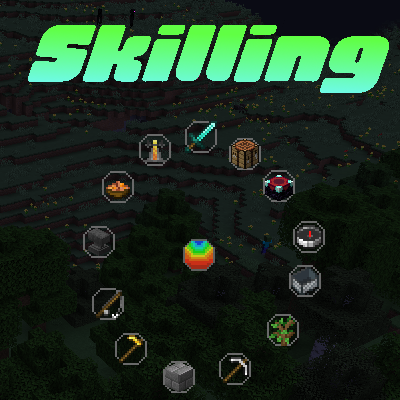
Skilling is a mod that adds intuitive linear progression.
Quick answer
Skilling 1.19.4-1.0.0a targets 1.19.4-Snapshot, 1.19.4 with Forge. The project page does not say whether this file belongs on the client, dedicated server, or both. No extra mods listed for this file.
Where it goes
The project page does not say whether this file belongs on the client, dedicated server, or both.
The source does not explicitly classify this release as client-only or server-only.
1.19.4-1.0.0a. Change the file and its required mods may change too.
This file does not list any required mods. Do not add a library just because a different file uses it.
2 extra mods were pulled in by other dependencies. Indented rows show who needs each one. We only count dependency files that match this setup. A file for another loader does not fill the gap.
Before you install it
Built for Skilling 1.19.4-1.0.0a. Pick another file and the loader, install side or required mods may change.
Use 1.19.4-1.0.0a. It targets 1.19.4-Snapshot, 1.19.4 with Forge; another release may have different loader, side or dependency requirements.
This file does not list any required mods. Do not add a library just because a different file uses it.
The project page does not say whether this file belongs on the client, dedicated server, or both.
Use the “Get this file” button beside 1.19.4-1.0.0a. It opens that exact file at the source.
About this project
Skilling is a mod that adds linear progression in an intuitive manner. You will start with your trusty Skill Book which will allow you to see what level you have in given skills as well as what this enables you to do. Everything is locked behind a level wall providing easy to grasp progression. The goal of this project is to allow easily modifiable linear progression to slow down or speed up certain areas of gameplay to allow for a more cohesive play experience.
Skilling currently has built-in mod support for the following mods:
Jeweler - Jeweler is a mod that adds a variety of powerful jewelry to aid in your adventures!
You can modify everything within this mod using a datapack! Everything will be placed under data/modid.
The first two files are data/modid/skills.json and data/modid/actions.json.
skills.json specifies which skills to add to the game.
actions.json is a json array that is essentially a list of all actions.
Actions must be placed in data/modid/actions/modid_action_name.json. Actions are matched by name so you can have instances where multiple actions can fire for the same name so semantics are important to keep in mind! For example, a fish can be "fished" with a fishing rod but can also be killed in-world as an entity. Both of these scenarios will trigger fish.json so it's important to use the proper action in the json.
Note: The word action is used interchangeably for both the item/entity file name and the "action" that can be executed. For example bamboo_sapling is the action file but it will trigger for actions "minecraft:mining" and "minecraft:break_block". If a player doesn't meet the specified action requirements then the event will fail and be cancelled if possible.
Below is a list of actions that can be triggered for a given item/entity/etc. Modders may add more of these by utilizing the ActionAPI.
minecraft_crafting - Fired when crafting an item matching the action name.
minecraft_mining - Fired when mining/breaking a block matching the action name.
minecraft_equip - Fired when attempting to equip an item.
minecraft_fishing - Fired when attempting to fish.
minecraft_smelting - Fired when attempting to smelt a given item.
minecraft_blasting - Fired when blasting an item in the blasting furnace.
minecraft_smithing - Fired when smithing an item in the smithing table.
minecraft_killed - Fired when an entity is killed. If failed then no damage is dealt.
minecraft_farming - Combination of minecraft_break_block and minecraft_place_block.
minecraft_interact_block - Fired when right clicking a block.
minecraft_place_block - Fired when attempting to place a block.
Note: Also checks requirements for minecraft_break_block.
minecraft_break_block - Fired when attempting to break a block.
minecraft_firest_time_biome_enter - Fired the first time a player enters the given biome.
minecraft_map_update - Fired when a map is updated for a given player.
minecraft_interact_entity - Fired when right clicking an entity.
minecraft_interact_item - Fired when right clicking an item.
minecraft_brewing - Fired when attempting to use the brewing stand.
minecraft_enchanting - Fired for a given enchantment in the enchanting table.
minecraft_single_use_block - Locks a block so only one player may use it at a time.
Project description from CurseForge.
Pick your setup
Choose the version and loader you play, then open the matching release.
Check the dependencies, then try the file in a copied instance before changing a world you care about.
Recent files
skilling-1.19.4-1.0.0a.jar
13 Mar 2024
Looking for an older file? The official CurseForge project page is in Resources.
 mod
Adds personal customizable dimensions with superflat-style presets.
 mod
Become Herobrine, Entity 303, The Chosen One or The Dark Lord, with cinematic movesets, impact frames, black holes, 3D beams and anime-style combat.
 mod
A faithful port of the classic Mo' Creatures to Minecraft on NeoForge — with the whole bestiary.