Minecraft version
Back to mods 
Modrinth · Minecraft mod
Block Pack
📦 Add 1200+ decorative furniture blocks & functional furniture vanilla style blocks in Minecraft
Choose a version Pick your version below, then grab the matching file.
Quick answer
Which Block Pack release should I use?
Latest stable file 1.1.2
Game version 1.20.1
Loader Fabric
Block Pack 1.1.2 targets 1.20.1 with Fabric. Installation on the client is optional. Installation on the dedicated server is optional. No extra mods listed for this file.
Where it goes
Is Block Pack required on the client, server, or both?
Installation on the client is optional. Installation on the dedicated server is optional.
Client Optional
Dedicated server Optional
Loader for this release Fabric
Required install it here Optional supported, not mandatory Not supported do not install here Source doesn’t say do not assume
The source marks this as usable on both the client and server.
What else does Block Pack 1.1.2 need?
1.1.2. Change the file and its required mods may change too.
This file does not list any required mods. Do not add a library just because a different file uses it.
This file does not list any required or optional mods.
Before you install it
Add Block Pack without breaking your instance.
Built for Block Pack 1.1.2. Pick another file and the loader, install side or required mods may change.
- 01
Stick to this file
Use 1.1.2. It targets 1.20.1 with Fabric; another release may have different loader, side or dependency requirements.
- 02
Bring the mods it needs
This file does not list any required mods. Do not add a library just because a different file uses it.
- 03
Put it on the correct side
Installation on the client is optional. Installation on the dedicated server is optional.
- 04
Pick the file you checked
Use the “Get this file” button beside 1.1.2. It opens that exact file at the source.
About this project
What does Block Pack add?







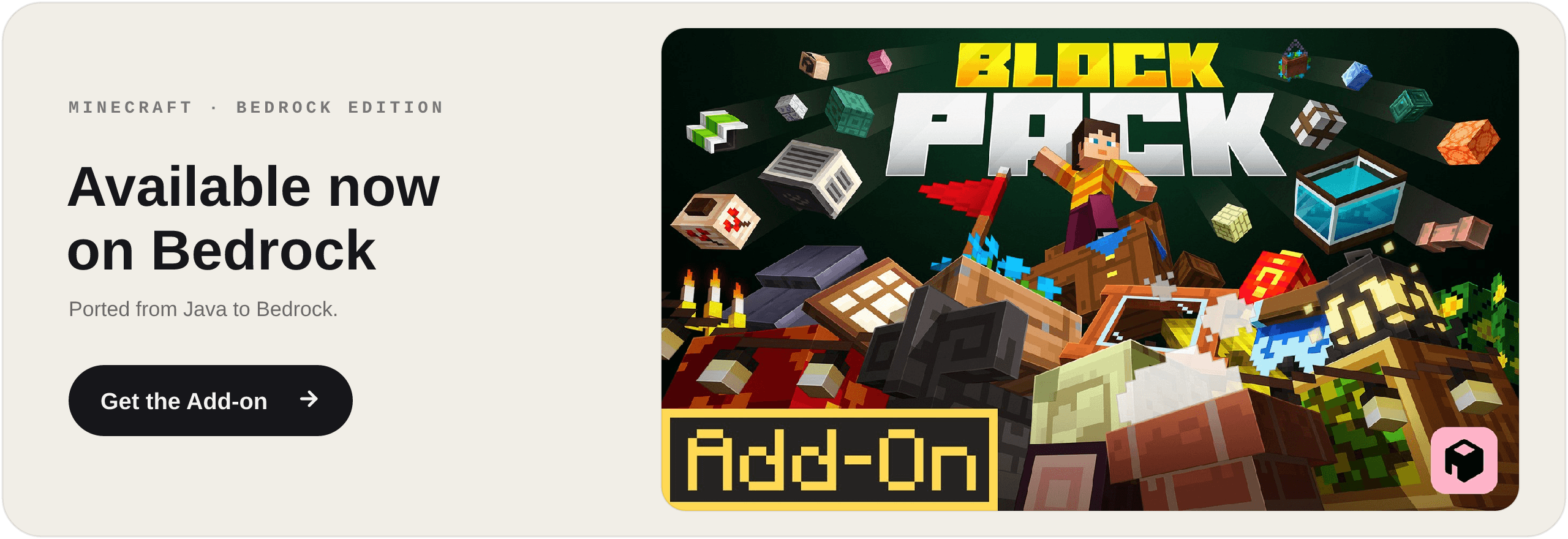

Block Pack adds 1200+ building blocks. Build literally anything.
📋 About
Block Pack adds over 1200 building and decoration blocks to Minecraft - one mod, every style. Build in medieval, Japanese, Greek, cyberpunk, modern, or underwater themes from a single pack. Made for vanilla builders who want more shapes, more detail, and full customization without losing the base-game feel.
🧱 More Than Decoration
Block Pack blocks actually do things:
Fillable storage - crates, fish barrels, baskets and sacks: right-click to stash items and pull them back out.
Lights everywhere - paper lanterns and hanging lamps that sway on their chains, neon signs, string lights, candlesticks in every color, and glowing hologram blocks.
Living streets - air conditioners, smoking chimneys, weather vanes, vents and gutters that bring a town to life.
The Wrench - change block states and swap variants right in the world, no menus.
A custom Wandering Trader - roaming your world with exclusive Block Pack goods.
🔨 The Workbench
Every block is crafted at the Workbench, a dedicated station with its own recipe book - so 1200 fresh recipes never clutter your vanilla crafting table.
🔧 Compatibility
Full support for JEI, EMI, Jade, and Chipped.
🚀 Supported Versions
1.21.1 - NeoForge · Fabric
1.20.1 - Forge · Fabric
Fabric requires the Fabric API.
Project description from Modrinth.
Pick your setup
Block Pack by Minecraft version and loader
Choose the version and loader you play, then open the matching release.
Minecraft version
1.20.1
2 loader buildsCheck the dependencies, then try the file in a copied instance before changing a world you care about.
Recent files
Block Pack versions and loaders
1.1.2
bf_blockpack-fabric-1.20.1-1.1.2.jar
26 Aug 2026
Client Optional Server Optional Dependencies No extras listed Listed on Release listing
Check the 1.20.1 · Fabric setup 1.20.1Fabric release
1.1.2
bf_blockpack-neoforge-1.21.1-1.1.2.jar
26 Aug 2026
Client Optional Server Optional Dependencies No extras listed Listed on Release listing
Check the 1.21.1 · NeoForge setup 1.21.1NeoForge release
1.1.2
bf_blockpack-fabric-1.21.1-1.1.2.jar
26 Aug 2026
Client Optional Server Optional Dependencies No extras listed Listed on Release listing
Check the 1.21.1 · Fabric setup 1.21.1Fabric release
1.1.2
bf_blockpack-forge-1.20.1-1.1.2.jar
26 Aug 2026
Client Optional Server Optional Dependencies No extras listed Listed on Release listing
Check the 1.20.1 · Forge setup 1.20.1Forge release
1.1.1
bf_blockpack-forge-1.20.1-1.1.1.jar
16 Aug 2026
Client Optional Server Optional Dependencies No extras listed Listed on Release listing
Check the 1.20.1 · Forge setup 1.20.1Forge release
1.1.1
bf_blockpack-fabric-1.20.1-1.1.1.jar
16 Aug 2026
Client Optional Server Optional Dependencies No extras listed Listed on Release listing
Check the 1.20.1 · Fabric setup 1.20.1Fabric release
1.1.0
bf_blockpack-forge-1.20.1-1.1.0.jar
15 Aug 2026
Client Optional Server Optional Dependencies No extras listed Listed on Release listing
Check the 1.20.1 · Forge setup 1.20.1Forge release
1.1.0
bf_blockpack-fabric-1.20.1-1.1.0.jar
15 Aug 2026
Client Optional Server Optional Dependencies No extras listed Listed on Release listing
Check the 1.20.1 · Fabric setup 1.20.1Fabric release
1.1.0
bf_blockpack-neoforge-1.21.1-1.1.0.jar
15 Aug 2026
Client Optional Server Optional Dependencies No extras listed Listed on Release listing
Check the 1.21.1 · NeoForge setup 1.21.1NeoForge release
1.1.0
bf_blockpack-fabric-1.21.1-1.1.0.jar
15 Aug 2026
Client Optional Server Optional Dependencies No extras listed Listed on Release listing
Check the 1.21.1 · Fabric setup 1.21.1Fabric release
1.0.11
bf_blockpack-neoforge-1.21.1-1.0.11.jar
14 Jul 2026
Client Optional Server Optional Dependencies No extras listed Listed on Release listing
Check the 1.21.1 · NeoForge setup 1.21.1NeoForge release
1.0.11
bf_blockpack-forge-1.20.1-1.0.11.jar
14 Jul 2026
Client Optional Server Optional Dependencies No extras listed Listed on Release listing
Check the 1.20.1 · Forge setup 1.20.1Forge release
Looking for an older file? The official Modrinth project page is in Resources.
 mod
CurseForge + Modrinth · Minecraft
Diorama
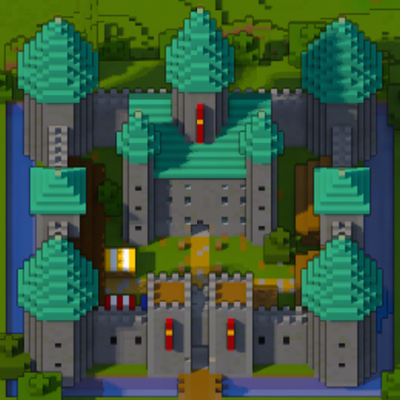
A minimap and world map drawn at an angle, like a model of your world on a table. Towers stand up, cliffs have faces and trees cast shadows.
 mod
CurseForge + Modrinth · Minecraft
Re:Animal
Intelligent new animals that make the world livelier
 mod
Modrinth · Minecraft
Basic Backpack
Adds a wearable backpack with easy access.