Minecraft version
Back to mods 
Modrinth · Minecraft mod
KeyBindSlots
KeyBindSlots is a client mod that allows you to assign any keyboard keys to hotbar slots. Instead of being limited to numbers 1-9, you can use letters, function keys, arrows, and even special keys like Home, Insert, Delete, and more.
Choose a version Pick your version below, then grab the matching file.
Quick answer
Which KeyBindSlots release should I use?
Latest stable file 1
Game version 1.20.1, 1.20.2, 1.20.3
Loader Forge
KeyBindSlots 1 targets 1.20.1, 1.20.2, 1.20.3 with Forge. It must be installed on the client. Do not install it on the dedicated server. No extra mods listed for this file.
Where it goes
Is KeyBindSlots required on the client, server, or both?
It must be installed on the client. Do not install it on the dedicated server.
Client Required
Dedicated server Not supported
Loader for this release Forge
Required install it here Optional supported, not mandatory Not supported do not install here Source doesn’t say do not assume
This file is marked client-only.
What else does KeyBindSlots 1 need?
1. Change the file and its required mods may change too.
This file does not list any required mods. Do not add a library just because a different file uses it.
This file does not list any required or optional mods.
Before you install it
Add KeyBindSlots without breaking your instance.
Built for KeyBindSlots 1. Pick another file and the loader, install side or required mods may change.
- 01
Stick to this file
Use 1. It targets 1.20.1, 1.20.2, 1.20.3 with Forge; another release may have different loader, side or dependency requirements.
- 02
Bring the mods it needs
This file does not list any required mods. Do not add a library just because a different file uses it.
- 03
Put it on the correct side
It must be installed on the client. Do not install it on the dedicated server.
- 04
Pick the file you checked
Use the “Get this file” button beside 1. It opens that exact file at the source.
About this project
What does KeyBindSlots add?
📖 Mod Description
KeyBindSlots is a client mod for Minecraft 1.20.x on Forge that allows you to assign any keyboard keys to hotbar slots. Instead of being limited to numbers 1-9, you can use letters, function keys, arrows, and even special keys like Home, Insert, Delete, and more.
This mod is perfect for:
- Players with non-standard keyboard layouts
- Streamers and content creators
- Players with physical disabilities
- For fans of custom control customization
✨ Features
✅ Main functions:
- Custom binds - assign any keys to 9 hotbar slots
- Visual display - assigned keys are displayed on top of items in the hotbar
- Automatic loading - the configuration is loaded when the game starts
- Hot reload - use the /keybindslots reload command to update settings without restarting
- Wide support for keys - more than 100 different keys to choose from
🎯 Features:
- It does not interfere with standard functions — the original number keys 1-9 continue to work.
- Server synchronization — correct operation in multiplayer
- The config file is a simple TOML format for easy configuration.
- Logging — detailed logs for debugging
🔧 Customization
Configuration file:
Located in
.minecraft/config/keybindslots-client.toml
⌨️ Supported Keys
📝 Key Categories:
Basic:
Letters: a-z (26 keys)
Numbers: 0-9 (10 keys)

Function keys: f1-f24 (24 keys)

Navigation:
home, end, insert, delete

pageup, pagedown

up, down, left, right (arrow keys)

Modifiers:
shift, lshift, rshift

ctrl, lctrl, rctrl

alt, lalt, ralt

win, lwin, rwin

Numpad:
kp_0-kp_9 or num0-num9

kp_enter, kp_add, kp_subtract

kp_multiply, kp_divide, kp_decimal

Symbols:
minus (-), equals (=)

lbracket ([), rbracket (])

semicolon (;), apostrophe (')

comma (,), period (.), slash (/)

backslash (), grave (),tilde` (~)

Multimedia:
printscreen, scrolllock, pause

capslock, numlock

Special:
space, enter, tab, escape, backspace

menu (context menu)
💻 Commands
/keybindslots reload
- Description: Reloads configuration from file
- Permissions: Available to all players
- Effect: Immediate application of changes without game restart
Project description from Modrinth.
Pick your setup
KeyBindSlots by Minecraft version and loader
Choose the version and loader you play, then open the matching release.
Minecraft version
1.20.5
1 loader buildMinecraft version
1.20.4
1 loader buildMinecraft version
1.20.3
1 loader buildMinecraft version
1.20.2
1 loader buildMinecraft version
1.20.1
1 loader buildCheck the dependencies, then try the file in a copied instance before changing a world you care about.
Recent files
KeyBindSlots versions and loaders
1
keybindslots-1.jar
2 Dec 2025
Client Required Server Not supported Dependencies No extras listed Listed on Release listing
Check the 1.20.6 · Forge setup 1.20.11.20.21.20.31.20.4 release
Looking for an older file? The official Modrinth project page is in Resources.
 mod
CurseForge + Modrinth · Minecraft
Runeborn | Soulslike RPG progression
A soulslike RPG overhaul: earn runes, level eight attributes at Ember Shrines, wield 74 scaling armaments and hunt seven Sovereigns.
 mod
CurseForge · Minecraft
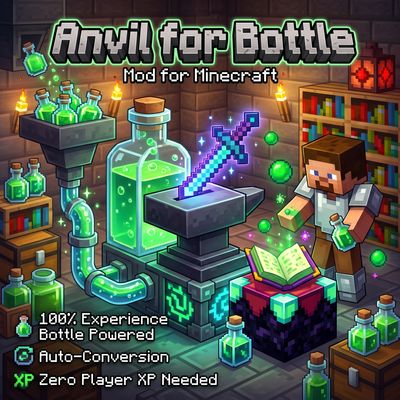
Anvil Enchanting Table for Bottle
Anvil for Bottle removes the need for player XP levels when repairing, combining, renaming, or enchanting items! Instead, power your workstation directly with Bottles o' Enchanting —manually or fully automated with hoppers.
 mod
CurseForge + Modrinth · Minecraft
Tinkers' Gadgets
A lightweight Tinkers' Construct addon featuring tools, new materials, and exclusive projectile traits.