Minecraft version
Back to mods 
Modrinth · Minecraft mod
Final Beta
A (Cursed) Fabric mod for Minecraft Beta 1.7.3 that adds some quality of life changes and fixes some issues.
Choose a version Pick your version below, then grab the matching file.
Quick answer
Which Final Beta release matches b1.7.3?
Best match for your filters 1.4.0-modloader
Game version b1.7.3
Loader modloader
Final Beta 1.4.0-modloader targets b1.7.3 with modloader. Installation on the client is optional. Installation on the dedicated server is optional. No extra mods listed for this file.
Where it goes
Is Final Beta required on the client, server, or both?
Installation on the client is optional. Installation on the dedicated server is optional.
Client Optional
Dedicated server Optional
Loader for this release modloader
Required install it here Optional supported, not mandatory Not supported do not install here Source doesn’t say do not assume
The source marks this as usable on both the client and server.
What else does Final Beta 1.4.0-modloader need?
1.4.0-modloader on b1.7.3. Every mod below is checked against that same setup.
This file does not list any required mods. Do not add a library just because a different file uses it.
This file does not list any required or optional mods.
Before you install it
Add Final Beta without breaking your instance.
Built for Final Beta 1.4.0-modloader on b1.7.3. Pick another file and the loader, install side or required mods may change.
- 01
Stick to this file
Use 1.4.0-modloader. It targets b1.7.3 with modloader; another release may have different loader, side or dependency requirements.
- 02
Bring the mods it needs
This file does not list any required mods. Do not add a library just because a different file uses it.
- 03
Put it on the correct side
Installation on the client is optional. Installation on the dedicated server is optional.
- 04
Pick the file you checked
Use the “Get this file” button beside 1.4.0-modloader. It opens that exact file at the source.
About this project
What does Final Beta add?
Final Beta
A (Cursed) Fabric mod for Minecraft Beta 1.7.3 that adds some quality of life changes and fixes some issues.
There's a very high chance this mod will not work in multiplayer, as of right now it is purely for singleplayer
You can change what fixes get applied using the config found in one of the following paths:
| OS | Location |
|---|---|
| Windows | %appdata%/.minecraft/config/finalbeta.toml |
| Linux | ~/.minecraft/config/finalbeta.toml |
| macOS | ~/Library/Application Support/minecraft/config/finalbeta.toml |
Note that if you're using something like MultiMC or any of its derivates the folder will be in a different location, in those instances simply right click on your profile and click on "Folder", this will open the location where you can find the .minecraft folder and follow the path from above.
List of changes
Quality of Life changes
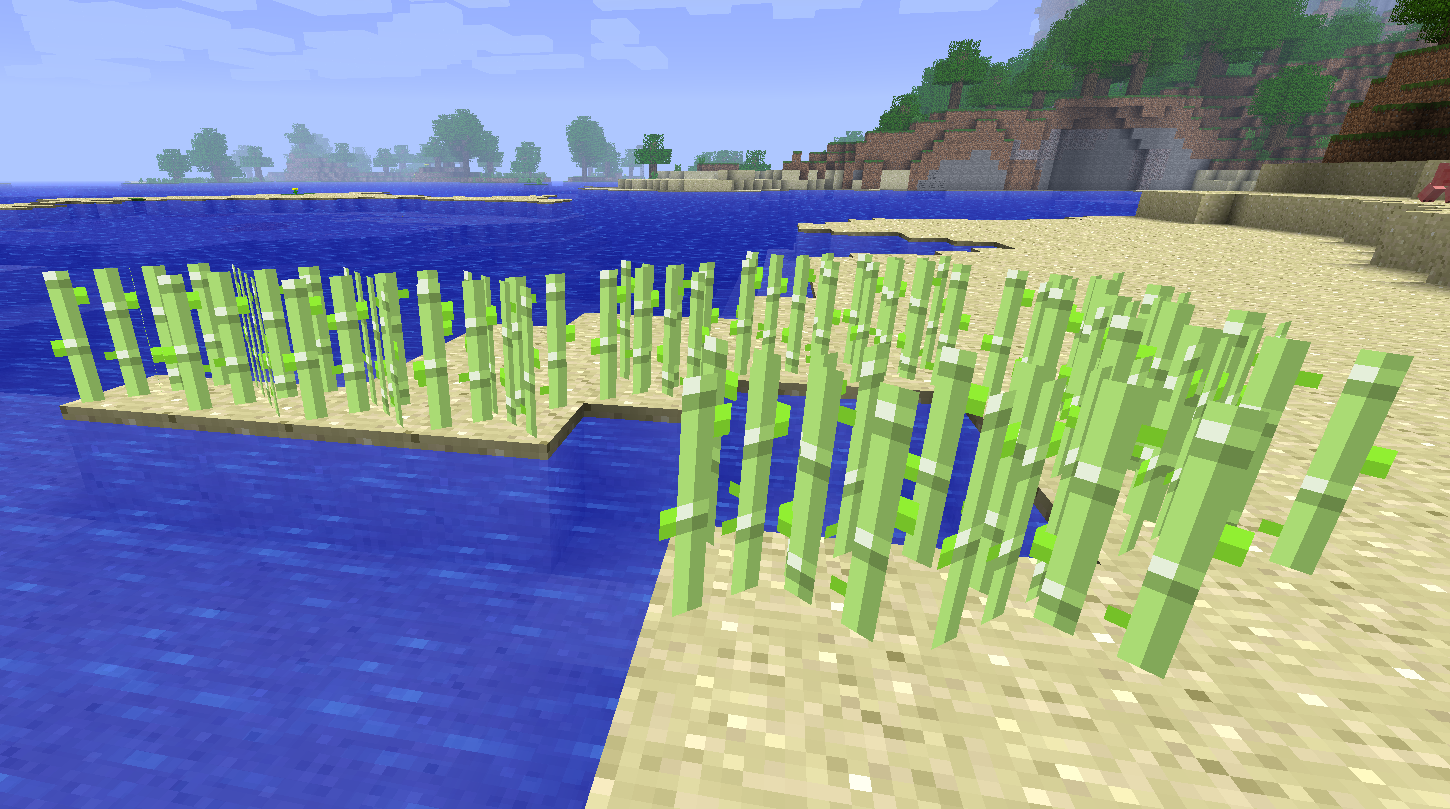
Sugar canes can now be places on sand
More sounds
- Opening / closing chests
- Minecarts
- Items breaking
- Climbing ladders
Note: The mod doesn't add any sounds by itself, all of these sounds are already present in your "resources" folder, they are automatically downloaded by Minecraft itself
Adds Clouds toggle in Video Settings
Adds Cloud height slider in Video Settings
Removes the id tags above entities while in F3 mode
Before: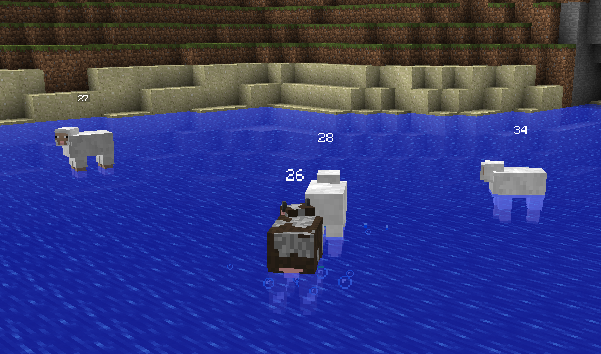
After: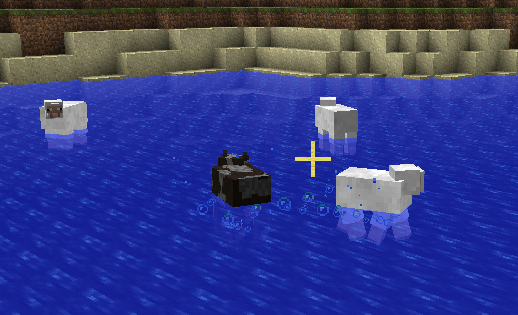
Added amount of ingame days and real life days of playtime in F3 overlay
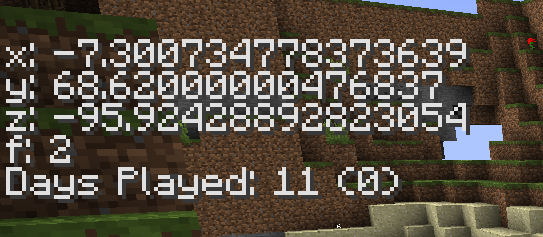
Format: ingame days (real life days)
The ingame time is calculated using the world's time, this means that other mods that poorly reset the time of day might influence it, sleeping also passes 1 ingame game as expected.
Real life days are calculated differently from the world time but are stored in the world's data (level.dat) if this file gets corrupted or deleted both ingame time and real life time will be lost.
Note: Unfortunately due to how the time is tracked real life days will start being counted since this mod gets installed, any prior time not being tracked. Ingame days will however be tracked correctly.
Two different config options to handle how boats break
- Default config (value of 2) allows boats to break only when they crash with almost maximum speed. Making them less likely to break randomly.
- A value of 1 disables boat breaking logic entirely.
Items can now be repaired at crafting tables
Dyed wool can be turned back into white wool using bone meal
Minecart improvements
Such as a 25% increased in speed
Or furnace minecarts pushing other minecarts in their path
Or furnace minecarts loading chunks around them when going on tracks.
Fixes
Fixes selected blocks being rendered under text in containers
Before: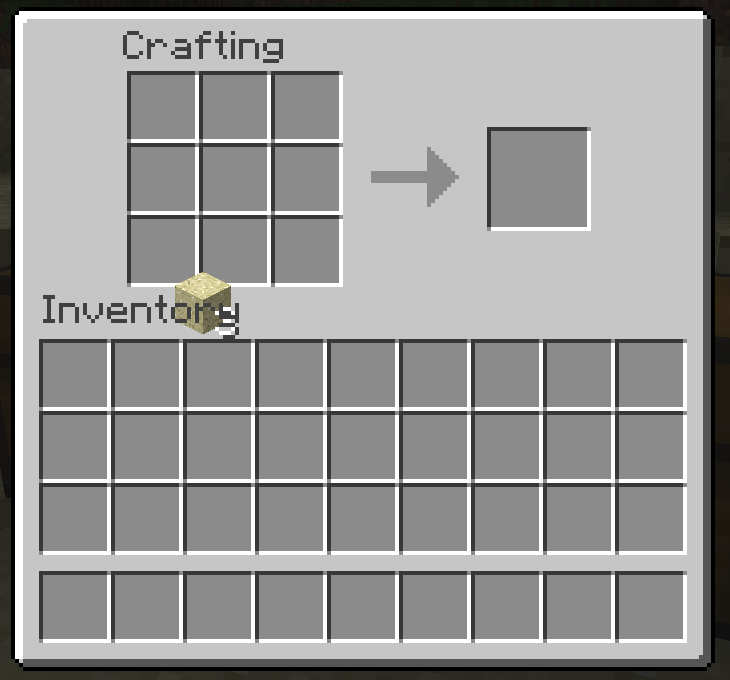
After: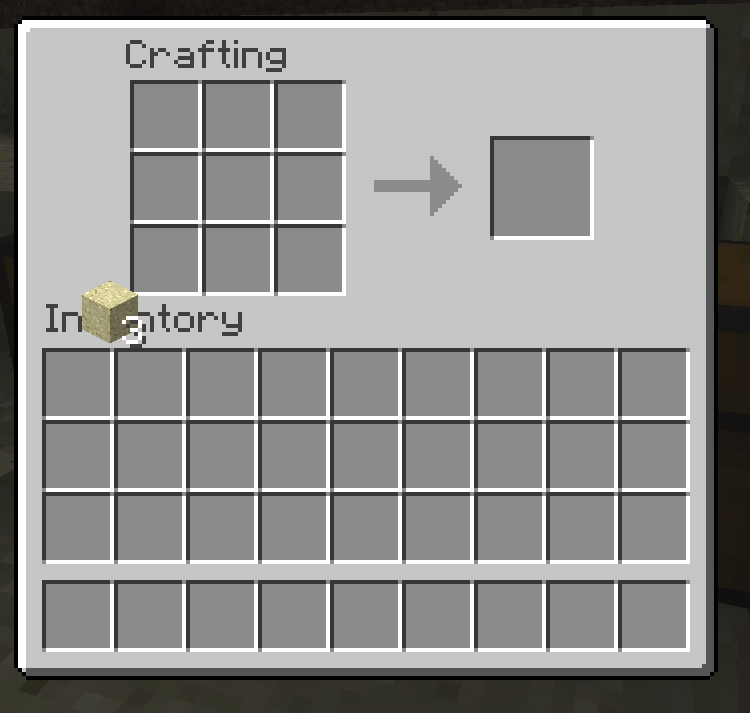
Fixes the death screen's &e0 message
Before: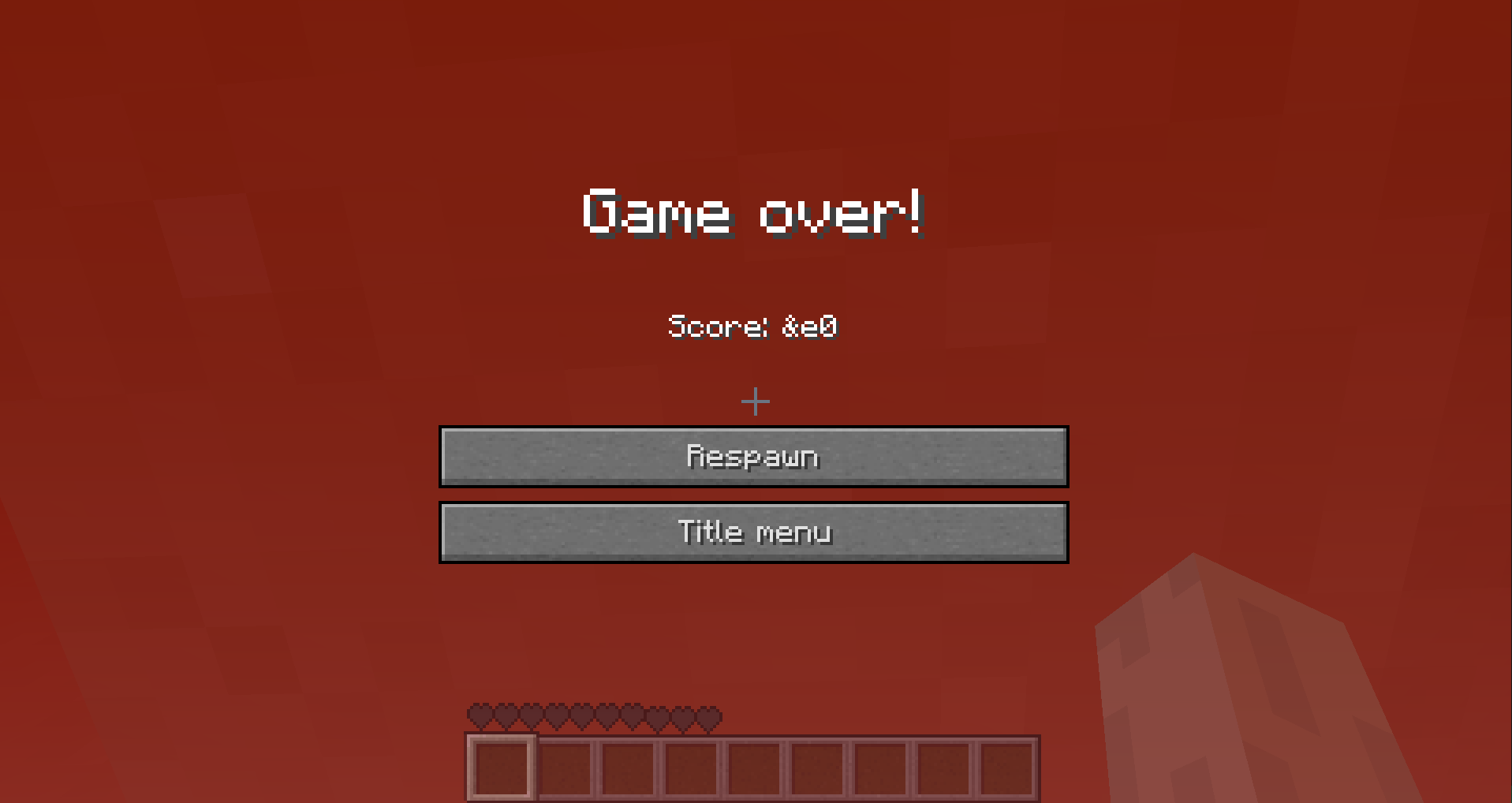
After: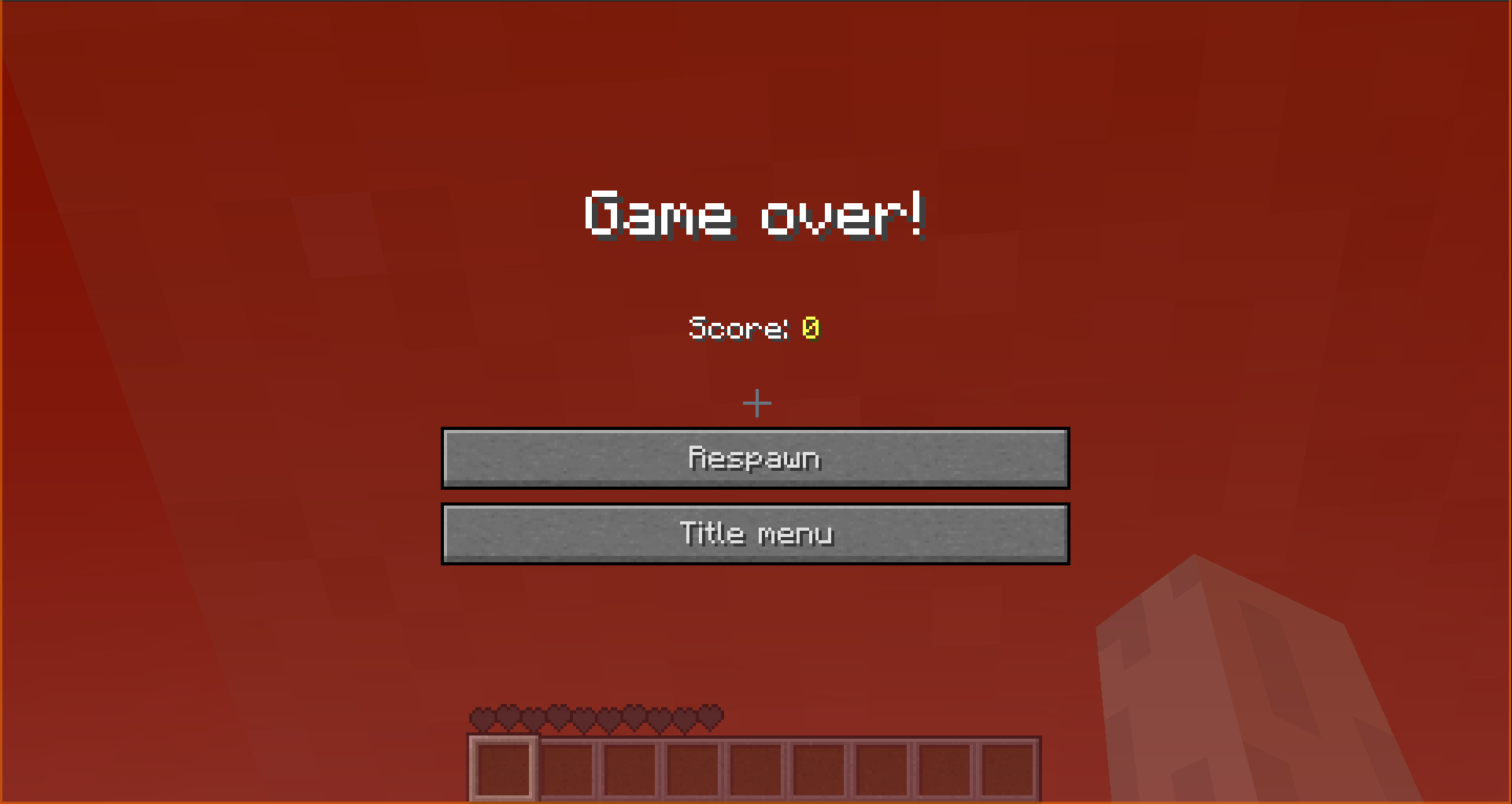
Note: Score will always be 0 as nothing gives score in this version
Made bows bigger and facing the right direction
Before: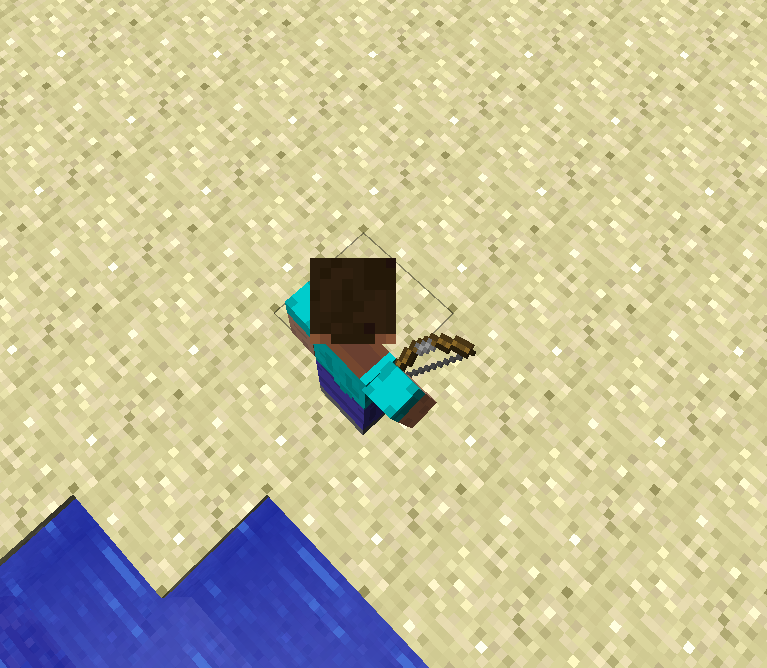
After: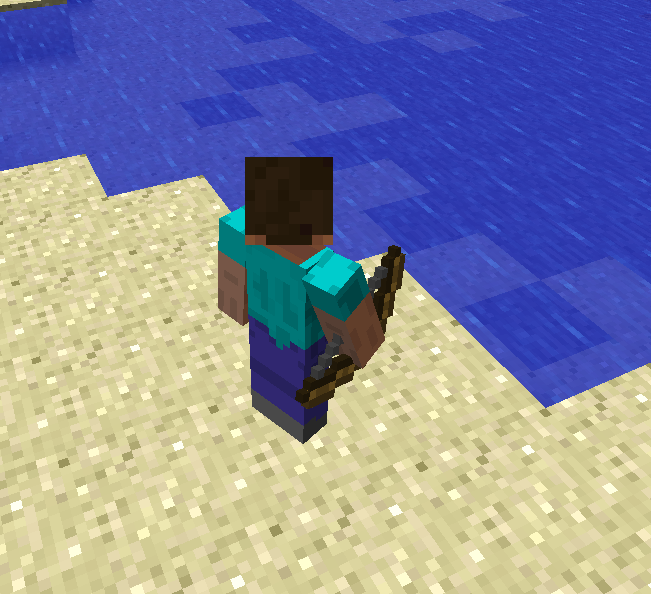
Also slightly update the skeleton's model to better hold the bow
Before: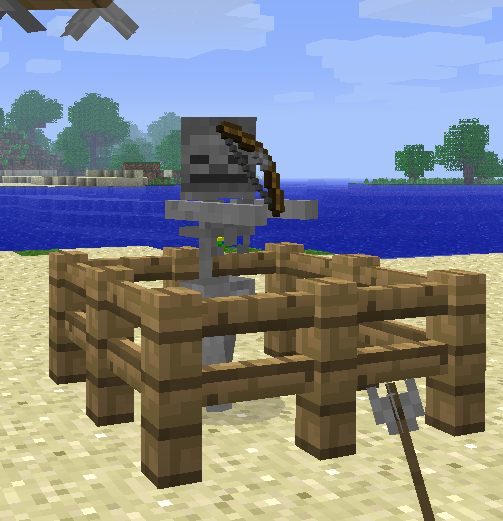
After: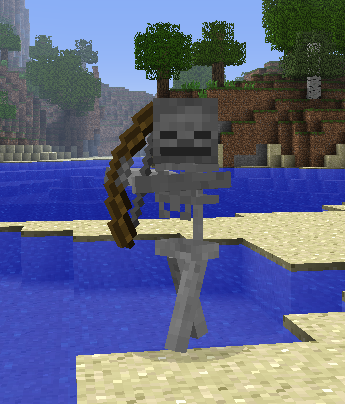
Updated list of blocks that pickaxes, shovels and axes can mine quicker
Extra pickaxe blocks:
- Cobblestone stairs
- Redstone ore
- Iron door
- Bricks
- Furnaces
- Dispensers
- Stone pressure plates
- Rails
- Detector rails
- Powered rails
- Pistons
- Sticky pistons
Extra axe blocks:
- Wooden stairs
- Door
- Pressure plates
- Jukebox
- Note blocks
- Pumpkins
- Signs
- Trapdoors
- Ladders
- Crafting tables
- Fences
Extra shovel blocks:
- Soul sand
Stairs will now drop themselves rather than cobble/planks
Before:
After:
Fixes leg armor not being updated while riding
Before:
After:
Before: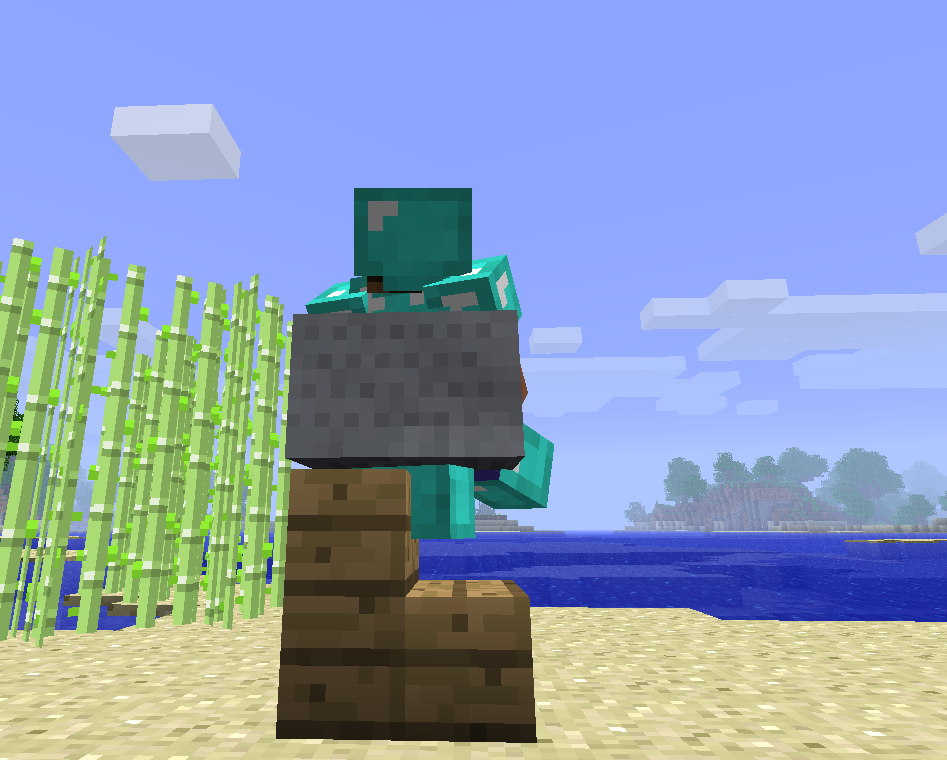
After: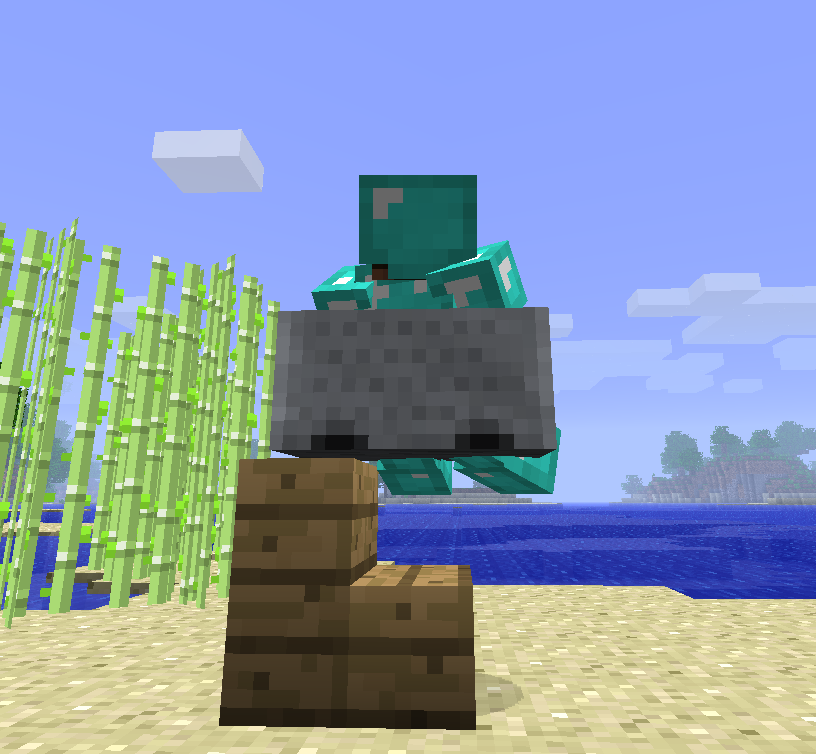
Fixes fishes going above the player's head
Before:
After:
Fixes Minecarts hardstopping when hitting arrows or dropped items on tracks
Before:
After:
Fixes Minecarts flickering while moving
Before:
After:
Fixes torches (and redstone torches) not having a bottom texture
Before: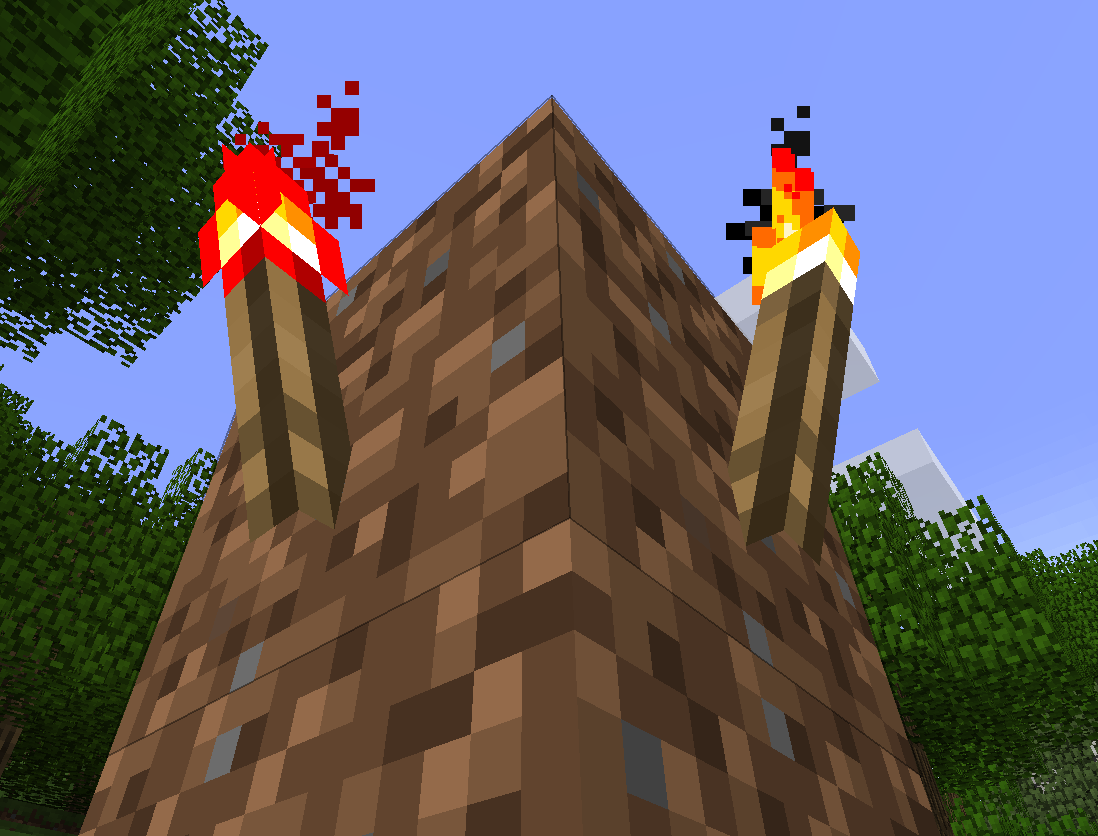
After: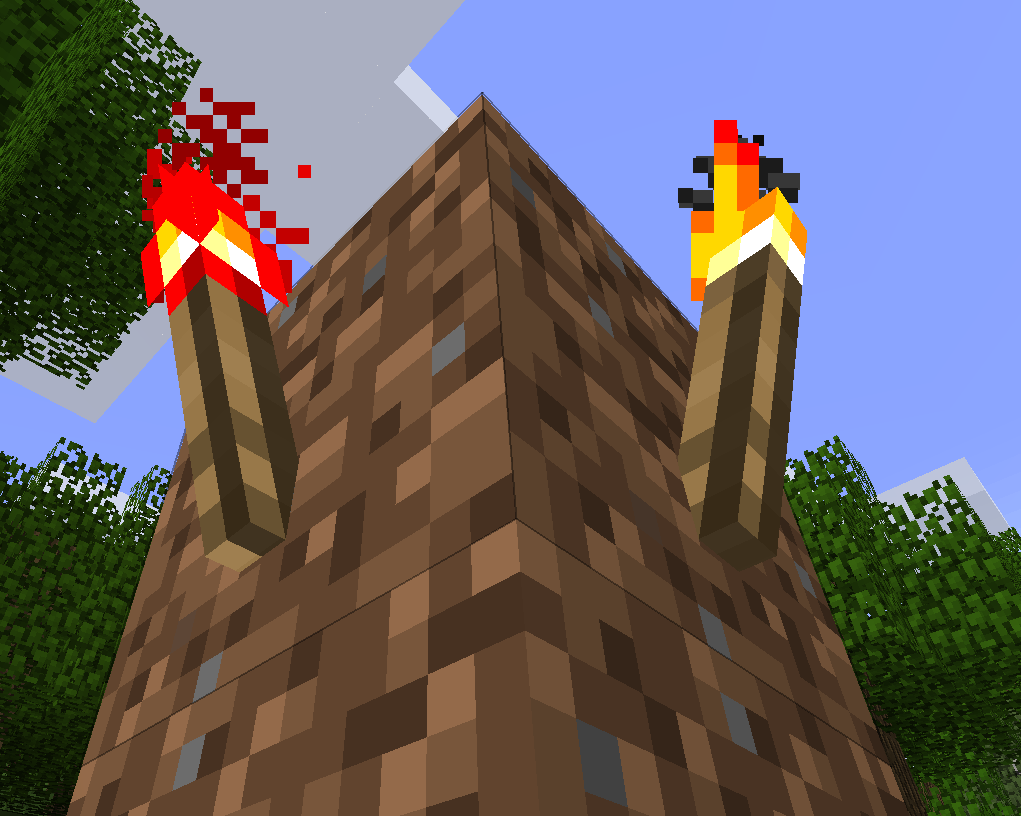
Fixes saddled pigs not dropping their saddles on death
Before:
After:
Fixes furnaces consuming the buckets as well when using lava buckets
Before:
After:
Fixes bookshelves not dropping anything when mined
Before:
After:
Fixes double doors not working with pressure plates
Before:
After:
Note: This is not the prettiest of fixes and edge cases might still exist as I didn't test it in normal gameplay for long periods of time. If you experience any issues with already placed doors break them and then place them again, this should fix them.
Fixes furnace minecarts permanently destroying unused coal loaded in them
Before:
After:
As well as a bunch of other minor issues not worth having before/after images such as:
- ghasts getting killed in 1 hit by their reflected fireballs
- slimes not splitting when their HP gets reduced below 0
- fixes grass block items being rendered incorrectly
- made the chicken hitbox slightly taller
- allows the use of
shiftkey to drop the entire held stack and to exit vehicles - adds a config option that disables nightmares (mosters spawning at your bed while sleeping), disabled by default
- adds a config option that disables bed functionality (so no more spawn point setting or night skipping), disabled by default
- replaces the fence's bulky hitbox with a more slim version
- removing the useless 10mb array wasting resources
Install
ModLoader
MultiMC / Prism Launcher
- Download the latest version of the mod
- Download the ModLoader zip archive from here
- If you happen to crash with a URL is not hierarchical error please install this patched version of ModLoader instead
- Open MultiMC / Prism Launcher and create a new profile with no mod loader
- Right click this new profile and click Edit
- In the Versions tab click on Add to Minecraft.jar
- Add both the ModLoader zip archive and the mod zip archive
CursedFabric
Vanilla Launcher
- Download the Vanilla Launcher installer of Cursed Legacy Fabric from https://minecraft-cursed-legacy.github.io/downloads.html
- Run the installer and let it finish
- Download the latest version of the mod
- Navigate your .minecraft > b1.7.3 > mods folder and drop the mod .jar file there
- Start the launcher and make sure you pick the Cursed Fabric profile before starting the game
MultiMC / Prism Launcher
- Download the MultiMC archive of Cursed Legacy Fabric from https://minecraft-cursed-legacy.github.io/downloads.html
- Open your MultiMC / Prism Launcher
- Drag the .zip file into the launcher (you can also choose a different name for this profile now) and click Ok
- Download the latest version of the mod
- Navigate to the newly created instance's location (easier way to do this is from your launcher right click on the profile and select Folder)
- Go in the .minecraft > mods folder and drop the mod .jar file there
- Go back to your launcher and start the Cursed Fabric profile you've just installed
FAQ
Q: What is this ?
A minecraft mod for beta 1.7.3 aiming to fix some of the more annoying issues with it without changing or bloating the game too much.
Q: Why Beta 1.7.3 ?
Minecraft Beta 1.7.3 is a popular version to play for nostalgia but also because of how different it is, there is no running, ender dragon or goal, and its much more of a sandbox in its true sense. Some people really like playing on this version, however it does come with a lot of small annoyances, this mod aims to fix those and make the game more enjoyable.
Q: My achievements screen is all messed up / Torches have corrupted textures /
Entities and items don't seem to burn
Its very likely you have the Cursed Legacy API installed, you do not need it for this mod to work and it actually causes more problems when installed (at least at the time of writing this)
Q: There's a certain feature/change I don't like, can I turn it off ?
Chances are that yes you can, the mod comes with a config containing flags for most of the changes/fixes.
This config can be found in the follow location: .minecraft/config/finalbeta.toml
The exact location of the .minecraft folder will depend on the launcher you're using.
Q: Why rewrite it for ModLoader ?
Couple of reasons:
- first because it was a fun experience and I wanted to try it out
- secondly for extra compatibility with other mods from that time
- finally it is much easier (especially nowadays with MultiMC/Prism) to install ML mods so for some people it might be more convenient especially when paired with the above reason
Q: How does it compare with the original Cursed Fabric version ?
Feature wise they are 1:1 and they'll remain as such until either stops being updated.
Q: Is it safe to move my world from Cursed Fabric to ModLoader ?
Generally speaking yes, however its good practice to always make backups before doing any major change
Q: Will the Cursed Fabric version continue to get updates ?
Yes
Q: Are there any drawbacks to using the ModLoader version ?
Yes, quite a few
The big difference is in how they're made, ModLoader does not benefit from mixins and their power, instead decompiling and editing files. As some of you might be aware if two mods edit the same file that's a big no no and one of them will stop working. This is 100% true and the biggest issue due the lack of mixins and there is no real fix for it at the moment. The only "fix" is for certain parts to be rewritten to not modify the original file wherever possible
Thankfully the way the mod is designed most of the patches are independent from each other and can be removed from the zip file without any issues.
While the config still exists in this version turning off a patch does not mean the compatibility issue will be fixed! If there is one and the file can be removed then removing it is the only option.
Project description from Modrinth.
Pick your setup
Final Beta by Minecraft version and loader
Choose the version and loader you play, then open the matching release.
Check the dependencies, then try the file in a copied instance before changing a world you care about.
Recent files
Final Beta versions and loaders
1.4.0-modloader
finalbeta-1.4.0-modloader.zip
30 Jun 2025
Client Optional Server Optional Dependencies No extras listed Listed on Release listing
Check the b1.7.3 · modloader setup b1.7.3modloader release
1.4.0-cursed
finalbeta-1.4.0-cursed.jar
30 Jun 2025
Client Optional Server Optional Dependencies No extras listed Listed on Release listing
Check the b1.7.3 · Fabric setup b1.7.3Fabric release
1.3.0
finalbeta-1.3.0.jar
24 Dec 2024
Client Optional Server Optional Dependencies No extras listed Listed on Release listing
Check the b1.7.3 · Fabric setup b1.7.3Fabric release
1.2.0
finalbeta-1.2.0.jar
30 Aug 2024
Client Optional Server Optional Dependencies No extras listed Listed on Release listing
Check the b1.7.3 · Fabric setup b1.7.3Fabric release
1.1.0
finalbeta-1.1.0.jar
8 Jan 2024
Client Optional Server Optional Dependencies No extras listed Listed on Release listing
Check the b1.7.3 · Fabric setup b1.7.3Fabric release
1.0.0
finalbeta-1.0.0.jar
10 Aug 2023
Client Optional Server Optional Dependencies No extras listed Listed on Release listing
Check the b1.7.3 · Fabric setup b1.7.3Fabric release
Looking for an older file? The official Modrinth project page is in Resources.
 mod
mod Modrinth · Minecraft
NowObtainableRecipes StationAPI
A StationAPI mod for Minecraft Beta 1.7.3 that adds recipes for normally unobtainable items.
 mod
mod Modrinth · Minecraft
legacy-lwjgl3
An ornithe mod to run old versions (<1.13) using LWJGL 3 instead of LWJGL 2 and fix/work around wayland bugs
 mod
mod Modrinth · Minecraft
Better than WAILA
A "What Am I Looking At" type mod for Better than Adventure (A heavily modified version of beta 1.7.3)