Minecraft version
Back to mods 
Modrinth · Minecraft mod
Glamour Table
An in-game texture editor for tools and canvases.
Choose a version Pick your version below, then grab the matching file.
Quick answer
Which Glamour Table release matches 26.2?
Best match for your filters 26.2.0+mod
Game version 26.2
Loader Fabric, Forge, NeoForge
Glamour Table 26.2.0+mod targets 26.2 with Fabric, Forge, NeoForge. Installation on the client is optional. Installation on the dedicated server is optional. No extra mods listed for this file.
Where it goes
Is Glamour Table required on the client, server, or both?
Installation on the client is optional. Installation on the dedicated server is optional.
Client Optional
Dedicated server Optional
Loader for this release Fabric, Forge, NeoForge
Required install it here Optional supported, not mandatory Not supported do not install here Source doesn’t say do not assume
The source marks this as usable on both the client and server.
What else does Glamour Table 26.2.0+mod need?
26.2.0+mod on 26.2. Every mod below is checked against that same setup.
This file does not list any required mods. Do not add a library just because a different file uses it.
This file does not list any required or optional mods.
Before you install it
Add Glamour Table without breaking your instance.
Built for Glamour Table 26.2.0+mod on 26.2. Pick another file and the loader, install side or required mods may change.
- 01
Stick to this file
Use 26.2.0+mod. It targets 26.2 with Fabric, Forge, NeoForge; another release may have different loader, side or dependency requirements.
- 02
Bring the mods it needs
This file does not list any required mods. Do not add a library just because a different file uses it.
- 03
Put it on the correct side
Installation on the client is optional. Installation on the dedicated server is optional.
- 04
Pick the file you checked
Use the “Get this file” button beside 26.2.0+mod. It opens that exact file at the source.
About this project
What does Glamour Table add?
Resource Pack Info
This datapack requires the included resource pack to function! The resource pack is included as GlamourRP.zip in the root directory of the datapack. You can also download the resource pack on its own from the page for the specific version here on Modrinth. Regardless of how you download it, make sure it's added to your Minecraft resources directory and enabled in game!
Introduction
This datapack adds a two new utility blocks to Minecraft - the Painting Table and the Glamour Table.
The painting table can be used to create 1x1 custom paintings that can be hung in item frames.
The glamour table can be used to change the appearance of tools.
Both tables use paintbrushes to edit textures entirely in game.
Recipes
The painting table can be crafted using planks, a bowl, and a brush: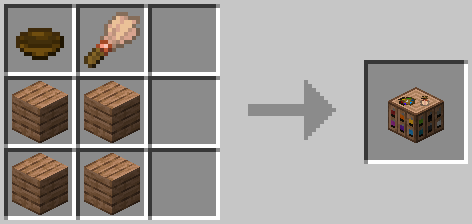
To use a painting table, you'll need to create canvases using sticks and a carpet. The color of carpet used will determine the base color of the canvas: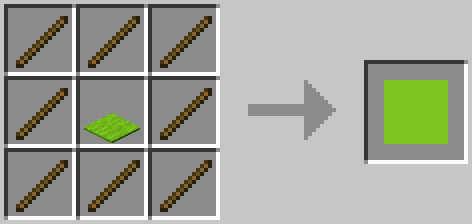
The glamour table can be crafted using glowstone, a creaking heart, diamonds, and any carpet: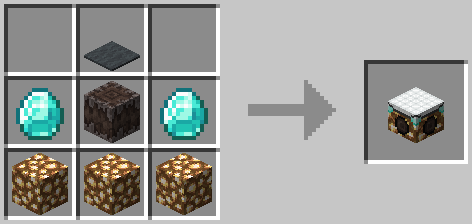
To use the glamour table, you'll need to prepare your tools in a smithing table. Add an eye of ender and a piece of glowstone, and your tool's texture will be updated to an outline.
To create paint brushes, add dye to brushes in a crafting table. The final color of the paint brush is determined using the same formula as dyed armor: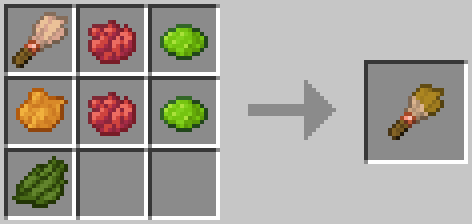
Editing Textures
Right click the glamour or paint table with the item you'd like to edit to place it. Paint tables can only edit canvases, and glamour tables can only edit items.
To edit the item's texture, you can either use dyes directly, or use a paintbrush. Just right click the pixel you want to edit with the dye or brush! You can also right click with a slime ball to remove a pixel.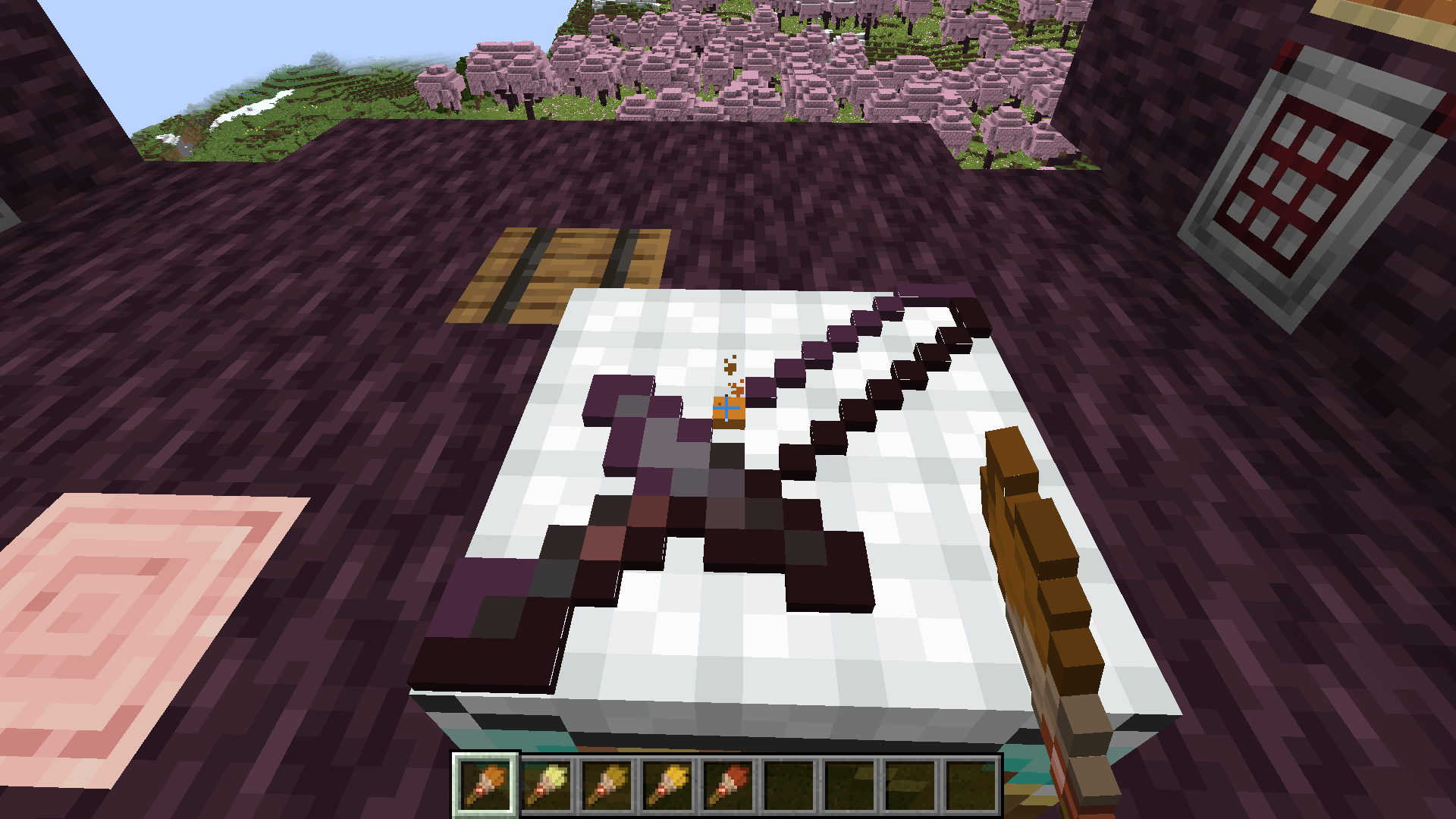
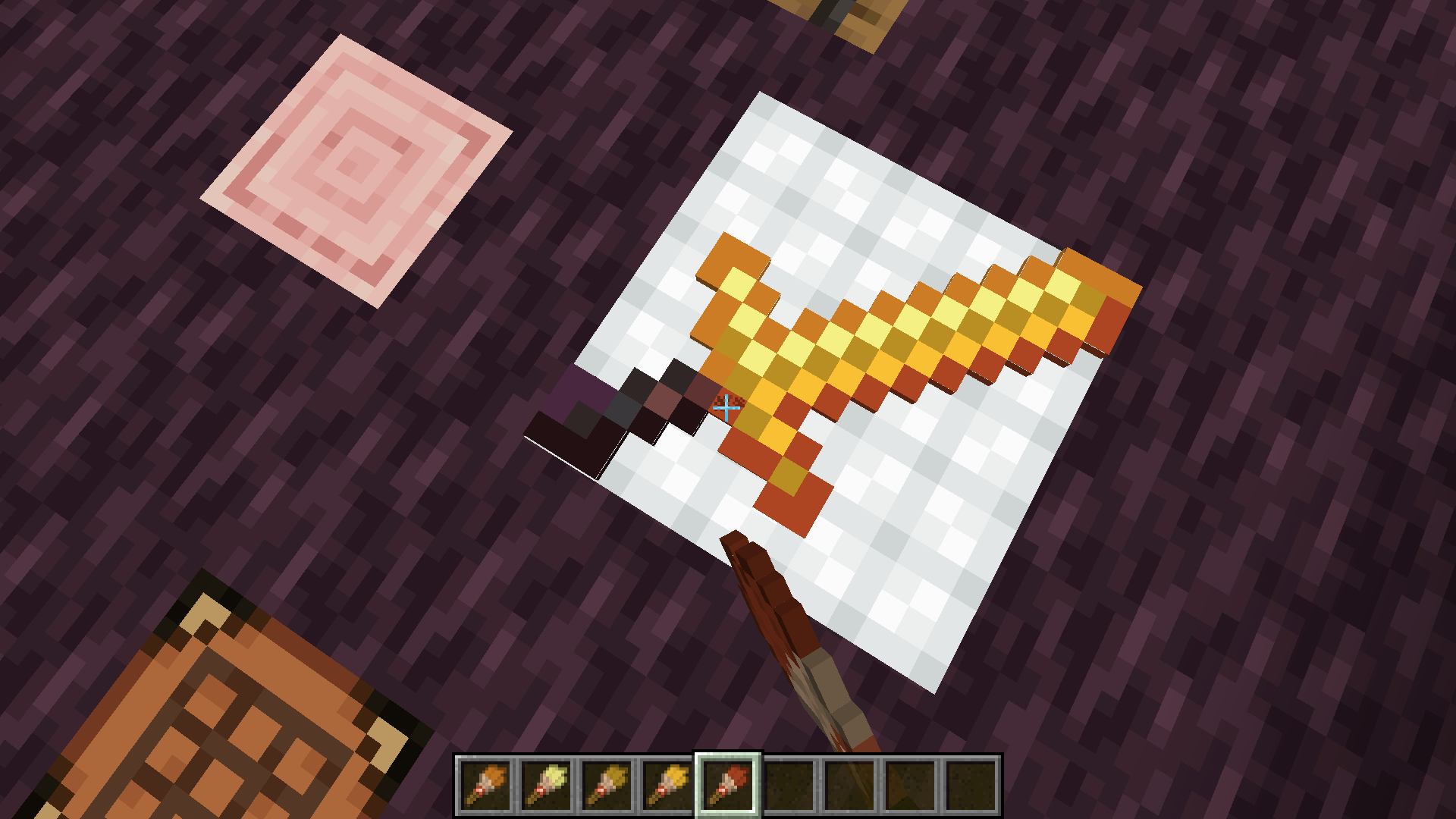
Once you're satisfied with the updated texture, just right click with an empty hand to retrieve your tool!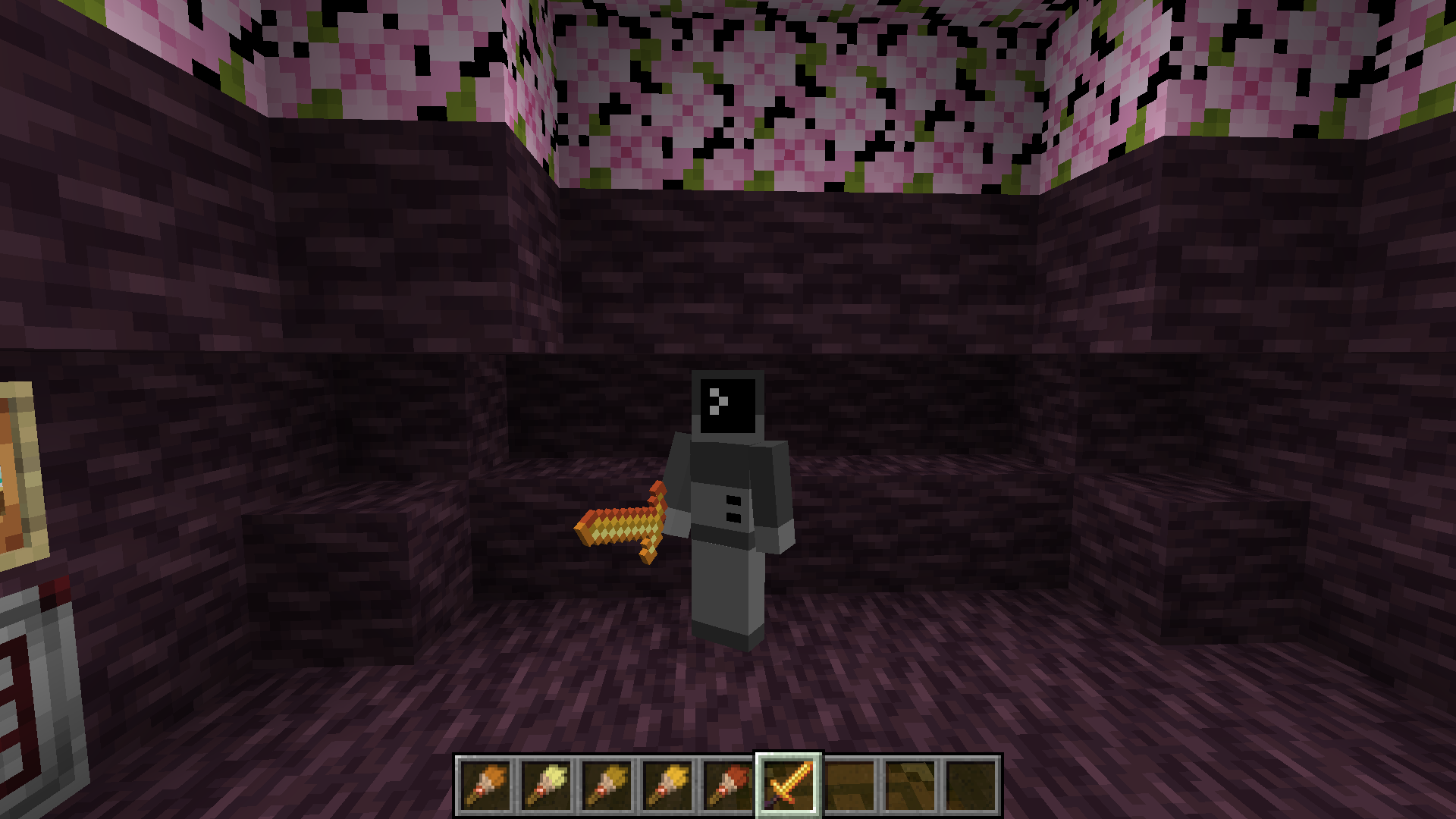
If you want to remove the texture from a tool, place it on the glamour table and right click with a wet sponge. The custom texture will be removed from your item.
Items that can have glamours applied include:
- All pickaxes, axes, shovels, hoes, and swords.
- Maces
Texture Helper Tool
With some help from Arubik, I've put together a webapp to help create items compatible with this resource pack. This tool can either generate a give command for an item with exact RGB values for each pixel, or reduce the colors in the texture to those obtainable by dyes and generate a paint-by-number template to create the texture in survival.
The tool can be accessed here: https://dqwertyc.github.io/glamour-table/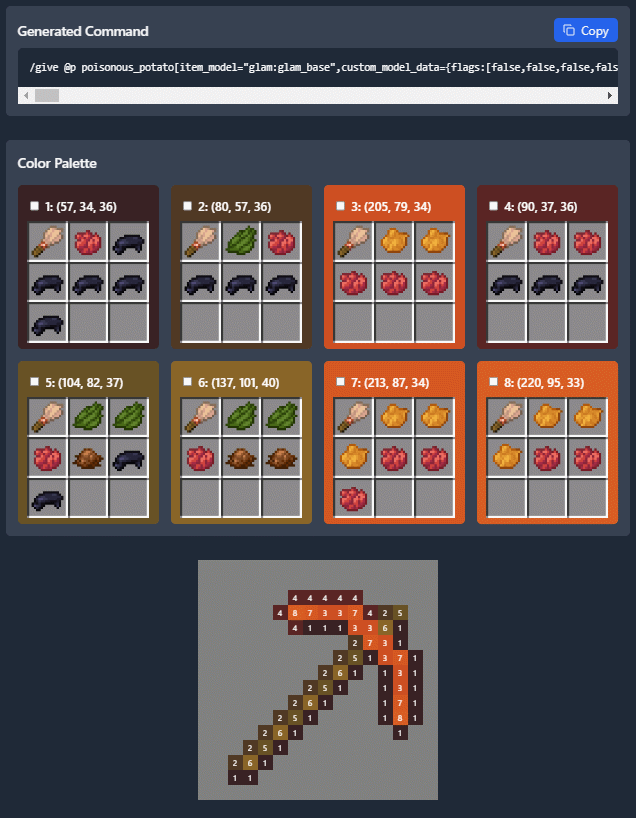
Project description from Modrinth.
Pick your setup
Glamour Table by Minecraft version and loader
Choose the version and loader you play, then open the matching release.
Minecraft version
26.2
5 loader buildsMinecraft version
26.1.2
5 loader buildsMinecraft version
26.1.1
5 loader buildsMinecraft version
26.1
5 loader buildsMinecraft version
25w06a
1 loader buildMinecraft version
25w02a
1 loader buildMinecraft version
24w46a
1 loader buildMinecraft version
24w45a
1 loader buildMinecraft version
1.21.10
5 loader buildsMinecraft version
1.21.9
5 loader buildsMinecraft version
1.21.6
1 loader buildShowing the newest 12 of 15 game versions. Older files are in the list below.
Check the dependencies, then try the file in a copied instance before changing a world you care about.
Recent files
Glamour Table versions and loaders
26.2.0+mod
glamour-table-26.2.0.jar
8 Jul 2026
Client Optional Server Optional Dependencies No extras listed Listed on Release listing
Check the 26.2 · Fabric setup 26.2FabricForgeNeoForge release
26.2.0
GlamourDP.zip
12 Jun 2026
Client Optional Server Optional Dependencies No extras listed Listed on Release listing
Check the 26.2 · datapack setup 26.2datapack release
Looking for an older file? The official Modrinth project page is in Resources.
 mod
CurseForge + Modrinth · Minecraft
Remnants | RPG Mobs
Monsters grow stronger the farther, deeper and longer you play, with levels, five ranks, sixteen traits and rare named Remnants with boss bars.
 mod
Modrinth · Minecraft
Litematica-Printer-Hana
litematica-printer, following multiple revisions by Hana
 mod
Modrinth · Minecraft
PieChart
Toggle and edit the Pie Chart.