Minecraft version
Back to mods 
Modrinth · Minecraft mod
Pathmind
Scratch for Minecraft automation
Choose a version Pick your version below, then grab the matching file.
Quick answer
Which Pathmind release matches 26.2?
beta file 1.1.5+mc26.2-neoforge
Game version 26.2
Loader NeoForge
Pathmind 1.1.5+mc26.2-neoforge targets 26.2 with NeoForge. It must be installed on the client. Do not install it on the dedicated server. No extra mods listed for this file.
Where it goes
Is Pathmind required on the client, server, or both?
It must be installed on the client. Do not install it on the dedicated server.
Client Required
Dedicated server Not supported
Loader for this release NeoForge
Required install it here Optional supported, not mandatory Not supported do not install here Source doesn’t say do not assume
This file is marked client-only.
What else does Pathmind 1.1.5+mc26.2-neoforge need?
1.1.5+mc26.2-neoforge on 26.2. Every mod below is checked against that same setup.
This file does not list any required mods. Do not add a library just because a different file uses it.
This file does not list any required or optional mods.
Before you install it
Add Pathmind without breaking your instance.
Built for Pathmind 1.1.5+mc26.2-neoforge on 26.2. Pick another file and the loader, install side or required mods may change.
- 01
Stick to this file
Use 1.1.5+mc26.2-neoforge. It targets 26.2 with NeoForge; another release may have different loader, side or dependency requirements.
- 02
Bring the mods it needs
This file does not list any required mods. Do not add a library just because a different file uses it.
- 03
Put it on the correct side
It must be installed on the client. Do not install it on the dedicated server.
- 04
Pick the file you checked
Use the “Get this file” button beside 1.1.5+mc26.2-neoforge. It opens that exact file at the source.
About this project
What does Pathmind add?



A visual sandbox for designing automation workflows in Minecraft
🇺🇸 English · 🇩🇪 Deutsch · 🇪🇸 Español · 🇫🇷 Français · 🇵🇱 Polski · 🇧🇷 Português (BR) · 🇷🇺 Русский
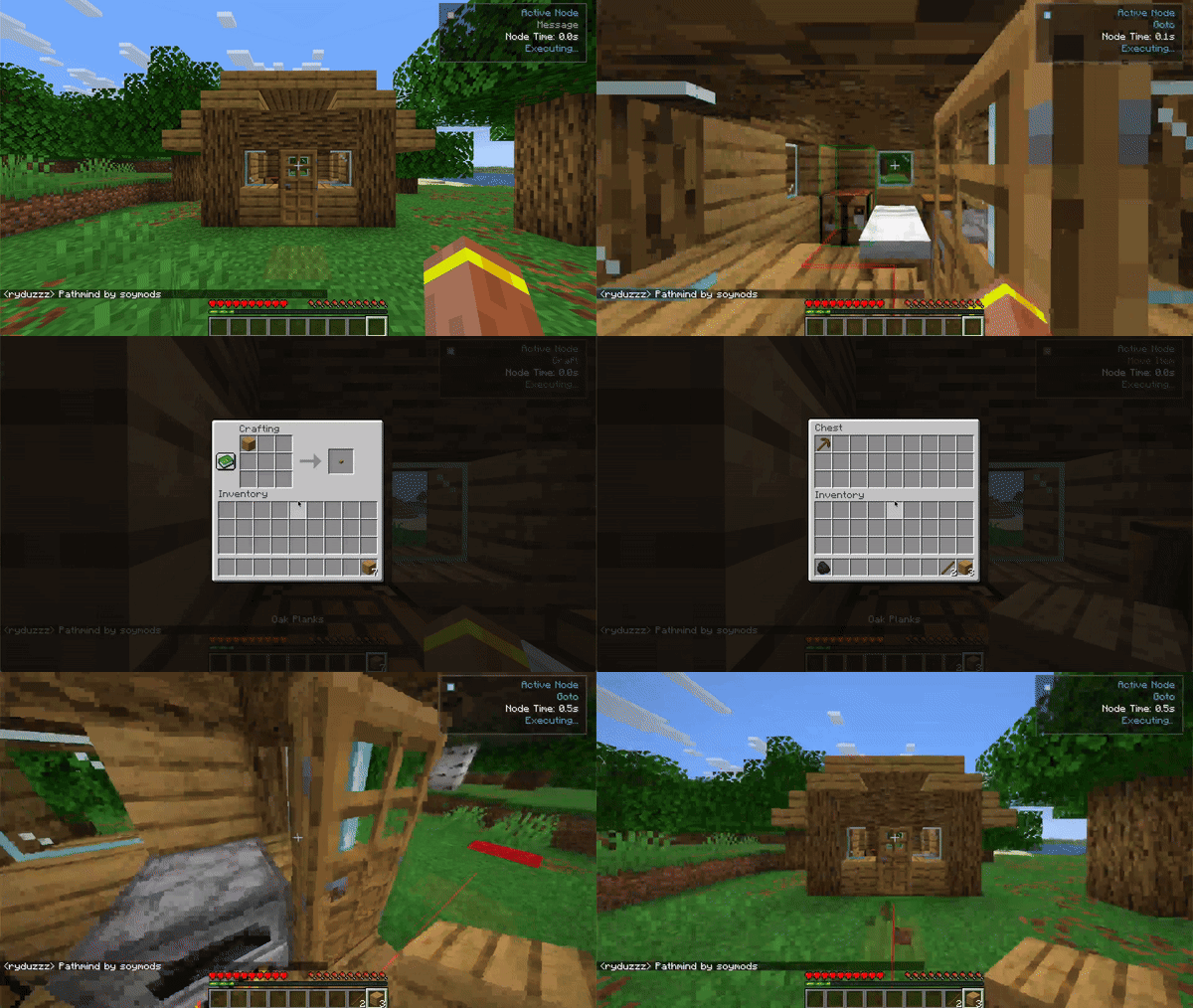
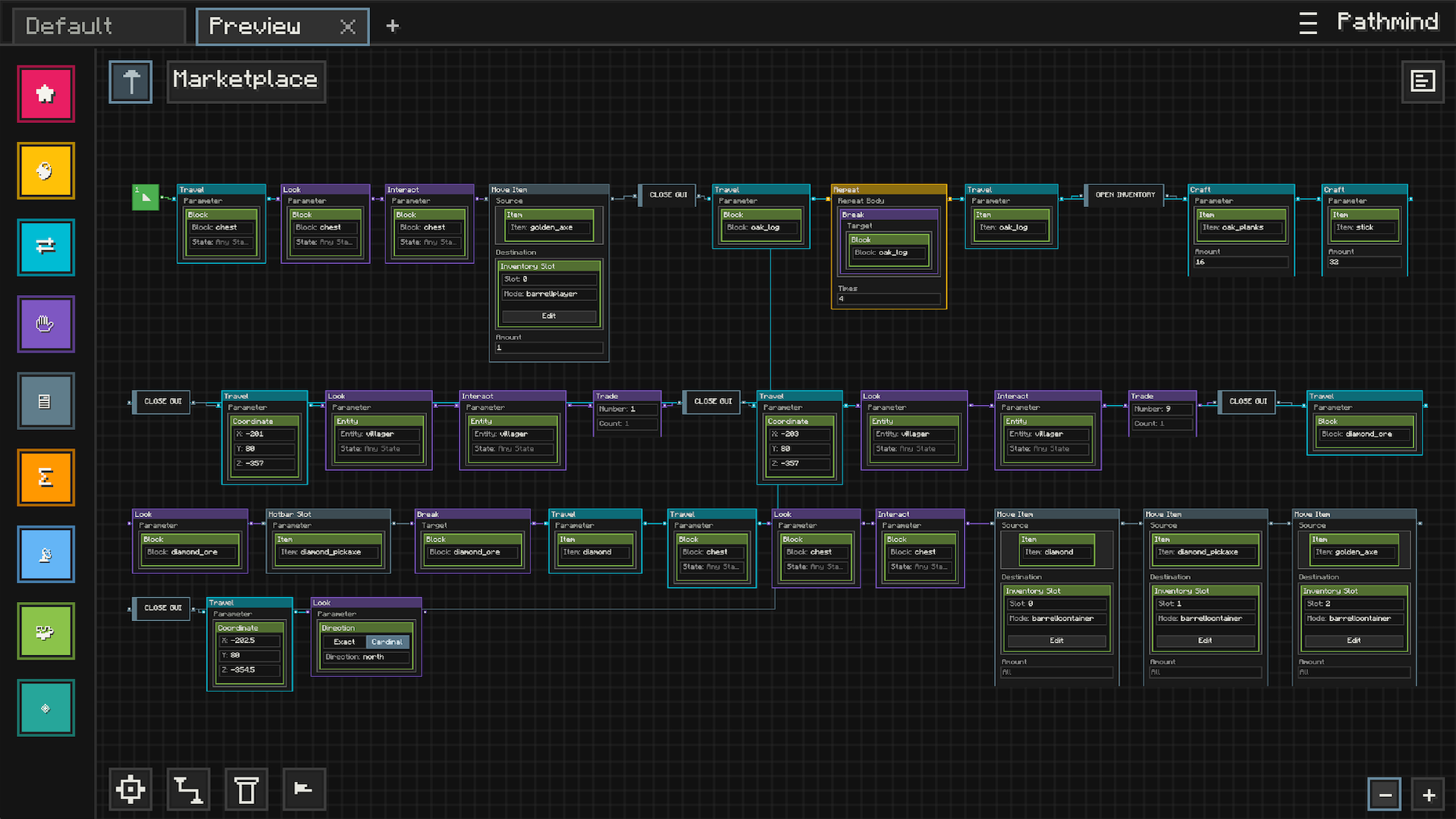
Features
Visual Automation
- Node-Based Editor: Build automation visually with nodes, connections, and editable parameters instead of commands or scripts
- Readable Workflows: Lay out your logic in a way that is easy to follow, revisit, and expand over time
- Creative Sandbox: Experiment with behaviors, interactions, and systems inside a dedicated in-game workspace
Workspace And Presets
- Saved Graphs: Keep your automation setups as reusable presets you can come back to later
- Organized Editing: Work across multiple presets and continue refining them as your ideas grow
- Import And Share: Bring in community-made setups or use your own presets as building blocks for larger systems
In-Game Execution
- Live Workflow Runtime: Run graphs directly in Minecraft and watch them respond while you play
- Visual Feedback: See execution state, runtime feedback, and validation cues while building and testing
- Flexible Logic: Combine actions, conditions, reusable logic, and event-driven behavior into larger workflows
Navigation And Interaction
- Movement Automation: Build workflows around movement, navigation, and world interaction
- Expanded Integrations: Optional integrations can extend what Pathmind can do in supported setups
- Built For Play: Designed to feel like a Minecraft tool, not an external scripting environment
Community Marketplace
- Browse Presets In-Game: Discover automation setups made by other players without leaving Minecraft
- Publish Your Own Work: Share your presets with the community through the built-in marketplace
- Start From Examples: Import existing presets and adapt them to your own world, style, or ideas
Video Showcase
Quick Start
Prerequisites
- Minecraft: 1.21 through 1.21.11
- Fabric Loader: 0.17.3 or higher
- Fabric API: version matching your Minecraft version
- Java: 21 or higher
Installation
- Install Fabric Loader
- Download and install Fabric Loader for your Minecraft version
- Download from FabricMC
- Install Fabric API
- Download the matching Fabric API release for your Minecraft version
- Download from Modrinth
- Install Pathmind
- Download the Pathmind jar for your Minecraft version
- Place it in your
modsfolder
- Launch and Enjoy
- Start Minecraft with Fabric
- Use your configured keybind to open the visual editor
Opening the Editor
- Use your configured keybind to open Pathmind
- The visual editor opens in fullscreen mode
Creating Workflows
- Add Nodes: Drag nodes from the sidebar onto the workspace
- Connect Logic: Link nodes together to shape how the workflow behaves
- Configure Parameters: Edit node values to match the behavior you want
- Organize Your Graph: Move nodes around to keep your setup readable
- Run And Refine: Test your workflow in-game and keep improving it
Responsible Use
Pathmind is intended for use in environments where automation is allowed. Users are responsible for ensuring their use complies with the rules and policies of any server or platform on which it is used.
Project description from Modrinth.
Pick your setup
Pathmind by Minecraft version and loader
Choose the version and loader you play, then open the matching release.
Minecraft version
26.1.2
2 loader buildsMinecraft version
26.1.1
2 loader buildsMinecraft version
26.1
2 loader buildsMinecraft version
1.21.11
2 loader buildsMinecraft version
1.21.10
2 loader buildsMinecraft version
1.21.9
2 loader buildsMinecraft version
1.21.8
2 loader buildsMinecraft version
1.21.7
2 loader buildsMinecraft version
1.21.6
2 loader buildsMinecraft version
1.21.5
2 loader buildsMinecraft version
1.21.4
2 loader buildsShowing the newest 12 of 16 game versions. Older files are in the list below.
Check the dependencies, then try the file in a copied instance before changing a world you care about.
Recent files
Pathmind versions and loaders
1.1.5+mc26.2-neoforge
pathmind-neoforge-1.1.5+mc26.2.jar
1 Sept 2026
Client Required Server Not supported Dependencies No extras listed Listed on Release listing
Check the 26.2 · NeoForge setup 26.2NeoForge beta
1.1.5+mc26.2-fabric
pathmind-fabric-1.1.5+mc26.2.jar
1 Sept 2026
Client Required Server Not supported Dependencies 1 required · 1 unchecked Listed on Release listing
Check the 26.2 · Fabric setup 26.2Fabric beta
1.1.5+mc26.2-neoforge
pathmind-neoforge-1.1.5+mc26.2.jar
13 Aug 2026
Client Required Server Not supported Dependencies No extras listed Listed on Release listing
Check the 26.2 · NeoForge setup 26.2NeoForge beta
1.1.5+mc26.2-fabric
pathmind-fabric-1.1.5+mc26.2.jar
13 Aug 2026
Client Required Server Not supported Dependencies 1 required · 1 unchecked Listed on Release listing
Check the 26.2 · Fabric setup 26.2Fabric beta
Looking for an older file? The official Modrinth project page is in Resources.
 mod
mod Modrinth · Minecraft
ImagineMoreFun
A mod for the ImagineFun server (https://modrinth.com/modpack/imaginefun) that helps with players who want to grind for ride counts on certain rides in that server.
 mod
mod Modrinth · Minecraft
JuxtUI
JuxtOpposed's Redesign of the Minecraft UI
 mod
mod Modrinth · Minecraft
OneConfig
Access all your mod settings in one place, with a sleek and intuitive interface.