Minecraft version
Back to mods 
Modrinth · Minecraft mod
HyperlightDrifta's Mod Menu
A mod/cheat menu for Minecraft.
Choose a version Pick your version below, then grab the matching file.
Quick answer
Which HyperlightDrifta's Mod Menu release should I use?
Latest stable file 2.12.4
Game version 26.1.2
Loader NeoForge
HyperlightDrifta's Mod Menu 2.12.4 targets 26.1.2 with NeoForge. It must be installed on the client. Do not install it on the dedicated server. No extra mods listed for this file.
Where it goes
Is HyperlightDrifta's Mod Menu required on the client, server, or both?
It must be installed on the client. Do not install it on the dedicated server.
Client Required
Dedicated server Not supported
Loader for this release NeoForge
Required install it here Optional supported, not mandatory Not supported do not install here Source doesn’t say do not assume
This file is marked client-only.
What else does HyperlightDrifta's Mod Menu 2.12.4 need?
2.12.4. Change the file and its required mods may change too.
This file does not list any required mods. Do not add a library just because a different file uses it.
This file does not list any required or optional mods.
Before you install it
Add HyperlightDrifta's Mod Menu without breaking your instance.
Built for HyperlightDrifta's Mod Menu 2.12.4. Pick another file and the loader, install side or required mods may change.
- 01
Stick to this file
Use 2.12.4. It targets 26.1.2 with NeoForge; another release may have different loader, side or dependency requirements.
- 02
Bring the mods it needs
This file does not list any required mods. Do not add a library just because a different file uses it.
- 03
Put it on the correct side
It must be installed on the client. Do not install it on the dedicated server.
- 04
Pick the file you checked
Use the “Get this file” button beside 2.12.4. It opens that exact file at the source.
About this project
What does HyperlightDrifta's Mod Menu add?
Note! : To remove a specific effect, select the effect again (selecting an effect you already have in the effect menu removes it)
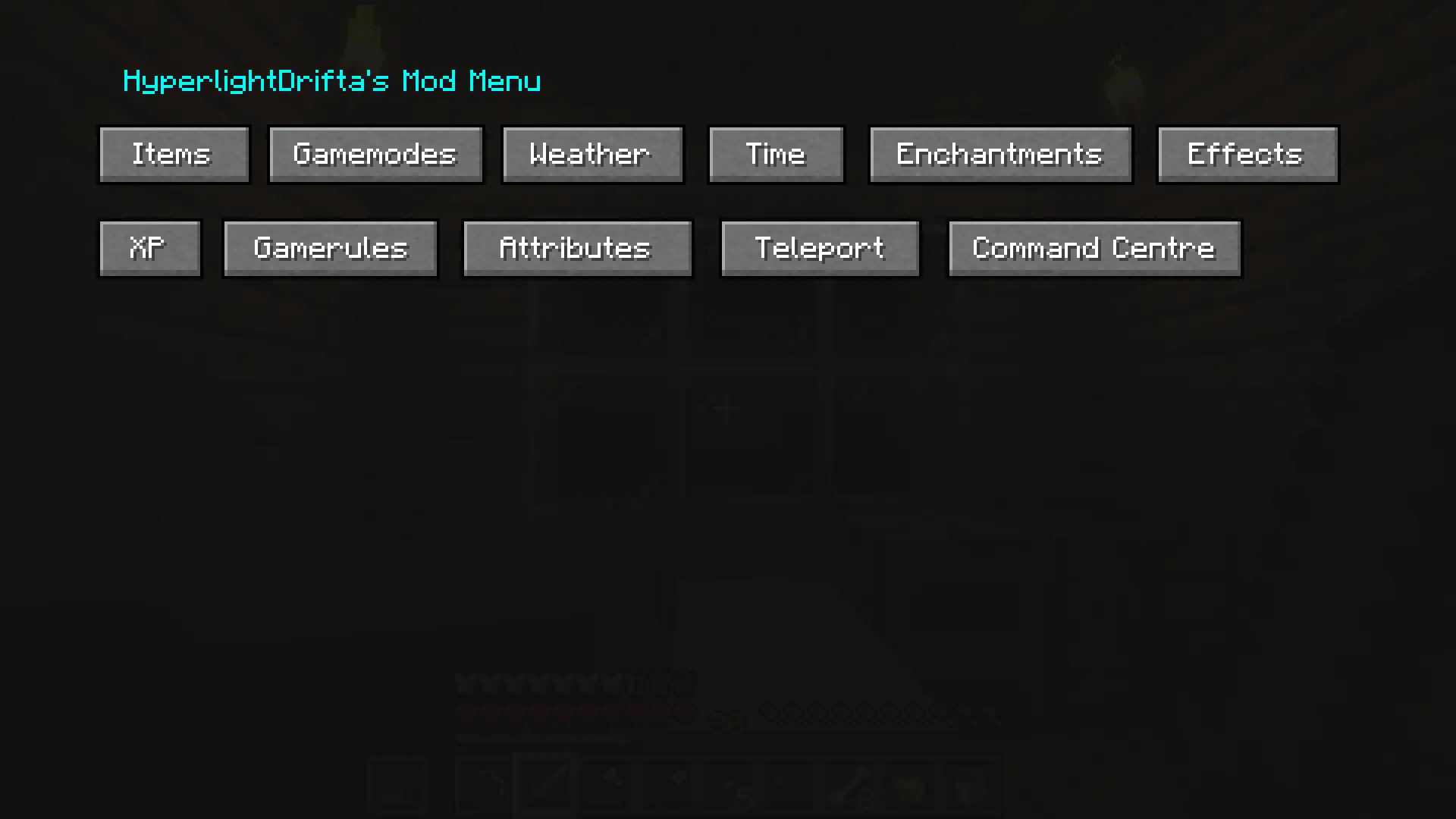
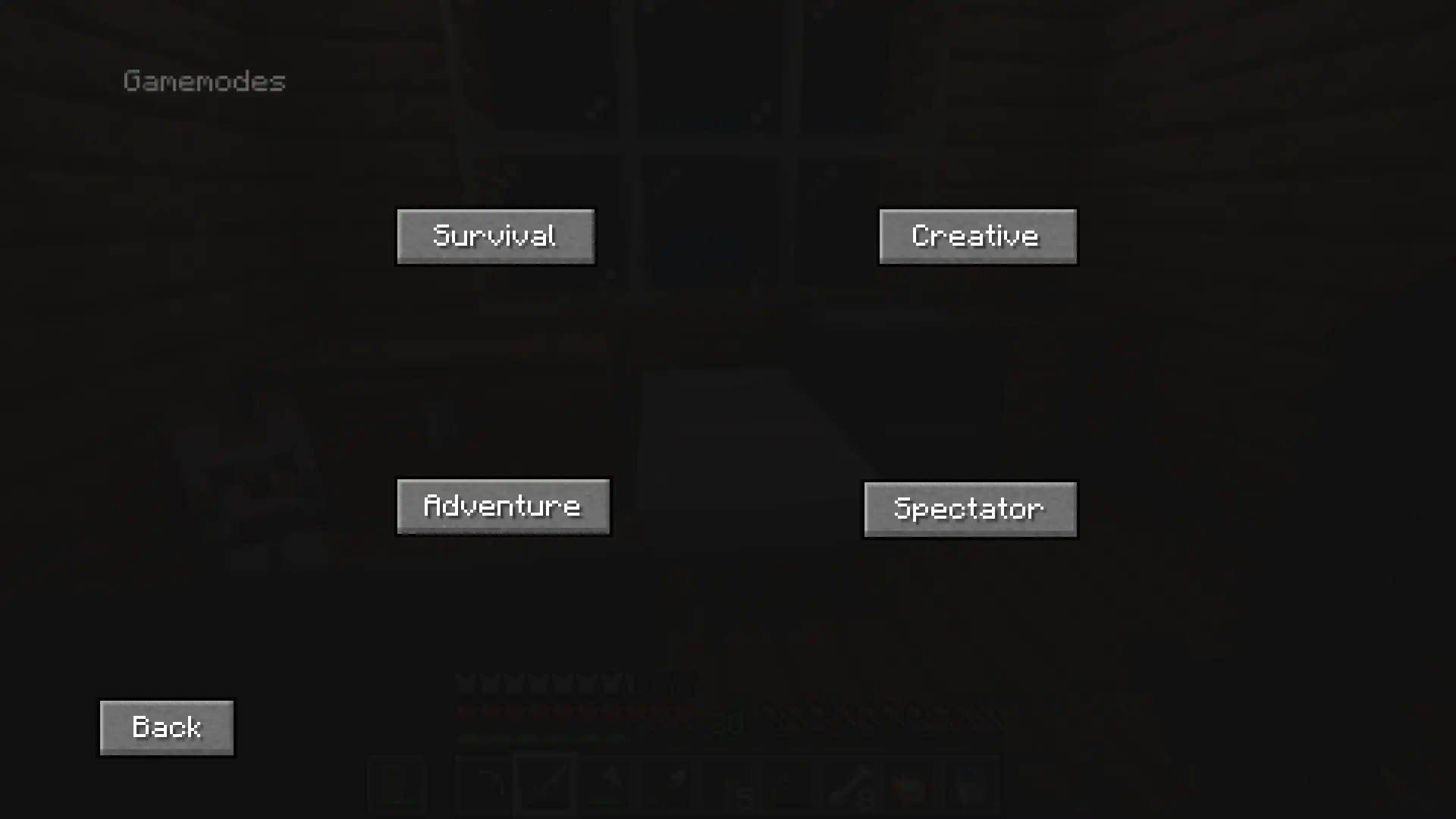
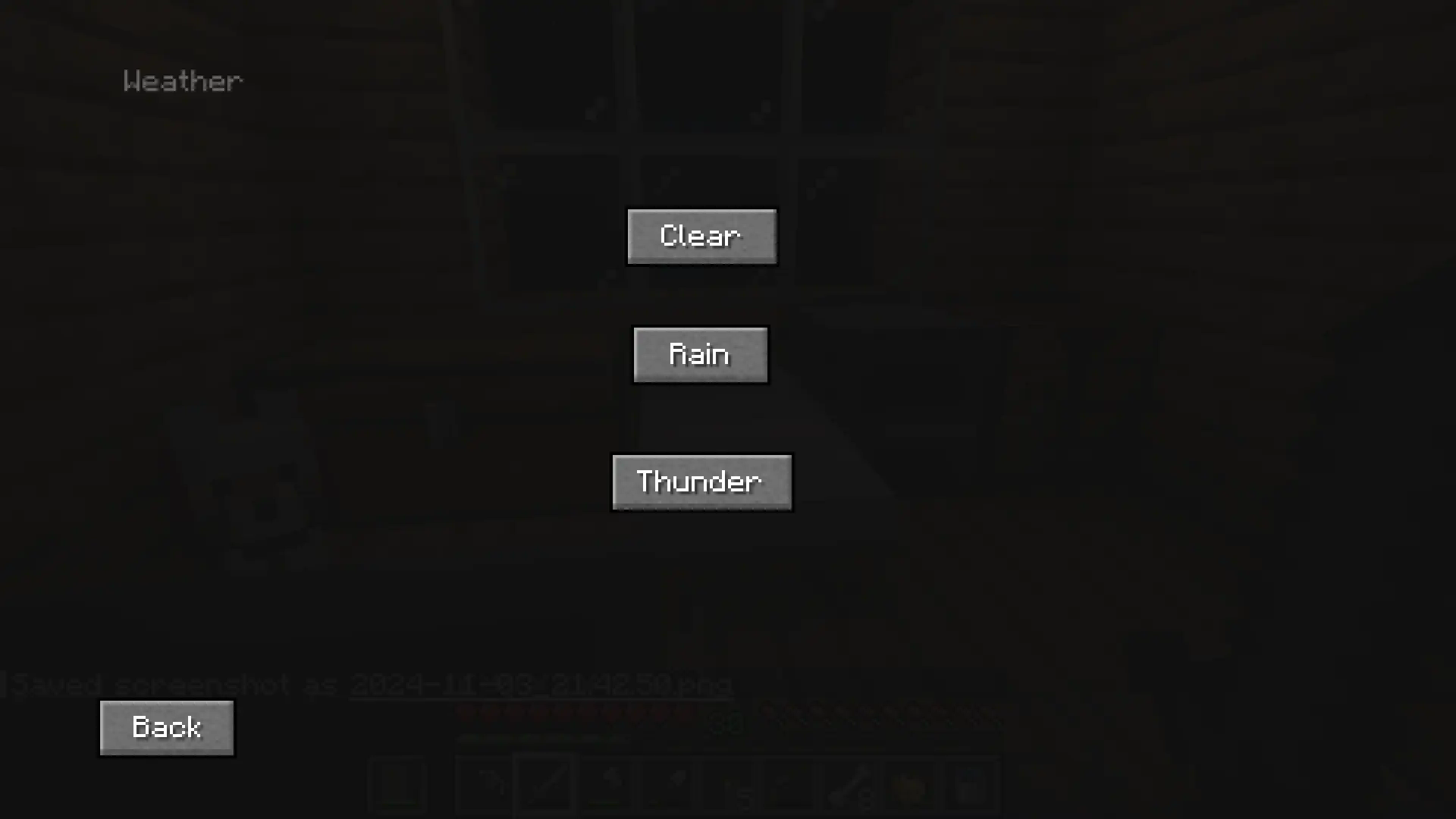
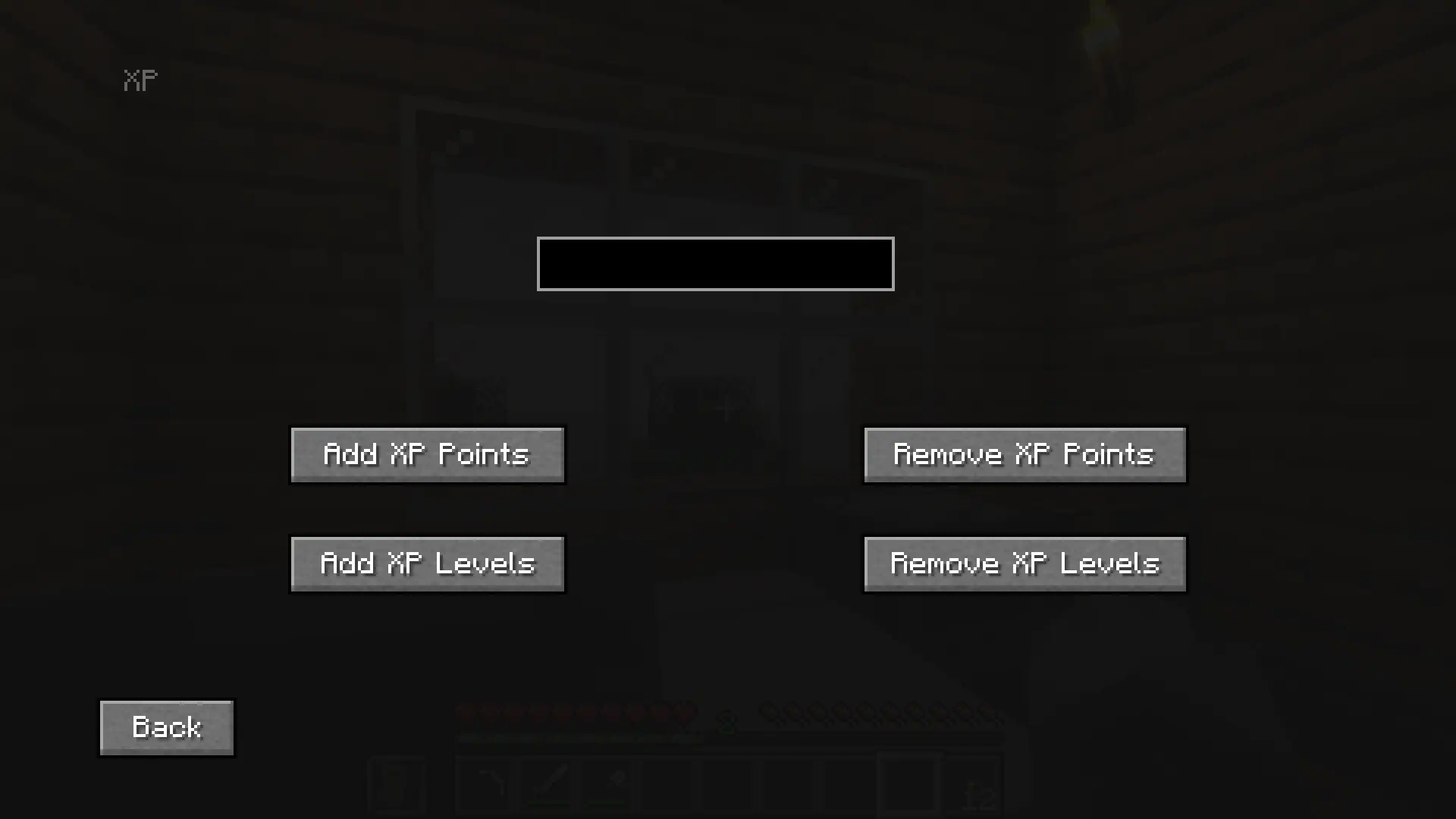
This is a mod menu that adds features like, gamemode changer, time changer, weather changer, adding items into your inventory, adding XP, and more, and it can all be used without cheats enabled! Yes, it will work in hardcore. No, it won't work on servers. (at least not on non-vanilla servers, but vanilla servers have also not been tested)
There also custom keybinds that you can assign for changing gamemode, weather and time, and more.
Main Menu :
Gamemodes :
Weather :
XP :
Enchantments :

Project description from Modrinth.
Pick your setup
HyperlightDrifta's Mod Menu by Minecraft version and loader
Choose the version and loader you play, then open the matching release.
Minecraft version
1.21.8
1 loader buildMinecraft version
1.21.4
1 loader buildMinecraft version
1.21.1
1 loader buildMinecraft version
1.20.6
1 loader buildMinecraft version
1.20.4
1 loader buildCheck the dependencies, then try the file in a copied instance before changing a world you care about.
Recent files
HyperlightDrifta's Mod Menu versions and loaders
2.12.4
hyperlightdriftas_mod_menu-2.12.4-neoforge-26.1.2.jar
7 Jul 2026
Client Required Server Not supported Dependencies No extras listed Listed on Release listing
Check the 26.1.2 · NeoForge setup 26.1.2NeoForge release
2.12.4
hyperlightdriftas_mod_menu-2.12.4-fabric-26.1.2.jar
7 Jul 2026
Client Required Server Not supported Dependencies No extras listed Listed on Release listing
Check the 26.1.2 · Fabric setup 26.1.2Fabric release
2.12.3
hyperlightdriftas_mod_menu-2.12.3-fabric-26.1.2.jar
5 Jun 2026
Client Required Server Not supported Dependencies No extras listed Listed on Release listing
Check the 26.1.2 · Fabric setup 26.1.2Fabric beta
2.12.3
hyperlightdriftas_mod_menu-2.12.3-neoforge-26.1.2.jar
5 Jun 2026
Client Required Server Not supported Dependencies No extras listed Listed on Release listing
Check the 26.1.2 · NeoForge setup 26.1.2NeoForge beta
2.12.2
hyperlightdriftas_mod_menu-2.12.2-fabric-26.1.2.jar
5 Jun 2026
Client Required Server Not supported Dependencies No extras listed Listed on Release listing
Check the 26.1.2 · Fabric setup 26.1.2Fabric beta
2.12.2
hyperlightdriftas_mod_menu-2.12.2-neoforge-1.21.1.jar
29 May 2026
Client Required Server Not supported Dependencies No extras listed Listed on Release listing
Check the 1.21.1 · NeoForge setup 1.21.1NeoForge beta
2.12.2
hyperlightdriftas_mod_menu-2.12.2-neoforge-26.1.2.jar
29 May 2026
Client Required Server Not supported Dependencies No extras listed Listed on Release listing
Check the 26.1.2 · NeoForge setup 26.1.2NeoForge beta
2.12.1
hyperlightdriftas_mod_menu-2.12.1-neoforge-1.21.8.jar
27 May 2026
Client Required Server Not supported Dependencies No extras listed Listed on Release listing
Check the 1.21.8 · NeoForge setup 1.21.8NeoForge release
2.11.1
hyperlightdriftas_mod_menu-2.11.1-neoforge-1.21.8.jar
25 May 2026
Client Required Server Not supported Dependencies No extras listed Listed on Release listing
Check the 1.21.8 · NeoForge setup 1.21.8NeoForge release
2.10.1
hyperlightdriftas_mod_menu-2.10.1-neoforge-1.21.8.jar
24 May 2026
Client Required Server Not supported Dependencies No extras listed Listed on Release listing
Check the 1.21.8 · NeoForge setup 1.21.8NeoForge release
2.9.1
hyperlightdriftas_mod_menu-2.9.1-neoforge-1.21.8.jar
6 Jan 2026
Client Required Server Not supported Dependencies No extras listed Listed on Release listing
Check the 1.21.8 · NeoForge setup 1.21.8NeoForge release
2.9.0
HyperlightDrifta's Mod Menu 2.9.0 NeoForge 1.21.8.jar
22 Aug 2025
Client Required Server Not supported Dependencies No extras listed Listed on Release listing
Check the 1.21.8 · NeoForge setup 1.21.8NeoForge release
Looking for an older file? The official Modrinth project page is in Resources.
 mod
CurseForge + Modrinth · Minecraft
Polydium
Well-rounded client-side optimization mod. Extremely compatible Vulkan backend for 1.21.11-26.1.2. By Polyfrost, best with OneClient.
 mod
CurseForge + Modrinth · Minecraft
TheZenithSword
Adding the Zenith Sword to Minecraft, use it to attack groups of enemies from a distance.
 mod
Modrinth · Minecraft
Hoplite Tweaks
An all-in-one hoplite that adds all the QOL & Utility mods you need for Hoplite. Includes Team View, Cooldown viewing, and much more.