Fabric API Needed by Block Sort 2.0
requiredMatching file found Matched file: 0.116.18+1.21.1
Modrinth · Minecraft mod
Gui to sorts blocks (hue, chroma, lightness, and roughness) so you can find one you want to use easier.
Quick answer
Block Sort 2.0 targets 1.21, 1.21.1 with Fabric. It must be installed on the client. Do not install it on the dedicated server. All 1 required mods have matching files.
Where it goes
It must be installed on the client. Do not install it on the dedicated server.
This file is marked client-only.
2.0. Change the file and its required mods may change too.
Install Fabric API first. We found matching files for this game-version and loader setup.
We only count dependency files that match this setup. A file for another loader does not fill the gap.
Before you install it
Built for Block Sort 2.0. Pick another file and the loader, install side or required mods may change.
Use 2.0. It targets 1.21, 1.21.1 with Fabric; another release may have different loader, side or dependency requirements.
Install Fabric API first. We found matching files for this game-version and loader setup.
It must be installed on the client. Do not install it on the dedicated server.
Use the “Get this file” button beside 2.0. It opens that exact file at the source.
About this project
This is still a WIP, some things haven't been fleshed out but its good enough for a release.
The Refresh Textures button is for when you've added on a resourcepack and need the textures to be reprocessed.
Project description from Modrinth.
Pick your setup
Choose the version and loader you play, then open the matching release.
Check the dependencies, then try the file in a copied instance before changing a world you care about.
Recent files
BlockSort-2.0-1.21.jar
27 Jun 2024
BlockSort-2.0-1.20.6.jar
15 Jun 2024
BlockSort-2.0-1.20.2-1.20.4.jar
15 Jun 2024
BlockSort-2.0-1.20.1.jar
15 Jun 2024
BlockSort-1.5-1.20.2+.jar
24 Mar 2024
BlockSort-1.5-1.20.1.jar
24 Mar 2024
BlockSort-1.1-1.20.4.jar
23 Mar 2024
BlockSort-1.0-1.20.1.jar
23 Mar 2024
BlockSort-1.0-1.20.2+.jar
27 Feb 2024
BlockSort-1.0-1.20.1.jar
27 Feb 2024
Looking for an older file? The official Modrinth project page is in Resources.
 mod
Stack all items to 64: potions, ender pearls, totems, buckets, signs, tools and more
 mod
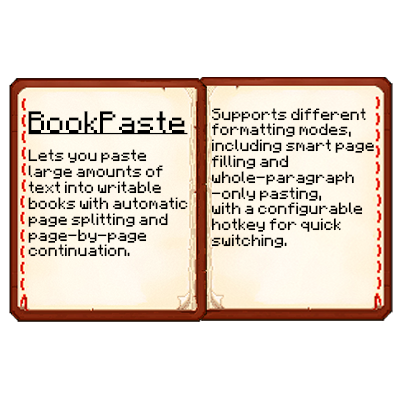
Paste large texts into writable books and signs with automatic page splitting
 mod
Java Minecraft mod using Bedrock models to create custom models and animations for items, blocks, entities