Geckolib Needed by Inoperative Binary alpha-0.1.2
requiredMatching file found Matched file: 4.8.4

Modrinth · Minecraft mod
Behind You
Quick answer
Inoperative Binary alpha-0.1.2 targets 1.20.1 with Forge. Installation on the client is optional. Installation on the dedicated server is optional. All 1 required mods have matching files.
Where it goes
Installation on the client is optional. Installation on the dedicated server is optional.
The source marks this as usable on both the client and server.
alpha-0.1.2. Change the file and its required mods may change too.
Install Geckolib first. We found matching files for this game-version and loader setup.
We only count dependency files that match this setup. A file for another loader does not fill the gap.
Before you install it
Built for Inoperative Binary alpha-0.1.2. Pick another file and the loader, install side or required mods may change.
Use alpha-0.1.2. It targets 1.20.1 with Forge; another release may have different loader, side or dependency requirements.
Install Geckolib first. We found matching files for this game-version and loader setup.
Installation on the client is optional. Installation on the dedicated server is optional.
Use the “Get this file” button beside alpha-0.1.2. It opens that exact file at the source.
About this project
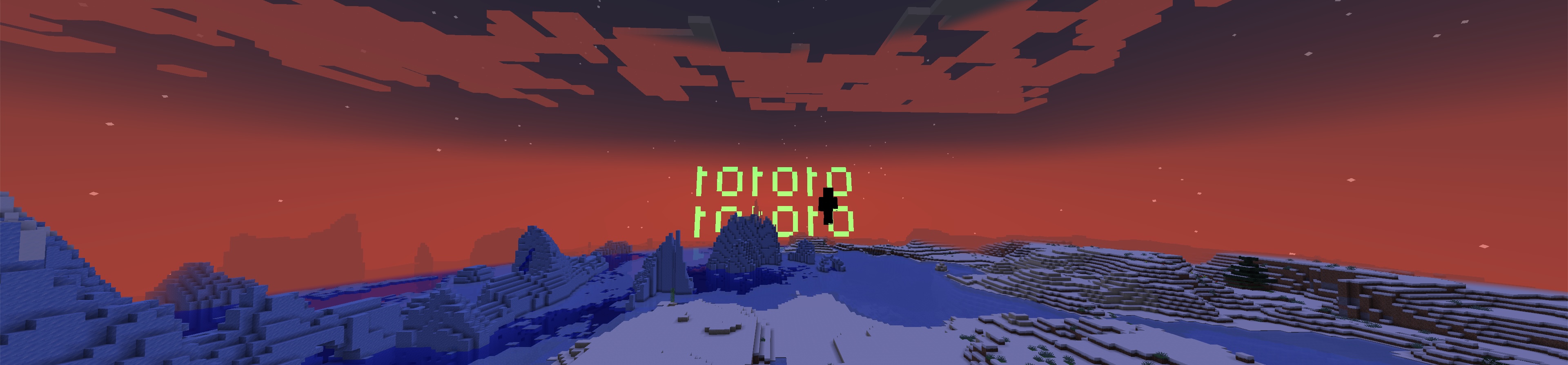
The mod is currently in the alpha stage.
If you encounter any bugs in-game or have a feature you'd like to suggest, please report it to "inoperativebinarysupport@gmail.com".
"Please do not install shaders that modify sun or moon textures."
Please play the game in hard mode. If you do not play in hard mode, the mod may break.
This mod requires "GeckoLib" to function.
Please do not download any other mods that conflict with the features of this mod.
If you liked the mod, you can support us by pressing the like button.
The original mod is only available on Modrinth. Do not trust copy mods on other platforms.
PLEASE PLAY THE GAME IN FULL SCREEN AND SET THE GUI SIZE TO 3 FOR BETTER VIEWING.
THERE ARE CERTAIN REQUIREMENTS ASSOCIATED WITH THIS MOD, AND THEY ARE BEYOND MY RESPONSIBILITY.
Answer: First, open the mod's command console in the game using the /ib cmd command. Don't worry; while commands might normally be restricted, we’ve configured the /ib commands to bypass this restriction. Then, simply type "narrow screen enabled = false" into that console and press Enter. That's it.
Answer: Open the mod's command console again, type "tape texts enabled = false" and press Enter.
Answer: Open the mod's command console again, type "vhs effect = false" and press Enter. That's it.
There are several reasons for this:
Answer 1: This mod is developed entirely by me. Since I take full responsibility for the mod, updates can sometimes be delayed.
Answer 2: Because I have school during the day, a large portion of my time is taken up, which means I have less time to dedicate to my own project.
Imagine it’s 1992.
Minecraft hasn't even been created yet. But you find a file named "Minecraft.exe" on the web. Out of curiosity, you download the file and launch the game. But as you play, the game keeps getting stranger and stranger...
Have fun.
Project description from Modrinth.
Pick your setup
Choose the version and loader you play, then open the matching release.
Check the dependencies, then try the file in a copied instance before changing a world you care about.
Recent files
inoperativebinary-0.1.2.jar
28 Nov 2026
inoperativebinary-0.1.2.jar
5 Sept 2026
inoperativebinary-0.1.1.jar
5 Sept 2026
inoperativebinary-0.1.0.jar
10 Jul 2026
Looking for an older file? The official Modrinth project page is in Resources.
 mod
This mod makes zombies the only hostile mobs that spawn. It is useful for vanilla-friendly zombie apocalypse modpacks.
 mod
Mobs stick with their own kind. Herds stampede when one is hurt, zombies swarm once you’re spotted, skeletons form firing lines.
 mod
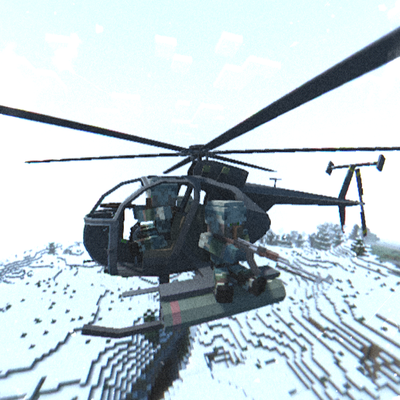
A fix for the superb recruits mod