Minecraft version
Back to mods 
CurseForge · Minecraft mod
Worldthreader
Worldthreader speeds up servers by safely running each dimension on a separate thread.
Choose a version Pick your version below, then grab the matching file.
Quick answer
Which Worldthreader release should I use?
Latest stable file Worldthreader mc26.2-3.1.0 for Fabric
Game version 26.2
Loader Fabric, Quilt
Worldthreader mc26.2-3.1.0 for Fabric targets 26.2 with Fabric, Quilt. The project page does not say whether this file belongs on the client, dedicated server, or both. No extra mods listed for this file.
Where it goes
Is Worldthreader required on the client, server, or both?
The project page does not say whether this file belongs on the client, dedicated server, or both.
Client Source doesn’t say
Dedicated server Source doesn’t say
Loader for this release Fabric, Quilt
Required install it here Optional supported, not mandatory Not supported do not install here Source doesn’t say do not assume
The source does not explicitly classify this release as client-only or server-only.
What else does Worldthreader mc26.2-3.1.0 for Fabric need?
Worldthreader mc26.2-3.1.0 for Fabric. Change the file and its required mods may change too.
This file does not list any required mods. Do not add a library just because a different file uses it.
This file does not list any required or optional mods.
Before you install it
Add Worldthreader without breaking your instance.
Built for Worldthreader mc26.2-3.1.0 for Fabric. Pick another file and the loader, install side or required mods may change.
- 01
Stick to this file
Use Worldthreader mc26.2-3.1.0 for Fabric. It targets 26.2 with Fabric, Quilt; another release may have different loader, side or dependency requirements.
- 02
Bring the mods it needs
This file does not list any required mods. Do not add a library just because a different file uses it.
- 03
Put it on the correct side
The project page does not say whether this file belongs on the client, dedicated server, or both.
- 04
Pick the file you checked
Use the “Get this file” button beside Worldthreader mc26.2-3.1.0 for Fabric. It opens that exact file at the source.
About this project
What does Worldthreader add?
Worldthreader is a free and open-source Minecraft mod which optimizes the processing of multiple dimensions, by ticking dimensions in parallel. Thread safety is ensured, with fallbacks to serial execution if no other solution can be found. After each tick the dimensions wait for each other to ensure that everything stays in sync, avoiding breaking many advanced redstone contraptions. Mod incompatibilities are expected, please report any issues to the worldthreader issue tracker.
The mod works on both the client (singleplayer) and server, and does not require the mod to be installed on both sides.
Installation
The mod must be installed on the server to work in multiplayer. For use in singleplayer worlds, the mod must be installed on the client.
- Download the mod from Modrinth or CurseForge.
- Place the downloaded
.jarfile into themodsfolder of your Minecraft directory. - Launch Minecraft with the Fabric mod loader.
Configuration
To use the gamerules, you need the Fabric API. Without the Fabric API, Worldthreader will use the default settings.
/gamerule worldthreader_Active <true/false>(default true) enables/disables the mod/gamerule worldthreader_AdditionalEntityTickAfterTeleport <true/false>(default false) enables/disables ticking entities immediately after teleporting from the main overworld to the nether or end to simulate the timings of vanilla portal use/gamerule worldthreader_Debug <true/false>(default false) enables/disables debug logging and illegal world access detection. Use this to find issues, both correctness and performance related. If nothing shows up in the logs, that only means that no issues were found, not that none can exist.
FAQ
Does the mod change Vanilla behaviour?
Worldthreader aims to conserve vanilla-parity in most points.
Behavior based on the timing of entities going through portals might be delayed by a game tick when the entity is leaving the overworld. However, /gamerule worldthreader_AdditionalEntityTickAfterTeleport ticks entities that are not teleporting to the overworld once after being placed in the world. This should allow them to catch up on the tick they missed. However, this happens at the end of the tick, meaning that no other mobs or pistons were able to push or damage the entity in that tick because it hasn't been there yet.
Interdimensional commands in command blocks or shared scoreboard accesses from different dimensions can be observed to be in a different order since there are no interdimensional ordering guarantees within a single game tick for interdimensional commands. The order of commands within one dimension remains the same as in vanilla.
Can my dimensions get de-synchronized?
No. Worldthreader will always synchronize the dimensions with each other, setting the overall MSPT to that of the slowest individual dimension.
Are dimension counts above 3 supported?
Yes.
Can I use Worldthreader if I have fewer threads on my CPU than dimensions?
Yes, but that may reduce the performance.
How is the compatibility with other mods?
Compatibility issues with other mods may be very common. Please report all issues you encounter to Worldthreader directly to avoid giving other mod authors headaches. The author of Worldthreader is willing to cooperate and suggest changes to other mods for compatibility.
What about older versions of Minecraft?
There is the DimThread mod which supports a few older versions: https://github.com/WearBlackAllDay/DimensionalThreading
Project description from CurseForge.
Pick your setup
Worldthreader by Minecraft version and loader
Choose the version and loader you play, then open the matching release.
Minecraft version
26.1.2
2 loader buildsMinecraft version
26.1
2 loader buildsMinecraft version
1.21.11
2 loader buildsMinecraft version
1.21.10
2 loader buildsMinecraft version
1.21.9
2 loader buildsMinecraft version
1.21.8
2 loader buildsMinecraft version
1.21.7
2 loader buildsMinecraft version
1.21.6
2 loader buildsMinecraft version
1.21.5
2 loader buildsMinecraft version
1.21.4
2 loader buildsMinecraft version
1.19.3
1 loader buildShowing the newest 12 of 13 game versions. Older files are in the list below.
Check the dependencies, then try the file in a copied instance before changing a world you care about.
Recent files
Worldthreader versions and loaders
Worldthreader mc26.2-3.1.0 for Fabric
Worldthreader-3.1.0.jar
21 Jun 2026
Client Source doesn’t say Server Source doesn’t say Dependencies No extras listed Listed on Release listing
Check the 26.2 · Fabric setup FabricQuilt26.2 release
Worldthreader mc26.1.2-3.0.1 for Fabric
Worldthreader-3.0.1.jar
28 May 2026
Client Source doesn’t say Server Source doesn’t say Dependencies No extras listed Listed on Release listing
Check the 26.1.2 · Fabric setup FabricQuilt26.1.2 release
Worldthreader mc26.1.2-3.0.0 for Fabric
Worldthreader-3.0.0.jar
15 Apr 2026
Client Source doesn’t say Server Source doesn’t say Dependencies No extras listed Listed on Release listing
Check the 26.1.2 · Fabric setup FabricQuilt26.1.2 release
Worldthreader mc26.1.2-2.8.1 for Fabric
Worldthreader-2.8.1.jar
15 Apr 2026
Client Source doesn’t say Server Source doesn’t say Dependencies No extras listed Listed on Release listing
Check the 26.1.2 · Fabric setup FabricQuilt26.1.2 release
Worldthreader mc26.1-2.8.0 for Fabric
Worldthreader-2.8.0.jar
5 Apr 2026
Client Source doesn’t say Server Source doesn’t say Dependencies No extras listed Listed on Release listing
Check the 26.1 · Fabric setup FabricQuilt26.1 release
Worldthreader mc1.21.11-2.7.4 for Fabric
Worldthreader-2.7.4.jar
26 Mar 2026
Client Source doesn’t say Server Source doesn’t say Dependencies No extras listed Listed on Release listing
Check the 1.21.11 · Fabric setup FabricQuilt1.21.11 release
Worldthreader mc1.21.10-2.6.1 for Fabric
Worldthreader-2.6.1.jar
8 Mar 2026
Client Source doesn’t say Server Source doesn’t say Dependencies No extras listed Listed on Release listing
Check the 1.21.10 · Fabric setup FabricQuilt1.21.10 release
Worldthreader mc1.21.11-2.7.3 for Fabric
Worldthreader-2.7.3.jar
5 Mar 2026
Client Source doesn’t say Server Source doesn’t say Dependencies No extras listed Listed on Release listing
Check the 1.21.11 · Fabric setup FabricQuilt1.21.11 release
Worldthreader mc1.21.11-2.7.2 for Fabric
Worldthreader-2.7.2.jar
21 Feb 2026
Client Source doesn’t say Server Source doesn’t say Dependencies No extras listed Listed on Release listing
Check the 1.21.11 · Fabric setup FabricQuilt1.21.11 release
Worldthreader mc1.21.11-2.7.1 for Fabric
Worldthreader-2.7.1.jar
4 Feb 2026
Client Source doesn’t say Server Source doesn’t say Dependencies No extras listed Listed on Release listing
Check the 1.21.11 · Fabric setup FabricQuilt1.21.11 release
Worldthreader mc1.21.11-2.7.0 for Fabric
Worldthreader-2.7.0.jar
15 Dec 2025
Client Source doesn’t say Server Source doesn’t say Dependencies No extras listed Listed on Release listing
Check the 1.21.11 · Fabric setup FabricQuilt1.21.11 release
Worldthreader mc1.21.10-2.6.0 for Fabric
Worldthreader-2.6.0.jar
8 Oct 2025
Client Source doesn’t say Server Source doesn’t say Dependencies No extras listed Listed on Release listing
Check the 1.21.10 · Fabric setup Fabric1.21.10Quilt release
Looking for an older file? The official CurseForge project page is in Resources.
 mod
mod CurseForge + Modrinth · Minecraft
Data Anchor
Simple library mod with helpful data attaching and networking utilities including attaching data to entities, chunks, players, and worlds with low boilerplate code. Its own system built from the ground up for multiloader support.
 mod
mod CurseForge · Minecraft
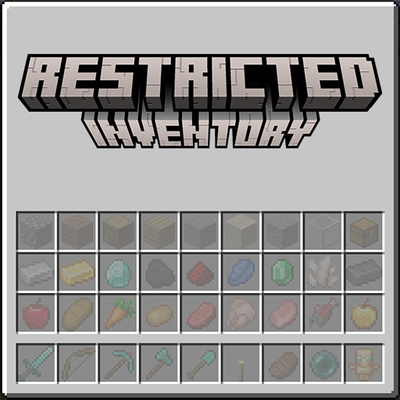
Restricted Inventory
Restrict player inventory slots to specific items or item tags. Configure which slots accept which items via JSON config — server-wide or per-client. Restricted slots display a visual preview of what belongs there.
 mod
mod CurseForge + Modrinth · Minecraft
Madoku Craft: Farming
Madoku Craft: Farming is a configurable farming system. It adjusts crops to grow based on time instead of randomly, it also modifies the yield for crops.