Fabric API Needed by Key Holder key-holder-fabric-26.2-1.0.0.jar
requiredMatching file found Matched file: [26.2] Fabric API 0.159.0+26.2
CurseForge · Minecraft mod
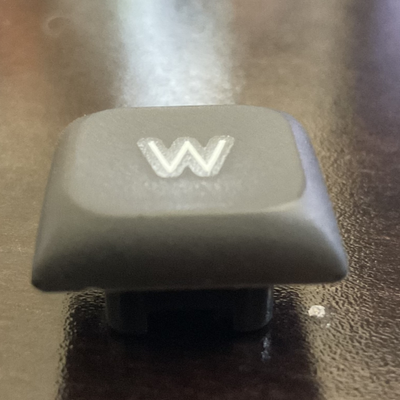
Pick a key and Key Holder holds it down for you, until you toggle it off. Client-side, configurable via command or GUI.
Quick answer
Key Holder key-holder-fabric-26.2-1.0.0.jar targets 26.2 with Fabric. The project page does not say whether this file belongs on the client, dedicated server, or both. All 1 required mods have matching files.
Where it goes
The project page does not say whether this file belongs on the client, dedicated server, or both.
The source does not explicitly classify this release as client-only or server-only.
key-holder-fabric-26.2-1.0.0.jar on 26.2. Every mod below is checked against that same setup.
Install Fabric API first. We found matching files for this game-version and loader setup. 2 come through another mod in the chain.
2 extra mods were pulled in by other dependencies. Indented rows show who needs each one. We only count dependency files that match this setup. A file for another loader does not fill the gap.
Before you install it
Built for Key Holder key-holder-fabric-26.2-1.0.0.jar on 26.2. Pick another file and the loader, install side or required mods may change.
Use key-holder-fabric-26.2-1.0.0.jar. It targets 26.2 with Fabric; another release may have different loader, side or dependency requirements.
Install Fabric API first. We found matching files for this game-version and loader setup. 2 come through another mod in the chain.
The project page does not say whether this file belongs on the client, dedicated server, or both.
Use the “Get this file” button beside key-holder-fabric-26.2-1.0.0.jar. It opens that exact file at the source.
About this project
Ever needed to hold down a key for a while — forward to walk into a wall, space to keep jumping, your sprint key, a macro-bound key from another mod — without actually holding it? Key Holder does it for you.
Pick any key or mouse button and toggle it "held." Key Holder simulates that key being pressed every tick until you turn it off, exactly as if you were holding it down yourself.
| Command | What it does |
|---|---|
/keyholder set <key> |
Choose the key to hold — e.g. w, space, key.mouse.left |
/keyholder on |
Start holding the configured key |
/keyholder off |
Stop holding it |
/keyholder toggle |
Flip it on/off |
/keyholder status |
Show whether it's active and which key is set |
Open source under the MIT license: https://github.com/the-real-ltcg/key-holder
Project description from CurseForge.
Pick your setup
Choose the version and loader you play, then open the matching release.
Check the dependencies, then try the file in a copied instance before changing a world you care about.
Recent files
9 Jul 2026
Looking for an older file? The official CurseForge project page is in Resources.
 mod
modSpeed up Hoppers and add classification function to it!
 mod
modA powerful, data-driven mod that gives you complete control over Creative Mode tabs!
 mod
modLib for Team Resourceful and more