Sophisticated Storage Needed by Sophisticated Storage Create Integration 26.1-0.1.14.114
requiredMatching file found Matched file: sophisticatedstorage-26.1-1.5.48.1626.jar
CurseForge · Minecraft mod
Full Featured Sophisticated Storage on Create Contraptions
Quick answer
Sophisticated Storage Create Integration 26.1-0.1.14.114 targets 26.1, 26.1.1, 26.1.2 with NeoForge. Installation on the client is optional. Installation on the dedicated server is optional. 1 required mod needs a matching file.
Where it goes
Installation on the client is optional. Installation on the dedicated server is optional.
The source marks this as usable on both the client and server.
26.1-0.1.14.114 on 26.1. Every mod below is checked against that same setup.
Install Sophisticated Storage, Sophisticated Core, Create, Sophisticated Core first, but 1 required mod has no matching file for this setup. Do not mix loader builds to force a match. 15 come through another mod in the chain.
15 extra mods were pulled in by other dependencies. Indented rows show who needs each one. We only count dependency files that match this setup. A file for another loader does not fill the gap.
Before you install it
Built for Sophisticated Storage Create Integration 26.1-0.1.14.114 on 26.1. Pick another file and the loader, install side or required mods may change.
Use 26.1-0.1.14.114. It targets 26.1, 26.1.1, 26.1.2 with NeoForge; another release may have different loader, side or dependency requirements.
Install Sophisticated Storage, Sophisticated Core, Create, Sophisticated Core first, but 1 required mod has no matching file for this setup. Do not mix loader builds to force a match. 15 come through another mod in the chain.
Installation on the client is optional. Installation on the dedicated server is optional.
Use the “Get this file” button beside 26.1-0.1.14.114. It opens that exact file at the source.
About this project
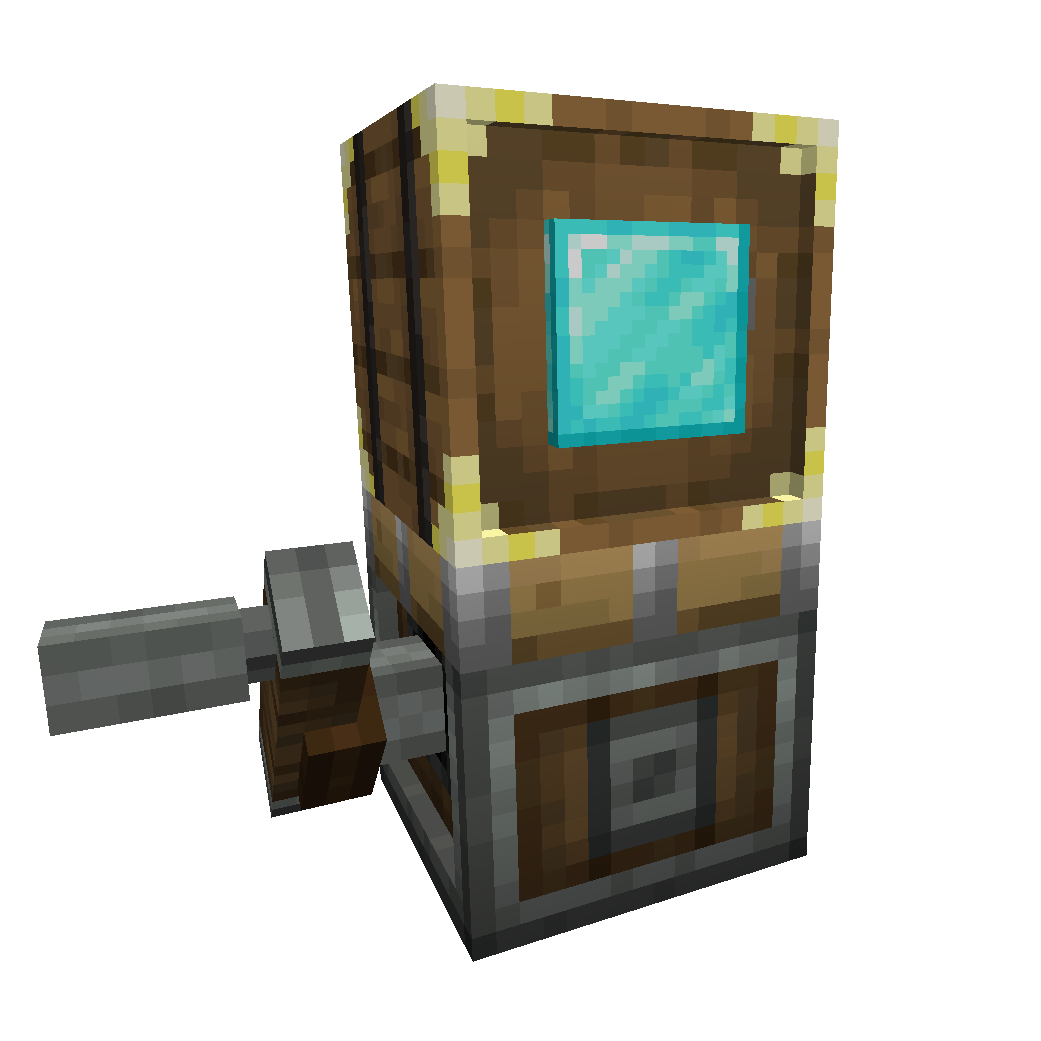
Sophisticated Storage Create Integration is a full-featured integration with Create, making it possible to use Sophisticated Storage blocks on Create contraptions not only as simple storage blocks, but with all of their extensive inventory options and with almost all upgrades fully functional. This addon mod brings the power and flexibility of Sophisticated Storage into the moving world of Create, so your storage blocks can now travel on trains, rotating platforms, flying machines, and more — without losing any of their advanced capabilities.



All Sophisticated Storage blocks - barrels, chests, and shulker boxes - can now be mounted on Create contraptions and will maintain full compatibility while in motion. Storage content remains persistent across movement, and upgrades, upgrade settings, and inventory settings (like memorized slots) are retained.
Most upgrades from Sophisticated Storage work seamlessly on Create contraptions. Position-based upgrades like Pickup or Magnet use the contraption's dynamic position and the position of the actual storage to function at the correct position, stack upgrades expand slot capacity, crafting upgrade works with contents of the storage, … Upgrades can be added to vehicle storage by right clicking them on the contraption mounted storage directly in the world.
Tier upgrades can be applied to contraption storages the same way as to regular ones by just right clicking these on the storage. This allows for easy expansion of storage capacity even when the contraption is on the move.
The Storage Tool can be used directly on contraptions to manage lock settings and visual indicators such as tier, upgrade slots, and fill levels—just like with any regular Sophisticated Storage block.
Paintbrush can paint the contraption storages with the same level of support as it can regular storages so both tints as well as barrel materials changing with paintbrush are supported.
Project description from CurseForge.
Pick your setup
Choose the version and loader you play, then open the matching release.
Check the dependencies, then try the file in a copied instance before changing a world you care about.
Recent files
sophisticatedstoragecreateintegration-26.1-0.1.14.114.jar
12 Apr 2026
Looking for an older file? The official CurseForge project page is in Resources.
 mod
Press the button, then take all items from the chest.
 mod
PvP/combat potion switching made easy with a fast radial menu, supporting drinkable, splash, and lingering potions with 8 customizable slots.
 mod
Mobs can drop their head when killed by a player, easy drop rate config, drop messages, advancement collection and more
