Minecraft version
Back to mods 
Modrinth · Minecraft mod
Skyblock Creator
A fabric mod that lets you add skyblock-like world type(s)
Choose a version Pick your version below, then grab the matching file.
Quick answer
Which Skyblock Creator release should I use?
alpha file 1.3.0-ALPHA+1.19.4
Game version 1.19.4
Loader Fabric
Skyblock Creator 1.3.0-ALPHA+1.19.4 targets 1.19.4 with Fabric. Do not install it on the client. It must be installed on the dedicated server. No extra mods listed for this file.
Where it goes
Is Skyblock Creator required on the client, server, or both?
Do not install it on the client. It must be installed on the dedicated server.
Client Not supported
Dedicated server Required
Loader for this release Fabric
Required install it here Optional supported, not mandatory Not supported do not install here Source doesn’t say do not assume
This file is marked server-only.
What else does Skyblock Creator 1.3.0-ALPHA+1.19.4 need?
1.3.0-ALPHA+1.19.4. Change the file and its required mods may change too.
This file does not list any required mods. Do not add a library just because a different file uses it.
This file does not list any required or optional mods.
Before you install it
Add Skyblock Creator without breaking your instance.
Built for Skyblock Creator 1.3.0-ALPHA+1.19.4. Pick another file and the loader, install side or required mods may change.
- 01
Stick to this file
Use 1.3.0-ALPHA+1.19.4. It targets 1.19.4 with Fabric; another release may have different loader, side or dependency requirements.
- 02
Bring the mods it needs
This file does not list any required mods. Do not add a library just because a different file uses it.
- 03
Put it on the correct side
Do not install it on the client. It must be installed on the dedicated server.
- 04
Pick the file you checked
Use the “Get this file” button beside 1.3.0-ALPHA+1.19.4. It opens that exact file at the source.
About this project
What does Skyblock Creator add?
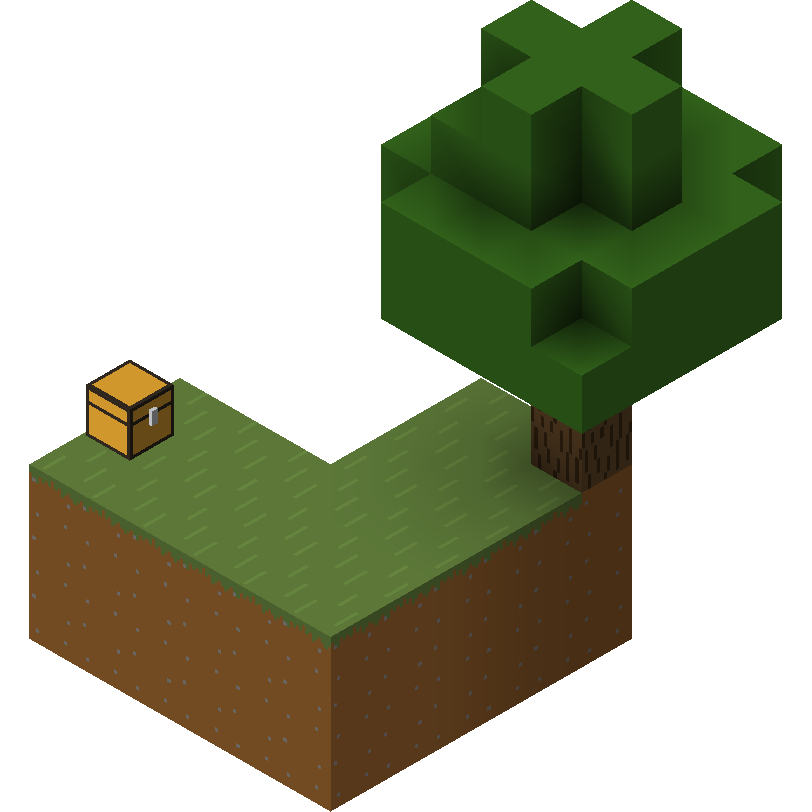
Skyblock Creator
A fabric mod that lets you add skyblock-like world type(s).

NOTE
This mod development is on halt due to personal reasons, this mod requires much more time to maintain compared to my other mods.
About
Skyblock Creator is a fork of Structure World, a fabric mod that lets you add skyblock-like world type(s).
Features
- Add multiple skyblock-like world types
- Configurable island using structure (
.nbtfile) - Void Nether and void The End
- Multiplayer/server support
- Customizable command name
Usage
If you downloaded the mod and properly installed it, you'll find 2 new world types on the create world screen.

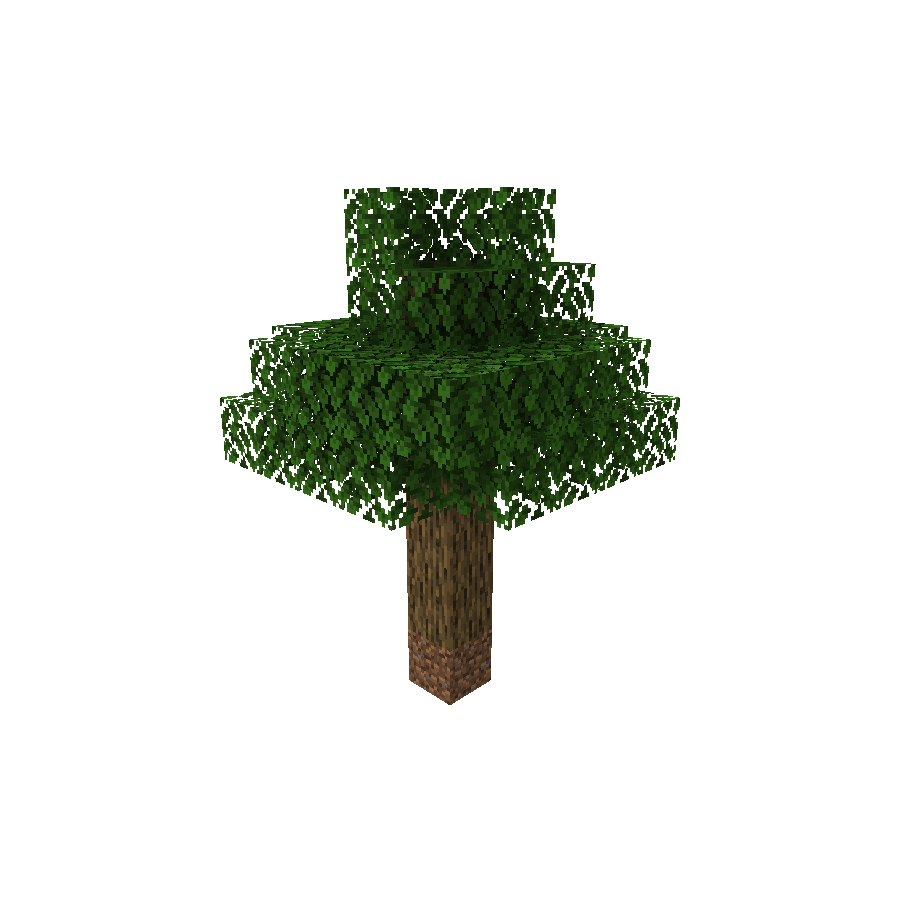

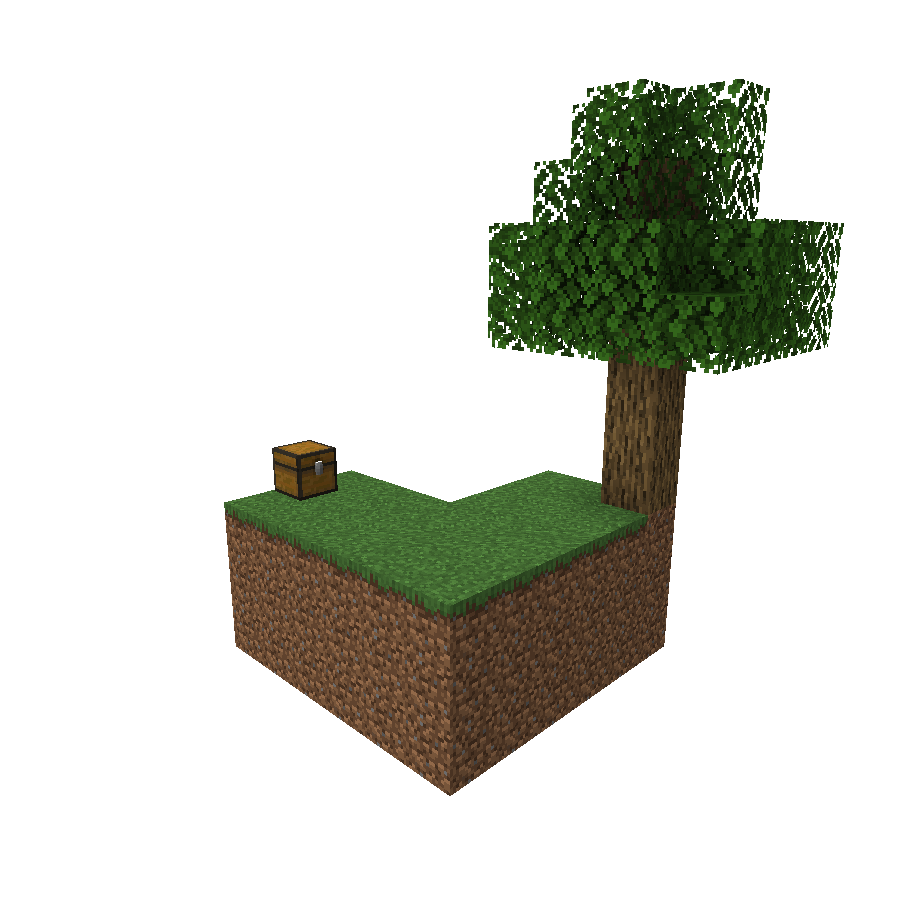
When creating a world using any of these presets, you'll get no terrain at all except for the generated structure in the spawn.
Server
NOTE
You may need to reset your world after changing
level-type.
If you want to use this mod in a server-side environment you need to set the level-type in the server.properties file to skyblockcreator:[your_structure_identifier].
(For example: skyblockcreator:simple_tree or skyblockcreator:classic_skyblock)
Or you can also just set one of the world type's overridingDefault in the mod's config file to true (See Configuration section below for more information) and leave level-type as default.
Useful commands
/skyblock create: Create your own island (or for other players)/skyblock teleport: Teleport to a player's (or your own) island/skyblock delete: Delete a player's (or your own) island
(NOTE: The blocks will stay there, but the user will not be able to teleport to their island using the teleport command, and you'll be able to create a new island for them. This is not reversible)
Configuration
Add a new world type
ℹ️ New in 1.19.x: Since 1.19 you can now add custom world type through datapack, you can check out the [official wiki] for more information.
If you have a custom structure and you want to create a custom world type using it, you can do so by creating your structure file using Minecraft's structure block, placing its nbt file in the structures folder (Located at: .minecraft/config/skyblockcreator/structures), and then editing the mod's config file (Located at .minecraft/config/skyblockcreator/skyblockcreator.json).
Here is how the default config file should look like:
{
  "structureWorldConfigs": [
    {
      "structureIdentifier": "simple_tree",
      "biomeIdentifier": "minecraft:forest",
      "structureOffset": [
        -2,
        0,
        -2
      ],
      "playerSpawnOffset": [
        0,
        8,
        0
      ],
      "overridingDefault": false,
      "fillmentBlockIdentifier": "minecraft:air",
      "topBedrockEnabled": false,
      "bottomBedrockEnabled": false,
      "isBedrockFlat": false,
      "theEnd": {
        "voidMode": false
      },
      "theNether": {
        "voidMode": false
      }
    },
    {
      "structureIdentifier": "classic_skyblock",
      "biomeIdentifier": "minecraft:plains",
      "structureOffset": [
        -3,
        0,
        -1
      ],
      "playerSpawnOffset": [
        0,
        3,
        0
      ],
      "overridingDefault": false,
      "fillmentBlockIdentifier": "minecraft:air",
      "topBedrockEnabled": false,
      "bottomBedrockEnabled": false,
      "isBedrockFlat": false,
      "theEnd": {
        "voidMode": false
      },
      "theNether": {
        "voidMode": false
      }
    },
    {
      "structureIdentifier": "stoneblock",
      "biomeIdentifier": "minecraft:plains",
      "structureOffset": [
        -5,
        -2,
        -5
      ],
      "playerSpawnOffset": [
        0,
        0,
        0
      ],
      "overridingDefault": false,
      "fillmentBlockIdentifier": "minecraft:stone",
      "topBedrockEnabled": true,
      "bottomBedrockEnabled": true,
      "isBedrockFlat": false,
      "theEnd": {
        "voidMode": false
      },
      "theNether": {
        "voidMode": false
      }
    }
  ],
  "createPlatformPermissionLevel": 0,
  "teleportToPlatformPermissionLevel": 0,
  "platformDistanceRadius": 1000,
  "commandName": "skyblock",
  "commandAlias": "sb"
}
[1.19.x Only] Here is what a world type (called world_preset internally) file looks like:
{
  "dimensions": {
    "minecraft:overworld": {
      "type": "minecraft:overworld",
      "generator": {
        "type": "skyblockcreator:structure_chunk_generator",
        "biome_source": {
          "type": "minecraft:fixed",
          "biome": "minecraft:plains"
        },
        "dimension": "overworld",
        "playerSpawnOffset": [0, 3, 0],
        "structureOffset": [-3, 0, -1],
        "structure": "classic_skyblock",
        "fillmentBlock": "minecraft:air",
        "enableTopBedrock": false,
        "enableBottomBedrock": false,
        "isBedrockFlat": false
      }
    },
    "minecraft:the_end": {
      "type": "minecraft:the_end",
      "generator": {
        "type": "minecraft:noise",
        "biome_source": {
          "type": "minecraft:the_end"
        },
        "settings": "minecraft:end",
        "dimension": "the_end"
      }
    },
    "minecraft:the_nether": {
      "type": "minecraft:the_nether",
      "generator": {
        "type": "minecraft:noise",
        "biome_source": {
          "type": "minecraft:multi_noise",
          "preset": "minecraft:nether"
        },
        "settings": "minecraft:nether",
        "dimension": "the_nether"
      }
    }
  }
}
Create new dimension
In Minecraft version 1.16 or newer, anyone can create a new dimension via datapacks.
When using this mod, you can make your custom dimensions work as structure worlds and even have multiple structure worlds in the same server.
Here is what a dimension file should look like:
{
  "generator": {
    "type": "skyblockcreator:structure_chunk_generator",
    "structure": "simple_tree",
    "structureOffset": [-2, 0, -2],
    "playerSpawnOffset": [0, 8, 0],
    "biome_source": {
      "type": "minecraft:fixed",
      "biome": "minecraft:plains"
    }
  },
  "type": "skyblockcreator:test_dimension_type"
}
More information about custom dimensions in 1.16+ can be found in the official wiki.
Override default dimension
If you want the structure world generator to always be the main generator in the modpack, you can set the overridingDefault property to true in the mod's config file.
By doing that, all the worlds created by the client will default to the configured world type, and creating a new server will also set the level-type to it.
Contact
For bug reporting please proceed to the mod's GitHub repository: https://github.com/null2264/SkyblockCreator
Project description from Modrinth.
Pick your setup
Skyblock Creator by Minecraft version and loader
Choose the version and loader you play, then open the matching release.
Minecraft version
1.19.3
1 loader buildMinecraft version
1.19.2
1 loader buildMinecraft version
1.18.2
1 loader buildCheck the dependencies, then try the file in a copied instance before changing a world you care about.
Recent files
Skyblock Creator versions and loaders
1.3.0-ALPHA+1.19.4
SkyblockCreator-1.3.0-ALPHA+1.19.4.jar
14 Mar 2023
Client Not supported Server Required Dependencies No extras listed Listed on Release listing
Check the 1.19.4 · Fabric setup 1.19.4Fabric alpha
1.3.0-ALPHA+1.19.3
SkyblockCreator-1.3.0-ALPHA+1.19.3.jar
16 Dec 2022
Client Not supported Server Required Dependencies No extras listed Listed on Release listing
Check the 1.19.3 · Fabric setup 1.19.3Fabric alpha
1.3.2-ALPHA+1.18.2
SkyblockCreator-1.3.2-ALPHA+1.18.2.jar
9 Oct 2022
Client Not supported Server Required Dependencies No extras listed Listed on Release listing
Check the 1.18.2 · Fabric setup 1.18.2Fabric alpha
1.3.1-ALPHA+1.18.2
structure-world-1.3.1-ALPHA+1.18.2.jar
10 Sept 2022
Client Not supported Server Required Dependencies No extras listed Listed on Release listing
Check the 1.18.2 · Fabric setup 1.18.2Fabric alpha
1.3.0-ALPHA+1.19.2
structure-world-1.3.0-ALPHA+1.19.2.jar
2 Sept 2022
Client Not supported Server Required Dependencies No extras listed Listed on Release listing
Check the 1.19.2 · Fabric setup 1.19.2Fabric alpha
1.3.0-ALPHA+1.18.2
structure-world-1.3.0-ALPHA+1.18.2.jar
2 Sept 2022
Client Not supported Server Required Dependencies No extras listed Listed on Release listing
Check the 1.18.2 · Fabric setup 1.18.2Fabric alpha
Looking for an older file? The official Modrinth project page is in Resources.