Blueprint Needed by Doom & Gloom 1.1.1
requiredMatching file found Matched file: Blueprint 1.20.1 - 7.1.5

CurseForge · Minecraft mod
Addon for the mod Oreganized! Adding Vigil Candles, Hollers, Sepulchers, Bone Piles and a new villager called Gravetender!
Quick answer
Doom & Gloom 1.1.1 targets 1.20.1 with Forge. The project page does not say whether this file belongs on the client, dedicated server, or both. All 1 required mods have matching files.
Where it goes
The project page does not say whether this file belongs on the client, dedicated server, or both.
The source does not explicitly classify this release as client-only or server-only.
Doom & Gloom 1.1.1. Change the file and its required mods may change too.
Install Blueprint first. We found matching files for this game-version and loader setup.
We only count dependency files that match this setup. A file for another loader does not fill the gap.
Before you install it
Built for Doom & Gloom 1.1.1. Pick another file and the loader, install side or required mods may change.
Use Doom & Gloom 1.1.1. It targets 1.20.1 with Forge; another release may have different loader, side or dependency requirements.
Install Blueprint first. We found matching files for this game-version and loader setup.
The project page does not say whether this file belongs on the client, dedicated server, or both.
Use the “Get this file” button beside Doom & Gloom 1.1.1. It opens that exact file at the source.
About this project



Doom and Gloom as a halloween addon for our mod Oreganized! It adds graveyards to villages, new villager proffesion called gravetender, mischevious spirit that causes fog to appear, sepulchers, vigil candles and more!
planned :<
Dye Depot - Vigil Candles of 16 more colors!!
We are Team Galena, we produce other mods like Windswept, Overweight Farming, Fermion, Copperative and more!

Project description from CurseForge.
Pick your setup
Choose the version and loader you play, then open the matching release.
Check the dependencies, then try the file in a copied instance before changing a world you care about.
Recent files
doom_and_gloom-3.0.2-forge.jar
18 Sept 2026
doom_and_gloom-3.0.2-fabric.jar
18 Sept 2026
doom_and_gloom-forge-3.0.1.jar
17 Jun 2026
doom_and_gloom-fabric-3.0.1.jar
17 Jun 2026
doom_and_gloom-forge-3.0.0.jar
19 Apr 2026
doom_and_gloom-fabric-3.0.0.jar
19 Apr 2026
doom_and_gloom-fabric-2.0.0.jar
7 Nov 2025
doom_and_gloom-forge-2.0.0.jar
7 Nov 2025
doom_and_gloom-forge-2.0.0.jar
7 Nov 2025
Doom Gloom 1.20.1.jar
17 Jun 2025
Doom Gloom 1.20.1.jar
11 Jun 2025
Doom Gloom 1.20.1-1.0.2.jar
2 Nov 2024
Looking for an older file? The official CurseForge project page is in Resources.
 mod
An exploration-focused world map and minimap with cave mapping, waypoints and extensive customization.
 mod
Break the chains of physical patterns! Store your AE2 recipes digitally on storage cells and virtualize your auto-crafting.
 mod
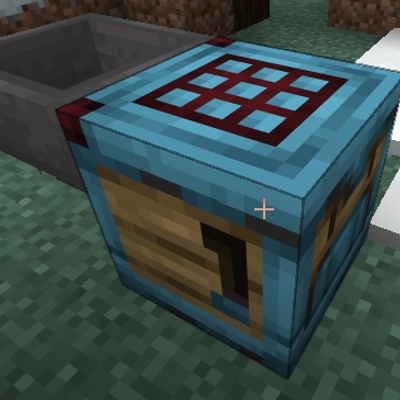
Smart Crafter is a lightweight, vanilla-friendly automation mod that upgrades the vanilla Crafter into a true set-and-forget auto-crafter—no redstone clocks required, and no more accidentally emptying your crafting template!