Sodium Optional for MC Engine 0.9.1
optionalMatching file found Matched file: mc1.21.1-0.8.13-fabric

Modrinth · Minecraft mod
For The Game Designers, Storytellers, And Creators: A Game Engine for Minecraft-based games and servers.
Quick answer
MC Engine 0.9.1 targets 1.21.1 with Fabric. Installation on the client is optional. Installation on the dedicated server is optional. All 1 required mods have matching files.
Where it goes
Installation on the client is optional. Installation on the dedicated server is optional.
The source marks this as usable on both the client and server.
0.9.1. Change the file and its required mods may change too.
Install Fabric API first. We found matching files for this game-version and loader setup.
We only count dependency files that match this setup. A file for another loader does not fill the gap.
Before you install it
Built for MC Engine 0.9.1. Pick another file and the loader, install side or required mods may change.
Use 0.9.1. It targets 1.21.1 with Fabric; another release may have different loader, side or dependency requirements.
Install Fabric API first. We found matching files for this game-version and loader setup.
Installation on the client is optional. Installation on the dedicated server is optional.
Use the “Get this file” button beside 0.9.1. It opens that exact file at the source.
About this project
MC Engine is a game engine-like interface that aims to help with the creation of games and experiences within Minecraft. It adds visual interfaces to various vanilla features like gamerules, weather, time, etc… It also adds custom features to facilitate the easier management and making of custom game systems with features like Regions, Interactions, Custom Music, and more.
MC Engine has a custom UI built with ImGuiMC that all centers around a central Nav Bar. If you're in a singleplayer world or an operator on a server with the mod installed, you can click "O" (rebindable in the keybinds menu) to toggle on and off the engine's Nav Bar.
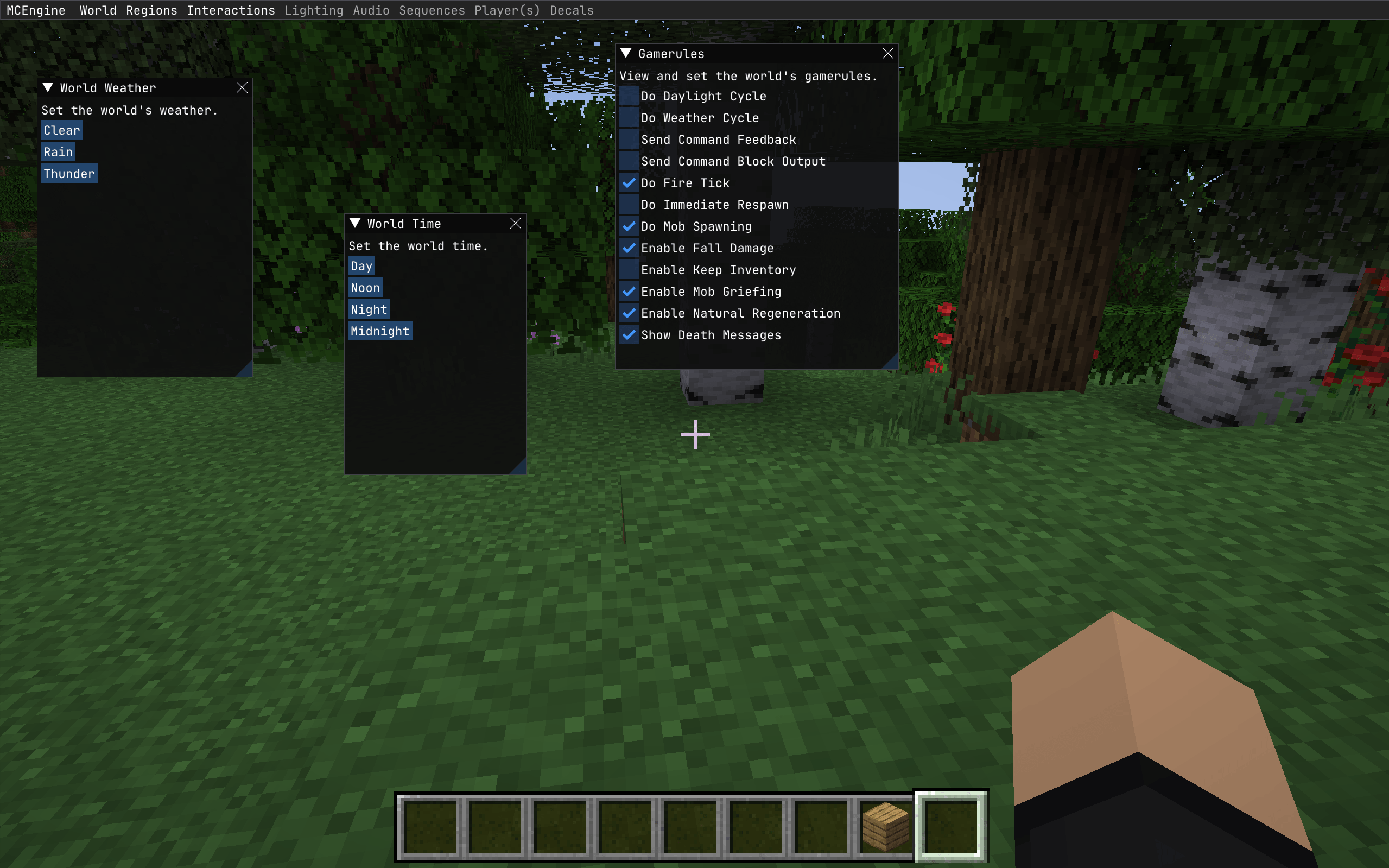
MC Engine gives various vanilla mechanics visual UIs to make them easier to access. Some gamerules have been added to a custom "World Gamerules" menu and can be toggled on and off through that menu.
World Time and Weather can be set in similar menus.
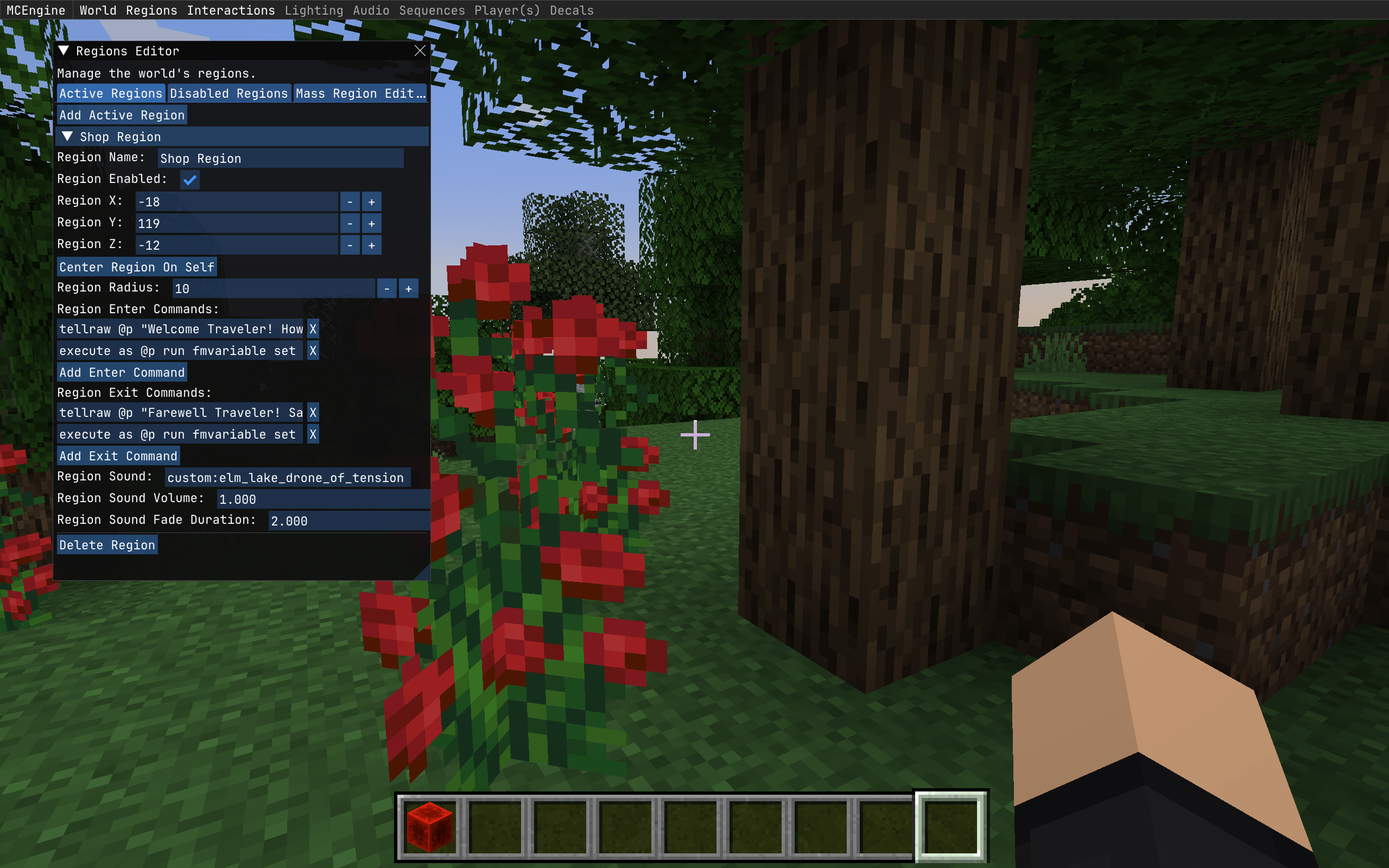
Regions are areas centered around a set position with a radius that defines the region borders. The Engine UI lets you set the position and radius of the region, as well as the commands that will run as you enter and exit the region. These can be any vanilla command as well as any command added by another loaded mod. Regions also have a music feature, where you can set a sound that plays for the player when they enter the region and configurably fades out when the player leaves the region. This can also be any vanilla sound, or any sound added by another loaded mod or resource pack.
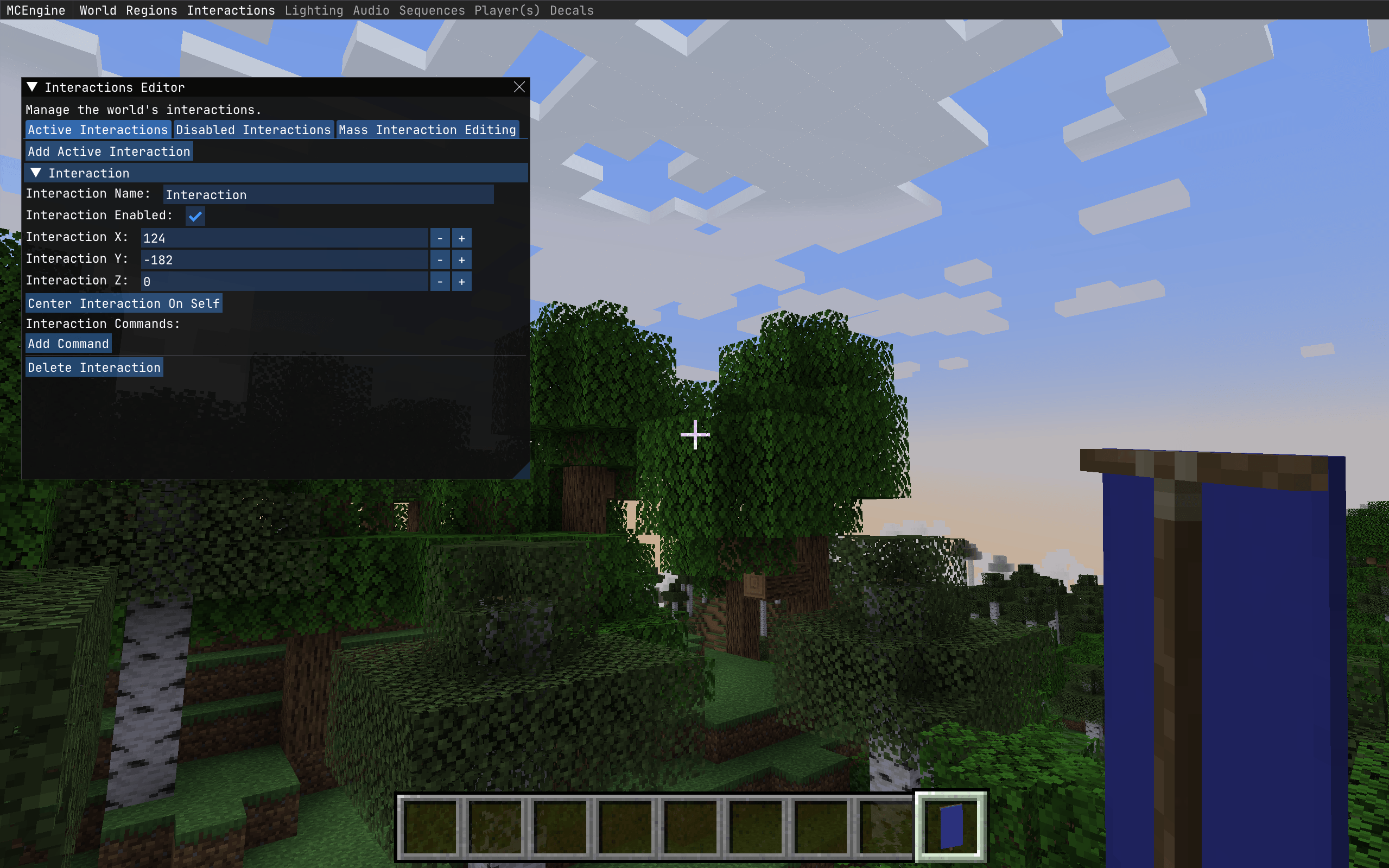
Interactions:
Interactions will be very similar to regions, but they only have one off effects. Interactions will be set up so when the player is looking at the block the interaction is centered on and presses the interaction key (which will also be rebind-able or settable on the server side) the interaction commands will run on the player using the interaction.
Music:
MC Engine's music features will allow you to disable Minecraft's vanilla music from playing and allow you to configure a custom set of sounds/music to play on a configurable delay instead of the vanilla music, allowing you to set custom world ambience.
Player Attributes
Various player attributes (height, walking speed, falling speed, etc…) will be able to set in a menu and editable via regions, so additional special effects/interactions can be had for the regions.
Project description from Modrinth.
Pick your setup
Choose the version and loader you play, then open the matching release.
Check the dependencies, then try the file in a copied instance before changing a world you care about.
Recent files
mc-engine-0.9.1.jar
9 Nov 2026
mc-engine-0.9.0.jar
4 Nov 2026
mc-engine-0.4.0.jar
21 Oct 2026
mc-engine-0.3.0.jar
30 Aug 2026
Looking for an older file? The official Modrinth project page is in Resources.
 mod
Intelligent new animals that make the world livelier
 mod
Disposable public fixture for testing the Modpacks.ch GitHub catalogue flow
 mod
A client-side mod that changes your player model to a cat! Purely visual.