
Minecraft version
Back to mods 
Modrinth · Minecraft mod
Pipster
Readable item, fluid, gas and energy pipes for Minecraft, with filters right at the port and channel-based tesseracts. For Fabric and NeoForge.
Choose a version Pick your version below, then grab the matching file.
Quick answer
Which Pipster release should I use?
Latest stable file 1.5.0+mc26.3+neoforge-26.3
Game version 26.3
Loader NeoForge
Pipster 1.5.0+mc26.3+neoforge-26.3 targets 26.3 with NeoForge. Installation on the client is optional. Installation on the dedicated server is optional. No extra mods listed for this file.
Where it goes
Is Pipster required on the client, server, or both?
Installation on the client is optional. Installation on the dedicated server is optional.
Client Optional
Dedicated server Optional
Loader for this release NeoForge
Required install it here Optional supported, not mandatory Not supported do not install here Source doesn’t say do not assume
The source marks this as usable on both the client and server.
What else does Pipster 1.5.0+mc26.3+neoforge-26.3 need?
1.5.0+mc26.3+neoforge-26.3. Change the file and its required mods may change too.
This file does not list any required mods. Do not add a library just because a different file uses it.
This file does not list any required or optional mods.
Before you install it
Add Pipster without breaking your instance.
Built for Pipster 1.5.0+mc26.3+neoforge-26.3. Pick another file and the loader, install side or required mods may change.
- 01
Stick to this file
Use 1.5.0+mc26.3+neoforge-26.3. It targets 26.3 with NeoForge; another release may have different loader, side or dependency requirements.
- 02
Bring the mods it needs
This file does not list any required mods. Do not add a library just because a different file uses it.
- 03
Put it on the correct side
Installation on the client is optional. Installation on the dedicated server is optional.
- 04
Pick the file you checked
Use the “Get this file” button beside 1.5.0+mc26.3+neoforge-26.3. It opens that exact file at the source.
About this project
What does Pipster add?
Pipster
Readable pipes for items, fluids, gas and energy, with filters right at the port, channel-based tesseracts and the Energy Pulse Amplifier. Works on Fabric and NeoForge.


✅ Version 1.5.0 – Released!
Pipster 1.5.0 is now available! 🎉
For the time being, development will focus on bug fixes and maintenance rather than new features.
Since I'm working on Pipster in my spare time alongside my regular job, updates will be handled based on priority. Critical bugs will be fixed as quickly as possible, while minor fixes and improvements will be collected and released in batches.
Thanks for your patience and continued support! ❤️
New in 1.5.0: an in-game guide (key Z or the new guide item) with troubleshooting and examples, the Network Analyzer (see every pipe's load, find bottlenecks, get a report and warnings), a test run that shows why a port would move nothing, quantity rules (refill between two levels, minimum batch size), the Cargo Loader for chest minecarts, hopper minecarts and chest boats, coloured pipes and cables (different colours never connect), crafters filled only with complete sets, a comparator signal when a pipe cannot deliver, a settings screen, new 3D models for the guide, wrench, analyzer and tesseracts, and ports on "Both" no longer pass items back and forth. New languages: Portuguese (Brazil) and Spanish. New optional support for The One Probe, EMI and Mod Menu. Worlds from 1.4.1 load without conversion. 1.5.0 is made for Minecraft 1.21.1, 1.21.11, 26.1 to 26.1.2 (26.1 and 26.1.1 are back), 26.2 and 26.3; for 1.21.2 to 1.21.10, Pipster 1.2.0 stays available.

- Pipes look like pipes. Every pipe and cable is a real, narrow shape (no full blocks), with a bolted flange where it connects to a machine. The tube shows the kind, the colour of the node and flange shows the tier.
- Four kinds, five tiers. Item pipes, fluid pipes, gas pipes and energy cables, each from Copper (T1) to Quantum (T5), and energy cables up to Singularity (T6). Upgrade placed pipes in place with a bolt; they keep their settings and contents.
- Filters live in the port. No filter blocks in the way. Put a filter card straight into the port where the pipe meets the machine.
- Tesseracts. Send resources through named channels: any distance in one dimension (Resonant) or across all dimensions (Quantum).
- Overcharge. The Energy Pulse Amplifier stores energy and releases it in short, powerful pulses.
- Built for servers. Everything runs on the server in bounded steps. Pipes do not tick, and Pipster never loads chunks.
- Coloured pipes (new in 1.5.0). Dye a pipe or a whole run with one click; two different colours never connect, so parallel lines stay apart.
- Guide in the game (new in 1.5.0). 64 pages with search, recipes, troubleshooting, examples and the numbers of the mod, in English, German, Portuguese (Brazil) and Spanish. Press Z or right-click the Pipster Guide.
- See what your network does (new in 1.5.0). Hold the Network Analyzer: every pipe shows its load, full pipes turn red. Right-click for a report of throughput, blocked ports and setups that cannot work.

How to recognise them (new look in 1.3.0): item pipes are square copper tubes, fluid pipes round iron-grey tubes, gas pipes round petrol (dark teal) tubes, and energy cables narrower square anthracite cables with fine insulation rings. The node in the middle and the flange show the tier colour (in brackets below). A flange with four bolts only where a pipe meets a machine; between two pipes a slim coupling. Throughput, tiers, recipes and behaviour did not change.
- Copper (copper): 2 items/t, 100 mB/t, 1,000 E/t
- Reinforced (gold): 8 items/t, 400 mB/t, 8,000 E/t
- Precision (emerald green): 32 items/t, 1,600 mB/t, 64,000 E/t
- Resonant (lapis blue): 128 items/t, 6,400 mB/t, 512,000 E/t
- Quantum (amethyst purple): 512 items/t, 25,600 mB/t, 4,096,000 E/t
- Singularity (redstone red, energy cables only): 32,768,000 E/t
- Supercalifragilisticexpialidocious Energy Cable (magenta with white bolts, creative only): 1,000,000,000,000 E/t; no recipe, drops nothing
Gas pipes move as much gas per tick as fluid pipes move mB. Throughput is shared per pipe segment, so a bottleneck is a real bottleneck. Nothing ignores limits: even the creative cable has a finite rate, and a thinner cable between two of them keeps its own limit.
Colours (new in 1.5.0): right-click a pipe with a dye to colour it, sneak + right-click to recolour the whole connected run (one dye per started 8 pipes). The colour shows on the coupling sleeves of pipes and the insulation rings of cables. Two different colours never connect; uncoloured pipes connect to every colour. A water bucket or a sponge removes the colour. Coloured pipes can also be crafted (pipes + dye) and keep their colour when broken and upgraded.

Controls since 1.4.1:
| Action | Effect |
|---|---|
| Right-click a port | next mode: Insert → Extract → Both → Off (an accept port: Accept ↔ Off) |
| Sneak + right-click a port | open the port screen |
| Left-click an arm (with or without a port) | disconnect exactly that arm (also splits networks) |
| Left-click the centre on the side of a disconnected arm | connect it again; this works from either of the two pipes |
| Sneak + left-click a port | paste the active copy profile, with cards from your inventory (see Copy and paste) |
| Right-click an arm without a port, or the centre | show the network in the action bar (network number, tier, nodes, ports, segment use) |
| Sneak + right-click an arm without a port | disconnect or reconnect it, as before 1.4.1 |
| Sneak + right-click the pipe centre (anywhere else) | dismantle the pipe |
| Sneak + right-click air | switch to the next of 3 copy profiles |
- The action bar says what happened: "West: Extract", "Arm disconnected", "Arm connected", "Profile 1 pasted".
- The wrench never breaks a pipe by left-click. To remove a pipe, sneak + right-click its centre or break it without the wrench.
- A held left-click in creative mode acts only once.
- The tooltip of the wrench lists these controls.
You need build permission at that spot. The server checks distance and permission for every action.
Classic controls (Pipster 1.3.0 and older, or server option)
These are the controls of Pipster 1.3.0 and older. From 1.4.1 on, a server can switch back to them with wrenchClassicControls=true in config/pipster-server.properties (see Configuration). Default: false.
| Action (classic controls) | Effect |
|---|---|
| Right-click a port | open the port screen |
| Sneak + right-click an arm | disconnect exactly that arm |
| Sneak + right-click the centre on the side of a disconnected arm | connect it again |
| Sneak + right-click the pipe centre (anywhere else) | dismantle the pipe |
| Sneak + right-click air | switch to the next of 3 copy profiles |
| Left-click | 1.4.1 with classic controls: nothing, the wrench never breaks pipes. 1.3.0 and older: breaks the pipe like any item |
With classic controls there is no quick paste by sneak + left-click; use the Paste button in the port screen. The wrench tooltip still lists the 1.4.1 controls, because the client does not know the server setting.
- Port screen: redstone control, priority, distribution (round robin, nearest, sticky), the face of the target block, and a status line that says why nothing moves.
- Accept port: a side next to a block that pushes but has no storage of its own (AE2 Export Bus, Create funnels, Oritech item and fluid pipes) can be set to Accept. It takes what the block pushes in and never pulls.
- Copy and paste port settings with 3 profiles. Since 1.4.1, pasting also moves matching filter and rule cards from your inventory into the port; cards are never created.
- Crafters (since 1.4.1): pipes fill a crafter evenly, one item per slot, and take the result it pushes out of its front; they never empty its crafting grid.
- Complete sets (new in 1.5.0): switch "Sets" on at a crafter and the port collects items and puts them in only as a whole set, one per slot; with a filter card, field 1 to 9 is the recipe pattern.
- Comparator (new in 1.5.0): a comparator next to a pipe gives a signal when a port cannot deliver because its targets are full.
- Settings screen (new in 1.5.0): edit the settings in the game through Mod Menu (Fabric) or the mod list (NeoForge); servers reload with
/pipster config reload. - Test run (new in 1.5.0): click the status line of a port. It plays the next transfer through without moving anything and lists every target, the slowest pipe and why nothing would move.
- Network Analyzer (new in 1.5.0): coloured load dots on every pipe of a network, a report on right-click, and chat warnings for watched networks (sneak + right-click) when a pipe stays full or a port is quarantined.
- Cargo Loader (new in 1.5.0): a block under the rail or under water. Pipes fill and empty the chest minecart, hopper minecart or chest boat above it, like a chest; a comparator shows how full the vehicle is.

- Basic (9 rules): exact item, fluid or gas; allowlist or denylist
- Advanced (27 rules): tags, whole mods, exact components such as enchantments
- Precision (54 rules): "keep 64 in the source", "fill the target up to 256", and (new in 1.5.0) refill: "below 16, fill up to 64"
- Rule Card: per-port rate limit and energy reserve, and (new in 1.5.0) a minimum amount: the port starts only when the source can give a whole batch
Patterns are ghost items: nothing is used up.
Fluid and gas pipes have a filter field with suggestions. Type a name and pick a fluid, gas or (with Mekanism) chemical from the list, no filled container needed. # lists tags, "Everything from " covers a whole mod, and entries with the same name show their mod in brackets.

- Resonant Tesseract: any distance, same dimension, T4 speed
- Quantum Tesseract: all dimensions of the server, T5 speed
- One channel per resource type per tesseract, private, invite-only or public, filters per side

The Energy Pulse Amplifier takes energy evenly, stores it at 90 % efficiency and releases it for a short time at a higher rate than it takes. It never creates energy.
- Front = output, every other side = input. The pulse respects the cable at the front, so a thin cable limits it; on Singularity and creative cables the amplifier's own pulse limit applies.
- Capacitor Banks around it add capacity and pulse power (up to 8 banks).
- Modes: Auto, Charge, Pulse (fired by redstone or the Fire button).
- Screen: stored energy, input and output per tick, efficiency, banks, pulse limit, mode, status (Charging, Ready, Pulsing, Empty).
- Looks and sounds: a coil that spins faster with the charge and glows during a pulse, charge lights, sparks and own sounds.
- Defaults (server config): 1,000,000 E store, +1,000,000 E per bank, 16,000 E/t input, pulse 32,000 E/t + 4,000 E/t per bank.
- Breaking it keeps the energy in the item; creative pick-block never copies it.


- Pipster: readable pipes for items, fluids, gases and energy.
- QNet: industry, power, storage, logistics and dimensional extraction in one mod.
Pipster itself needs none of them.

Pipster connects to other mods through the standard interfaces of each loader:
- Fabric: Transfer API for items and fluids, Team Reborn Energy for energy (included). Extract ports actively pull energy (can be switched off in the config).
- NeoForge: item, fluid and energy capabilities
- Gas: Pipster's own small gas API, fluids you tag as
#pipster:gaseous, and Mekanism chemicals (NeoForge 1.21.1)
Gaseous fluids of Ad Astra, Modern Industrialization and Tech Reborn travel in gas pipes (optional entries in the gas tag, since 1.4.1).
Tested Compatibility
Tested with real mod JARs on dedicated servers and clients, including automated game tests that transfer items, fluids and energy through supported blocks and back without loss or duplication. Since 1.5.0 the game tests also call the built-in integrations below (computer methods, info providers, the Mod Menu button). Availability varies by Minecraft version and loader.
- Storage Drawers: Drawers and compacting drawers.
- Sophisticated Storage: NeoForge on all versions; Fabric 1.21.1 (unofficial port).
- Energized Power: Battery box and fluid tank.
- Oritech: Energy storage and tank.
- Powah!: Energy cell, including NeoForge 26.2 and 26.3.
- Mekanism: Energy cube, fluid tank and chemicals through gas pipes (NeoForge 1.21.1).
- Create: Fluid tank; the Mechanical Arm can target item pipes (NeoForge 1.21.1).
- Tech Reborn: Fabric 1.21.1, 26.1 to 26.1.2, 26.2 and 26.3.
- Tom's Simple Storage: 1.21.1, 1.21.11, 26.1.2, 26.2 and 26.3.
- Item Collectors (new in 1.5.0): All versions except NeoForge 26.1. Point a collector at a pipe and set that side to Accept.
- Industrial Foregoing and Draconic Evolution (new in 1.5.0): Their machines take energy through Pipster cables (NeoForge 1.21.1).
- Modern Industrialization (new in 1.5.0): Barrels and tanks in both directions (NeoForge 1.21.1).
- Applied Energistics 2 (also with Applied Mekanistics) and Immersive Machinery: Start and run alongside Pipster.
Not every block of these mods is covered. Please report compatibility issues.
Built-in Optional Integrations
These integrations activate automatically when the corresponding mod is installed. None of these mods are required to use Pipster.
- Jade: Displays port modes and status, accessible tesseract channels, and pulse amplifier charge and status.
- WTHIT: Additional information about Pipster blocks and their status.
- The One Probe (new in 1.5.0): The same information as Jade and WTHIT. All versions except Minecraft 1.21.11 on Fabric.
- JEI, REI and EMI: Drag an item or fluid onto a filter field to set the pattern. EMI (new in 1.5.0) on Minecraft 1.21.1, the only version it exists for.
- Mod Menu (new in 1.5.0, Fabric): Opens the settings screen.
- Flan: Claim protection integration.
- CC: Tweaked: Computers can read pipes, tesseracts and pulse amplifiers. Ports can be controlled using the "Computer" redstone mode.
- Open Parties and Claims (OPAC) and FTB Chunks: Pipes respect land claims and cannot extract from protected inventories without permission.
- FTB Teams and OPAC parties: Teammates can share channels, tesseracts and pipes, including previously placed ones.
- LuckPerms and other permission mods: Support for the
pipster.adminandpipster.commandpermission nodes. Operators retain these permissions without an additional permission mod. - Wrench compatibility: The Conduit Wrench is recognized as a wrench by compatible mods.
Integration availability depends on the Minecraft version and loader. FTB Chunks and FTB Teams are supported on Minecraft 1.21.1, 1.21.11 and 26.1.2. Fewer mods exist for 26.1 and 26.1.1, so several integrations of the 26.1 to 26.1.2 files were tested on 26.1.2 only.
For exact versions and testing details, see Supported-Versions.

Minecraft 1.21.1, 1.21.11, 26.1 to 26.1.2, 26.2 and 26.3, Fabric and NeoForge. One file per Minecraft version and loader; one file per loader covers 26.1, 26.1.1 and 26.1.2. Before release, each file is tested on its version: client and server start, automated game tests for transport, throughput limits, filters, tesseracts, the pulse amplifier, claims and teams, saving and loading, plus runs with the partner mods above.
- 1.21.1: pipster-1.5.0+mc1.21.1-fabric.jar, pipster-1.5.0+mc1.21.1-neoforge.jar
- 1.21.11: pipster-1.5.0+mc1.21.11-fabric.jar, pipster-1.5.0+mc1.21.11-neoforge.jar
- 26.1, 26.1.1 and 26.1.2: pipster-1.5.0+mc26.1-26.1.2-fabric.jar, pipster-1.5.0+mc26.1-26.1.2-neoforge.jar
- 26.2: pipster-1.5.0+mc26.2-fabric.jar, pipster-1.5.0+mc26.2-neoforge.jar
- 26.3: pipster-1.5.0+mc26.3-fabric.jar, pipster-1.5.0+mc26.3-neoforge.jar
- NeoForge 26.2 and 26.3 need at least 26.2.0.93 and 26.3.0.100. Fabric 26.3 needs at least Fabric API 0.165.2+26.3.
- Other Minecraft versions (1.21.2 to 1.21.10): use Pipster 1.2.0. It stays available and keeps working. Builds for further versions only come back if enough players ask for them in the issue tracker. Request a Minecraft version

Measured with 1.5.0 on a laptop (Intel Core i7-13700H, 32 GB RAM) with a dedicated server: 10,000 idle pipes need about 0.01 ms per tick, 500 busy ports on 50,000 pipes about 3 to 5 ms, and a mixed base with items, fluids, gas, energy, tesseracts and crafters about 2 ms. A server tick has 50 ms. All scenes, the method and the notes on the measurement are on the wiki page Performance. Numbers only ever hold for the machine and the scenes they were measured with; they are no promise for every server.

- Fabric: Fabric API. Team Reborn Energy is included.
- NeoForge: nothing else.
- Install on both client and server.
- Optional: Jade, WTHIT, The One Probe, JEI, REI, EMI, Mod Menu, CC: Tweaked, Open Parties and Claims, FTB Chunks, Flan, FTB Teams, a permission mod, Create, Mekanism.


You may include Pipster in any modpack, public or private, free or paid, as long as the jar files stay exactly as published.

Pipster is made by cptgummiball. All rights reserved: modifying, decompiling or re-uploading Pipster outside of modpacks is not allowed. Mod developers may compile against the Pipster API. Full license: https://github.com/CptGummiball/Pipster/blob/main/LICENSE
Project description from Modrinth.
Pick your setup
Pipster by Minecraft version and loader
Choose the version and loader you play, then open the matching release.
Minecraft version
26.2
2 loader buildsMinecraft version
26.1.2
2 loader buildsMinecraft version
26.1.1
2 loader buildsMinecraft version
26.1
2 loader buildsMinecraft version
1.21.11
2 loader buildsMinecraft version
1.21.10
2 loader buildsMinecraft version
1.21.9
2 loader buildsMinecraft version
1.21.8
2 loader buildsMinecraft version
1.21.7
2 loader buildsMinecraft version
1.21.6
2 loader buildsMinecraft version
1.21.5
2 loader buildsShowing the newest 12 of 16 game versions. Older files are in the list below.
Check the dependencies, then try the file in a copied instance before changing a world you care about.
Recent files
Pipster versions and loaders
1.5.0+mc26.3+neoforge-26.3
pipster-1.5.0+mc26.3-neoforge.jar
24 Nov 2026
Client Optional Server Optional Dependencies No extras listed Listed on Release listing
Check the 26.3 · NeoForge setup 26.3NeoForge release
1.5.0+mc26.2+neoforge-26.2
pipster-1.5.0+mc26.2-neoforge.jar
24 Nov 2026
Client Optional Server Optional Dependencies No extras listed Listed on Release listing
Check the 26.2 · NeoForge setup 26.2NeoForge release
1.5.0+mc26.1+neoforge-26.1-1.2
pipster-1.5.0+mc26.1-26.1.2-neoforge.jar
24 Nov 2026
Client Optional Server Optional Dependencies No extras listed Listed on Release listing
Check the 26.1.2 · NeoForge setup 26.126.1.126.1.2NeoForge release
1.5.0+mc1.21.11+neoforge-1.21.11
pipster-1.5.0+mc1.21.11-neoforge.jar
24 Nov 2026
Client Optional Server Optional Dependencies No extras listed Listed on Release listing
Check the 1.21.11 · NeoForge setup 1.21.11NeoForge release
1.5.0+mc1.21.1+neoforge-1.21.1
pipster-1.5.0+mc1.21.1-neoforge.jar
24 Nov 2026
Client Optional Server Optional Dependencies No extras listed Listed on Release listing
Check the 1.21.1 · NeoForge setup 1.21.1NeoForge release
1.5.0+mc26.3+fabric-26.3
pipster-1.5.0+mc26.3-fabric.jar
24 Nov 2026
Client Optional Server Optional Dependencies 1 required · 1 unchecked Listed on Release listing
Check the 26.3 · Fabric setup 26.3Fabric release
1.5.0+mc26.2+fabric-26.2
pipster-1.5.0+mc26.2-fabric.jar
24 Nov 2026
Client Optional Server Optional Dependencies 1 required · 1 unchecked Listed on Release listing
Check the 26.2 · Fabric setup 26.2Fabric release
1.5.0+mc26.1+fabric-26.1-1.2
pipster-1.5.0+mc26.1-26.1.2-fabric.jar
24 Nov 2026
Client Optional Server Optional Dependencies 1 required · 1 unchecked Listed on Release listing
Check the 26.1.2 · Fabric setup 26.126.1.126.1.2Fabric release
1.5.0+mc1.21.11+fabric-1.21.11
pipster-1.5.0+mc1.21.11-fabric.jar
24 Nov 2026
Client Optional Server Optional Dependencies 1 required · 1 unchecked Listed on Release listing
Check the 1.21.11 · Fabric setup 1.21.11Fabric release
1.5.0+mc1.21.1+fabric-1.21.1
pipster-1.5.0+mc1.21.1-fabric.jar
24 Nov 2026
Client Optional Server Optional Dependencies 1 required · 1 unchecked Listed on Release listing
Check the 1.21.1 · Fabric setup 1.21.1Fabric release
1.5.0-beta.3+neoforge-26.3
pipster-1.5.0-beta.3+mc26.3-neoforge.jar
20 Nov 2026
Client Optional Server Optional Dependencies No extras listed Listed on Release listing
Check the 26.3 · NeoForge setup 26.3NeoForge beta
1.5.0-beta.3+neoforge-26.2
pipster-1.5.0-beta.3+mc26.2-neoforge.jar
20 Nov 2026
Client Optional Server Optional Dependencies No extras listed Listed on Release listing
Check the 26.2 · NeoForge setup 26.2NeoForge beta
Looking for an older file? The official Modrinth project page is in Resources.
 mod
CurseForge · Minecraft
Gasworks
Thirteen underground gases with real density and diffusion, moved through pipes under pressure. Runs on Forge Energy and registers every gas as a fluid, so it talks to the rest of your pack.
 mod
CurseForge · Minecraft
Bellows OG - Faster Furnaces, Water Wheels & Ore Doubling
Bellows make furnaces burn twice as fast, water wheels and windmills work them for you, and a grinder turns every ore into two dusts.
 mod
CurseForge · Minecraft
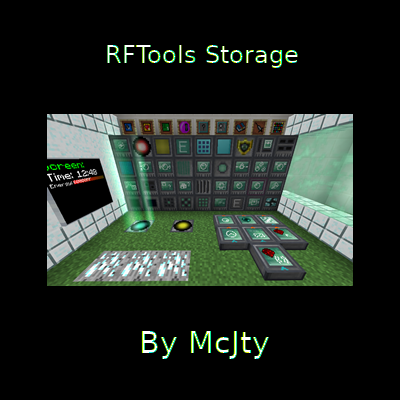
RFTools Storage
RFTools Storage addon