Minecraft Transit Railway Needed by Station Sticker 2.0.0
requiredMatching file found Matched file: FORGE-4.0.5+1.20.4

Modrinth · Minecraft mod
An MTR addon with station stickers, line maps, passenger information displays and customizable navigation signs.
Quick answer
Station Sticker 2.0.0 targets 1.20.1, 1.20.2, 1.20.3 with Forge. Installation on the client is optional. Installation on the dedicated server is optional. All 1 required mods have matching files.
Where it goes
Installation on the client is optional. Installation on the dedicated server is optional.
The source marks this as usable on both the client and server.
2.0.0. Change the file and its required mods may change too.
Install Minecraft Transit Railway first. We found matching files for this game-version and loader setup. 1 comes through another mod in the chain.
1 extra mod was pulled in by another dependency. Indented rows show who needs each one. We only count dependency files that match this setup. A file for another loader does not fill the gap.
Before you install it
Built for Station Sticker 2.0.0. Pick another file and the loader, install side or required mods may change.
Use 2.0.0. It targets 1.20.1, 1.20.2, 1.20.3 with Forge; another release may have different loader, side or dependency requirements.
Install Minecraft Transit Railway first. We found matching files for this game-version and loader setup. 1 comes through another mod in the chain.
Installation on the client is optional. Installation on the dedicated server is optional.
Use the “Get this file” button beside 2.0.0. It opens that exact file at the source.
About this project
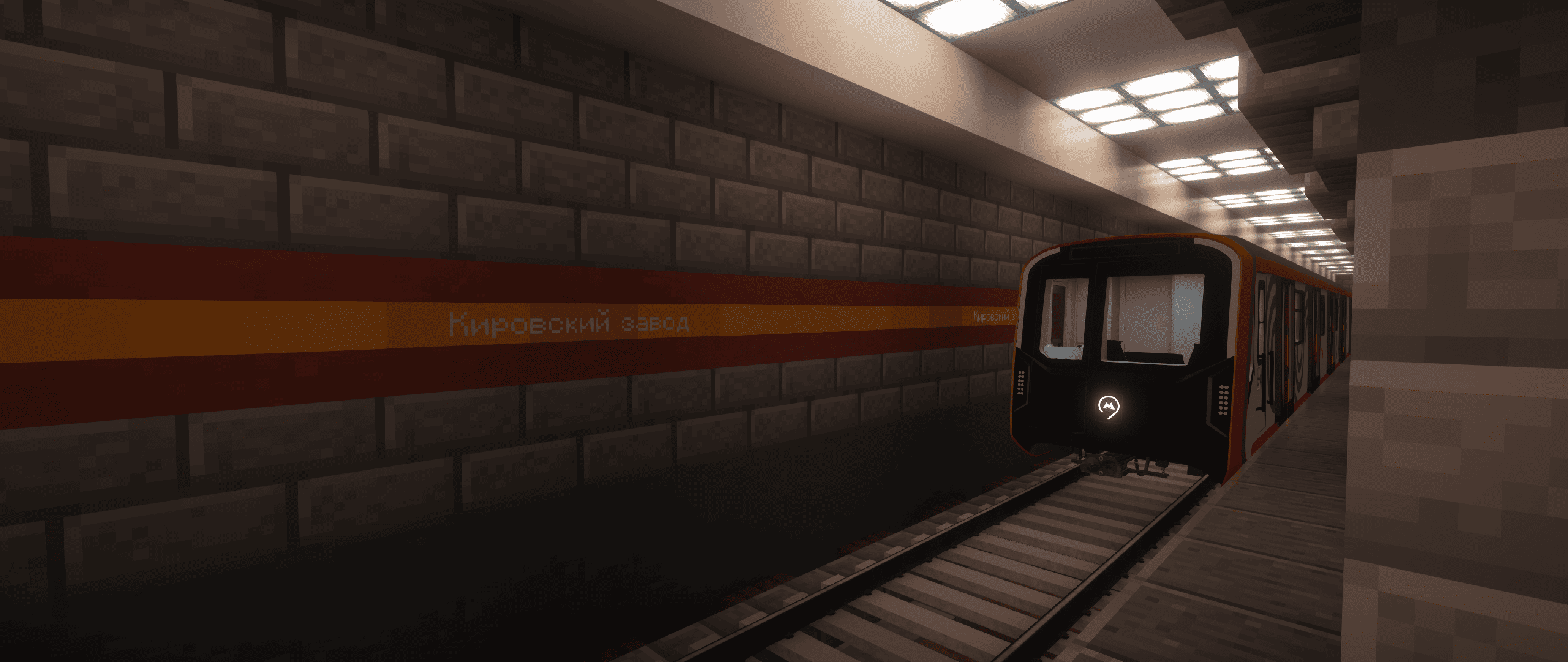
Station Sticker is an addon for Minecraft Transit Railway (MTR) that adds metro-style station signs, route maps and passenger information displays.
Inspired by the Saint Petersburg Metro and Moscow Metro, it uses your MTR station and route data to help passengers find their way.
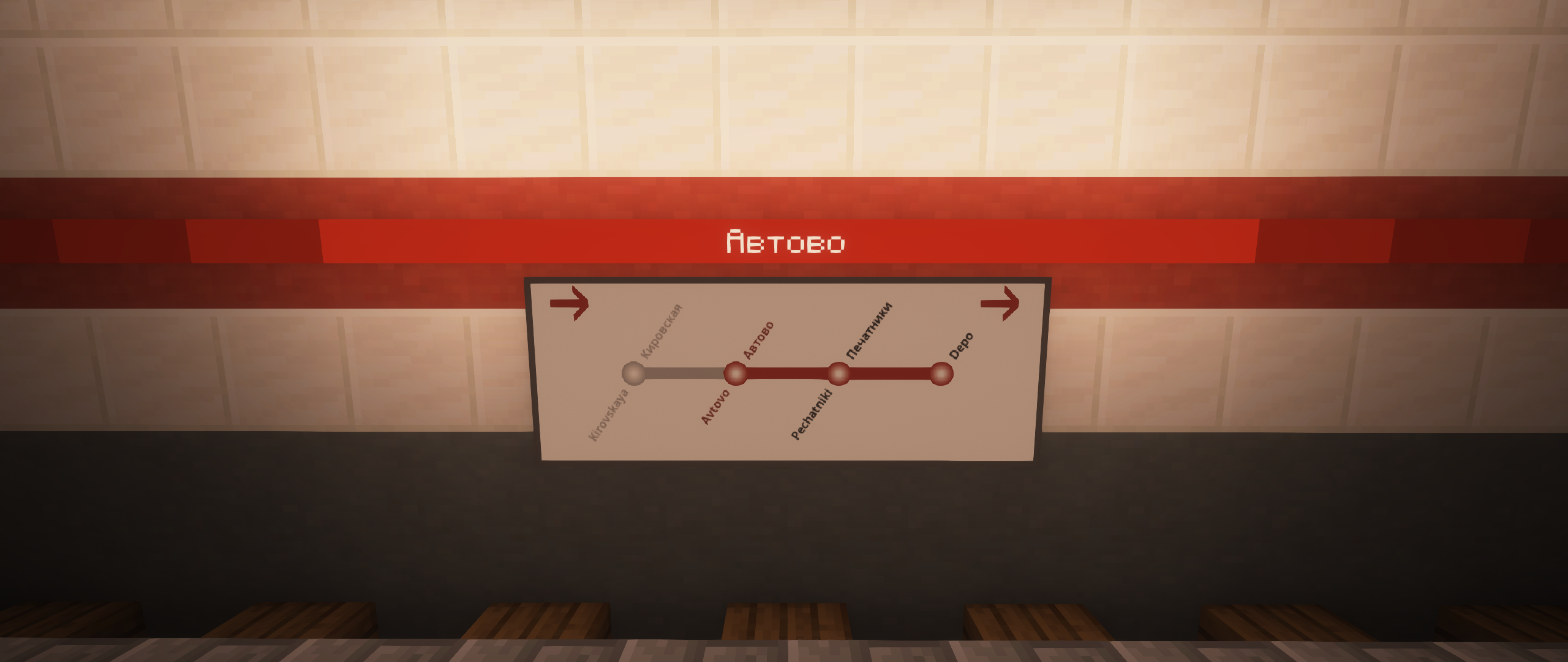
Version 2.0 is now available! Discover arrival displays, direction signs, navigation signs and information screens.
Direction signs, navigation signs and information screens have an adjustable width of 2–8 blocks. The new displays can be mounted on walls or suspended from ceilings.
Russian and English display text is supported. Existing English translations in multilingual MTR station names are used when available.
Use the brush to change sign widths and navigation layouts, reverse the line scheme, or toggle the arrival chime.
Numbers inside the colored circles come from MTR’s route-number field. They are separate from platform numbers. Set route numbers in the MTR dashboard to display them on the signs.
Display your station’s routes and interchanges in the style of the Saint Petersburg Metro.
Minecraft Transit Railway is required.
Choose matching Minecraft versions for Station Sticker and MTR. Install the addon on both the client and server when playing multiplayer.
Created by Tr1nity. Thanks to the MTR team and kykko.
Licensed under the MIT License.
Project description from Modrinth.
Pick your setup
Choose the version and loader you play, then open the matching release.
Check the dependencies, then try the file in a copied instance before changing a world you care about.
Recent files
StationStickerMTR-2.0.0+1.20.1.jar
1 Nov 2026
StationStickerMTR-2.0.0+1.19.2.jar
1 Nov 2026
StationStickerMTR-1.1.0+1.19.2.jar
11 Apr 2026
StationStickerMTR-1.1.0+1.20.1.jar
11 Apr 2026
StationStickerMTR-1.0.2+1.20.1.jar
10 Mar 2026
StationStickerMTR-1.0.2+1.19.2.jar
10 Mar 2026
StationStickerMTR-1.0.1+1.20.1.jar
10 Mar 2026
StationStickerMTR-1.0.1.jar
9 Mar 2026
Looking for an older file? The official Modrinth project page is in Resources.
 mod
BuildCraft Community Edition - port of original BC to newer versions
 mod
An Addon for Create that adds Pizza Tower to Minecraft!
 mod
Adds a customizable button grid to the chat screen for sending repetitive commands and messages with a single click