![FlickView [SnapView] project artwork](https://cdn.modrinth.com/data/RoFWvfbW/8d7500df3666c43d936634a1368e102a4ef9ecf5_96.webp)
Modrinth · Minecraft mod
FlickView [SnapView]
Snap the view to 360°, 180°, 90° or any custom angle. Smooth controls and a stylish UI deliver precise perspective shifts instantly
Quick answer
Which FlickView [SnapView] release matches 26.2 Fabric?
FlickView [SnapView] 3.6.0 targets 26.2 with Fabric. It must be installed on the client. Do not install it on the dedicated server. All 1 required mods have matching files.
Where it goes
Is FlickView [SnapView] required on the client, server, or both?
It must be installed on the client. Do not install it on the dedicated server.
This file is marked client-only.
What else does FlickView [SnapView] 3.6.0 need?
3.6.0 on 26.2 Fabric. Every mod below is checked against that same setup.
Install Fabric API first. We found matching files for this game-version and loader setup.
We only count dependency files that match this setup. A file for another loader does not fill the gap.
Before you install it
Add FlickView [SnapView] without breaking your instance.
Built for FlickView [SnapView] 3.6.0 on 26.2 Fabric. Pick another file and the loader, install side or required mods may change.
- 01
Stick to this file
Use 3.6.0. It targets 26.2 with Fabric; another release may have different loader, side or dependency requirements.
- 02
Bring the mods it needs
Install Fabric API first. We found matching files for this game-version and loader setup.
- 03
Put it on the correct side
It must be installed on the client. Do not install it on the dedicated server.
- 04
Pick the file you checked
Use the “Get this file” button beside 3.6.0. It opens that exact file at the source.
About this project
What does FlickView [SnapView] add?

FlickView - Adjust your view with precision
FlickView makes camera turns and character spins easy to control, with adjustable angles, optional smooth rotation, and simple in-game settings.
✨ Features
- Yaw Rotation
- Turn your view by 180°, 90°, or a custom angle with a single key press.
- Repeated presses replace an unfinished smooth turn instead of queuing more turns.
- Pitch Rotation
- Press once to move to your chosen pitch; press again to return to the starting pitch.
- Smooth Rotation
- Enable smooth yaw turns and adjust their speed. Pitch changes always ease smoothly.
- 360 Spin
- Toggle continuous rotation with one key.
- Choose the rotation direction and adjust its speed in Settings.
- Spin Mode
- Camera + Character: rotate the camera together with the character. This is the default mode.
- Character Only: spin the character while looking around normally. Use third-person view to see the spin.
- Auto Sneak Spin
- Optionally alternate crouching while spinning. Your own crouch input remains available.
- Spin Counter
- Track accumulated full rotations with an optional on-screen counter.
- Choose from six screen positions.
- In-game Settings
- Adjust angles, speed, direction, spin mode, counter placement, and status messages.
- Save changes with Done, discard edits with Cancel, or stop motion and prepare defaults with Reset.
- Client-side Only
- Install FlickView on your client. No server installation is required.
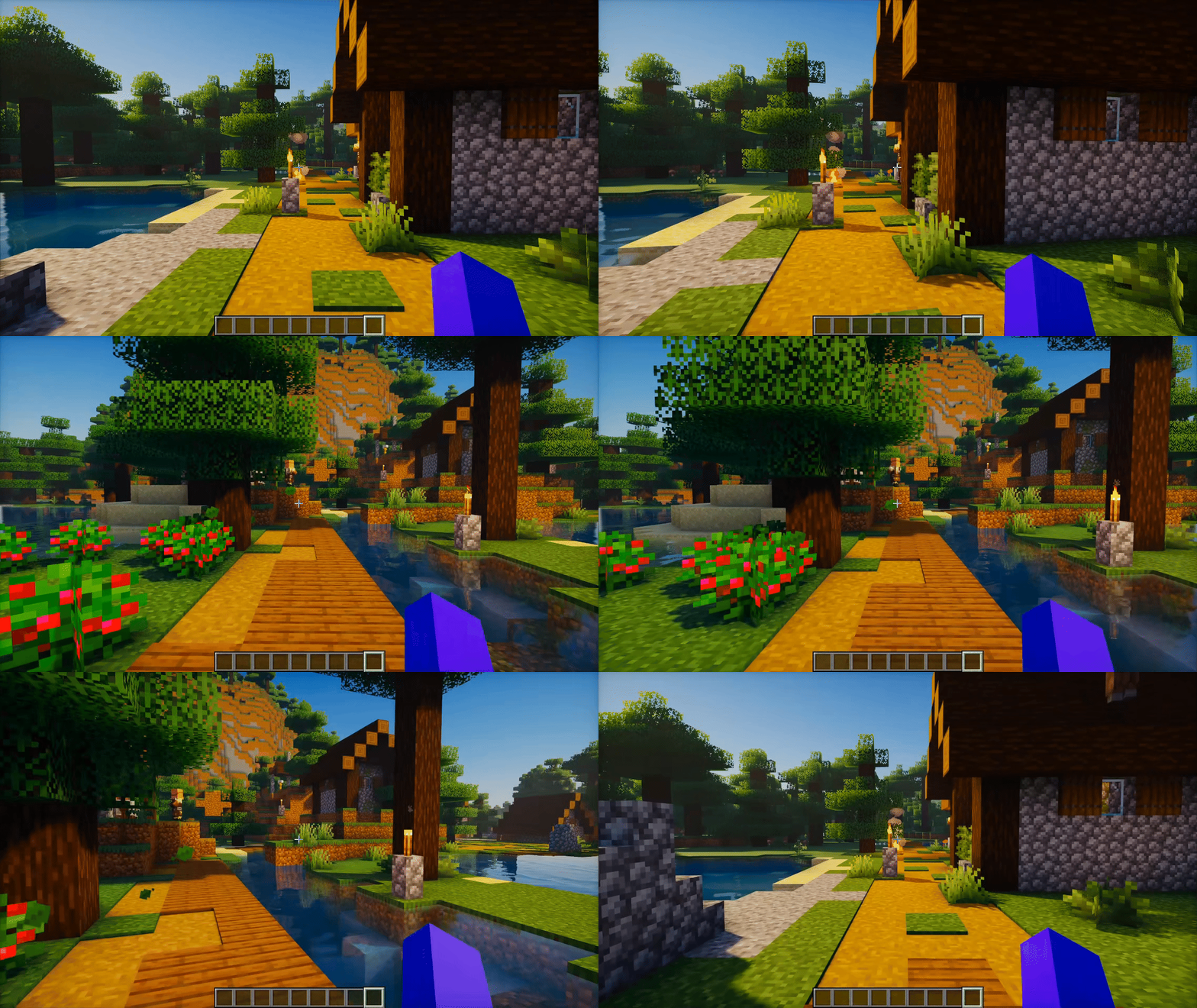
🎬 Preview
360 Spin

Yaw Rotation with Smooth Rotation Enabled

Check the Gallery for more previews.
📖 How to Play
- Press F6 to open Settings and adjust FlickView to your preference.
- Press K to enable or disable FlickView.
- Press U to move to your chosen pitch. Press it again to return to the starting pitch.
- Press Y to turn your view by the configured yaw angle.
- Press I to start continuous spin. Press it again to stop.
Rebind these keys in Minecraft's Controls menu. Existing saved keybindings are preserved when updating.
📜 License and permissions
- All Rights Reserved (ARR). Standalone redistribution and re-uploads require permission.
- Modpacks are allowed when the original mod is unmodified, credited as FlickView by Zynwro, and linked to the official project page.
Project description from Modrinth.
Pick your setup
FlickView [SnapView] by Minecraft version and loader
Choose the version and loader you play, then open the matching release.
26.3
4 loader builds26.2
4 loader builds26.1.2
4 loader builds26.1.1
4 loader builds26.1
4 loader builds1.21.11
4 loader builds1.21.10
4 loader builds1.21.9
4 loader builds1.21.8
4 loader builds1.21.7
4 loader builds1.21.6
4 loader builds1.21.5
4 loader buildsShowing the newest 12 of 27 game versions. Older files are in the list below.
Check the dependencies, then try the file in a copied instance before changing a world you care about.
Recent files
FlickView [SnapView] versions and loaders
3.6.0
FlickView-3.6.0-Fabric+mc26.2.jar
15 Oct 2026
Looking for an older file? The official Modrinth project page is in Resources.