Minecraft version
Back to mods 
Modrinth · Minecraft mod
Create: Compact Flap
Adds the Compact Flap Bearing, which combines the functions of the Torsion Spring and Directional Gearshift from the Create: Aeronautics mod.
Choose a version Pick your version below, then grab the matching file.
Quick answer
Which Create: Compact Flap release should I use?
Latest stable file 1.0.4
Game version 1.21.1
Loader NeoForge
Create: Compact Flap 1.0.4 targets 1.21.1 with NeoForge. Installation on the client is optional. Installation on the dedicated server is optional. No extra mods listed for this file.
Where it goes
Is Create: Compact Flap required on the client, server, or both?
Installation on the client is optional. Installation on the dedicated server is optional.
Client Optional
Dedicated server Optional
Loader for this release NeoForge
Required install it here Optional supported, not mandatory Not supported do not install here Source doesn’t say do not assume
The source marks this as usable on both the client and server.
What else does Create: Compact Flap 1.0.4 need?
1.0.4. Change the file and its required mods may change too.
This file does not list any required mods. Do not add a library just because a different file uses it.
This file does not list any required or optional mods.
Before you install it
Add Create: Compact Flap without breaking your instance.
Built for Create: Compact Flap 1.0.4. Pick another file and the loader, install side or required mods may change.
- 01
Stick to this file
Use 1.0.4. It targets 1.21.1 with NeoForge; another release may have different loader, side or dependency requirements.
- 02
Bring the mods it needs
This file does not list any required mods. Do not add a library just because a different file uses it.
- 03
Put it on the correct side
Installation on the client is optional. Installation on the dedicated server is optional.
- 04
Pick the file you checked
Use the “Get this file” button beside 1.0.4. It opens that exact file at the source.
About this project
What does Create: Compact Flap add?
Create: Compact Flap is an addon for Create: Aeronautics that adds:
- Compact Flap Bearing
- Analog Compact Flap Bearing
- Compact Physical Bearing
- Analog Compact Physical Bearing
These blocks combine the functionality of the Torsion Spring and Directional Gearshift blocks to create compact aircraft or any other mechanisms.
The Physical Bearings do the same thing, but attached objects become sub-level.
Project description from Modrinth.
Pick your setup
Create: Compact Flap by Minecraft version and loader
Choose the version and loader you play, then open the matching release.
Check the dependencies, then try the file in a copied instance before changing a world you care about.
Recent files
Create: Compact Flap versions and loaders
1.0.4
compactflap-neoforge-1.21.1-1.0.4.1.jar
2 Aug 2026
Client Optional Server Optional Dependencies No extras listed Listed on Release listing
Check the 1.21.1 · NeoForge setup 1.21.1NeoForge release
Looking for an older file? The official Modrinth project page is in Resources.
 mod
CurseForge + Modrinth · Minecraft
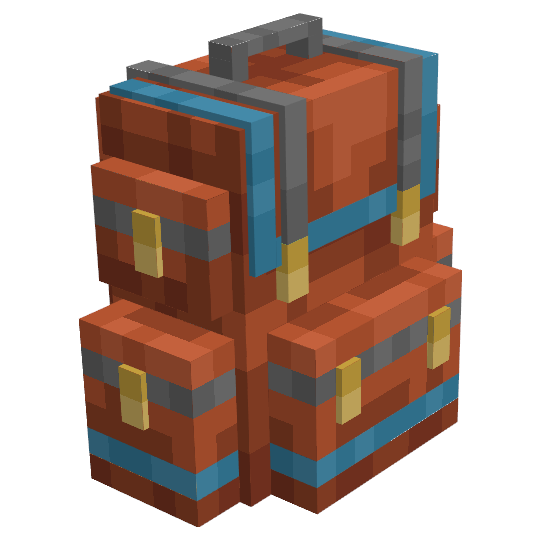
Sophisticated Backpacks
Yet another backpack mod this time with backpack you can place in world, color in different color combinations, upgrade with more inventory and enhance with many functional upgrades
 mod
CurseForge · Minecraft
Elemenics
This mod categorizes items in Minecraft into six types of Elemenix. Using a variety of mysterious instruments, players can deconstruct items into Elemenix and then reconstruct them into other items.
 mod
CurseForge · Minecraft
PrimeClient
PrimeClient is the custom Client-side Mod made specifically for Pixelmon Prime. It enables the ability to communicate with the server using the PrimeAPI.