AAA Particles Needed by BBS AAAddon 2.0-26.1.2
requiredMatching file found Matched file: neoforge-26.1.2-2.2.3

Modrinth · Minecraft mod
AAA particle compatibility for use as forms in BBS CML EDITION
Quick answer
BBS AAAddon 2.0-26.1.2 targets 26.1.2 with Fabric, NeoForge. Installation on the client is optional. Installation on the dedicated server is optional. All 1 required mods have matching files.
Where it goes
Installation on the client is optional. Installation on the dedicated server is optional.
The source marks this as usable on both the client and server.
2.0-26.1.2. Change the file and its required mods may change too.
Install AAA Particles first. We found matching files for this game-version and loader setup. 11 come through another mod in the chain.
11 extra mods were pulled in by other dependencies. Indented rows show who needs each one. We only count dependency files that match this setup. A file for another loader does not fill the gap.
Before you install it
Built for BBS AAAddon 2.0-26.1.2. Pick another file and the loader, install side or required mods may change.
Use 2.0-26.1.2. It targets 26.1.2 with Fabric, NeoForge; another release may have different loader, side or dependency requirements.
Install AAA Particles first. We found matching files for this game-version and loader setup. 11 come through another mod in the chain.
Installation on the client is optional. Installation on the dedicated server is optional.
Use the “Get this file” button beside 2.0-26.1.2. It opens that exact file at the source.
About this project
The BBS AAAddon unlocks the ability to use AAA particles as forms within BBS. This is an incredibly powerful tool for animators looking to add high-quality special effects directly into their scenes!
Setting up your custom particles is a straightforward process:
.efkefc particle files into your assets folder. Specifically, use this exact path:config\bbs\assets\effeks\This addon is fully supported and available for both Minecraft versions 1.20.1 and 1.21.1.
Project description from Modrinth.
Pick your setup
Choose the version and loader you play, then open the matching release.
Check the dependencies, then try the file in a copied instance before changing a world you care about.
Recent files
bbs-aaaddon-2.0-26.1.2.jar
5 Nov 2026
bbs-aaaddon-2.0-1.21.1.jar
5 Nov 2026
bbs-aaaddon-2.0-1.20.1.jar
5 Nov 2026
bbs-aaaddon-1.1.1-1.21.1.jar
14 Jul 2026
bbs-aaaddon-1.1.1-1.20.1.jar
14 Jul 2026
bbs-aaaddon-1.1.0-1.21.1.jar
1 Jun 2026
bbs-aaaddon-1.1.0-1.20.1.jar
1 Jun 2026
bbs-aaaddon-1.0.1-1.21.1.jar
17 Apr 2026
bbs-aaaddon-1.0.1-1.20.1.jar
17 Apr 2026
bbs-aaaddon-1.0.0-1.21.1.jar
16 Apr 2026
bbs-aaaddon-1.0.0-1.20.1.jar
16 Apr 2026
Looking for an older file? The official Modrinth project page is in Resources.
 mod
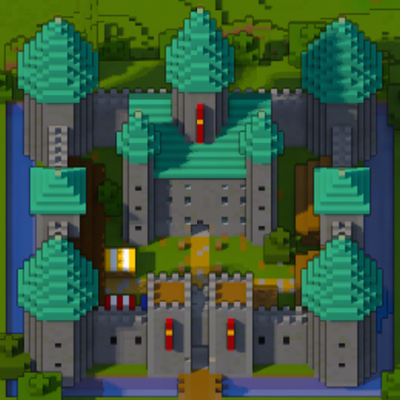
A minimap and world map drawn at an angle, like a model of your world on a table. Towers stand up, cliffs have faces and trees cast shadows.
 mod
a mod for swords, armor, and other things
 mod
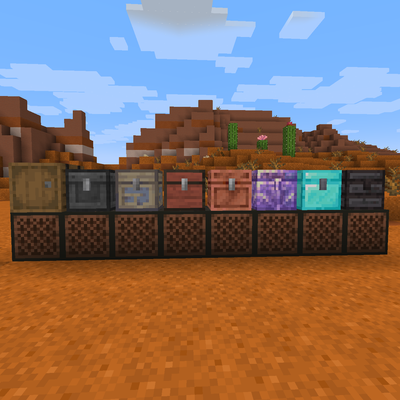
PO1ZON's Jukebox is a mod that is not only a backport of the 26.4 jukebox rework but it also allows any form of storage to be used in place of a chest.