Quick answer
Which Arsenal release should I use?
beta file 0.1.5-1.20.1
Game version 1.20.1
Loader Fabric, Quilt
Arsenal 0.1.5-1.20.1 targets 1.20.1 with Fabric, Quilt. Installation on the client is optional. Installation on the dedicated server is optional. All 2 required mods have matching files.
Where it goes
Is Arsenal required on the client, server, or both?
Installation on the client is optional. Installation on the dedicated server is optional.
Client Optional
Dedicated server Optional
Loader for this release Fabric, Quilt
Required install it here Optional supported, not mandatory Not supported do not install here Source doesn’t say do not assume
The source marks this as usable on both the client and server.
What else does Arsenal 0.1.5-1.20.1 need?
0.1.5-1.20.1. Change the file and its required mods may change too.
Install Ratatouille, Fabric API first. We found matching files for this game-version and loader setup.
Matching file found Matched file: 1.0.9-1.20.1
Matching file found Matched file: 0.92.11+1.20.1
We only count dependency files that match this setup. A file for another loader does not fill the gap.
Before you install it
Add Arsenal without breaking your instance.
Built for Arsenal 0.1.5-1.20.1. Pick another file and the loader, install side or required mods may change.
- 01
Stick to this file
Use 0.1.5-1.20.1. It targets 1.20.1 with Fabric, Quilt; another release may have different loader, side or dependency requirements.
- 02
Bring the mods it needs
Install Ratatouille, Fabric API first. We found matching files for this game-version and loader setup.
- 03
Put it on the correct side
Installation on the client is optional. Installation on the dedicated server is optional.
- 04
Pick the file you checked
Use the “Get this file” button beside 0.1.5-1.20.1. It opens that exact file at the source.
About this project
What does Arsenal add?
Features
Weapons
- Scythe
- Reaps in and stuns entities (making them unable to attack for half a second), as well as disable shields, on critical hit
- Can be used as a hoe for mining blocks (Netherite level)
- Comes with custom full swing hit sound effects and sweep particles
- Special enchantments:
- Spewing: Using the Scythe will spew out a blood blade damaging you and transferring half the duration of your potion effects to any entity hit
- Obtained from Vindicators (6.5% chance of one to spawn with it)
- Anchorblade
- Right-click to throw the Anchorblade, can be used to significantly knock back hit entities or entities in the radius of the block hit
- Can be used as a pickaxe for mining blocks (Netherite level) and mines two times faster underwater
- Comes with custom full swing hit sound effects and sweep particles
- Special enchantments:
- Reeling: Using the Anchorblade will no longer knock back entities but instead reel you or the hit entity in like a grapple
- Obtained from Drowned (6.5% of chance one to spawn with it)
Other Items
- Weapon racks
- Crafted like an item frame but replacing the two middle sticks with two iron ingots
- Can display weapons, tools and shields at their full size
- When placed:
- Right-click to orient
- Sneak-right-click to make invisible (if a weapon is racked)
- Punch to drop the weapon out of the rack
- Sneak-punch (with no weapon racked) to drop the rack
Tweaks / Additional Features
- Back slot
- Can be used to store an item for display on your back and quick access!
- Comes with two keybinds for storing an item in the back slot (by default and unsheathing it without removing it from the slot
- If you have a cape, its visual movement will be limited by the item on your back
- Fire charges can be thrown directly by using them
- Drowned with tridents are guaranteed to drop them, as well as with full durability
Supporter Bonuses
For Ko-Fi and YouTube members, you get weapon cosmetics:
- Your selected cosmetics are visible to other players.
- Can be changed by sneak-right-clicking an Arsenal weapon on either an anvil or smithing table
- Cosmetics are set per item stack name, not individual item stack, meaning they are synchronized across worlds.
- For example, if you have a Scythe named "Bingle" with a Guilded skin, any Scythe named "Bingle" you pick up or display in any world will have the Guilded skin (and change if you select another skin for it).
- This also means that if you change the skin of a weapon with no name, you will be changing the default skin you are seen with for that weapon, meaning you will not have to visit an anvil / smithing table to get that skin the moment you pick up any unnamed weapon of that type.
- As a result, if you give a skinned weapon to a non-supporter, the cosmetics will not show for them, but will show for you the moment you get it back.
- Each weapon skin comes with its own custom colored hits (as well as chain for the Anchorblades)
Compatibility
If you want your weapon mod to be compatible and have your items display properly on weapon racks and back slots, Arsenal provides some tags to which you can add them:
- "displayable": What items can be displayed in a weapon rack. By default, contains the "tools" Vanilla tag and "big_weapons", "tridents", "shields" and "ranged_weapons" Arsenal tags.
- "big_weapons": Weapons that have a 32x32 handheld sprite and therefore should be displayed scaled up. By default, contains the Scythe and Anchorblade.
- "tridents": Tridents. By default, contains the Minecraft Trident item.
- "shields": Shields. By default, contains the Minecraft Shield item.
- "ranged_weapons": Ranged weapons. By default, contains the Minecraft Bow and Crossbow items.
Gallery
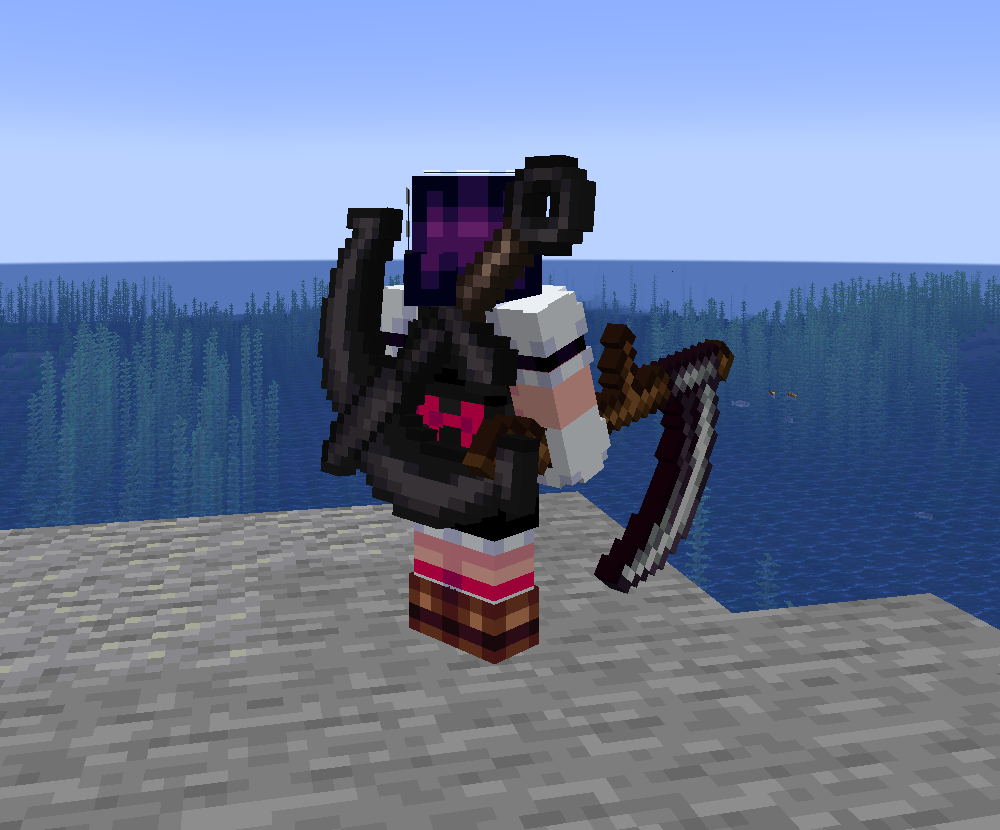
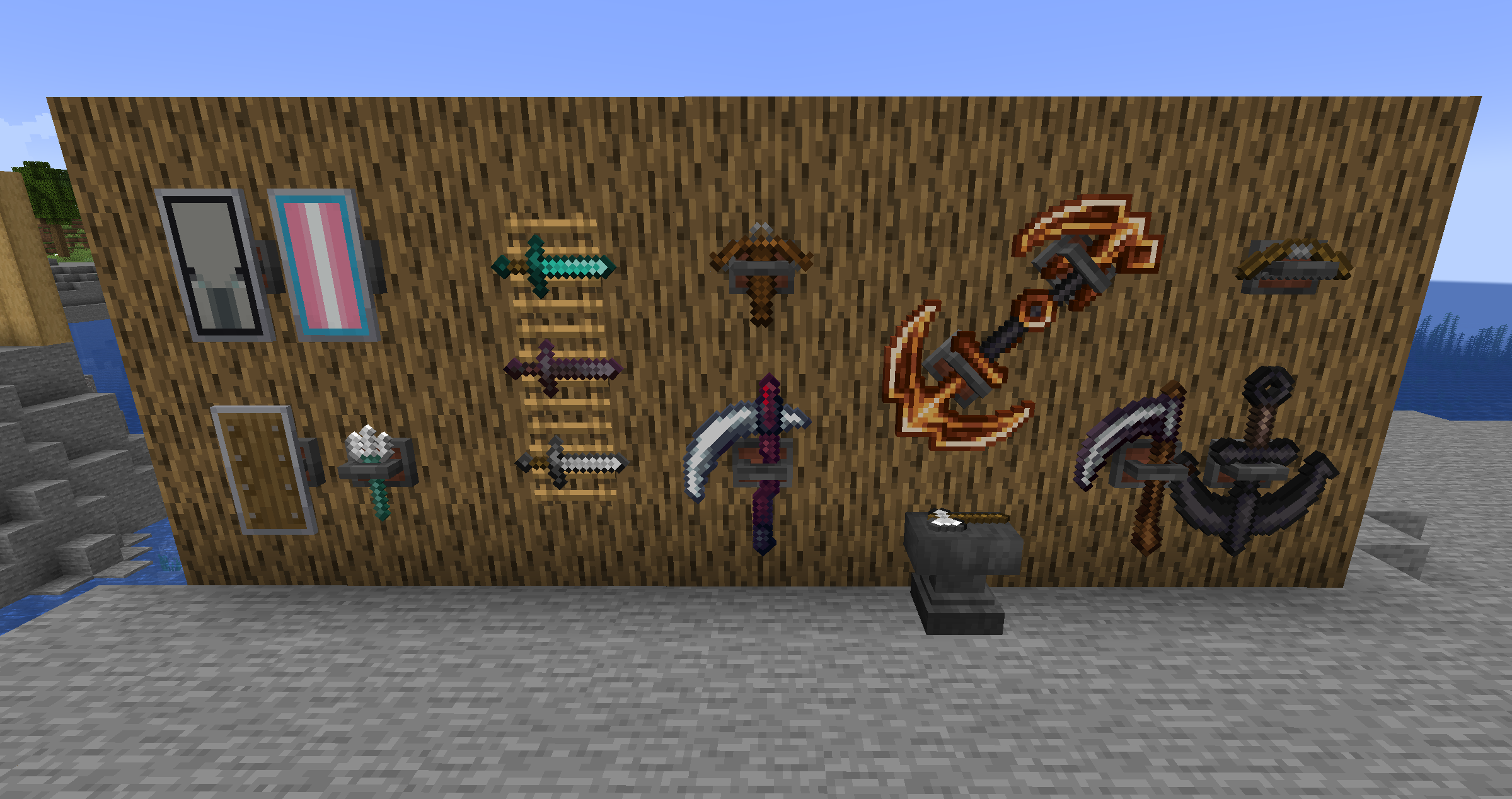
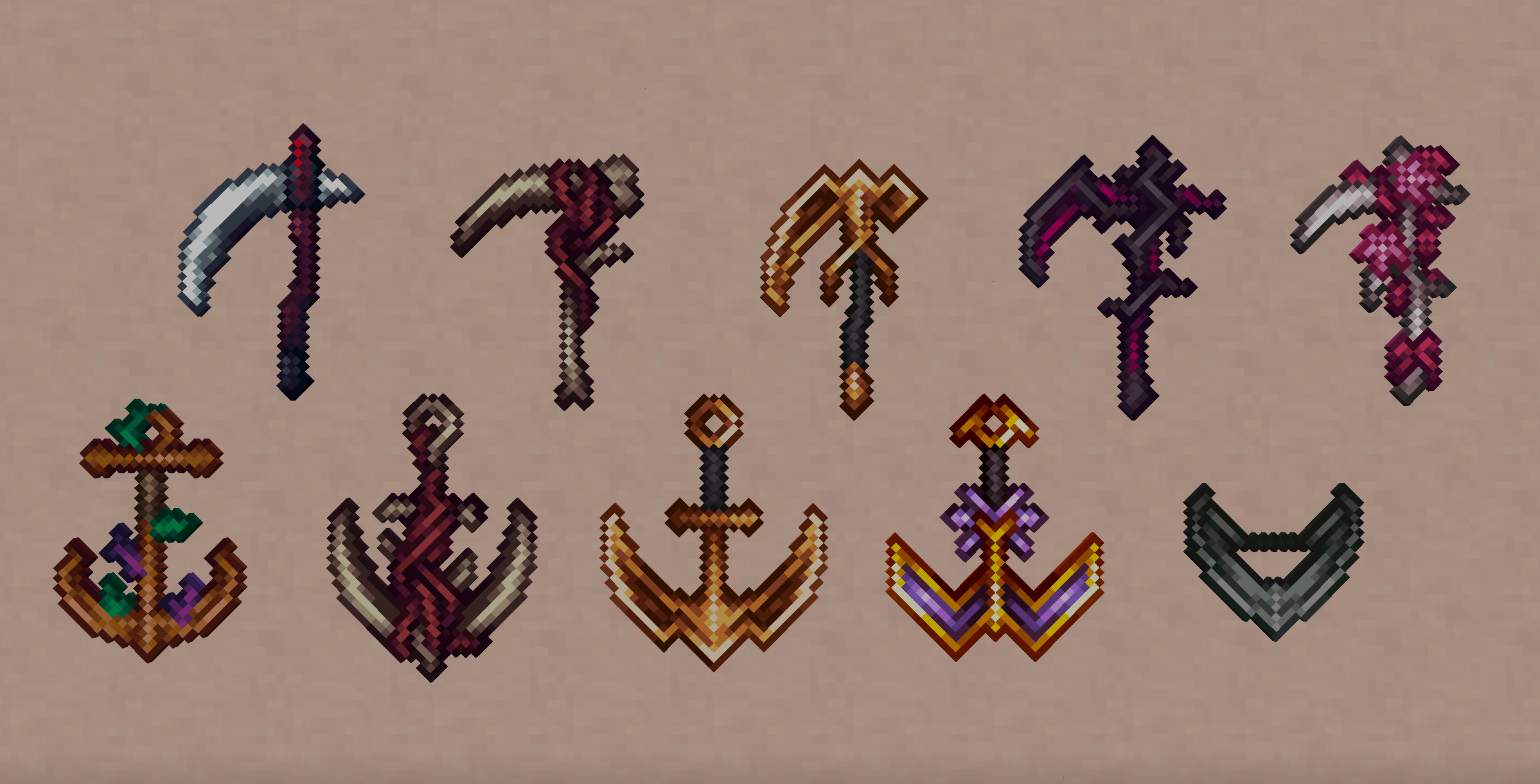
Project description from Modrinth.
Pick your setup
Arsenal by Minecraft version and loader
Choose the version and loader you play, then open the matching release.
Minecraft version
1.21.3
2
loader builds Minecraft version
1.20.1
2
loader builds Check the dependencies, then try the file in a copied instance before changing a world you care about.
Recent files
Arsenal versions and loaders
arsenal-0.1.4-1.20.1.jar
14 Dec 2024
Client Optional Server Optional Dependencies 2 required · 2 unchecked Listed on Release listing
Check the 1.20.1 · Fabric setup → arsenal-0.1.3-1.20.1.jar
13 Dec 2024
Client Optional Server Optional Dependencies 2 required · 2 unchecked Listed on Release listing
Check the 1.20.1 · Fabric setup → arsenal-0.1.2-1.20.1.jar
12 Dec 2024
Client Optional Server Optional Dependencies 2 required · 2 unchecked Listed on Release listing
Check the 1.20.1 · Fabric setup → arsenal-0.1.1-1.20.1.jar
10 Dec 2024
Client Optional Server Optional Dependencies 2 required · 2 unchecked Listed on Release listing
Check the 1.20.1 · Fabric setup → winweapons-1.0.0-1.21.3.jar
9 Dec 2024
Client Optional Server Optional Dependencies 1 required · 1 unchecked Listed on Release listing
Check the 1.21.3 · Fabric setup → arsenal-0.1.0-1.20.1.jar
9 Dec 2024
Client Optional Server Optional Dependencies 2 required · 2 unchecked Listed on Release listing
Check the 1.20.1 · Fabric setup → 



 mod
mod mod
mod mod
mod