Cloth Config API (Fabric/Forge/NeoForge) Needed by Minepedia-1.7.jar
requiredMatching file found Matched file: [Fabric 26.2] v26.2.155
CurseForge · Minecraft mod
Bring the Bedrock edition Encyclopedia to Minecraft: Java Edition 📖
Quick answer
Minepedia-1.7.jar targets 26.2 with Fabric. The project page does not say whether it belongs on the client. The project page does not say whether it belongs on the dedicated server. 1 required mod needs a matching file.
Where it goes
The project page does not say whether it belongs on the client. The project page does not say whether it belongs on the dedicated server.
The source does not explicitly classify this release as client-only or server-only.
Minepedia-1.7.jar. Change the file and its required mods may change too.
Install Cloth Config API (Fabric/Forge/NeoForge), Cloth Config API first, but 1 required mod has no matching file for this setup. Do not mix loader builds to force a match. 3 come through another mod in the chain.
3 extra mods were pulled in by other dependencies. Indented rows show who needs each one. We only count dependency files that match this setup. A file for another loader does not fill the gap.
Before you install it
Built for Minepedia-1.7.jar. Pick another file and the loader, install side or required mods may change.
Use Minepedia-1.7.jar. It targets 26.2 with Fabric; another release may have different loader, side or dependency requirements.
Install Cloth Config API (Fabric/Forge/NeoForge), Cloth Config API first, but 1 required mod has no matching file for this setup. Do not mix loader builds to force a match. 3 come through another mod in the chain.
The project page does not say whether it belongs on the client. The project page does not say whether it belongs on the dedicated server.
Use the “Get this file” button beside Minepedia-1.7.jar. It opens that exact file at the source.
About this project

Minepedia is a client-side only Fabric mod that brings the Minecraft: Bedrock Edition "How to play" menu into Java Edition!
Some entries has been edited or removed to account the differences between Bedrock and Java edition.
But, for the most part, you should get a one-to-one match between the two versions.
You can access the Minepedia menu right from the main menu, using the newly added button right next to the Singleplayer button

or in-game using its own keybound (default to K)
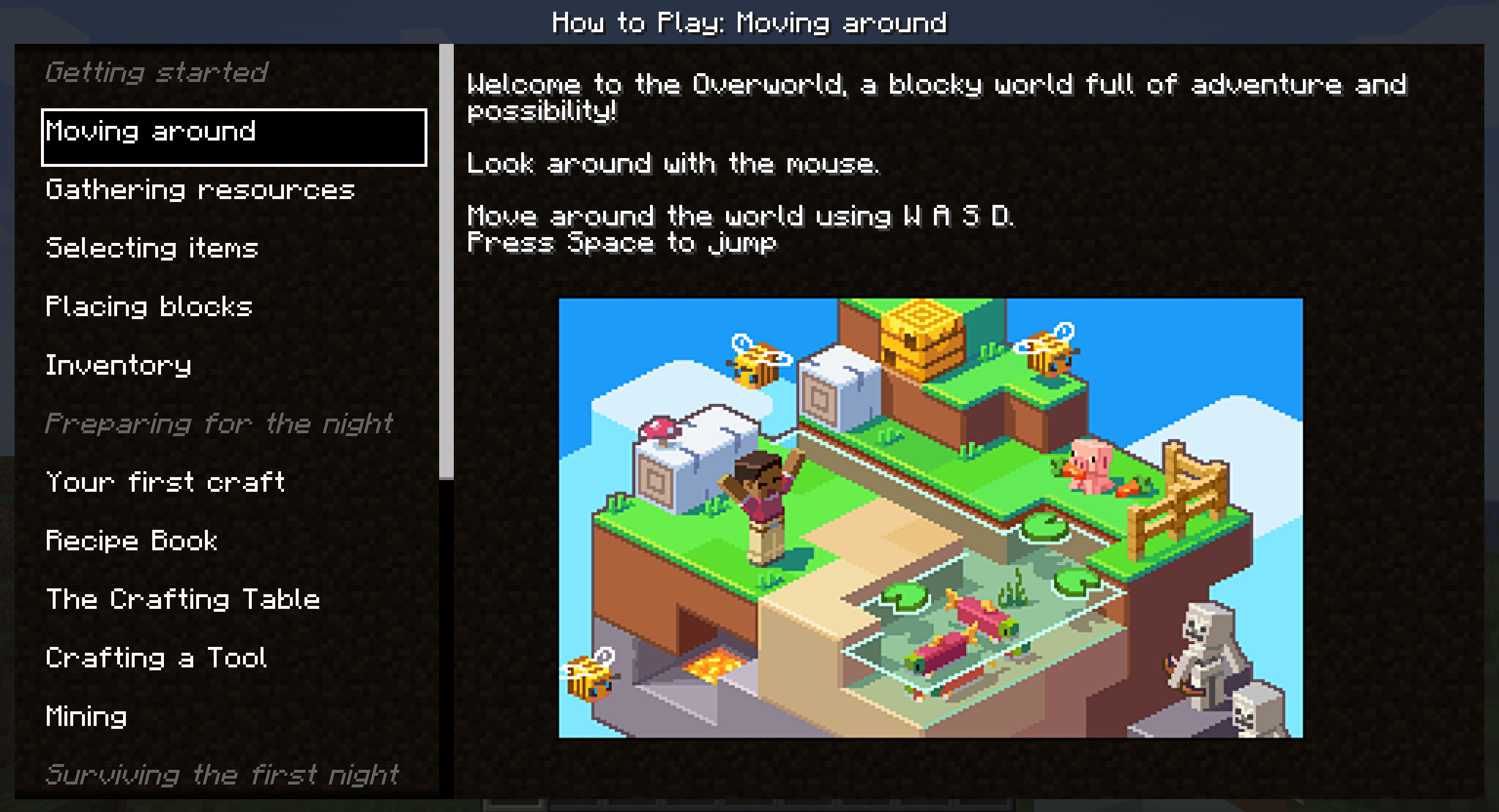
Clicking on a voice on the left will change the displayed details on the right.


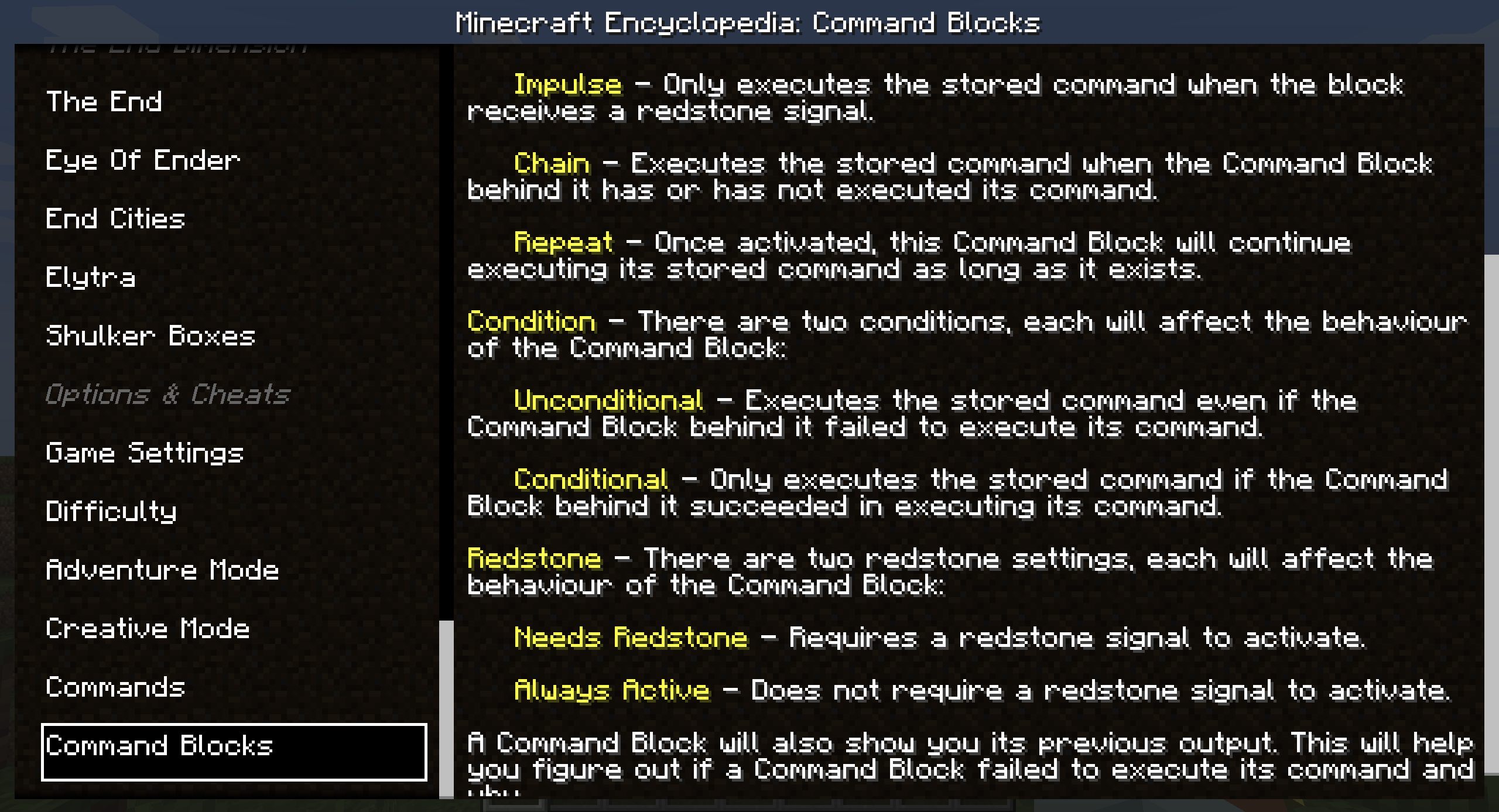
Minepedia will get updated when the Bedrock Edition "How to play" menu gets updated with new major releases.
Right now every entry is "hardcoded" into the mod, but future projects include:
Minepedia is a client-side only mod, meaning that you can even use it while playing on your favorite server, either vanilla ones or modded ones.
Anyone can contribute to Minepedia, suggesting their ideas using the Feature Request module
The best part is that requests are not limited in any form.
If your idea makes it to the mod you'll also be mentioned in the mod's credits! 😁
You can download Minepedia on Modrinth or on CurseForge.
I will post new releases only there. When a new version is released, a new blog post will also be available on the MineWorld blog, which will give more details and insights about the update.
The blogpost is only available in italian right now.
Any other websites that offers you Minepedia shouldn't be trusted and should be reported immediately (as they could be a scam and contain malicious software)!
Developing and maintaining Minepedia, and its related websites, requires a lot of time and effort, but after all I really enjoy doing this ❤
Minepedia is, and always will be, FREE TO USE.
If someone asked you some money to download Minepedia, I am afraid to tell you that you got scammed! 😥
But if you really want to financially support the project (or just buy me some beer to produce more code), these are the only ways:


Any other website asking you money for this project is a scam, and you should immediately report it to your local authorities as well! 😡
Having an in-game guide that teaches you the game basics could be very handy for new players, but that is a Bedrock-exclusive feature for now.
So let's help our Java Edition friends by giving them the same guid! 😁
I hope you enjoy Minepedia as much as I enjoy develop new ideas and content for it, and let me know if there are any issues on the issue tracker.
Have a nice day! 😁
Project description from CurseForge.
Pick your setup
Choose the version and loader you play, then open the matching release.
Check the dependencies, then try the file in a copied instance before changing a world you care about.
Recent files
24 Jun 2026
24 Jun 2026
13 May 2026
27 Jan 2026
7 Oct 2025
Minepedia-1.4.2.jar
2 Oct 2025
Minepedia-1.4.jar
17 Sept 2025
Minepedia-1.3.jar
8 Apr 2025
Minepedia-1.3.jar
4 Dec 2024
Minepedia-1.2.1.jar
10 Nov 2024
Minepedia-1.2.jar
25 Aug 2024
Minepedia-1.1.jar
30 Apr 2024
Looking for an older file? The official CurseForge project page is in Resources.
 mod
modTurn Blockbench models into simple Minecraft entities without writing Java code.
 mod
modAdds a quest system designed to make info conveyance in modpacks far more intuitive!
 mod
modRealistic oil refining comes to Minecraft


