Cobblemon Needed by Create: Encapsulated 1.2.0
requiredMatching file found Matched file: 1.8.4NF

Modrinth · Minecraft mod
Bridging compatability between Cobblemon and Create
Quick answer
Create: Encapsulated 1.2.0 targets 1.21.1 with NeoForge. Installation on the client is optional. Installation on the dedicated server is optional. All 4 required mods have matching files.
Where it goes
Installation on the client is optional. Installation on the dedicated server is optional.
The source marks this as usable on both the client and server.
1.2.0. Change the file and its required mods may change too.
Install Cobblemon, Create: World of Colors, Create, Kotlin for Forge first. We found matching files for this game-version and loader setup. 1 comes through another mod in the chain.
1 extra mod was pulled in by another dependency. Indented rows show who needs each one. We only count dependency files that match this setup. A file for another loader does not fill the gap.
Before you install it
Built for Create: Encapsulated 1.2.0. Pick another file and the loader, install side or required mods may change.
Use 1.2.0. It targets 1.21.1 with NeoForge; another release may have different loader, side or dependency requirements.
Install Cobblemon, Create: World of Colors, Create, Kotlin for Forge first. We found matching files for this game-version and loader setup. 1 comes through another mod in the chain.
Installation on the client is optional. Installation on the dedicated server is optional.
Use the “Get this file” button beside 1.2.0. It opens that exact file at the source.
About this project
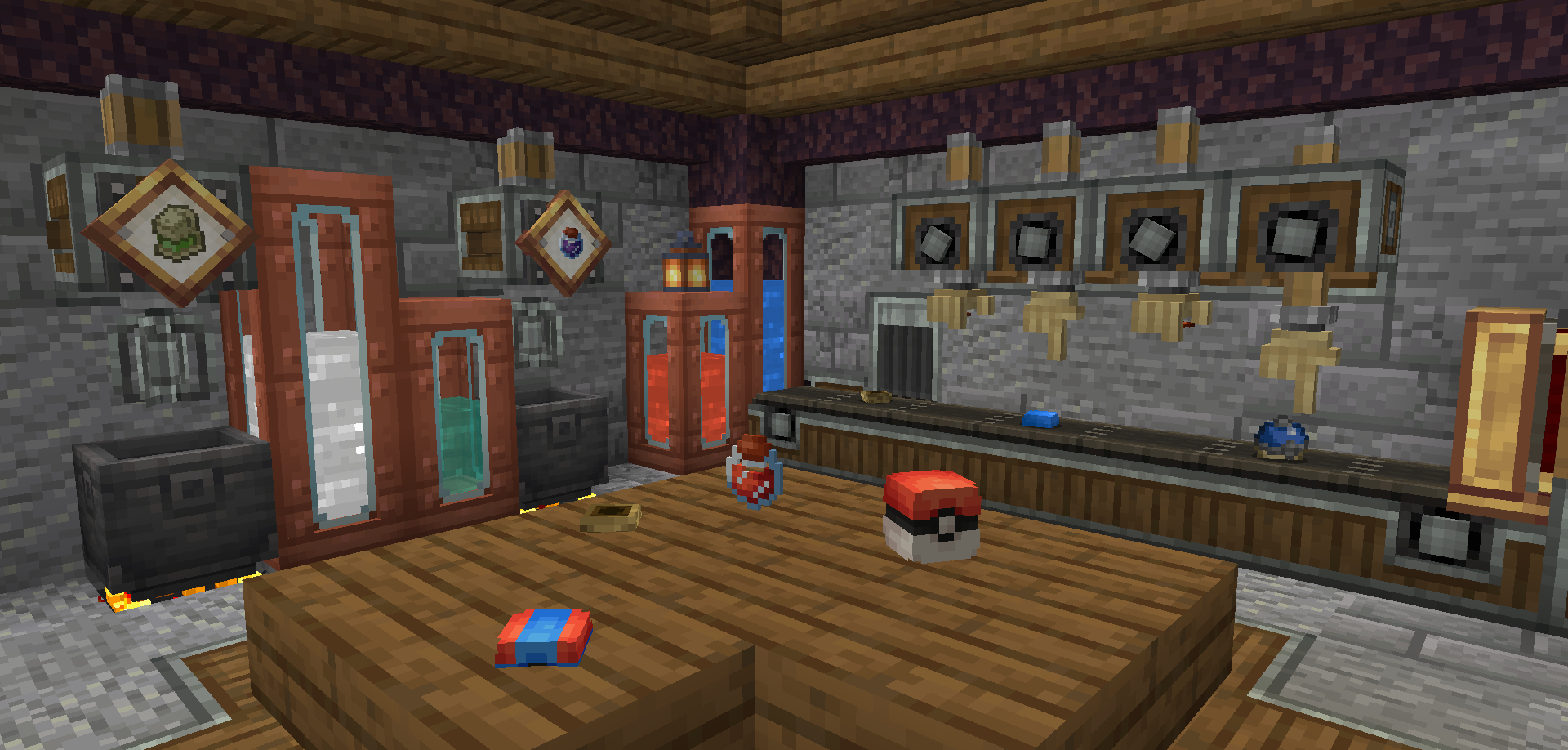
Create: Encapsulated overhauls Cobblemon's crafting recipes to be better integrated within the Create mod's progression system.
This mod features Poke Ball crafting via Lids and Sequential Assembly. Every single Medicine Item (Potions, Status Heals, etc) now have their own liquid form and associated mixing recipes, and Moomoo Milk can be used alongside Basins to deposit Milk.
There's also a lot of new crafting recipes for Create and Cobblemon's items! All of them are listed on either the mod's wiki, or you can view them directly through the Gallery Tab.

Check out the mod's Wiki Page for more information regarding Recipes and Mod Interactions, or if you have any questions regarding the mod!
If you'd like to use this mod's crafting recipes for Poke Balls but dont want both versions (Cobblemon and Create: Encapsulated's) to co-exist; I've made an optional Data Pack to do exactly that, you can find it here -> https://modrinth.com/datapack/cobblemon-pokeball-recipe-remover
If you'd like to use the Paint mechanic in your own mod without having to install cobblemon; I've made a standalone library to separate the mod from the paint mechanic, you can find it here -> https://modrinth.com/mod/create-world-of-colors
Project description from Modrinth.
Pick your setup
Choose the version and loader you play, then open the matching release.
Check the dependencies, then try the file in a copied instance before changing a world you care about.
Recent files
create_encapsulated-1.2.0+1.21.1.jar
16 Nov 2026
create_encapsulated-1.1.3+1.21.1.jar
15 Oct 2026
create_encapsulated-1.1.2+1.21.1.jar
19 Sept 2026
create_encapsulated-1.1.1+1.21.1.jar
9 Sept 2026
create_encapsulated-1.1.0+1.21.1.jar
6 Sept 2026
create_encapsulated-1.0.7+1.21.1.jar
18 Apr 2026
create_encapsulated-1.0.6+1.21.1.jar
14 Apr 2026
create_encapsulated-1.0.5+1.21.1.jar
13 Apr 2026
create_encapsulated-1.0.4+1.21.1.jar
7 Mar 2026
create_encapsulated-1.0.3+1.21.1.jar
20 Feb 2026
create_encapsulated-1.0.2+1.21.1.jar
18 Feb 2026
create_encapsulated-1.0.0+1.21.1.jar
17 Feb 2026
Looking for an older file? The official Modrinth project page is in Resources.
 mod
Mod that aims to fix multiple issues with the Minecraft statistics.🤓
 mod
Take to the skies with a Create jetpack, or wear it with an elytra to boost your glide!
 mod
A mod that is an extension for the SquareMap mod. It adds additional functionality related to banners within the game: using banner to create markers that visible on the world map. Inspired by squaremap-banners plugin.