Mod Menu Optional for Better Shulker Boxes (BSB) better-shulker-boxes-quilt-1.5.1.jar
optionalMatching file found Matched file: v20.0.1 for 26.2

CurseForge · Minecraft mod
Better Shulker Boxes is a premium utility mod that lets you preview and manipulate the contents of Shulker Boxes and Ender Chests directly from your inventory.
Quick answer
Better Shulker Boxes (BSB) better-shulker-boxes-quilt-1.5.1.jar targets 26.2 with Quilt. The project page does not say whether this file belongs on the client, dedicated server, or both. 4 required mods need a matching file.
Where it goes
The project page does not say whether this file belongs on the client, dedicated server, or both.
The source does not explicitly classify this release as client-only or server-only.
better-shulker-boxes-quilt-1.5.1.jar. Change the file and its required mods may change too.
Install Cloth Config API (Fabric/Forge/NeoForge), Fabric API, Fabric API, Cloth Config API first, but 4 required mods have no matching file for this setup. Do not mix loader builds to force a match. 3 come through another mod in the chain.
3 extra mods were pulled in by other dependencies. Indented rows show who needs each one. We only count dependency files that match this setup. A file for another loader does not fill the gap.
Before you install it
Built for Better Shulker Boxes (BSB) better-shulker-boxes-quilt-1.5.1.jar. Pick another file and the loader, install side or required mods may change.
Use better-shulker-boxes-quilt-1.5.1.jar. It targets 26.2 with Quilt; another release may have different loader, side or dependency requirements.
Install Cloth Config API (Fabric/Forge/NeoForge), Fabric API, Fabric API, Cloth Config API first, but 4 required mods have no matching file for this setup. Do not mix loader builds to force a match. 3 come through another mod in the chain.
The project page does not say whether this file belongs on the client, dedicated server, or both.
Use the “Get this file” button beside better-shulker-boxes-quilt-1.5.1.jar. It opens that exact file at the source.
About this project

Better Shulker Boxes is a highly interactive UI/UX mod that revolutionizes how you interact with Shulker Boxes in Minecraft. Instead of the tedious cycle of placing down a Shulker Box, opening it, interacting with it, breaking it, and picking it back up, this mod allows you to interact with Shulker Boxes and Ender Chests directly from your inventory using an advanced interactive tooltip!
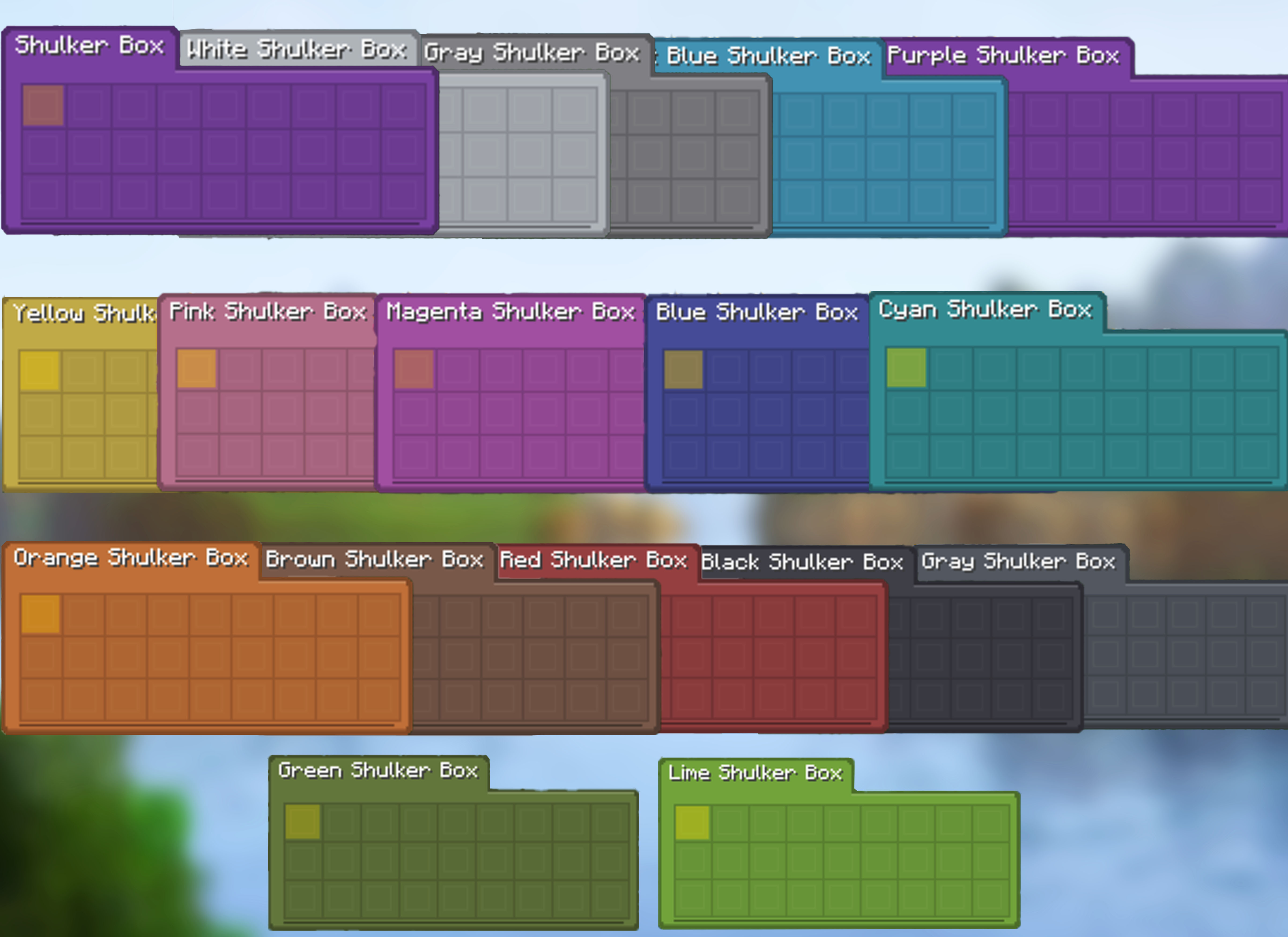
A flat rounded card, coloured by the box's own dye, with the container name and the selected item's name in tabs along its top edge. It is the default style as of 1.5.0, and the previous look is still available as the Vanilla style.
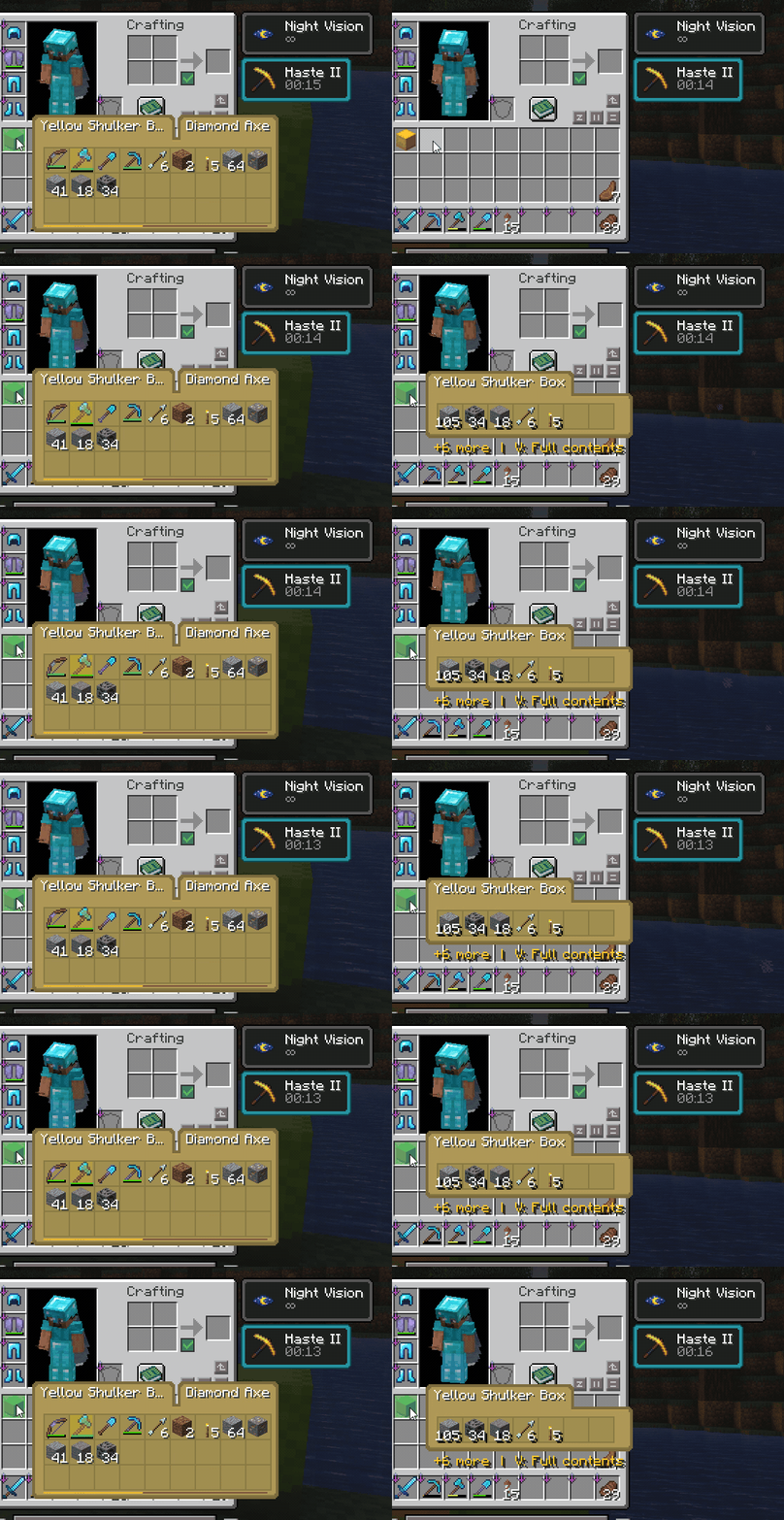
Quickly check what is inside a Shulker Box without placing it down. Use the full 9×3 preview when you want to see every slot, or compact mode when you only need a small summary of the most important contents.
+N more footer for the rest1.7k rather than 999+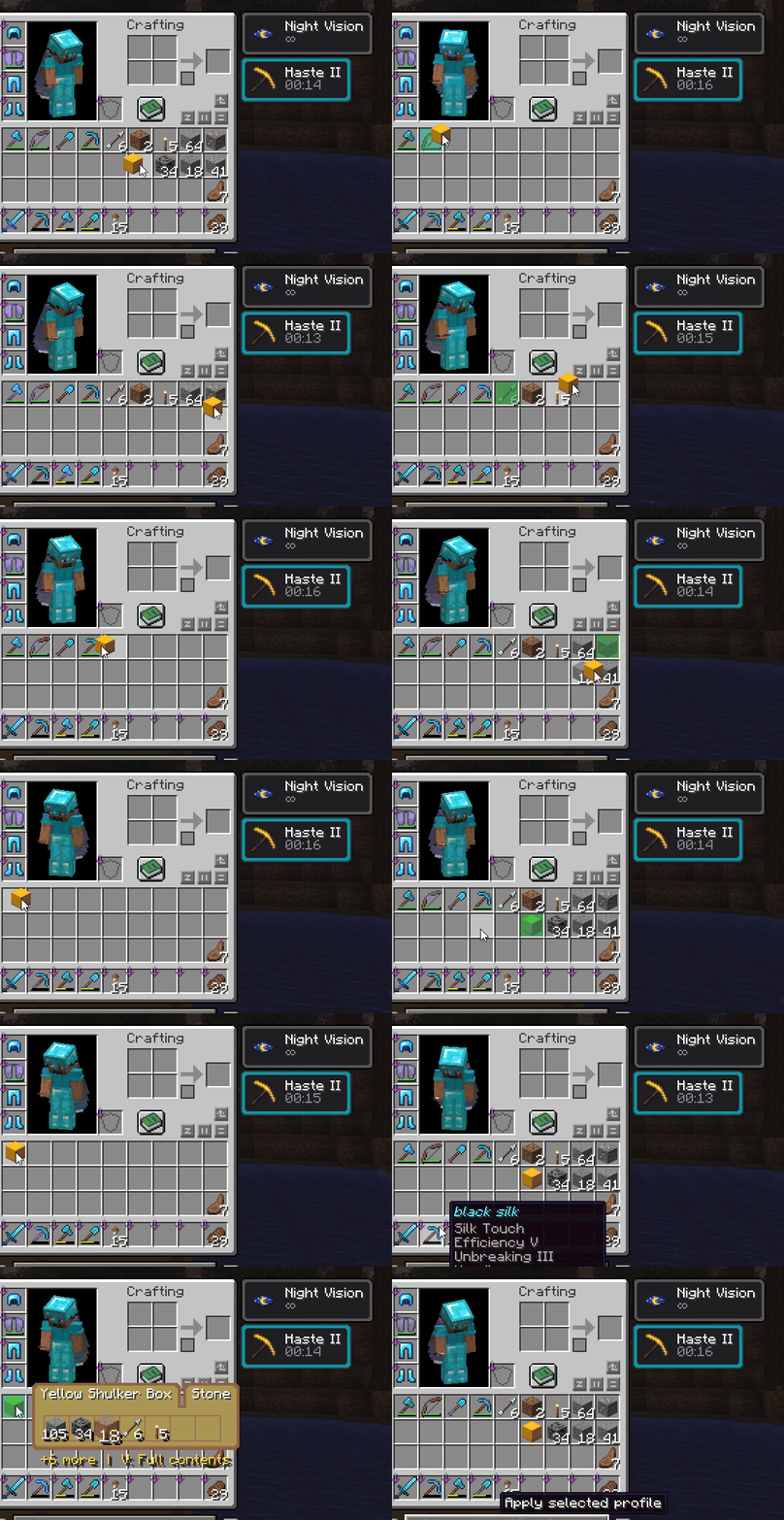
Move items in and out of Shulker Boxes directly from the tooltip. The mod gives instant visual feedback while still keeping the server authoritative.
E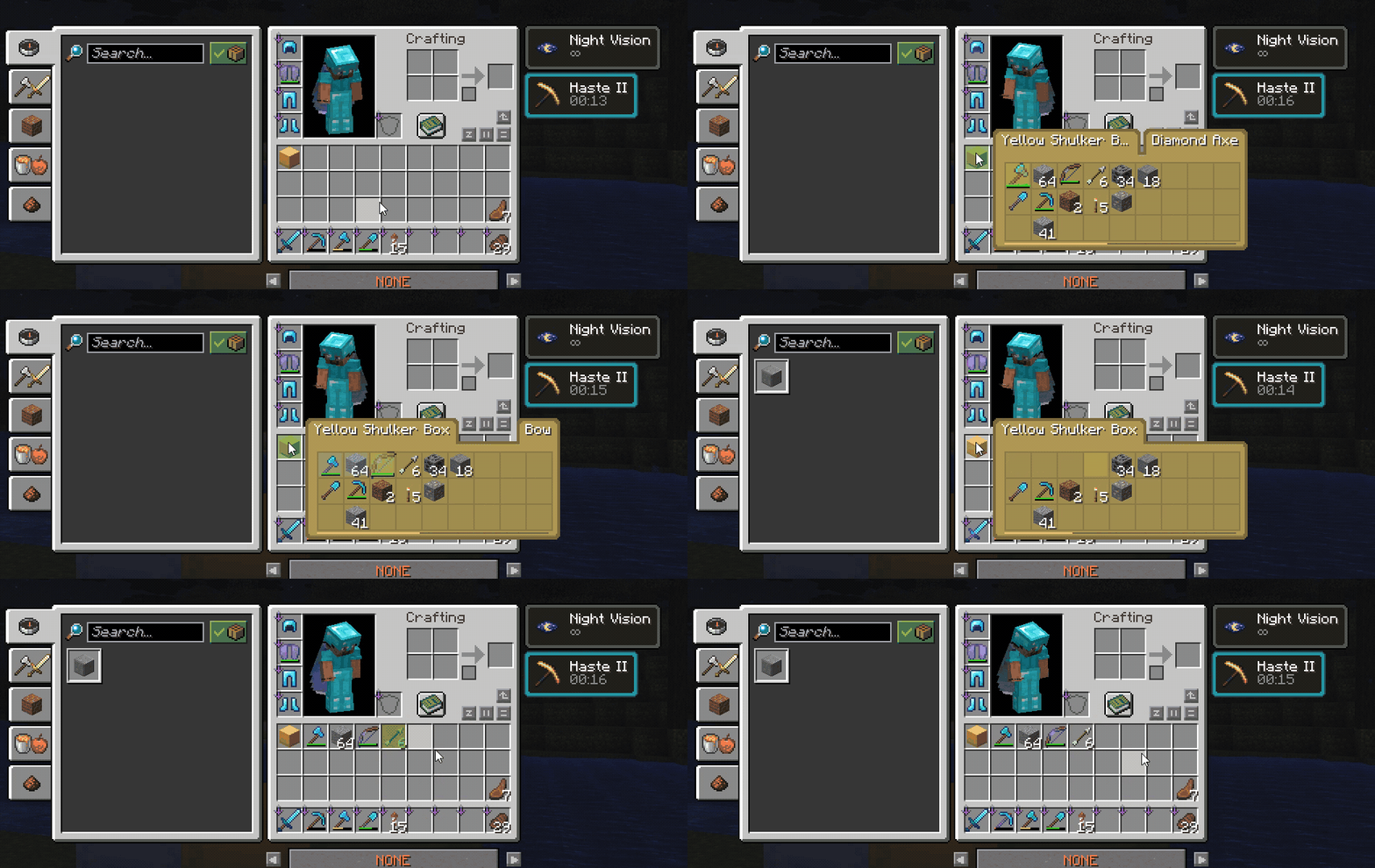
Select specific slots from the tooltip and extract them together. This makes it easy to grab only the items you want without opening or placing the box.
Space selects or toggles tooltip slotsE extracts selected slotsE behaves normally and closes the inventory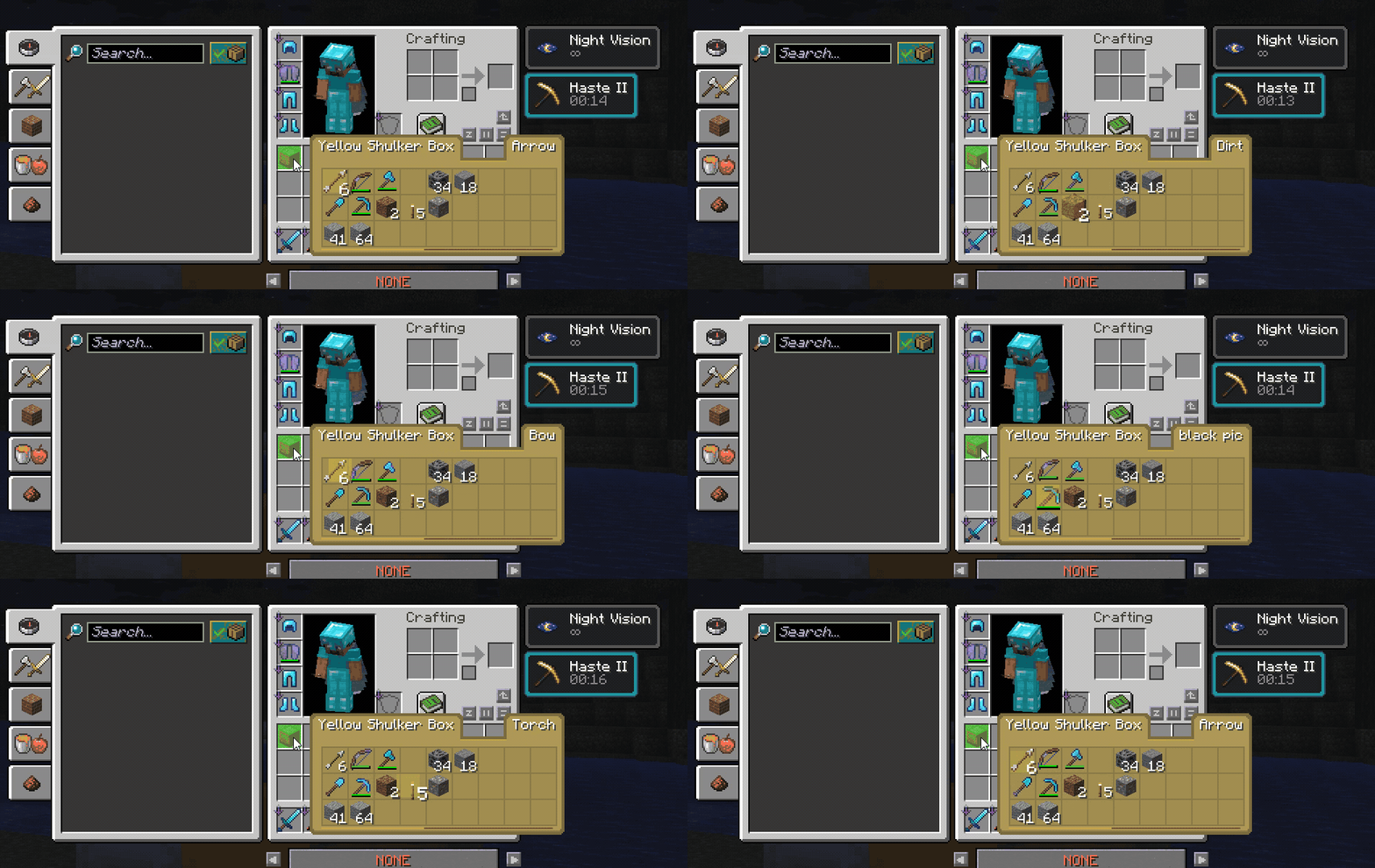 Navigate tooltip slots with the mouse wheel or arrow keys for faster control, especially when managing boxes with many items.
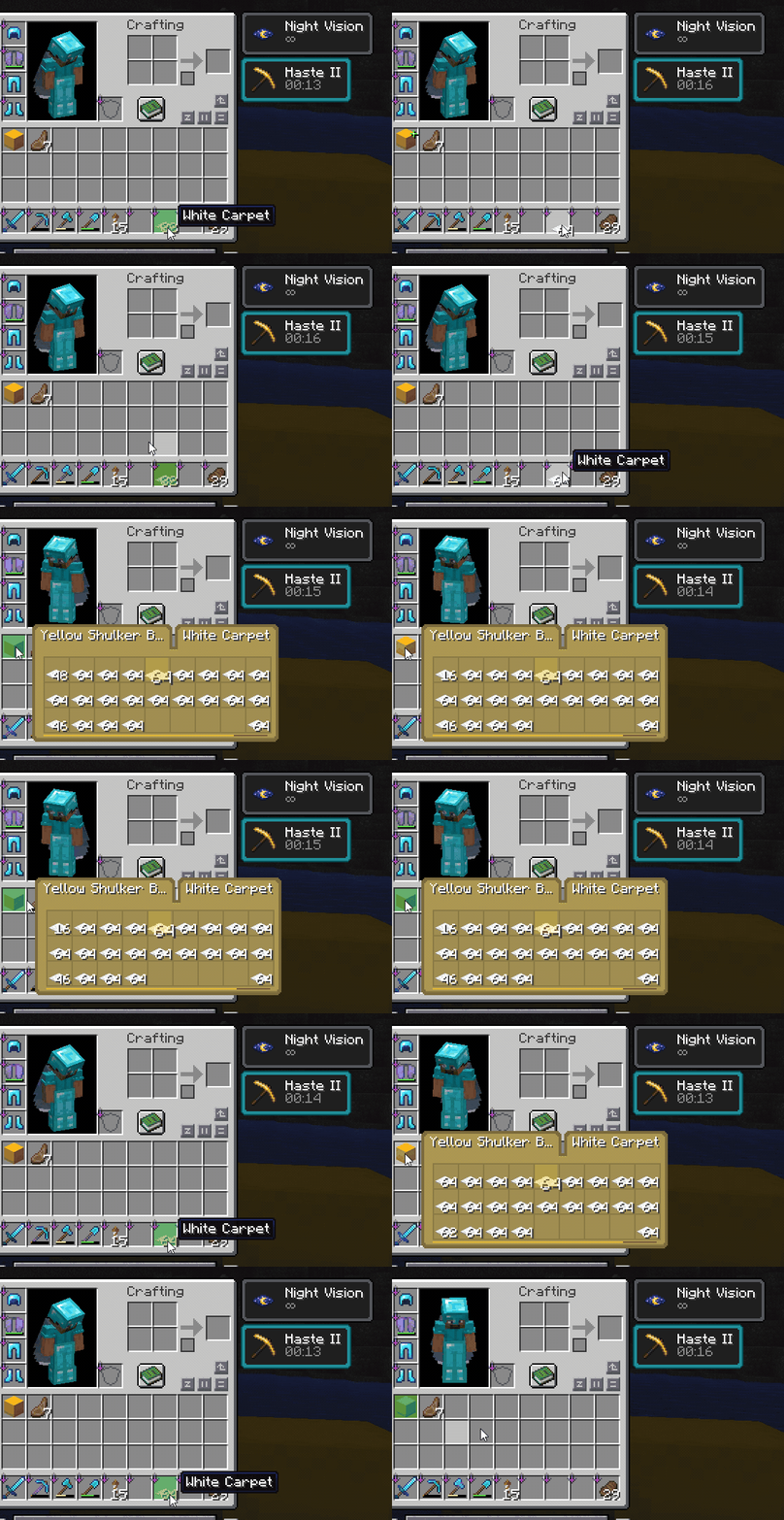
Use the Restock / Deposit key to quickly move matching items between your inventory and the hovered container. By default this key is R.
R while hovering a container preview to restock matching itemsR key to deposit matching inventory items into storage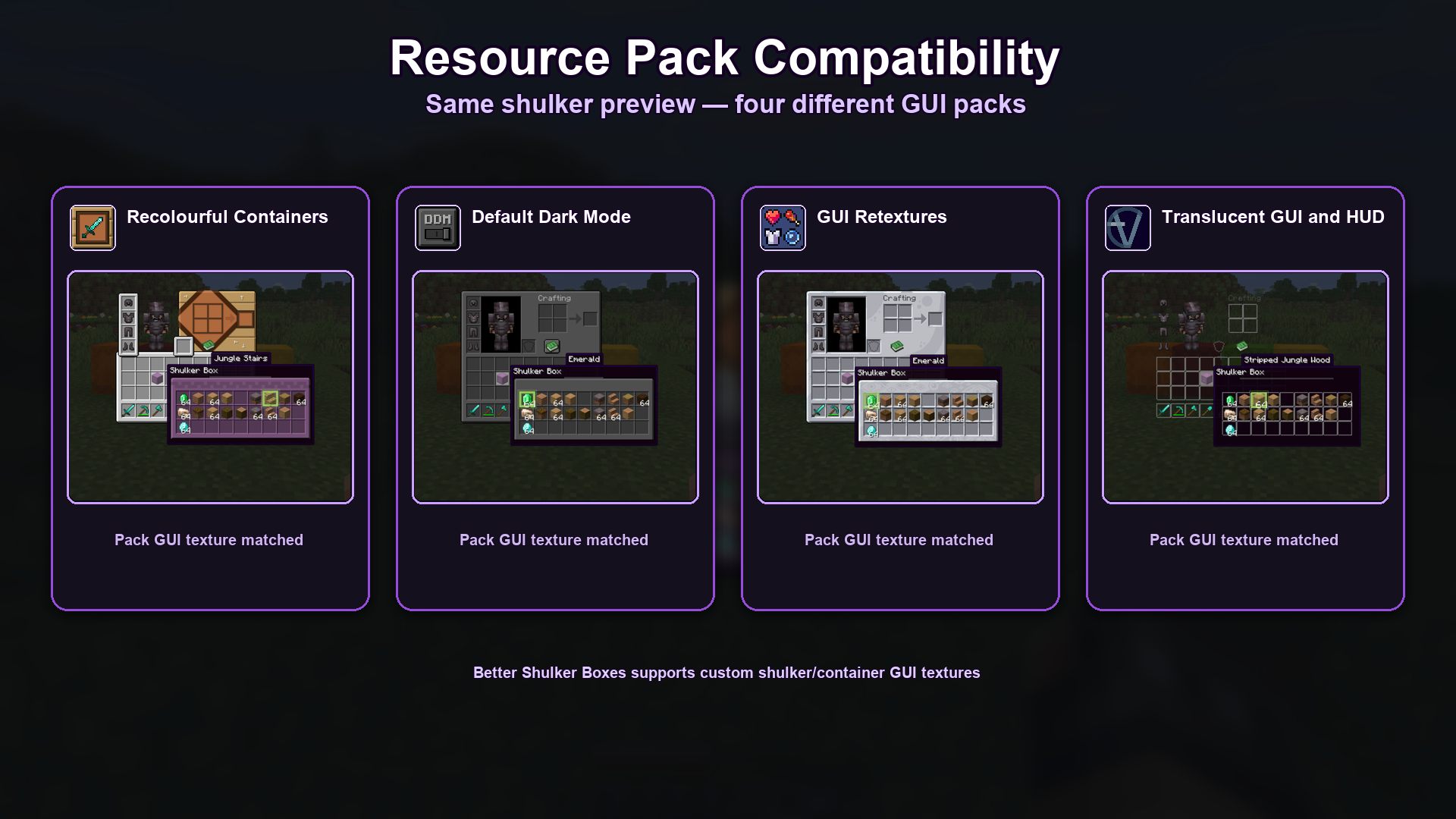
Better Shulker Boxes is designed to respect custom GUI textures from resource packs, so previews can match the style of your current pack instead of looking out of place. This applies to the Vanilla tooltip style, which is drawn from the container GUI texture.
assets/bettershulker/layouts/*.jsonThis mod is licensed under the MIT License
Project description from CurseForge.
Pick your setup
Choose the version and loader you play, then open the matching release.
Check the dependencies, then try the file in a copied instance before changing a world you care about.
Recent files
1 Sept 2026
1 Sept 2026
1 Sept 2026
21 Aug 2026
21 Aug 2026
21 Aug 2026
11 Aug 2026
11 Aug 2026
11 Aug 2026
5 Aug 2026
5 Aug 2026
5 Aug 2026
Looking for an older file? The official CurseForge project page is in Resources.
 mod
modSmart Resource Multiplier is a configurable mod that multiplies block, mobs, and drops while using smart anti-duplication protection to keep gameplay balanced and reliable.
 mod
modThe 64-stack limit is gone. Hold up to 99 million per slot with clean, readable count labels.
 mod
modHUD:A lightweight Jade alternative ,Saturation and Coordinates Monitor ,Waila,HWYLA,show Horse speed and jump stats,death location,Death Finder